Go
Go is a statically typed, compiled programming language designed for simplicity, efficiency, and concurrent programming. It's ideal for building fast, scalable server applications and system tools.
Go is a statically typed, compiled programming language designed with simplicity and efficiency in mind. It excels at concurrent programming, which makes it a good fit for fast, scalable server applications and system tools.
The sections below cover Go syntax, functions, concurrency patterns, and best practices.
No commands found
Try adjusting your search term
Getting Started
Fundamental Go concepts and basic syntax for beginners.
Hello World
Basic Go program structure with package declaration and main function.
Simple Hello World
A basic Go program with package declaration, import, and main function that prints a greeting.
package main
import "fmt"
func main() { fmt.Println("Hello, World!")}go run main.goHello, World!- Every Go program must have a main package and main function.
- The main function is the entry point of the program.
Multiple imports
Demonstrates grouped imports using parentheses for multiple packages.
package main
import ( "fmt" "math")
func main() { fmt.Println("Pi is approximately", math.Pi)}go run main.goPi is approximately 3.141592653589793- Use parentheses to group multiple imports.
- Import order doesn't matter, but groups are conventional.
Using a custom function
Demonstrates defining and calling a simple function within the main package.
package main
import "fmt"
func greet(name string) { fmt.Println("Hello,", name)}
func main() { greet("Gopher")}go run main.goHello, Gopher- Functions are declared with the func keyword.
- Function parameters must include their type.
Variables
Declaring and working with variables in Go, including type inference and shorthand syntax.
Variable declaration with var
Demonstrates explicit variable declaration with type specification.
package main
import "fmt"
func main() { var name string = "Alice" var age int = 30 fmt.Println(name, age)}go run main.goAlice 30- var keyword declares a variable with explicit type.
- Variables must be used after declaration or compilation fails.
Type inference
Go infers the type from the assigned value without explicit type specification.
package main
import "fmt"
func main() { var name = "Bob" var count = 5 fmt.Println(name, count)}go run main.goBob 5- Type inference makes code cleaner when the type is obvious.
- Go still enforces strict typing at compile time.
Short declaration operator
Uses the shorthand := operator for quick variable declaration and initialization.
package main
import "fmt"
func main() { name := "Charlie" age := 25 city := "New York" fmt.Println(name, age, city)}go run main.goCharlie 25 New York- ':=' is only available inside functions, not at package level.
- Cannot use := if variable already exists.
Constants
Defining constants with const keyword, typed/untyped constants, and iota enumeration.
Simple constants
Declares constants in a grouped block using const.
package main
import "fmt"
const ( Pi = 3.14159 MaxRetries = 3)
func main() { fmt.Println("Pi:", Pi) fmt.Println("Max retries:", MaxRetries)}go run main.goPi: 3.14159Max retries: 3- Constants must be assigned at compile time.
- Constants cannot be changed after creation.
Typed constants
Demonstrates typed constants with explicit type specification.
package main
import "fmt"
const ( Status string = "active" Count int = 10)
func main() { fmt.Println(Status, Count)}go run main.goactive 10- Typed constants are more restrictive but explicit.
- Untyped constants are more flexible for operations.
Iota enumeration
Uses iota to create enum-like constants that auto-increment from 0.
package main
import "fmt"
const ( Sunday iota Monday Tuesday Wednesday)
func main() { fmt.Println("Monday is:", Monday) fmt.Println("Wednesday is:", Wednesday)}go run main.goMonday is: 1Wednesday is: 3- iota starts at 0 and increments for each const line.
- Perfect for creating enum-like types in Go.
Data Types
Go's type system, including basic types, arrays, slices, and pointers.
Basic Types
Strings, integers, floats, booleans, bytes, and other numeric types.
Numeric types
Demonstrates various numeric types including integers, floats, and complex numbers.
package main
import "fmt"
func main() { var intVal int = 42 var floatVal float64 = 3.14 var complexVal complex128 = 1 + 2i
fmt.Println("Int:", intVal) fmt.Println("Float:", floatVal) fmt.Println("Complex:", complexVal)}go run main.goInt: 42Float: 3.14Complex: (1+2i)- Use int for most integer operations.
- float64 is the default floating-point type.
- complex128 supports complex number operations.
String and character types
Shows string, rune (Unicode), and byte types in Go.
package main
import "fmt"
func main() { var str string = "Hello, Go!" var char rune = 'A' var byteVal byte = 65
fmt.Println("String:", str) fmt.Println("Rune:", char) fmt.Println("Byte:", byteVal)}go run main.goString: Hello, Go!Rune: 65Byte: 65- Strings are immutable sequences of UTF-8 bytes.
- rune represents a Unicode code point.
- byte is an alias for uint8.
Boolean type
Demonstrates the boolean type with logical operations.
package main
import "fmt"
func main() { var isActive bool = true var isEmpty bool = false
fmt.Println("Active:", isActive) fmt.Println("Empty:", isEmpty) fmt.Println("Not empty:", !isEmpty)}go run main.goActive: trueEmpty: falseNot empty: true- bool can only be true or false.
- Use ! for logical NOT operation.
Arrays and Slices
Fixed-size arrays, dynamic slices, and slice operations.
Array declaration
Shows fixed-size array declaration and initialization.
package main
import "fmt"
func main() { var arr [3]int = [3]int{1, 2, 3} arr2 := [...]string{"a", "b", "c"}
fmt.Println("Array 1:", arr) fmt.Println("Array 2:", arr2) fmt.Println("Length:", len(arr))}go run main.goArray 1: [1 2 3]Array 2: [a b c]Length: 3- Arrays have a fixed size specified at compile time.
- Use ... to let the compiler infer array size from initialization.
Slice creation and manipulation
Demonstrates dynamic slices with append and slicing operations.
package main
import "fmt"
func main() { slice := []int{1, 2, 3, 4, 5} fmt.Println("Original:", slice)
slice = append(slice, 6) fmt.Println("After append:", slice)
subSlice := slice[1:4] fmt.Println("Sub-slice [1:4]:", subSlice)}go run main.goOriginal: [1 2 3 4 5]After append: [1 2 3 4 5 6]Sub-slice [1:4]: [2 3 4]- Slices are dynamic and can grow with append.
- Slicing is done with [start:end] (end is exclusive).
Make and capacity
Shows how to create slices with specific capacity using make.
package main
import "fmt"
func main() { slice := make([]int, 0, 10) fmt.Println("Length:", len(slice), "Capacity:", cap(slice))
for i := 0; i < 5; i++ { slice = append(slice, i) } fmt.Println("After append:", slice) fmt.Println("New length:", len(slice), "Capacity:", cap(slice))}go run main.goLength: 0 Capacity: 10After append: [0 1 2 3 4]New length: 5 Capacity: 10- make creates a slice with length and optional capacity.
- Setting capacity up front avoids reallocations as the slice grows.
Pointers
Pointer declaration, address operator, and dereferencing.
Pointer basics
Demonstrates pointer declaration, address operator (&), and dereferencing (*).
package main
import "fmt"
func main() { var x int = 42 var ptr *int = &x
fmt.Println("Value of x:", x) fmt.Println("Address of x:", &x) fmt.Println("Pointer ptr:", ptr) fmt.Println("Dereferenced value:", *ptr)}go run main.goValue of x: 42Address of x: 0x...Pointer ptr: 0x...Dereferenced value: 42- & gives the address of a variable.
- * dereferences a pointer to get its value.
Pointer modification
Shows how to modify a value through a pointer.
package main
import "fmt"
func main() { x := 10 ptr := &x
fmt.Println("Before:", x) *ptr = 20 fmt.Println("After dereference assignment:", x)}go run main.goBefore: 10After dereference assignment: 20- *ptr = value modifies the value that ptr points to.
Nil pointers
Demonstrates nil pointers and nil checking.
package main
import "fmt"
func main() { var ptr *int fmt.Println("Nil pointer:", ptr) fmt.Println("Is nil:", ptr == nil)
x := 5 ptr = &x fmt.Println("After assignment:", ptr) fmt.Println("Is nil:", ptr == nil)}go run main.goNil pointer: <nil>Is nil: trueAfter assignment: 0x...Is nil: false- Uninitialized pointers are nil.
- Always check if a pointer is nil before dereferencing to avoid panic.
Control Flow
Conditionals, switch statements, and loops in Go.
Conditionals
If/else statements, multiple conditions, and short statements in conditions.
Simple if/else
Basic if/else statement for conditional execution.
package main
import "fmt"
func main() { x := 10 if x > 5 { fmt.Println("x is greater than 5") } else { fmt.Println("x is not greater than 5") }}go run main.gox is greater than 5- Braces are required in Go, even for single-statement blocks.
Else if chains
Chains multiple conditions with else if.
package main
import "fmt"
func main() { score := 85 if score >= 90 { fmt.Println("Grade: A") } else if score >= 80 { fmt.Println("Grade: B") } else if score >= 70 { fmt.Println("Grade: C") } else { fmt.Println("Grade: F") }}go run main.goGrade: B- else if is used for multiple conditions in sequence.
Short statement in condition
Declares a variable in the if condition using a short statement.
package main
import "fmt"
func main() { if x := 10; x > 5 { fmt.Println("x is greater than 5") } else if x < 5 { fmt.Println("x is less than 5") } else { fmt.Println("x equals 5") }}go run main.gox is greater than 5- Variables declared in if condition are scoped to the if/else block.
Switch Statements
Switch/case statements, fallthrough, and type switches.
Basic switch
Basic switch statement with multiple cases and default.
package main
import "fmt"
func main() { day := 3 switch day { case 1: fmt.Println("Monday") case 2: fmt.Println("Tuesday") case 3: fmt.Println("Wednesday") default: fmt.Println("Unknown day") }}go run main.goWednesday- No case value matches another; each case is independent.
Switch with fallthrough
Demonstrates fallthrough to execute multiple cases.
package main
import "fmt"
func main() { fruit := "apple" switch fruit { case "apple": fmt.Println("Red fruit") fallthrough case "cherry": fmt.Println("Small fruit") case "banana": fmt.Println("Yellow fruit") }}go run main.goRed fruitSmall fruit- fallthrough executes the next case's statements.
Type switch
Uses type assertion with switch to handle different types.
package main
import "fmt"
func main() { var value interface{} = "hello"
switch v := value.(type) { case string: fmt.Println("String value:", v) case int: fmt.Println("Int value:", v) case float64: fmt.Println("Float value:", v) default: fmt.Println("Unknown type") }}go run main.goString value: hello- Type switch uses .(type) to check the underlying type.
- Useful for working with interface{} values.
Loops
For loops, range iteration, and while-like loops.
Traditional for loop
Demonstrates a traditional for loop with initialization, condition, and increment.
package main
import "fmt"
func main() { for i := 0; i < 5; i++ { fmt.Println("Iteration:", i) }}go run main.goIteration: 0Iteration: 1Iteration: 2Iteration: 3Iteration: 4- Go only has for loops, no while; use for without condition for while behavior.
Range iteration
Uses range to iterate over slices with index and value.
package main
import "fmt"
func main() { fruits := []string{"apple", "banana", "cherry"} for idx, fruit := range fruits { fmt.Println(idx, "-", fruit) }}go run main.go0 - apple1 - banana2 - cherry- range provides both index and value; use _ to ignore either.
Infinite loop with break
Infinite loop using for without condition, exited with break.
package main
import "fmt"
func main() { count := 0 for { fmt.Println("Count:", count) count++ if count >= 3 { break } } fmt.Println("Done!")}go run main.goCount: 0Count: 1Count: 2Done!- for {} creates an infinite loop; break exits early.
Functions and Methods
Function definition, return types, lambdas, closures, and methods.
Function Definition
Functions with parameters, return types, and multiple returns.
Simple function
Defines a simple function with parameters and a return value.
package main
import "fmt"
func add(a int, b int) int { return a + b}
func main() { result := add(5, 3) fmt.Println("Sum:", result)}go run main.goSum: 8- Parameters must include their type.
- Return type comes after parameter list.
Multiple return values
Demonstrates multiple return values, commonly used for error handling.
package main
import "fmt"
func divide(a, b float64) (float64, error) { if b == 0 { return 0, fmt.Errorf("division by zero") } return a / b, nil}
func main() { result, err := divide(10, 2) if err != nil { fmt.Println("Error:", err) } else { fmt.Println("Result:", result) }}go run main.goResult: 5- Multiple returns are wrapped in parentheses.
- Idiomatic Go returns an error as the last return value.
Named return values
Uses named return values that can be returned implicitly.
package main
import "fmt"
func swap(a, b string) (first string, second string) { first = b second = a return}
func main() { x, y := swap("hello", "world") fmt.Println(x, y)}go run main.goworld hello- Named returns instantiate variables; return without args returns them.
Lambdas and Closures
Anonymous functions, function literals, and closures.
Anonymous function
Demonstrates anonymous functions called immediately and assigned to variables.
package main
import "fmt"
func main() { func(name string) { fmt.Println("Hello,", name) }("Go")
greet := func(name string) string { return "Hi, " + name } fmt.Println(greet("Gopher"))}go run main.goHello, GoHi, Gopher- Anonymous functions can be called immediately or assigned.
Closure capturing variables
Closure captures and modifies the outer variable x.
package main
import "fmt"
func main() { x := 10 increment := func() { x++ } increment() fmt.Println("x after closure:", x)}go run main.gox after closure 11- Closures capture variables by reference, not by value.
Higher-order function
Demonstrates higher-order functions that take functions as parameters.
package main
import "fmt"
func apply(f func(int) int, value int) int { return f(value)}
func main() { square := func(x int) int { return x * x } result := apply(square, 5) fmt.Println("Square of 5:", result)}go run main.goSquare of 5 25- Functions are first-class values in Go.
Methods
Methods with receivers, pointer receivers, and method sets.
Value receiver method
Defines a method with a value receiver; the receiver is a copy.
package main
import "fmt"
type Circle struct { Radius float64}
func (c Circle) Area() float64 { return 3.14159 * c.Radius * c.Radius}
func main() { circle := Circle{Radius: 5} fmt.Println("Area:", circle.Area())}go run main.goArea: 78.5- Value receiver receives a copy; modifications don't affect original.
Pointer receiver method
Uses pointer receiver to modify the receiver's state.
package main
import "fmt"
type Counter struct { Count int}
func (c *Counter) Increment() { c.Count++}
func main() { counter := &Counter{Count: 0} counter.Increment() counter.Increment() fmt.Println("Count:", counter.Count)}go run main.goCount: 2- Pointer receiver allows modification of the receiver.
Multiple methods on same type
Defines multiple methods on the same struct type.
package main
import "fmt"
type Rectangle struct { Width, Height float64}
func (r Rectangle) Area() float64 { return r.Width * r.Height}
func (r Rectangle) Perimeter() float64 { return 2 * (r.Width + r.Height)}
func main() { rect := Rectangle{Width: 5, Height: 3} fmt.Println("Area:", rect.Area()) fmt.Println("Perimeter:", rect.Perimeter())}go run main.goArea: 15Perimeter: 16- Go supports methods on any named type, not just structs.
Packages and Interfaces
Package organization, imports, exporting, and interfaces.
Packages
Package declaration, imports, and import aliases.
Single and grouped imports
Shows grouped import syntax with multiple standard library packages.
package main
import ( "fmt" "math" "strings")
func main() { fmt.Println(strings.ToUpper("hello")) fmt.Println("Pi:", math.Pi)}go run main.goHELLOPi: 3.141592653589793- Use parentheses to group multiple imports.
- Imports are automatically sorted alphabetically.
Import aliases
Uses import aliases to rename package names.
package main
import ( fmt_pkg "fmt" m "math")
func main() { fmt_pkg.Println("Alias demo") fmt_pkg.Println("Pi:", m.Pi)}go run main.goAlias demoPi: 3.141592653589793- Aliases are useful for avoiding naming conflicts or shortening long names.
Package organization
Shows a package organization example with custom package structure.
package utils
import "strings"
func Reverse(s string) string { runes := []rune(s) for i, j := 0, len(runes)-1; i < j; i, j = i+1, j-1 { runes[i], runes[j] = runes[j], runes[i] } return string(runes)}- Package name matches directory name (usually).
Exporting
Exported vs unexported identifiers, naming conventions.
Exported function and variable
Shows exported (capitalized) and unexported (lowercase) identifiers.
package math
var MaxValue = 999999
func Add(a, b int) int { return a + b}
func private() { // This function is unexported}- Exported names start with uppercase letters.
- Unexported names start with lowercase and are only visible within the package.
Exported struct and fields
Struct with exported Name field and unexported age field.
package person
type Person struct { Name string age int}
func NewPerson(name string, age int) *Person { return &Person{Name: name, age: age}}- Exported struct fields are capitalized.
- Use constructor functions (NewType) for creating instances.
Interfaces
Interface definition, implicit implementation, type assertions.
Basic interface
Demonstrates interface definition and implicit implementation.
package main
import "fmt"
type Writer interface { Write(string) error}
type File struct{}
func (f File) Write(content string) error { fmt.Println("Writing:", content) return nil}
func SaveData(w Writer, data string) { w.Write(data)}
func main() { file := File{} SaveData(file, "Hello World")}go run main.goWriting: Hello World- Types automatically satisfy interfaces if they implement all methods.
Type assertion
Uses type assertion to extract the underlying type from interface{}.
package main
import "fmt"
func main() { var val interface{} = "hello"
if str, ok := val.(string); ok { fmt.Println("String:", str) } else { fmt.Println("Not a string") }}go run main.goString: hello- Type assertion panics if the type is wrong; use ok to safely check.
Empty interface
Uses interface{} to accept values of any type.
package main
import "fmt"
func Print(v interface{}) { fmt.Println("Value:", v)}
func main() { Print(42) Print("hello") Print(3.14)}go run main.goValue: 42Value: helloValue: 3.14- interface{} is the empty interface that every type implements.
Concurrency
Goroutines, channels, and synchronization patterns.
Goroutines
Creating goroutines with go keyword and concurrent execution.
Simple goroutine
Launches a goroutine with the go keyword for concurrent execution.
package main
import ( "fmt" "time")
func printNumbers() { for i := 1; i <= 3; i++ { fmt.Println("Number:", i) time.Sleep(100 * time.Millisecond) }}
func main() { go printNumbers() time.Sleep(500 * time.Millisecond) fmt.Println("Main done")}go run main.goNumber: 1Number: 2Number: 3Main done- go launches a goroutine; main must wait for goroutines to complete.
Multiple goroutines
Launches multiple goroutines for concurrent task execution.
package main
import ( "fmt" "time")
func worker(id int) { for i := 0; i < 2; i++ { fmt.Printf("Worker %d: task %d\n", id, i) time.Sleep(50 * time.Millisecond) }}
func main() { for i := 1; i <= 3; i++ { go worker(i) } time.Sleep(200 * time.Millisecond)}go run main.goWorker 1: task 0Worker 2: task 0Worker 3: task 0Worker 1: task 1Worker 2: task 1Worker 3: task 1- Goroutines are lightweight; thousands can run concurrently.
Goroutine with closure
Uses closures in goroutines; copies loop variable to avoid race conditions.
package main
import ( "fmt" "time")
func main() { for i := 1; i <= 3; i++ { i := i go func() { fmt.Println("Goroutine:", i) }() } time.Sleep(100 * time.Millisecond)}go run main.goGoroutine: 1Goroutine: 2Goroutine: 3- Copy loop variables in closures: i := i before the goroutine.
Channels
Channel creation, sending/receiving, and channel directions.
Basic channel
Creates a channel and passes data between goroutines.
package main
import "fmt"
func main() { messages := make(chan string)
go func() { messages <- "Hello" }()
msg := <-messages fmt.Println(msg)}go run main.goHello- <- is the send/receive operator; direction depends on context.
Receive pattern
Uses a buffered channel to receive multiple values.
package main
import "fmt"
func main() { results := make(chan string, 2)
go func() { results <- "Task 1" results <- "Task 2" }()
fmt.Println(<-results) fmt.Println(<-results)}go run main.goTask 1Task 2- make(chan Type, capacity) creates a buffered channel.
Ranging over channels
Uses range to iterate over channel values until close.
package main
import "fmt"
func main() { numbers := make(chan int)
go func() { for i := 1; i <= 3; i++ { numbers <- i } close(numbers) }()
for num := range numbers { fmt.Println(num) }}go run main.go123- close closes the channel; range exits when channel is closed.
Buffered Channels and Sync
Buffered channels, channel closing, and WaitGroup synchronization.
Buffered channels
Buffered channel with capacity allows sending without immediate receiver.
package main
import "fmt"
func main() { messages := make(chan string, 2)
messages <- "First" messages <- "Second" messages <- "Third"
fmt.Println(<-messages) fmt.Println(<-messages) fmt.Println(<-messages)}go run main.goFirstSecondThird- Buffered channels have a fixed capacity.
- Sending blocks only when buffer is full.
Ranging over channel
Iterates over channel until it is closed.
package main
import "fmt"
func main() { ch := make(chan int, 3) ch <- 1 ch <- 2 ch <- 3 close(ch)
for value := range ch { fmt.Println(value) }}go run main.go123- close signals that no more values will be sent.
- range exits when the channel is closed.
WaitGroup for synchronization
Uses sync.WaitGroup to wait for all goroutines to complete.
package main
import ( "fmt" "sync")
func main() { var wg sync.WaitGroup
for i := 1; i <= 3; i++ { wg.Add(1) go func(id int) { defer wg.Done() fmt.Println("Worker", id) }(i) }
wg.Wait() fmt.Println("All workers done")}go run main.goWorker 1Worker 2Worker 3All workers done- Add increments counter, Done decrements, Wait blocks until zero.
Advanced Features
Error handling, defer/panic/recover, type conversion, and maps.
Error Handling
Error interface, returning errors, and error checking patterns.
Returning errors
Returns error as second value; check before using the result.
package main
import ( "fmt" "errors")
func divide(a, b float64) (float64, error) { if b == 0 { return 0, errors.New("division by zero") } return a / b, nil}
func main() { result, err := divide(10, 2) if err != nil { fmt.Println("Error:", err) return } fmt.Println("Result:", result)}go run main.goResult: 5- Error is returned as the last value in Go.
- Check error immediately after the function call.
Custom errors
Implements custom error type with Error method.
package main
import ( "fmt" "errors")
type ValidationError struct { Field string Message string}
func (e ValidationError) Error() string { return fmt.Sprintf("%s: %s", e.Field, e.Message)}
func main() { err := ValidationError{"Email", "Invalid format"} fmt.Println(err)}go run main.goEmail: Invalid format- Implement Error() string method to satisfy error interface.
Error wrapping
Wraps errors with context while preserving the original error.
package main
import ( "fmt" "errors")
func main() { err := errors.New("database error") wrapped := fmt.Errorf("failed to save user: %w", err) fmt.Println(wrapped)
if errors.Is(wrapped, err) { fmt.Println("Found the original error") }}go run main.gofailed to save user: database errorFound the original error- Use %w in fmt.Errorf to wrap errors.
- Use errors.Is to check for specific errors.
Defer, Panic, and Recover
Defer execution, panic for unrecoverable errors, and recover from panic.
Defer for cleanup
defer runs the given code when the function exits.
package main
import "fmt"
func main() { file := "data.txt" fmt.Println("Opening", file) defer fmt.Println("Closing", file)
fmt.Println("Processing file")}go run main.goOpening data.txtProcessing fileClosing data.txt- defer executes when the function returns or panics.
Panic usage
Uses panic for errors and recover to handle them.
package main
import "fmt"
func safeDivide(a, b int) int { if b == 0 { panic("division by zero") } return a / b}
func main() { defer func() { if r := recover(); r != nil { fmt.Println("Recovered from:", r) } }()
result := safeDivide(10, 0) fmt.Println(result)}go run main.goRecovered from: division by zero- panic stops execution; recover returns the panic value in defer.
Multiple defers
Defers execute in LIFO (Last In, First Out) order.
package main
import "fmt"
func main() { fmt.Println("Start")
defer fmt.Println("First defer") defer fmt.Println("Second defer") defer fmt.Println("Third defer")
fmt.Println("End")}go run main.goStartEndThird deferSecond deferFirst defer- Multiple defers form a stack; last defer executes first.
Type Conversion and Maps
Type conversion syntax, maps/dictionaries, and type switching.
Type conversion
Converts between compatible types using Type(value) syntax.
package main
import "fmt"
func main() { var x int32 = 42 y := int64(x) z := float64(x)
fmt.Println("Original:", x) fmt.Println("To int64:", y) fmt.Println("To float64:", z)}go run main.goOriginal: 42To int64: 42To float64: 42- Type conversion is explicit; implicit conversions are not allowed.
Map creation and access
Creates and manipulates maps with key-value pairs.
package main
import "fmt"
func main() { scores := map[string]int{ "Alice": 90, "Bob": 85, "Charlie": 92, }
fmt.Println("Alice's score:", scores["Alice"]) scores["David"] = 88 fmt.Println("David's score:", scores["David"])
if val, ok := scores["Eve"]; ok { fmt.Println("Eve's score:", val) } else { fmt.Println("Eve not found") }}go run main.goAlice's score: 90David's score: 88Eve not found- Maps are unordered; use two-value receive to check existence.
Iterating over maps
Iterates over map keys and values using range.
package main
import "fmt"
func main() { colors := map[string]string{ "red": "#FF0000", "green": "#00FF00", "blue": "#0000FF", }
for name, hex := range colors { fmt.Printf("%s: %s\n", name, hex) }}go run main.gored: #FF0000green: #00FF00blue: #0000FF- Maps are iterated in random order; use ordering if needed.
Was this useful?
Continue on this topic
The same subject, covered a different way from the cheatsheet above.
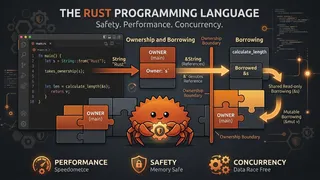 Quiz
QuizRust: Ownership, Borrowing & Memory Safety
Test your knowledge of Rust fundamentals covering ownership, borrowing, lifetimes, traits, pattern matching, error handling, and memory-safe systems programming without a garbage collector.
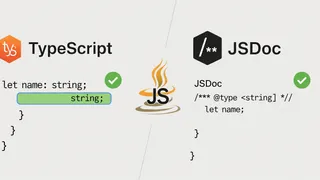 Article
TypeScript vs. JSDoc: Static Type Checking in JavaScript Compared
A comparison of TypeScript and JSDoc for catching type errors in JavaScript: how each one works, what each one costs, and when to pick one over the other.
 Code snippet
Optimizing your python code with __slots__?
Discover how Python `__slots__` can reduce memory usage by up to 40% in data-heavy applications. Perfect for MLOps pipelines and big data processing where millions of objects consume precious memory resources.
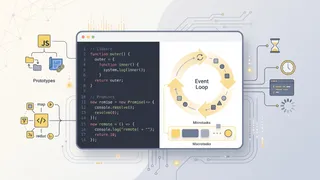 Flashcards
JavaScript Intermediate Flashcards
Intermediate and advanced JavaScript concepts for deeper mastery using spaced repetition.
You might also enjoy
More posts on similar topics
6 related posts