Python
Python is an interpreted, high-level programming language known for its readability and simplicity. It supports multiple programming paradigms including procedural, object-oriented, and functional programming.
Python is an interpreted, high-level programming language known for its readability and simplicity. It supports multiple programming paradigms including procedural, object-oriented, and functional programming.
The sections below cover Python syntax, functions, classes, and common patterns.
No commands found
Try adjusting your search term
Getting Started
Fundamental Python concepts and syntax for beginners.
Basic Syntax
Python fundamentals including print, variables, comments, and indentation.
Print statement and variables
Demonstrates variable assignment and f-string printing.
name = "Python"version = 3.12print(f"Welcome to {name} {version}")python -c "name = 'Python'; version = 3.12; print(f'Welcome to {name} {version}')"Welcome to Python 3.12- Python uses meaningful whitespace and indentation.
- Variables are dynamically typed.
Comments and multiline strings
Shows different comment styles and how to write docstrings.
# This is a single-line comment
"""This is a multiline commentor docstring"""
message = "Hello" # inline commentprint(message)python -c "message = 'Hello'; print(message)"Hello- Use '#' for single-line comments.
- Use triple quotes for multiline comments or docstrings.
Data Types
Python's built-in data types and type conversion.
Type casting and checking
Shows type casting and how to check variable types.
x = 42y = float(x)z = str(x)print(type(x), type(y), type(z))print(y, z)python -c "x = 42; y = float(x); z = str(x); print(type(x), type(y), type(z)); print(y, z)"<class 'int'> <class 'float'> <class 'str'>42.0 42- int(), float(), str(), bool() convert between types.
- type() returns the data type of a variable.
None and boolean types
Demonstrates None, boolean types, and truthiness.
a = Noneb = Truec = Falseprint(type(a), type(b), type(c))print(bool(1), bool(0), bool(""))python -c "a = None; b = True; c = False; print(bool(1), bool(0), bool(''))"True False False- None represents a null value.
- Empty sequences and 0 evaluate to False.
Numbers and Strings
Arithmetic operations, string slicing, and string methods.
Arithmetic operations and string slicing
Shows arithmetic operators and string slicing with start:end:step syntax.
x = 10y = 3print(x + y, x - y, x * y, x / y, x // y, x % y, x ** y)
text = "Python"print(text[0:3], text[-2:], text[::2])python -c "x = 10; y = 3; print(x + y, x - y, x * y, x / y, x // y, x % y, x ** y); text = 'Python'; print(text[0:3], text[-2:], text[::2])"13 7 30 3.3333333333333335 3 1 1000Pyt on Pto- / performs float division, // performs integer division.
- Negative indices count from the end of the string.
String methods
Demonstrates common string methods like lower(), replace(), split(), and join().
text = "HELLO WORLD"print(text.lower())print(text.replace("WORLD", "Python"))print(text.split())print("_".join(["a", "b", "c"]))python -c "text = 'HELLO WORLD'; print(text.lower()); print(text.replace('WORLD', 'Python')); print(text.split()); print('_'.join(['a', 'b', 'c']))"hello worldHELLO Python['HELLO', 'WORLD']a_b_c- String methods are case-sensitive for the method call.
- split() returns a list of strings.
Data Structures
Working with lists, tuples, dictionaries, and sets.
Lists
Creating and manipulating ordered, mutable sequences.
List creation and indexing
Demonstrates list creation, indexing, slicing, and the append() method.
items = [1, 2, 3, 4, 5]print(items[0], items[-1])print(items[1:3], items[::2])items.append(6)print(items)python -c "items = [1, 2, 3, 4, 5]; print(items[0], items[-1]); print(items[1:3], items[::2]); items.append(6); print(items)"1 5[2, 3] [1, 3, 5][1, 2, 3, 4, 5, 6]- Lists are mutable and can be modified after creation.
- Use negative indices to access from the end.
List methods and operations
Shows remove(), pop(), and extend() methods.
items = [1, 2, 3, 2, 4]items.remove(2)print(items)items.pop()print(items)items.extend([5, 6])print(items)python -c "items = [1, 2, 3, 2, 4]; items.remove(2); print(items); items.pop(); print(items); items.extend([5, 6]); print(items)"[1, 3, 2, 4][1, 3, 2][1, 3, 2, 5, 6]- remove() removes the first occurrence of a value.
- pop() removes and returns the last element.
- extend() adds multiple elements to the list.
Tuples
Immutable sequences and tuple unpacking.
Tuple creation and unpacking
Creates tuples and demonstrates unpacking values into variables.
point = (10, 20)x, y = pointprint(f"x={x}, y={y}")
data = (1, 2, 3)print(data[0], data[-1], len(data))python -c "point = (10, 20); x, y = point; print(f'x={x}, y={y}'); data = (1, 2, 3); print(data[0], data[-1], len(data))"x=10, y=201 3 3- Tuples are immutable; they cannot be modified after creation.
- Unpacking allows assigning tuple values to multiple variables.
Tuple operations
Demonstrates tuple concatenation and repetition.
t1 = (1, 2)t2 = (3, 4)t3 = t1 + t2print(t3)print(t3 * 2)print((5,) == (5))python -c "t1 = (1, 2); t2 = (3, 4); t3 = t1 + t2; print(t3); print(t3 * 2); print((5,) == (5))"(1, 2, 3, 4)(1, 2, 3, 4, 1, 2, 3, 4)False- Use a trailing comma (5,) to create a single-element tuple.
Dictionaries
Key-value pairs and dictionary operations.
Dictionary creation and access
Shows dictionary creation and access using [] and get().
person = {"name": "Alice", "age": 30, "city": "NYC"}print(person["name"])print(person.get("age"))print(person.get("email", "Not found"))python -c "person = {'name': 'Alice', 'age': 30, 'city': 'NYC'}; print(person['name']); print(person.get('age')); print(person.get('email', 'Not found'))"Alice30Not found- Use get() to safely access keys with a default value.
- get() returns None if the key is not found and no default is provided.
Dictionary modification and iteration
Demonstrates adding, deleting, and iterating over dictionary entries.
d = {"a": 1, "b": 2}d["c"] = 3del d["a"]print(d)print(d.keys(), d.values())for key, value in d.items(): print(f"{key}: {value}")python -c "d = {'a': 1, 'b': 2}; d['c'] = 3; del d['a']; print(d); print(list(d.keys()), list(d.values())); [(print(f'{k}: {v}')) for k, v in d.items()]"{'b': 2, 'c': 3}dict_keys(['b', 'c']) dict_values([2, 3])b: 2c: 3- Use del to remove key-value pairs.
- items() returns tuples of (key, value) pairs.
Sets
Unordered collections of unique elements.
Set creation and operations
Shows set creation (duplicates removed) and add/remove operations.
s = {1, 2, 3, 3, 4}print(s)s.add(5)s.remove(2)print(s)python -c "s = {1, 2, 3, 3, 4}; print(s); s.add(5); s.remove(2); print(s)"{1, 2, 3, 4}{1, 3, 4, 5}- Sets automatically remove duplicates.
- Sets are unordered, so iteration order is not guaranteed.
Set operations
Demonstrates union (|), intersection (&), and difference (-) operations.
a = {1, 2, 3}b = {3, 4, 5}print(a | b) # unionprint(a & b) # intersectionprint(a - b) # differencepython -c "a = {1, 2, 3}; b = {3, 4, 5}; print(a | b); print(a & b); print(a - b)"{1, 2, 3, 4, 5}{3}{1, 2}- Use pipes |, ampersand &, and minus - for set operations.
Control Flow
Conditionals, loops, and list comprehensions.
Conditionals
if/elif/else statements and logical operators.
if/elif/else statements
Shows if/elif/else conditional logic.
x = 15if x < 10: print("Less than 10")elif x < 20: print("Between 10 and 20")else: print("20 or more")python -c "x = 15; print('Between 10 and 20' if x >= 10 and x < 20 else ('Less than 10' if x < 10 else '20 or more'))"Between 10 and 20- Each conditional block must be indented.
- Use elif for multiple conditions.
Comparison and logical operators
Demonstrates logical operators (and, or, not) and membership testing (in).
x = 5print(x > 3 and x < 10)print(x == 5 or x == 10)print(not (x == 0))print(x in [1, 2, 5, 10])python -c "x = 5; print(x > 3 and x < 10); print(x == 5 or x == 10); print(not (x == 0)); print(x in [1, 2, 5, 10])"TrueTrueTrueTrue- Use 'and', 'or', 'not' for boolean operations.
- Use 'in' to check membership in lists, strings, etc.
Loops
for and while loops with break and continue.
for loop with range and lists
Shows for loops iterating over ranges and lists.
for i in range(3): print(f"Iteration {i}")
for item in ["a", "b", "c"]: print(item)python -c "for i in range(3): print(f'Iteration {i}'); print('---'); [print(item) for item in ['a', 'b', 'c']]"Iteration 0Iteration 1Iteration 2---abc- range(n) generates numbers from 0 to n-1.
- for loops automatically iterate over sequences.
Loop control with break and continue
Demonstrates break (exit loop) and continue (skip iteration).
for i in range(5): if i == 2: continue if i == 4: break print(i)python -c "for i in range(5):\n if i == 2:\n continue\n if i == 4:\n break\n print(i)"013- continue skips the current iteration.
- break exits the loop entirely.
List Comprehensions
Concise syntax for creating and filtering lists.
Basic list comprehension
Shows list comprehension with transformation and filtering.
squares = [x**2 for x in range(5)]print(squares)
evens = [x for x in range(10) if x % 2 == 0]print(evens)python -c "squares = [x**2 for x in range(5)]; print(squares); evens = [x for x in range(10) if x % 2 == 0]; print(evens)"[0, 1, 4, 9, 16][0, 2, 4, 6, 8]- List comprehensions are more concise than for loops.
- Add if clause for filtering elements.
Nested list comprehension
Demonstrates nested list comprehensions and flattening matrices.
matrix = [[i*j for j in range(3)] for i in range(3)]print(matrix)
flat = [x for row in matrix for x in row]print(flat)python -c "matrix = [[i*j for j in range(3)] for i in range(3)]; print(matrix); flat = [x for row in matrix for x in row]; print(flat)"[[0, 0, 0], [0, 1, 2], [0, 2, 4]][0, 0, 0, 0, 1, 2, 0, 2, 4]- Nested comprehensions can be complex; prioritize readability.
Functions and Scope
Defining functions, arguments, and variable scope.
Function Definition
def keyword, parameters, return statements, and docstrings.
Basic function definition
Demonstrates basic function definition with parameters and return statement.
def greet(name): """Greet a person by name.""" return f"Hello, {name}!"
print(greet("Alice"))python -c "def greet(name):\n return f'Hello, {name}!'\nprint(greet('Alice'))"Hello, Alice!- Functions are defined with the def keyword.
- Docstrings document function purpose and usage.
Function with default arguments
Shows functions with default parameter values.
def add(a, b=0, c=0): return a + b + c
print(add(1))print(add(1, 2))print(add(1, 2, 3))python -c "def add(a, b=0, c=0):\n return a + b + c\nprint(add(1)); print(add(1, 2)); print(add(1, 2, 3))"136- Default parameters must come after required parameters.
- Default values are evaluated once at function definition.
Arguments
Positional arguments, keyword arguments, *args, and **kwargs.
Positional and keyword arguments
Shows positional and keyword argument passing.
def describe(name, age, city): return f"{name} is {age} years old and lives in {city}"
print(describe("Alice", 30, "NYC"))print(describe(name="Bob", city="LA", age=25))python -c "def describe(name, age, city):\n return f'{name} is {age} years old and lives in {city}'\nprint(describe('Alice', 30, 'NYC')); print(describe(name='Bob', city='LA', age=25))"Alice is 30 years old and lives in NYCBob is 25 years old and lives in LA- Keyword arguments can be passed in any order.
- Mix positional and keyword arguments by passing positional first.
Variable length arguments (*args and **kwargs)
Demonstrates *args for variable positional arguments and **kwargs for variable keyword arguments.
def sum_numbers(*args): return sum(args)
def print_info(**kwargs): for key, value in kwargs.items(): print(f"{key}: {value}")
print(sum_numbers(1, 2, 3, 4))print_info(name="Alice", age=30, city="NYC")python -c "def sum_numbers(*args):\n return sum(args)\ndef print_info(**kwargs):\n for key, value in kwargs.items():\n print(f'{key}: {value}')\nprint(sum_numbers(1, 2, 3, 4)); print_info(name='Alice', age=30, city='NYC')"10name: Aliceage: 30city: NYC- *args collects positional arguments as a tuple.
- **kwargs collects keyword arguments as a dictionary.
Variable Scope
Local, global, and nonlocal variables.
Local and global scope
Shows local variables shadowing global variables.
x = "global"
def func(): x = "local" print(x)
func()print(x)python -c "x = 'global'\ndef func():\n x = 'local'\n print(x)\nfunc(); print(x)"localglobal- Local variables are created when assigned in a function.
- Accessing a global variable requires the global keyword to modify it.
Global and nonlocal keywords
Demonstrates global and nonlocal keywords to modify variables from enclosing scopes.
x = 0
def outer(): y = 1 def inner(): nonlocal y global x x = 10 y = 2 inner() print(f"y={y}")
outer()print(f"x={x}")python -c "x = 0\ndef outer():\n y = 1\n def inner():\n nonlocal y\n global x\n x = 10\n y = 2\n inner()\n print(f'y={y}')\nouter(); print(f'x={x}')"y=2x=10- global allows modifying module-level variables.
- nonlocal allows modifying variables in enclosing function scopes.
Object-Oriented Programming
Classes, inheritance, and special methods.
Classes
Class definition, __init__, self, and instance methods.
Basic class definition
Demonstrates class definition with __init__ constructor and instance methods.
class Dog: def __init__(self, name, age): self.name = name self.age = age
def bark(self): return f"{self.name} says Woof!"
dog = Dog("Buddy", 3)print(dog.bark())python -c "class Dog:\n def __init__(self, name, age):\n self.name = name\n self.age = age\n def bark(self):\n return f'{self.name} says Woof!'\ndog = Dog('Buddy', 3); print(dog.bark())"Buddy says Woof!- __init__ is the constructor called when creating an object.
- self refers to the instance and must be the first parameter.
Instance attributes and methods
Shows instance attributes and methods that modify object state.
class Counter: def __init__(self): self.count = 0
def increment(self): self.count += 1 return self.count
c = Counter()print(c.increment())print(c.increment())print(c.count)python -c "class Counter:\n def __init__(self):\n self.count = 0\n def increment(self):\n self.count += 1\n return self.count\nc = Counter(); print(c.increment()); print(c.increment()); print(c.count)"122- Instance attributes are created in __init__ or assigned later.
- Methods can access and modify instance attributes.
Inheritance
Class inheritance, super(), and method overriding.
Class inheritance and super()
Shows class inheritance and method overriding.
class Animal: def __init__(self, name): self.name = name
def speak(self): return f"{self.name} makes a sound"
class Dog(Animal): def speak(self): return f"{self.name} barks"
dog = Dog("Rex")print(dog.speak())python -c "class Animal:\n def __init__(self, name):\n self.name = name\n def speak(self):\n return f'{self.name} makes a sound'\nclass Dog(Animal):\n def speak(self):\n return f'{self.name} barks'\ndog = Dog('Rex'); print(dog.speak())"Rex barks- Child classes inherit attributes and methods from parent classes.
- Override methods by redefining them in the child class.
Using super() to call parent methods
Demonstrates super() to call parent class methods.
class Animal: def __init__(self, name): self.name = name
class Dog(Animal): def __init__(self, name, breed): super().__init__(name) self.breed = breed
dog = Dog("Buddy", "Golden")print(f"{dog.name} is a {dog.breed}")python -c "class Animal:\n def __init__(self, name):\n self.name = name\nclass Dog(Animal):\n def __init__(self, name, breed):\n super().__init__(name)\n self.breed = breed\ndog = Dog('Buddy', 'Golden'); print(f'{dog.name} is a {dog.breed}')"Buddy is a Golden- super() provides access to parent class methods.
- Always call super().__init__() to initialize parent attributes.
Special Methods
__str__, __repr__, __len__, __getitem__, and other dunder methods.
__str__ and __repr__ methods
Shows __str__ for user-friendly representation and __repr__ for development.
class Point: def __init__(self, x, y): self.x = x self.y = y
def __str__(self): return f"Point({self.x}, {self.y})"
def __repr__(self): return f"Point(x={self.x}, y={self.y})"
p = Point(3, 4)print(str(p))print(repr(p))python -c "class Point:\n def __init__(self, x, y):\n self.x = x\n self.y = y\n def __str__(self):\n return f'Point({self.x}, {self.y})'\np = Point(3, 4); print(str(p))"Point(3, 4)- __str__ returns a user-friendly string representation.
- __repr__ returns a developer-friendly representation (ideally recreatable).
__len__ and __getitem__ methods
Demonstrates __len__ for len() and __getitem__ for indexing.
class SimpleList: def __init__(self, items): self.items = items
def __len__(self): return len(self.items)
def __getitem__(self, index): return self.items[index]
lst = SimpleList([1, 2, 3])print(len(lst))print(lst[0])print(lst[-1])python -c "class SimpleList:\n def __init__(self, items):\n self.items = items\n def __len__(self):\n return len(self.items)\n def __getitem__(self, index):\n return self.items[index]\nlst = SimpleList([1, 2, 3]); print(len(lst)); print(lst[0]); print(lst[-1])"313- __len__ enables len() function on custom objects.
- __getitem__ enables indexing and slicing.
String Operations
Slicing, methods, formatting, and regular expressions.
String Slicing
String slicing with start:end:step and negative indexing.
String slicing with indices
Demonstrates string slicing with positive/negative indices and step values.
s = "Python"print(s[0:3])print(s[3:])print(s[-3:])print(s[::2])print(s[::-1])python -c "s = 'Python'; print(s[0:3]); print(s[3:]); print(s[-3:]); print(s[::2]); print(s[::-1])"PythonthonPtonohtyP- s[start:end] slices from start to end-1.
- Negative indices count from the end.
- Step value (third parameter) allows skipping characters.
Advanced slicing techniques
Shows practical slicing use cases.
s = "Hello World"print(s[6:11])print(s[-5:])print(s[::3])print(s[1::2])python -c "s = 'Hello World'; print(s[6:11]); print(s[-5:]); print(s[::3]); print(s[1::2])"WorldWorldHloWrdelo ol- Slicing is safe even with out-of-range indices.
String Methods
Methods like upper(), lower(), split(), join(), replace(), find(), strip().
Case conversion and whitespace handling
Shows case conversion and whitespace removal methods.
s = " Hello World "print(s.upper())print(s.lower())print(s.strip())print(s.lstrip())print(s.rstrip())python -c "s = ' Hello World '; print(s.upper()); print(s.lower()); print(s.strip()); print(repr(s.lstrip())); print(repr(s.rstrip()))" HELLO WORLD hello worldHello World'Hello World '' Hello World'- strip() removes leading and trailing whitespace.
- lstrip() and rstrip() remove from left and right only.
String splitting, joining, and replacement
Demonstrates split(), join(), replace(), and find() methods.
text = "apple,banana,cherry"items = text.split(",")print(items)print("-".join(items))print(text.replace("apple", "orange"))print(text.find("banana"))python -c "text = 'apple,banana,cherry'; items = text.split(','); print(items); print('-'.join(items)); print(text.replace('apple', 'orange')); print(text.find('banana'))"['apple', 'banana', 'cherry']apple-banana-cherryorange,banana,cherry6- split() returns a list of substrings.
- join() concatenates list items with a separator.
- find() returns the index of substring or -1 if not found.
String Formatting
f-strings, .format(), % formatting, and string interpolation.
f-strings and .format() method
Shows f-strings (modern) and .format() (older style) formatting.
name = "Alice"age = 30city = "NYC"
print(f"Name: {name}, Age: {age}, City: {city}")print("Name: {}, Age: {}, City: {}".format(name, age, city))print("Name: {0}, Age: {1}, City: {2}".format(name, age, city))python -c "name = 'Alice'; age = 30; city = 'NYC'; print(f'Name: {name}, Age: {age}, City: {city}')"Name: Alice, Age: 30, City: NYC- f-strings are preferred for their readability and performance.
- .format() provides indexed and named placeholders.
Formatting numbers and expressions
Demonstrates formatting with precision, currency, and different bases.
pi = 3.14159price = 19.95x = 10
print(f"Pi: {pi:.2f}")print(f"Price: ${price:.2f}")print(f"Expression: {x * 2}")print(f"Hex: {x:x}")python -c "pi = 3.14159; price = 19.95; x = 10; print(f'Pi: {pi:.2f}'); print(f'Price: ${price:.2f}'); print(f'Expression: {x * 2}'); print(f'Hex: {x:x}')"Pi: 3.14Price: $19.95Expression: 20Hex: a- Use :f for float formatting with .2f for 2 decimal places.
- f-strings support full Python expressions inside {}.
Regular Expressions
Pattern matching with re.match(), re.search(), re.sub(), re.compile().
Basic pattern matching
Shows match(), search(), and findall() for pattern matching.
import re
text = "Hello 123"print(re.match(r'\w+', text))print(re.search(r'\d+', text))print(re.findall(r'\w+', text))python -c "import re; text = 'Hello 123'; m = re.match(r'\\w+', text); print(m.group() if m else None); m = re.search(r'\\d+', text); print(m.group() if m else None); print(re.findall(r'\\w+', text))"Hello123['Hello', '123']- match() checks at the beginning of the string.
- search() finds the first match anywhere in the string.
- findall() returns all matches as a list.
Pattern substitution and compilation
Demonstrates sub() for replacement and compile() for reusable patterns.
import re
text = "The date is 2025-02-27"print(re.sub(r'\d+', '#', text))
pattern = re.compile(r'[a-z]+')print(pattern.findall("abc123def456"))python -c "import re; text = 'The date is 2025-02-27'; print(re.sub(r'\\d+', '#', text)); pattern = re.compile(r'[a-z]+'); print(pattern.findall('abc123def456'))"The date is #-#-#['abc', 'def']- sub() replaces matches with a replacement string.
- compile() creates a pattern object for reuse.
File I/O and Advanced
File operations, context managers, exception handling, and higher-order functions.
File Operations
open(), read(), write(), readlines(), and seek().
Reading and writing files
Demonstrates writing to and reading from files.
# Writing to a filewith open("example.txt", "w") as f: f.write("Hello, Python!")
# Reading from a filewith open("example.txt", "r") as f: content = f.read() print(content)python -c "with open('/tmp/example.txt', 'w') as f: f.write('Hello, Python!'); f = open('/tmp/example.txt', 'r'); content = f.read(); f.close(); print(content)"Hello, Python!- Use "w" mode for writing (overwrites existing file).
- Use "r" mode for reading.
- Always close files or use with statement.
Reading lines and file positioning
Shows readlines() for reading multiple lines.
# Writing multiple lineswith open("lines.txt", "w") as f: f.write("Line 1\nLine 2\nLine 3")
# Reading lineswith open("lines.txt", "r") as f: lines = f.readlines() for line in lines: print(line.strip())python -c "with open('/tmp/lines.txt', 'w') as f: f.write('Line 1\\nLine 2\\nLine 3'); f = open('/tmp/lines.txt', 'r'); lines = f.readlines(); f.close(); [print(line.strip()) for line in lines]"Line 1Line 2Line 3- readlines() returns a list of lines with newline characters.
- strip() removes leading/trailing whitespace including newlines.
Context Managers
Using with statement for automatic resource management.
Context manager with open()
Shows how with statement automatically closes files.
with open("data.txt", "w") as f: f.write("Important data") print(f.closed)print(f.closed)python -c "f = None; exec('with open(\\\"/tmp/data.txt\\\", \\\"w\\\") as f: f.write(\\\"Important data\\\"); print(f.closed)'); print(f.closed)"FalseTrue- with statement runs cleanup even if exceptions occur.
- File is closed when exiting the with block.
Custom context manager
Demonstrates creating custom context managers with @contextmanager decorator.
from contextlib import contextmanager
@contextmanagerdef timer(): import time start = time.time() yield print(f"Elapsed: {time.time() - start:.2f}s")
with timer(): sum(range(1000000))python -c "from contextlib import contextmanager; import time\n@contextmanager\ndef timer():\n start = time.time()\n yield\n print(f'Elapsed: {time.time() - start:.2f}s')\nwith timer(): sum(range(1000000))"Elapsed: 0.01s- @contextmanager simplifies context manager creation.
- Code before yield runs on entry, after yield on exit.
Exception Handling
try/except/else/finally blocks and raising exceptions.
try/except blocks
Shows try/except blocks for handling specific exceptions.
try: x = int("not a number")except ValueError as e: print(f"Error: {e}")
try: result = 10 / 0except ZeroDivisionError: print("Cannot divide by zero")python -c "try:\n x = int('not a number')\nexcept ValueError as e:\n print(f'Error: {e}'); try:\n result = 10 / 0\nexcept ZeroDivisionError:\n print('Cannot divide by zero')"Error: invalid literal for int() with base 10: 'not a number'Cannot divide by zero- except block executes if the specific exception occurs.
- Use 'as' to capture exception details.
try/except/else/finally
Demonstrates else (no exception) and finally (always executes) blocks.
try: x = 10 / 2except ZeroDivisionError: print("Error")else: print(f"Result: {x}")finally: print("Cleanup")python -c "try:\n x = 10 / 2\nexcept ZeroDivisionError:\n print('Error')\nelse:\n print(f'Result: {x}')\nfinally:\n print('Cleanup')"Result: 5.0Cleanup- else block executes if no exception occurs.
- finally block always executes for cleanup.
Lambdas and Higher-Order Functions
Lambda functions, map(), filter(), sorted(), and functional programming.
Lambda functions and map()
Demonstrates lambda functions with map() for transformations.
squares = list(map(lambda x: x**2, [1, 2, 3, 4]))print(squares)
add = lambda x, y: x + yprint(add(5, 3))python -c "squares = list(map(lambda x: x**2, [1, 2, 3, 4])); print(squares); add = lambda x, y: x + y; print(add(5, 3))"[1, 4, 9, 16]8- lambda x: expression creates an anonymous function.
- map() applies function to each element in a sequence.
filter() and sorted()
Shows filter() for selecting elements and sorted() with custom sort keys.
numbers = [1, 2, 3, 4, 5, 6]evens = list(filter(lambda x: x % 2 == 0, numbers))print(evens)
data = [(3, "c"), (1, "a"), (2, "b")]sorted_data = sorted(data, key=lambda x: x[1])print(sorted_data)python -c "numbers = [1, 2, 3, 4, 5, 6]; evens = list(filter(lambda x: x % 2 == 0, numbers)); print(evens); data = [(3, 'c'), (1, 'a'), (2, 'b')]; sorted_data = sorted(data, key=lambda x: x[1]); print(sorted_data)"[2, 4, 6][(1, 'a'), (2, 'b'), (3, 'c')]- filter() keeps elements where the function returns True.
- sorted(key=...) allows custom sorting with a function.
Was this useful?
Continue on this topic
The same subject, covered a different way from the cheatsheet above.
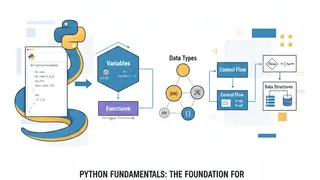 Quiz
QuizPython: Programming Fundamentals & Best Practices
Test your knowledge of Python fundamentals with this quiz covering data types, functions, loops, conditionals, list comprehensions, classes, exception handling, and Python programming best practices.
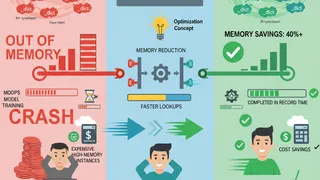 Code snippet
Optimizing your python code with __slots__?
Discover how Python `__slots__` can reduce memory usage by up to 40% in data-heavy applications. Perfect for MLOps pipelines and big data processing where millions of objects consume precious memory resources.
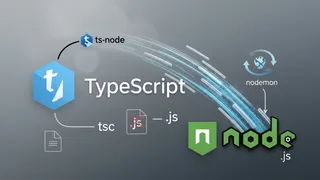 Article
Run TypeScript Without Compiling
We can run TypeScript without compiling it to JavaScript. This is useful for debugging and testing. In this post, I will show you how to do it.
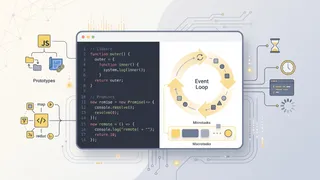 Flashcards
JavaScript Intermediate Flashcards
Intermediate and advanced JavaScript concepts for deeper mastery using spaced repetition.
You might also enjoy
More posts on similar topics
6 related posts