JavaScript
JavaScript is a high-level programming language that powers the web. It supports object-oriented, functional, and event-driven programming styles.
JavaScript is a high-level programming language that powers the web. It supports object-oriented, functional, and event-driven programming styles.
The sections below cover JavaScript syntax and methods, including ES6+ features, async patterns, classes, and modules.
No commands found
Try adjusting your search term
Getting Started
Fundamental JavaScript concepts including variables, data types, and basic syntax.
Variables
Declaring and using variables with var, let, and const.
Variable declarations
let and const are block-scoped. var is function-scoped and hoisted. const prevents reassignment but does not make objects immutable.
var oldWay = 'function scoped';let mutable = 'can be reassigned';const immutable = 'cannot be reassigned';
let x = 1;x = 2; // OK
const y = 1;// y = 2; // TypeError: Assignment to constant variablenode variables.js- Prefer const by default, use let only when reassignment is needed.
- Avoid var in modern JavaScript.
Block scoping
var leaks out of blocks, while let and const are confined to the block where they are declared.
if (true) { var a = 1; let b = 2; const c = 3;}console.log(a); // 1// console.log(b); // ReferenceError// console.log(c); // ReferenceErrornode scope.js1- Block scoping prevents variable leaks and accidental overwrites.
- This is one of the main reasons to prefer let/const over var.
Data Types
JavaScript primitive and reference types.
Primitive types
JavaScript has 7 primitive types. typeof null returning "object" is a well-known historical bug.
const str = 'hello'; // stringconst num = 42; // numberconst float = 3.14; // numberconst bool = true; // booleanconst nothing = null; // object (historical bug)const undef = undefined; // undefinedconst sym = Symbol('id'); // symbolconst big = 9007199254740991n; // bigint
console.log(typeof str); // "string"console.log(typeof num); // "number"console.log(typeof nothing); // "object"node types.jsstringnumberobject- Use === instead of == to avoid type coercion surprises.
- BigInt is for integers larger than Number.MAX_SAFE_INTEGER.
Type checking
typeof works for most types but returns "object" for null and arrays. Use Array.isArray() for arrays.
typeof 'hello' // "string"typeof 42 // "number"typeof true // "boolean"typeof undefined // "undefined"typeof null // "object" (bug)typeof {} // "object"typeof [] // "object"Array.isArray([]) // truetypeof function(){} // "function"- Use instanceof for checking class instances.
- null check: value === null.
Template Literals
String interpolation and multiline strings using backticks.
String interpolation
Template literals use backticks and ${} for embedding expressions directly in strings.
const name = 'World';const greeting = `Hello, ${name}!`;console.log(greeting);
const a = 10, b = 20;console.log(`Sum: ${a + b}`);console.log(`Type: ${typeof name}`);node template.jsHello, World!Sum: 30Type: string- Any valid JavaScript expression can go inside ${}.
- Template literals preserve whitespace and newlines.
Multiline strings and tagged templates
Tagged templates allow custom processing of template literals through a function prefix.
const multiline = ` This is a multiline string`;
function highlight(strings, ...values) { return strings.reduce((result, str, i) => `${result}${str}<b>${values[i] || ''}</b>`, '');}
const name = 'world';console.log(highlight`Hello ${name}!`);node tagged.jsHello <b>world</b>!<b></b>- Tagged templates are used in libraries like styled-components and GraphQL.
- The tag function receives an array of string parts and interpolated values.
Operators
Comparison, logical, nullish coalescing, and optional chaining operators.
Comparison and logical operators
?? only checks null/undefined, unlike || which also catches 0, "", and false.
// Equality1 == '1' // true (type coercion)1 === '1' // false (strict)1 != '1' // false1 !== '1' // true
// Logicaltrue && 'yes' // "yes"false || 'fallback' // "fallback"null ?? 'default' // "default" (nullish coalescing)
// Ternaryconst age = 20;const status = age >= 18 ? 'adult' : 'minor';- Always use === and !== to avoid type coercion bugs.
- ?? is safer than || when 0 or empty string are valid values.
Optional chaining and nullish assignment
Optional chaining (?.) safely accesses nested properties without throwing if intermediate values are null/undefined.
const user = { name: 'Alice', address: { city: 'NYC' }};
// Optional chainingconsole.log(user?.address?.city); // "NYC"console.log(user?.phone?.number); // undefined
// Optional chaining with methodsconsole.log(user.toString?.()); // "[object Object]"console.log(user.nonExistent?.()); // undefined
// Nullish assignmentlet a = null;a ??= 'default';console.log(a); // "default"
let b = 0;b ??= 42;console.log(b); // 0 (not null/undefined)node optional.jsNYCundefined[object Object]undefineddefault0- ?.() for optional method calls, ?.[] for optional bracket access.
- Combine with ?? for safe default values.
Functions
Function declarations, expressions, arrow functions, and advanced patterns.
Arrow Functions
Concise function syntax introduced in ES6.
Arrow function syntax
Arrow functions provide concise syntax. Single expressions are implicitly returned. Multi-line bodies need explicit return.
// Basic arrow functionconst add = (a, b) => a + b;
// Single parameter (no parens needed)const double = x => x * 2;
// No parametersconst greet = () => 'Hello!';
// Multi-line body (needs braces and return)const sum = (a, b) => { const result = a + b; return result;};
console.log(add(2, 3)); // 5console.log(double(4)); // 8console.log(greet()); // "Hello!"node arrow.js58Hello!- Arrow functions do not have their own this - they inherit it from the enclosing scope.
- Cannot be used as constructors (no new keyword).
Returning objects
To return an object literal from an arrow function, wrap it in parentheses to avoid ambiguity with block syntax.
// Wrap object literal in parenthesesconst makeUser = (name, age) => ({ name, age });
console.log(makeUser('Alice', 30));// { name: 'Alice', age: 30 }
// Common in array methodsconst names = ['Alice', 'Bob'];const users = names.map((name, i) => ({ id: i, name }));console.log(users);node arrow-obj.js{ name: 'Alice', age: 30 }[ { id: 0, name: 'Alice' }, { id: 1, name: 'Bob' } ]- Without parentheses, {} is treated as a function body, not an object.
- This pattern is very common with .map(), .filter(), and .reduce().
Default Parameters
Setting default values for function parameters.
Default parameter values
Default parameters are used when arguments are undefined or not provided. They can reference earlier parameters.
function greet(name = 'World', greeting = 'Hello') { return `${greeting}, ${name}!`;}
console.log(greet()); // "Hello, World!"console.log(greet('Alice')); // "Hello, Alice!"console.log(greet('Bob', 'Hi')); // "Hi, Bob!"
// Defaults can use previous parametersfunction createUser(name, role = 'user', id = Date.now()) { return { name, role, id };}node defaults.jsHello, World!Hello, Alice!Hi, Bob!- null does NOT trigger defaults, only undefined does.
- Default values are evaluated at call time, not definition time.
Rest parameters
Rest parameters (...name) collect remaining arguments into a real array. Must be the last parameter.
function sum(...numbers) { return numbers.reduce((total, n) => total + n, 0);}
console.log(sum(1, 2, 3)); // 6console.log(sum(10, 20)); // 30
function tag(name, ...attrs) { return `<${name} ${attrs.join(' ')}>`;}
console.log(tag('div', 'class="box"', 'id="main"'));node rest.js630<div class="box" id="main">- Rest parameters replace the old arguments object.
- Unlike arguments, rest parameters are a real Array.
Closures
Functions that capture variables from their enclosing scope.
Basic closure
The inner functions close over the count variable, maintaining access to it even after createCounter returns.
function createCounter() { let count = 0; return { increment: () => ++count, decrement: () => --count, getCount: () => count };}
const counter = createCounter();console.log(counter.increment()); // 1console.log(counter.increment()); // 2console.log(counter.decrement()); // 1console.log(counter.getCount()); // 1node closure.js1211- count is private and cannot be accessed directly from outside.
- Each call to createCounter creates a new independent scope.
Factory function with closure
Each call to multiplier creates a new closure capturing its own factor value.
function multiplier(factor) { return (number) => number * factor;}
const double = multiplier(2);const triple = multiplier(3);
console.log(double(5)); // 10console.log(triple(5)); // 15console.log(double(10)); // 20node factory.js101520- Closures are the basis for many functional programming patterns.
- They enable partial application and currying.
Objects and Arrays
Object manipulation, destructuring, spread operator, and array methods.
Destructuring
Extract values from objects and arrays into variables.
Object destructuring
Object destructuring extracts properties into variables. Supports renaming, defaults, and nesting.
const user = { name: 'Alice', age: 30, city: 'NYC' };
// Basic destructuringconst { name, age } = user;console.log(name, age); // "Alice" 30
// Rename variablesconst { name: userName, age: userAge } = user;console.log(userName); // "Alice"
// Default valuesconst { name: n, role = 'user' } = user;console.log(role); // "user"
// Nested destructuringconst data = { a: { b: { c: 42 } } };const { a: { b: { c } } } = data;console.log(c); // 42node destruct.jsAlice 30Aliceuser42- Destructuring works in function parameters too.
- Use rest pattern { a, ...rest } to collect remaining properties.
Array destructuring
Array destructuring uses position to extract values. Supports skipping, rest patterns, and variable swapping.
const colors = ['red', 'green', 'blue', 'yellow'];
// Basicconst [first, second] = colors;console.log(first, second); // "red" "green"
// Skip elementsconst [, , third] = colors;console.log(third); // "blue"
// Rest patternconst [head, ...tail] = colors;console.log(tail); // ["green", "blue", "yellow"]
// Swap variableslet a = 1, b = 2;[a, b] = [b, a];console.log(a, b); // 2 1node array-destruct.jsred greenblue["green", "blue", "yellow"]2 1- Array destructuring works with any iterable (strings, maps, sets).
- The swap pattern avoids needing a temporary variable.
Spread and Rest
The spread (...) operator for expanding and collecting elements.
Spread with arrays and objects
Spread expands iterables into individual elements. For objects, later properties override earlier ones.
// Array spreadconst arr1 = [1, 2, 3];const arr2 = [4, 5, 6];const merged = [...arr1, ...arr2];console.log(merged); // [1, 2, 3, 4, 5, 6]
// Array cloneconst clone = [...arr1];
// Object spreadconst defaults = { theme: 'dark', lang: 'en' };const userPrefs = { lang: 'fr', fontSize: 14 };const config = { ...defaults, ...userPrefs };console.log(config);// { theme: 'dark', lang: 'fr', fontSize: 14 }node spread.js[1, 2, 3, 4, 5, 6]{ theme: 'dark', lang: 'fr', fontSize: 14 }- Spread creates shallow copies, not deep clones.
- Object spread is commonly used for immutable state updates.
Rest in function parameters and destructuring
Rest collects multiple elements into an array or object. Used in function parameters and destructuring.
// Rest in functionsfunction log(first, ...rest) { console.log('First:', first); console.log('Rest:', rest);}log('a', 'b', 'c');
// Rest in destructuringconst { a, ...others } = { a: 1, b: 2, c: 3 };console.log(others); // { b: 2, c: 3 }node rest-spread.jsFirst: aRest: ["b", "c"]{ b: 2, c: 3 }- Rest must be the last element in destructuring or parameter lists.
- Rest in objects omits the explicitly destructured keys.
Array Methods
Essential array methods for transformation, filtering, and reduction.
Transform and filter
map transforms, filter selects, find returns first match, some/every test conditions, includes checks membership.
const numbers = [1, 2, 3, 4, 5, 6, 7, 8, 9, 10];
// map - transform each elementconst doubled = numbers.map(n => n * 2);console.log(doubled); // [2, 4, 6, ..., 20]
// filter - keep matching elementsconst evens = numbers.filter(n => n % 2 === 0);console.log(evens); // [2, 4, 6, 8, 10]
// find - first matchconst found = numbers.find(n => n > 3);console.log(found); // 4
// some / everyconsole.log(numbers.some(n => n > 5)); // trueconsole.log(numbers.every(n => n > 0)); // true
// includesconsole.log(numbers.includes(5)); // truenode array-methods.js[2, 4, 6, 8, 10, 12, 14, 16, 18, 20][2, 4, 6, 8, 10]4truetruetrue- These methods do not mutate the original array.
- Chain methods for expressive data processing pipelines.
Reduce and flat
reduce accumulates array values. flat flattens nested arrays. flatMap maps and flattens in one step.
const numbers = [1, 2, 3, 4, 5];
// reduce - accumulate to single valueconst sum = numbers.reduce((acc, n) => acc + n, 0);console.log(sum); // 15
// reduce - group byconst people = [ { name: 'Alice', dept: 'eng' }, { name: 'Bob', dept: 'eng' }, { name: 'Carol', dept: 'hr' }];const byDept = people.reduce((groups, person) => { (groups[person.dept] ??= []).push(person); return groups;}, {});console.log(byDept);
// flat and flatMapconst nested = [[1, 2], [3, [4, 5]]];console.log(nested.flat()); // [1, 2, 3, [4, 5]]console.log(nested.flat(Infinity)); // [1, 2, 3, 4, 5]
const sentences = ['hello world', 'foo bar'];const words = sentences.flatMap(s => s.split(' '));console.log(words); // ["hello", "world", "foo", "bar"]node reduce.js15{ eng: [{...}, {...}], hr: [{...}] }[1, 2, 3, [4, 5]][1, 2, 3, 4, 5]["hello", "world", "foo", "bar"]- Always provide an initial value for reduce.
- Use Object.groupBy() (ES2024) instead of reduce for grouping when available.
Object Methods
Common Object static methods for working with objects.
Object inspection methods
Object.keys/values/entries return arrays for iteration. Object.fromEntries converts entries back to an object.
const user = { name: 'Alice', age: 30, city: 'NYC' };
console.log(Object.keys(user));// ["name", "age", "city"]
console.log(Object.values(user));// ["Alice", 30, "NYC"]
console.log(Object.entries(user));// [["name","Alice"], ["age",30], ["city","NYC"]]
// Convert entries back to objectconst filtered = Object.fromEntries( Object.entries(user).filter(([k, v]) => typeof v === 'string'));console.log(filtered); // { name: 'Alice', city: 'NYC' }node object-methods.js["name", "age", "city"]["Alice", 30, "NYC"][["name","Alice"], ["age",30], ["city","NYC"]]{ name: 'Alice', city: 'NYC' }- These methods only return own enumerable properties.
- Object.entries + fromEntries works well for transforming objects.
Computed properties and shorthand
Property shorthand, computed names, and method shorthand make object creation more concise.
// Property shorthandconst name = 'Alice';const age = 30;const user = { name, age };console.log(user); // { name: 'Alice', age: 30 }
// Computed property namesconst key = 'color';const obj = { [key]: 'blue', [`${key}Code`]: '#00f' };console.log(obj); // { color: 'blue', colorCode: '#00f' }
// Method shorthandconst calc = { value: 0, add(n) { this.value += n; return this; }, subtract(n) { this.value -= n; return this; }};calc.add(5).subtract(2);console.log(calc.value); // 3node computed.js{ name: 'Alice', age: 30 }{ color: 'blue', colorCode: '#00f' }3- Computed properties can use any expression inside brackets.
- Method shorthand has the same this behavior as regular functions.
Async JavaScript
Promises, async/await, and asynchronous patterns.
Promises
Creating and chaining promises for asynchronous operations.
Creating and using promises
Promises represent eventual completion or failure. Use .then() for success, .catch() for errors, .finally() for cleanup.
// Creating a promiseconst fetchData = new Promise((resolve, reject) => { setTimeout(() => { const success = true; if (success) { resolve({ id: 1, name: 'Alice' }); } else { reject(new Error('Failed to fetch')); } }, 1000);});
// Consuming with .then/.catch/.finallyfetchData .then(data => console.log('Data:', data)) .catch(err => console.error('Error:', err)) .finally(() => console.log('Done'));node promise.jsData: { id: 1, name: 'Alice' }Done- Promises are always asynchronous, even if resolved immediately.
- .catch() catches any error in the preceding chain.
Promise combinators
Promise.all fails on any rejection. allSettled waits for all. race returns the fastest. any returns first fulfillment.
const p1 = Promise.resolve(1);const p2 = Promise.resolve(2);const p3 = Promise.reject('error');
// all - waits for all (fails fast)Promise.all([p1, p2]) .then(console.log); // [1, 2]
// allSettled - waits for all regardlessPromise.allSettled([p1, p3]) .then(console.log);// [{status:'fulfilled',value:1}, {status:'rejected',reason:'error'}]
// race - first to settlePromise.race([p1, p2]) .then(console.log); // 1
// any - first to fulfillPromise.any([p3, p1]) .then(console.log); // 1node combinators.js[1, 2][{status:'fulfilled',value:1},{status:'rejected',reason:'error'}]11- Use Promise.all for parallel independent async operations.
- Use Promise.allSettled when you need results regardless of individual failures.
Async/Await
Syntactic sugar over promises for cleaner asynchronous code.
Basic async/await
async functions always return promises. await pauses execution until the promise resolves. Use try/catch for error handling.
async function fetchUser(id) { try { const response = await fetch(`/api/users/${id}`); if (!response.ok) throw new Error('Not found'); const user = await response.json(); return user; } catch (error) { console.error('Failed:', error.message); return null; }}
// Arrow async functionconst getUser = async (id) => { const res = await fetch(`/api/users/${id}`); return res.json();};
// Top-level await (in modules)const data = await fetchUser(1);- Top-level await works in ES modules only.
- async/await is syntactic sugar over promises.
Sequential vs parallel execution
Use Promise.all with await for parallel execution of independent async operations. Sequential await is appropriate when operations depend on each other.
// Sequential (slow - one after another)async function sequential() { const user = await fetchUser(1); // waits... const posts = await fetchPosts(1); // then waits... return { user, posts };}
// Parallel (fast - both at once)async function parallel() { const [user, posts] = await Promise.all([ fetchUser(1), fetchPosts(1) ]); return { user, posts };}
// Parallel with error handlingasync function parallelSafe() { const results = await Promise.allSettled([ fetchUser(1), fetchPosts(1) ]); return results.map(r => r.status === 'fulfilled' ? r.value : null );}- With parallel execution the total time is the slowest operation, not the sum of all of them.
- Use for...of with await for sequential iteration over async operations.
Classes and Modules
ES6 classes, inheritance, and module import/export syntax.
Classes
ES6 class syntax for object-oriented programming.
Class declaration and inheritance
Classes support private fields (#), getters/setters, static methods, and inheritance via extends/super.
class Animal { #name; // private field
constructor(name) { this.#name = name; }
get name() { return this.#name; } set name(value) { this.#name = value; }
speak() { return `${this.#name} makes a sound`; }
static create(name) { return new Animal(name); }}
class Dog extends Animal { #breed;
constructor(name, breed) { super(name); this.#breed = breed; }
speak() { return `${this.name} barks`; }
info() { return `${this.name} is a ${this.#breed}`; }}
const dog = new Dog('Rex', 'Labrador');console.log(dog.speak()); // "Rex barks"console.log(dog.info()); // "Rex is a Labrador"
const cat = Animal.create('Whiskers');console.log(cat.speak()); // "Whiskers makes a sound"node classes.jsRex barksRex is a LabradorWhiskers makes a sound- Private fields (#) are truly private and not accessible outside the class.
- Static methods are called on the class, not instances.
Class with static and instance methods
A practical class example implementing a simple event emitter with method chaining (returning this).
class EventEmitter { #listeners = new Map();
on(event, callback) { if (!this.#listeners.has(event)) { this.#listeners.set(event, []); } this.#listeners.get(event).push(callback); return this; }
emit(event, ...args) { const handlers = this.#listeners.get(event) ?? []; handlers.forEach(fn => fn(...args)); return this; }
off(event, callback) { const handlers = this.#listeners.get(event) ?? []; this.#listeners.set(event, handlers.filter(fn => fn !== callback) ); return this; }}
const emitter = new EventEmitter();emitter .on('data', (msg) => console.log('Received:', msg)) .emit('data', 'hello');node emitter.jsReceived: hello- Method chaining is enabled by returning this.
- The private Map keeps listeners inside the class.
Modules
ES6 module import/export syntax.
Named and default exports
Named exports allow multiple exports per module. Default exports are imported without braces. Use as to rename imports.
// math.js - Named exportsexport const PI = 3.14159;export function add(a, b) { return a + b; }export function multiply(a, b) { return a * b; }
// utils.js - Default exportexport default class Logger { log(msg) { console.log(`[LOG] ${msg}`); }}
// app.js - Importingimport Logger from './utils.js'; // defaultimport { add, multiply, PI } from './math.js'; // namedimport { add as sum } from './math.js'; // renameimport * as math from './math.js'; // namespace
console.log(math.add(2, 3)); // 5console.log(sum(2, 3)); // 5console.log(PI); // 3.14159- A module can have one default export and many named exports.
- Use namespace import (* as) to import all named exports.
Dynamic imports and re-exports
Dynamic imports return a promise and enable code splitting. Re-exports create barrel files for cleaner imports.
// Dynamic import (code splitting)async function loadModule() { const { add } = await import('./math.js'); console.log(add(2, 3)); // 5}
// Conditional importconst lang = 'en';const messages = await import(`./i18n/${lang}.js`);
// Re-exports (index.js barrel file)export { add, multiply } from './math.js';export { default as Logger } from './utils.js';export * from './helpers.js'; // re-export all- Dynamic imports enable lazy loading in web apps.
- Barrel files (index.js) simplify imports from complex modules.
Error Handling
Try/catch, custom errors, and error handling patterns.
Try/Catch
Exception handling with try, catch, and finally blocks.
Basic error handling
try/catch handles runtime errors. finally always executes. throw creates custom errors.
try { const data = JSON.parse('invalid json');} catch (error) { console.error('Parse error:', error.message);} finally { console.log('Always runs');}
// Throwing custom errorsfunction divide(a, b) { if (b === 0) throw new Error('Division by zero'); return a / b;}
try { console.log(divide(10, 0));} catch (e) { console.error(e.message); // "Division by zero"}node errors.jsParse error: Unexpected token i in JSON at position 0Always runsDivision by zero- finally runs whether or not an error occurred.
- Use specific error types for different error categories.
Custom error classes
Custom error classes extend Error for domain-specific error types. Use instanceof to handle specific error types.
class ValidationError extends Error { constructor(field, message) { super(message); this.name = 'ValidationError'; this.field = field; }}
class NotFoundError extends Error { constructor(resource) { super(`${resource} not found`); this.name = 'NotFoundError'; this.statusCode = 404; }}
function validate(user) { if (!user.name) throw new ValidationError('name', 'Name required'); if (!user.email) throw new ValidationError('email', 'Email required');}
try { validate({ name: '' });} catch (e) { if (e instanceof ValidationError) { console.log(`${e.field}: ${e.message}`); } else { throw e; // re-throw unknown errors }}node custom-error.jsname: Name required- Always set this.name in custom errors for better debugging.
- Re-throw errors you cannot handle at the current level.
Iterators and Generators
Iteration protocols, generators, and advanced iteration patterns.
Iterators
The iteration protocol and creating custom iterables.
Custom iterable
Objects implementing [Symbol.iterator]() are iterable and work with for...of, spread, and destructuring.
class Range { constructor(start, end) { this.start = start; this.end = end; }
[Symbol.iterator]() { let current = this.start; const end = this.end; return { next() { if (current <= end) { return { value: current++, done: false }; } return { done: true }; } }; }}
const range = new Range(1, 5);for (const n of range) { process.stdout.write(`${n} `);}// 1 2 3 4 5
console.log([...range]); // [1, 2, 3, 4, 5]node iterator.js1 2 3 4 5[1, 2, 3, 4, 5]- Built-in iterables include Array, String, Map, Set, and NodeList.
- Spread operator and destructuring consume iterables.
Generators
Generator functions that can pause and resume execution.
Generator basics
Generator functions (function*) use yield to pause execution. Each next() call resumes until the next yield.
function* count(start = 0) { let i = start; while (true) { yield i++; }}
const counter = count(1);console.log(counter.next().value); // 1console.log(counter.next().value); // 2console.log(counter.next().value); // 3
// Take first N from infinite generatorfunction* take(iterable, n) { let i = 0; for (const value of iterable) { if (i++ >= n) return; yield value; }}
console.log([...take(count(10), 5)]);// [10, 11, 12, 13, 14]node generator.js123[10, 11, 12, 13, 14]- Generators are lazy; they only compute values on demand.
- Infinite generators are safe because they only produce values when consumed.
Async generators
Async generators combine async/await with generator syntax. Use for await...of to consume them.
async function* fetchPages(url) { let page = 1; while (true) { const res = await fetch(`${url}?page=${page}`); const data = await res.json(); if (data.length === 0) return; yield data; page++; }}
// Consuming async generatorasync function getAllPages() { const pages = []; for await (const page of fetchPages('/api/items')) { pages.push(...page); if (pages.length > 100) break; } return pages;}- Async generators suit paginated API calls.
- for await...of works with any async iterable.
Modern Features
Recent JavaScript features including Map, Set, Proxy, and other ES2020+ additions.
Map and Set
Map and Set collections for unique values and key-value pairs.
Map usage
Map allows any type as keys, maintains insertion order, and gives fast key lookup.
const map = new Map();
// Any value can be a keymap.set('name', 'Alice');map.set(42, 'the answer');map.set(true, 'yes');
console.log(map.get('name')); // "Alice"console.log(map.has(42)); // trueconsole.log(map.size); // 3
// Initialize from entriesconst config = new Map([ ['theme', 'dark'], ['lang', 'en'], ['debug', false]]);
// Iterationfor (const [key, value] of config) { console.log(`${key}: ${value}`);}
// Convert to/from objectconst obj = Object.fromEntries(config);const map2 = new Map(Object.entries(obj));node map.jsAlicetrue3theme: darklang: endebug: false- Map is better than objects when keys are not strings.
- Use map.size instead of Object.keys(obj).length.
Set usage
Set stores unique values of any type. Useful for deduplication and membership testing.
// Unique valuesconst set = new Set([1, 2, 3, 2, 1]);console.log([...set]); // [1, 2, 3]
set.add(4);set.delete(1);console.log(set.has(2)); // trueconsole.log(set.size); // 3
// Array deduplicationconst arr = [1, 1, 2, 3, 3, 4];const unique = [...new Set(arr)];console.log(unique); // [1, 2, 3, 4]
// Set operations (ES2025+)const a = new Set([1, 2, 3]);const b = new Set([2, 3, 4]);console.log([...a.intersection(b)]); // [2, 3]console.log([...a.union(b)]); // [1, 2, 3, 4]console.log([...a.difference(b)]); // [1]node set.js[1, 2, 3]true3[1, 2, 3, 4][2, 3][1, 2, 3, 4][1]- Set uses SameValueZero comparison (similar to ===).
- Set operations (union, intersection, difference) are available in modern engines.
Proxy and Reflect
Metaprogramming with Proxy and Reflect for intercepting operations.
Validation proxy
Proxy intercepts operations (get, set, delete, etc.) on objects. Handlers define traps for each operation.
const validator = { set(target, prop, value) { if (prop === 'age') { if (typeof value !== 'number') { throw new TypeError('Age must be a number'); } if (value < 0 || value > 150) { throw new RangeError('Age must be 0-150'); } } target[prop] = value; return true; }, get(target, prop) { if (prop in target) return target[prop]; throw new ReferenceError(`Property ${prop} not found`); }};
const user = new Proxy({}, validator);user.name = 'Alice';user.age = 30;console.log(user.name); // "Alice"
try { user.age = -5; } catch (e) { console.log(e.message); // "Age must be 0-150"}node proxy.jsAliceAge must be 0-150- Proxies are used in Vue 3 reactivity and MobX state management.
- Use Reflect methods inside traps for default behavior.
Reactive proxy with onChange
A reactive proxy that calls onChange whenever properties are modified. This is how modern reactivity systems work.
function reactive(target, onChange) { return new Proxy(target, { set(obj, prop, value) { const oldValue = obj[prop]; obj[prop] = value; if (oldValue !== value) { onChange(prop, value, oldValue); } return true; }, deleteProperty(obj, prop) { const value = obj[prop]; delete obj[prop]; onChange(prop, undefined, value); return true; } });}
const state = reactive({ count: 0 }, (prop, newVal, oldVal) => { console.log(`${prop}: ${oldVal} -> ${newVal}`);});
state.count = 1; // "count: 0 -> 1"state.count = 5; // "count: 1 -> 5"node reactive.jscount: 0 -> 1count: 1 -> 5- This pattern is the basis of Vue 3 and similar frameworks.
- Add deep proxy wrapping for nested reactivity.
Miscellaneous Modern Features
Useful modern JavaScript features and syntax.
Useful modern additions
Modern JS includes structuredClone for deep copying, .at() for negative indexing, Object.groupBy for grouping, and more.
// structuredClone - deep cloneconst original = { a: { b: { c: 1 } }, d: [2, 3] };const clone = structuredClone(original);clone.a.b.c = 99;console.log(original.a.b.c); // 1 (unchanged)
// Array.at() - negative indexingconst arr = [1, 2, 3, 4, 5];console.log(arr.at(-1)); // 5console.log(arr.at(-2)); // 4
// Object.groupBy (ES2024)const people = [ { name: 'Alice', age: 30 }, { name: 'Bob', age: 25 }, { name: 'Carol', age: 30 }];const byAge = Object.groupBy(people, p => p.age);console.log(byAge[30]); // [Alice, Carol]
// String.replaceAllconst str = 'foo-bar-baz';console.log(str.replaceAll('-', '_')); // "foo_bar_baz"node modern.js154[{name:'Alice',age:30},{name:'Carol',age:30}]foo_bar_baz- structuredClone handles circular references but cannot clone functions.
- Object.groupBy replaces manual reduce-based grouping.
Pattern matching with switch(true) and logical assignment
Logical assignment operators combine logical operations with assignment. switch(true) enables range-based matching.
// Logical assignment operatorslet a = null;a ??= 'default'; // a = 'default' (null/undefined)console.log(a);
let b = 0;b ||= 42; // b = 42 (falsy)console.log(b);
let c = 1;c &&= 2; // c = 2 (truthy)console.log(c);
// switch(true) patternconst score = 85;switch (true) { case score >= 90: console.log('A'); break; case score >= 80: console.log('B'); break; case score >= 70: console.log('C'); break; default: console.log('F');}node logical.jsdefault422B- ??= assigns only if null/undefined.
- ||= assigns if falsy (including 0, "", false).
- &&= assigns only if truthy.
Was this useful?
Continue on this topic
The same subject, covered a different way from the cheatsheet above.
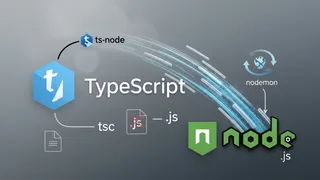 Article
Run TypeScript Without Compiling
We can run TypeScript without compiling it to JavaScript. This is useful for debugging and testing. In this post, I will show you how to do it.
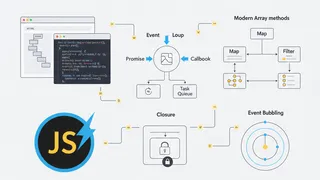 Quiz
QuizJavaScript: Language Fundamentals & Modern Features
Test your knowledge of JavaScript fundamentals with this quiz covering variables, data types, functions, promises, DOM manipulation, ES6 features, closures, and modern JavaScript programming best practices.
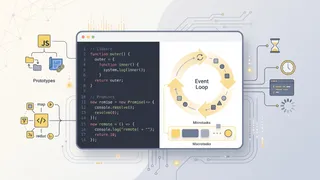 Flashcards
JavaScript Intermediate Flashcards
Intermediate and advanced JavaScript concepts for deeper mastery using spaced repetition.
 Code snippet
Optimizing your python code with __slots__?
Discover how Python `__slots__` can reduce memory usage by up to 40% in data-heavy applications. Perfect for MLOps pipelines and big data processing where millions of objects consume precious memory resources.
You might also enjoy
More posts on similar topics
6 related posts