Dart
Dart is a statically-typed, strongly null-safe programming language optimized for building fast, multi-platform applications, with async/await and object-oriented features.
Dart is a statically-typed, strongly null-safe programming language designed for building fast, multi-platform applications. Created by Google, Dart ships with its own compiler, formatter, and package manager for web, server, and mobile development.
Language features:
- Strong Null Safety: The type system separates nullable from non-nullable types, so null reference errors are caught at compile time.
- Async/Await: First-class support for asynchronous programming with futures, streams, and async/await syntax.
- Object-Oriented: Full OOP support with classes, inheritance, mixins, and abstract classes.
- Generics: A generic type system for reusable, type-safe code.
- Extensions: Extend existing types with new methods without inheritance.
- Type Inference: Automatic type inference while maintaining strict type safety.
- Hot Reload: Rapid development cycle with instant code changes during debugging.
The categories below cover Dart syntax, advanced features, and best practices.
No commands found
Try adjusting your search term
Getting Started
Fundamental Dart concepts and basic syntax for beginners.
Hello World
Basic Dart program structure with main function and output.
Simple Hello World
A basic Dart program with main function that prints a greeting using print().
void main() { print('Hello, World!');}dart main.dartHello, World!- Every Dart application must have a main() function.
- main() is the entry point of the program.
Multiple print statements
Demonstrates calling print() multiple times to output different lines.
void main() { print('Welcome to Dart'); print('Dart is awesome!'); print('Multi-platform development');}dart main.dartWelcome to DartDart is awesome!Multi-platform development- print() adds a newline automatically.
- Statements must end with semicolons in Dart.
String interpolation
Uses string interpolation with $ syntax to embed variables in strings.
void main() { String name = 'Dart'; int version = 3; print('Welcome to $name version $version!');}dart main.dartWelcome to Dart version 3!- Use $ for simple variable insertion.
- Use ${expression} for complex expressions in strings.
Variables
Declaring and working with variables in Dart, including type inference and null safety.
Variable declaration with type annotation
Demonstrates explicit variable declaration with type specification.
void main() { String name = 'Alice'; int age = 30; double salary = 50000.50; bool isActive = true;
print('$name is $age years old'); print('Salary: $salary'); print('Active: $isActive');}dart main.dartAlice is 30 years oldSalary: 50000.5Active: true- Type annotation comes before variable name.
- Dart supports String, int, double, bool, and other types.
Type inference with var
Uses var keyword for type inference; Dart infers type from the assigned value.
void main() { var name = 'Bob'; var count = 5; var price = 19.99;
print('Name: $name'); print('Count: $count'); print('Price: $price');}dart main.dartName: BobCount: 5Price: 19.99- var keyword makes code cleaner when type is obvious.
- Dart still enforces strict typing after inference.
Final and const variables
Demonstrates final variables (runtime constant) and const (compile-time constant).
void main() { final String finalName = 'Charlie'; const int maxRetries = 3;
print('Final name: $finalName'); print('Max retries: $maxRetries');
// finalName = 'David'; // Error: can't assign // maxRetries = 5; // Error: can't assign}dart main.dartFinal name: CharlieMax retries: 3- final variables cannot be reassigned after initialization.
- const is for compile-time constants; more restrictive than final.
Null Safety
Dart's null safety feature and nullable vs non-nullable types.
Non-nullable and nullable types
Demonstrates non-nullable (String) and nullable (String?) type declarations.
void main() { String name = 'Alice'; // Non-nullable String? nickName; // Nullable
// name = null; // Error: can't assign null nickName = 'Ali'; nickName = null; // OK
print('Name: $name'); print('Nickname: $nickName');}dart main.dartName: AliceNickname: null- By default, types are non-nullable in Dart.
- Add ? to make a type nullable.
Null-aware operators
Uses null-aware operators (?., ??, ??=) for safe null handling.
void main() { String? text;
// Using ?. null-aware operator int? length = text?.length;
// Using ?? null coalescing operator String value = text ?? 'Unknown';
// Using ??= null assignment text ??= 'Hello';
print('Length: $length'); print('Value: $value'); print('Text: $text');}dart main.dartLength: nullValue: UnknownText: Hello- ?. calls a method only if object is not null.
- ?? provides default value if left side is null.
- ??= assigns only if variable is null.
Data Types
Dart's built-in data types including collections and commonly used types.
Numbers
Working with int and double numeric types in Dart.
Integer operations
Demonstrates various arithmetic operations on integers.
void main() { int a = 10; int b = 3;
print('Addition: ${a + b}'); print('Subtraction: ${a - b}'); print('Multiplication: ${a * b}'); print('Division: ${a / b}'); print('Integer Division: ${a ~/ b}'); print('Remainder: ${a % b}');}dart main.dartAddition: 13Subtraction: 7Multiplication: 30Division: 3.3333333333333335Integer Division: 3Remainder: 1- ~/ performs integer division (floor division).
- % returns the remainder of division.
Double and arithmetic
Shows operations on double type with decimal values.
void main() { double x = 10.5; double y = 3.2;
print('Sum: ${x + y}'); print('Product: ${x * y}'); print('Power: ${x.pow(2)}'); print('Absolute: ${(-5.5).abs()}');}dart main.dartSum: 13.7Product: 33.6Power: 110.25000000000001Absolute: 5.5- pow() method calculates power; requires import 'dart:math'.
- abs() returns absolute value.
Strings
String manipulation, interpolation, and multi-line strings in Dart.
String creation and interpolation
Demonstrates string interpolation with variables and expressions.
void main() { String firstName = 'John'; String lastName = 'Doe'; int age = 28;
// String interpolation print('Full name: $firstName $lastName'); print('Age: $age'); print('Message: ${firstName.toUpperCase()} is $age years old');}dart main.dartFull name: John DoeAge: 28Message: JOHN is 28 years old- Use $ for simple variables and ${expr} for complex expressions.
- String methods like toUpperCase() work on interpolations.
Multi-line strings
Uses triple quotes for multi-line strings preserving formatting.
void main() { String poem = ''' Roses are red, Violets are blue, Dart is awesome, And so are you! ''';
print(poem); print('Length: ${poem.length}');}dart main.dartRoses are red,Violets are blue,Dart is awesome,And so are you!Length: 68- Triple quotes (''' or """) are used for multi-line strings.
- Preserves newlines and indentation.
String methods
Demonstrates common string manipulation methods.
void main() { String text = 'Dart Programming';
print('Original: $text'); print('Uppercase: ${text.toUpperCase()}'); print('Lowercase: ${text.toLowerCase()}'); print('Contains "Prog": ${text.contains("Prog")}'); print('Index of "P": ${text.indexOf("P")}'); print('Substring: ${text.substring(0, 4)}');}dart main.dartOriginal: Dart ProgrammingUppercase: DART PROGRAMMINGLowercase: dart programmingContains "Prog": trueIndex of "P": 5Substring: Dart- contains() checks if substring exists.
- indexOf() returns position of first match or -1.
- substring() extracts part of string.
Collections
Working with lists, maps, and sets in Dart.
Lists
Creates and manipulates lists with type parameters.
void main() { List<int> numbers = [1, 2, 3, 4, 5]; List<String> colors = ['red', 'green', 'blue'];
print('Numbers: $numbers'); print('First: ${numbers.first}'); print('Last: ${numbers.last}'); print('Length: ${numbers.length}');
numbers.add(6); print('After add: $numbers');}dart main.dartNumbers: [1, 2, 3, 4, 5]First: 1Last: 5Length: 5After add: [1, 2, 3, 4, 5, 6]- Lists are ordered, mutable collections.
- Use List<Type> for typed lists.
- add() appends element to end of list.
Maps
Creates and manipulates maps with key-value pairs.
void main() { Map<String, int> scores = { 'Alice': 90, 'Bob': 85, 'Charlie': 92 };
print('Scores: $scores'); print('Alice: ${scores['Alice']}'); print('Keys: ${scores.keys}'); print('Values: ${scores.values}');
scores['David'] = 88; print('After add: $scores');}dart main.dartScores: {Alice: 90, Bob: 85, Charlie: 92}Alice: 90Keys: (Alice, Bob, Charlie)Values: (90, 85, 92)After add: {Alice: 90, Bob: 85, Charlie: 92, David: 88}- Maps store key-value pairs where keys are unique.
- Use Map<KeyType, ValueType> for typed maps.
Sets and iteration
Creates and manipulates sets (unordered, unique collections).
void main() { Set<String> languages = {'Dart', 'Java', 'Python'};
print('Languages: $languages'); print('Length: ${languages.length}'); print('Contains Dart: ${languages.contains("Dart")}');
languages.add('JavaScript'); languages.add('Dart'); // Duplicate, ignored
for (var lang in languages) { print('- $lang'); }}dart main.dartLanguages: {Dart, Java, Python}Length: 3Contains Dart: true- Dart- Java- Python- JavaScript- Sets contain only unique elements.
- Duplicates are automatically ignored.
Control Flow
Decision making and loop structures in Dart.
Conditional Statements
If, else, and switch statements for decision making.
If and else statements
Demonstrates if-else if-else chain for multiple conditions.
void main() { int age = 20;
if (age < 13) { print('Child'); } else if (age < 18) { print('Teenager'); } else if (age < 65) { print('Adult'); } else { print('Senior'); }}dart main.dartAdult- Use more specific conditions first in if-else chains.
- The last matching condition executes.
Ternary operator
Uses ternary operator for short conditional assignments.
void main() { int score = 75; String result = score >= 60 ? 'Pass' : 'Fail';
print('Score: $score'); print('Result: $result');
String grade = score >= 90 ? 'A' : score >= 80 ? 'B' : score >= 70 ? 'C' : 'F'; print('Grade: $grade');}dart main.dartScore: 75Result: PassGrade: C- Ternary operator: condition ? trueValue : falseValue
- Can chain ternary operators for multiple conditions.
Switch statement
Uses switch statement for multi-way branching on a single value.
void main() { String day = 'Monday';
switch (day) { case 'Monday': print('Start of work week'); break; case 'Friday': print('Almost weekend!'); break; case 'Saturday': case 'Sunday': print('Weekend'); break; default: print('Midweek'); }}dart main.dartStart of work week- Use break to prevent fall-through to next case.
- Multiple cases can execute same code (case fallthrough).
Loops
For, while, and do-while loops for iteration.
For loops
Demonstrates traditional for loop and for-in loop over collections.
void main() { // Traditional for loop for (int i = 0; i < 5; i++) { print('Count: $i'); }
print('---');
// For-in loop List<String> fruits = ['Apple', 'Banana', 'Cherry']; for (var fruit in fruits) { print('Fruit: $fruit'); }}dart main.dartCount: 0Count: 1Count: 2Count: 3Count: 4---Fruit: AppleFruit: BananaFruit: Cherry- Traditional for: for (init; condition; increment)
- For-in loop iterates over collections directly.
While and do-while loops
Shows while loop (checks condition before) and do-while (checks after).
void main() { // While loop int count = 0; while (count < 3) { print('While: $count'); count++; }
print('---');
// Do-while loop int num = 0; do { print('Do-while: $num'); num++; } while (num < 3);}dart main.dartWhile: 0While: 1While: 2---Do-while: 0Do-while: 1Do-while: 2- While loop tests condition before executing body.
- Do-while loop executes body at least once.
Break and continue
Uses break to exit loop early and continue to skip iteration.
void main() { // Break example for (int i = 0; i < 10; i++) { if (i == 5) break; print('Break loop: $i'); }
print('---');
// Continue example for (int i = 0; i < 5; i++) { if (i == 2) continue; print('Continue loop: $i'); }}dart main.dartBreak loop: 0Break loop: 1Break loop: 2Break loop: 3Break loop: 4---Continue loop: 0Continue loop: 1Continue loop: 3Continue loop: 4- break exits the loop immediately.
- continue skips remaining code in current iteration.
Functions & Methods
Declaring and using functions in Dart with parameters and return types.
Function Basics
Function declaration, parameters, and return types.
Basic function declaration
Demonstrates function declaration with parameters and return types.
void greet(String name) { print('Hello, $name!');}
int add(int a, int b) { return a + b;}
void main() { greet('Alice'); int result = add(5, 3); print('Sum: $result');}dart main.dartHello, Alice!Sum: 8- ReturnType functionName(parameters) { body }
- Use void for functions that don't return a value.
Optional and named parameters
Uses named parameters in curly braces for flexible function calls.
void printInfo(String name, {int? age, String? city}) { print('Name: $name'); if (age != null) print('Age: $age'); if (city != null) print('City: $city');}
void main() { printInfo('Alice'); printInfo('Bob', age: 30); printInfo('Charlie', age: 25, city: 'NYC');}dart main.dartName: AliceName: BobAge: 30Name: CharlieAge: 25City: NYC- Named parameters are optional by default.
- Required named parameters use 'required' keyword.
Arrow functions and default values
Uses arrow syntax (=>) for concise function body and default parameter values.
int square(int x) => x * x;
void printMessage(String msg, {String prefix = 'INFO'}) { print('[$prefix] $msg');}
void main() { print('Square of 5: ${square(5)}');
printMessage('Application started'); printMessage('Error occurred', prefix: 'ERROR');}dart main.dartSquare of 5: 25[INFO] Application started[ERROR] Error occurred- => syntax works only for single expressions.
- Default values provided with = in parameter list.
Advanced Functions
Anonymous functions, closures, and higher-order functions.
Anonymous functions and callbacks
Demonstrates anonymous functions used with collection methods.
void main() { List<int> numbers = [1, 2, 3, 4, 5];
// Anonymous function with forEach numbers.forEach((num) { print('Number: $num'); });
print('---');
// Arrow syntax anonymous function List<int> squared = numbers.map((x) => x * x).toList(); print('Squared: $squared');}dart main.dartNumber: 1Number: 2Number: 3Number: 4Number: 5---Squared: [1, 4, 9, 16, 25]- Anonymous functions are lambdas without explicit declaration.
- Use => for concise anonymous function bodies.
Closures
Demonstrates closures that capture variables from outer scope.
Function makeMultiplier(int factor) { return (int value) { return value * factor; };}
void main() { var double = makeMultiplier(2); var triple = makeMultiplier(3);
print('2 * 5 = ${double(5)}'); print('3 * 5 = ${triple(5)}');}dart main.dart2 * 5 = 103 * 5 = 15- Closures capture variables from enclosing scope.
- Each closure maintains its own captured state.
Object-Oriented Programming
Classes, objects, inheritance, and advanced OOP concepts in Dart.
Classes & Objects
Defining classes, creating objects, and using constructors.
Basic class definition
Demonstrates class definition with properties, constructor, and methods.
class Person { String name; int age;
Person(this.name, this.age);
void displayInfo() { print('Name: $name, Age: $age'); }}
void main() { var person = Person('Alice', 30); person.displayInfo(); print('${person.name} is ${person.age} years old');}dart main.dartName: Alice, Age: 30Alice is 30 years old- Constructor syntax: ClassName(parameters)
- Use this.property for automatic field assignment.
Multiple constructors
Shows named constructors for different object initialization patterns.
class Point { double x, y;
Point(this.x, this.y);
Point.origin() : x = 0, y = 0;
Point.fromList(List<double> coords) : x = coords[0], y = coords[1];
void display() => print('($x, $y)');}
void main() { var p1 = Point(3, 4); var p2 = Point.origin(); var p3 = Point.fromList([5, 6]);
p1.display(); p2.display(); p3.display();}dart main.dart(3.0, 4.0)(0.0, 0.0)(5.0, 6.0)- Named constructors use ClassName.constructorName syntax.
- Use: for initializer list before constructor body.
Getters and setters
Uses getters and setters for computed properties and controlled access.
class Rectangle { double width, height;
Rectangle(this.width, this.height);
double get area => width * height;
set width(double w) { if (w > 0) width = w; }
String get dimensions => '$width x $height';}
void main() { var rect = Rectangle(5, 3); print('Area: ${rect.area}'); print('Dimensions: ${rect.dimensions}');}dart main.dartArea: 15.0Dimensions: 5.0 x 3.0- Getters compute values on-the-fly.
- Setters allow controlled property assignment.
Inheritance & Polymorphism
Extending classes, method overriding, and polymorphic behavior.
Class inheritance and super
Demonstrates inheritance with extends and method overriding.
class Animal { String name;
Animal(this.name);
void makeSound() { print('$name makes a sound'); }}
class Dog extends Animal { Dog(String name) : super(name);
@override void makeSound() { print('$name barks'); }}
void main() { var dog = Dog('Rex'); dog.makeSound();}dart main.dartRex barks- Use extends to inherit from a class.
- Use super() to call parent constructor.
- Use @override annotation when overriding methods.
Abstract classes and interfaces
Uses abstract classes and implements contracts for polymorphism.
abstract class Shape { double get area; void display();}
class Circle implements Shape { double radius;
Circle(this.radius);
@override double get area => 3.14159 * radius * radius;
@override void display() => print('Circle with radius $radius, area: ${area.toStringAsFixed(2)}');}
void main() { var circle = Circle(5); circle.display();}dart main.dartCircle with radius 5, area: 78.54- Abstract classes define contract with unimplemented methods.
- implements keyword creates interface implementation contract.
Async Programming
Futures, async/await, and streams for asynchronous operations.
Futures & Promises
Working with Future objects for asynchronous operations.
Creating and handling futures
Demonstrates Future creation and handling with then/catchError.
Future<String> fetchData() { return Future.delayed(Duration(seconds: 1), () { return 'Data loaded'; });}
void main() { print('Fetching data...');
fetchData().then((data) { print('Result: $data'); }).catchError((error) { print('Error: $error'); });
print('Request sent');}dart main.dartFetching data...Request sentResult: Data loaded- Future represents a value that will be available later.
- then() executes when Future completes successfully.
- catchError() handles exceptions in Future.
Future.wait and multiple futures
Uses Future.wait to handle multiple concurrent futures.
Future<int> calculateSum(int a, int b) { return Future.delayed(Duration(milliseconds: 500), () => a + b);}
void main() async { print('Starting calculations...');
var result = await Future.wait([ calculateSum(5, 3), calculateSum(10, 2), calculateSum(7, 4) ]);
print('Results: $result');}dart main.dartResults: [8, 12, 11]- Future.wait waits for all futures to complete.
- Returns list of results in same order as inputs.
Async/Await
Using async/await syntax for cleaner asynchronous code.
Basic async/await
Demonstrates async function with await for sequential async operations.
Future<int> fetchNumber() { return Future.delayed(Duration(seconds: 1), () => 42);}
void main() async { print('Fetching number...');
int number = await fetchNumber(); print('Number: $number');
int doubled = number * 2; print('Doubled: $doubled');}dart main.dartFetching number...Number: 42Doubled: 84- await pauses execution until Future completes.
- await can only be used in async functions.
Error handling with try-catch
Uses try-catch-finally to catch and handle async errors.
Future<String> riskyOperation(bool shouldFail) { return Future.delayed(Duration(milliseconds: 500), () { if (shouldFail) { throw Exception('Operation failed'); } return 'Success'; });}
void main() async { try { var result = await riskyOperation(false); print('Result: $result');
await riskyOperation(true); } catch (e) { print('Error caught: $e'); } finally { print('Operation completed'); }}dart main.dartResult: SuccessError caught: Exception: Operation failedOperation completed- try-catch works with await for async exceptions.
- finally block always executes regardless of success or error.
Advanced Features
Generics, extensions, pattern matching, and advanced language features.
Generics
Creating reusable generic classes and methods.
Generic classes and methods
Implements generic Stack class that works with any type.
class Stack<T> { final List<T> items = [];
void push(T value) => items.add(value); T pop() => items.removeLast(); bool get isEmpty => items.isEmpty;}
void main() { var intStack = Stack<int>(); intStack.push(1); intStack.push(2); print('Popped: ${intStack.pop()}');
var stringStack = Stack<String>(); stringStack.push('Hello'); stringStack.push('World'); print('Popped: ${stringStack.pop()}');}dart main.dartPopped: 2Popped: World- Use <T> as type parameter placeholder.
- Specify concrete type when instantiating: Stack<int>().
Bounded generic types
Demonstrates bounded generics restricting type parameter to subtype.
class Comparable<T extends num> { T value;
Comparable(this.value);
bool isGreaterThan(T other) => value > other;
T getDouble() => (value * 2) as T;}
void main() { var intComp = Comparable<int>(10); print('10 > 5? ${intComp.isGreaterThan(5)}');
var doubleComp = Comparable<double>(3.5); print('3.5 > 2.0? ${doubleComp.isGreaterThan(2.0)}');}dart main.dart10 > 5? true3.5 > 2.0? true- Use extends to bound type parameter to specific type.
- Allows using methods specific to bound type.
Extensions & Error Handling
Extension methods, custom exceptions, and error handling patterns.
Extension methods
Demonstrates extension methods adding functionality to existing types.
extension StringExtensions on String { bool get isEmail => contains('@');
String capitalize() { if (isEmpty) return this; return this[0].toUpperCase() + substring(1); }}
void main() { String text = 'hello world'; print('Capitalized: ${text.capitalize()}');
String email = 'user@example.com'; print('Is email: ${email.isEmail}');}dart main.dartCapitalized: Hello worldIs email: true- Extensions add methods to classes without inheritance.
- Can add getters, setters, and methods.
Custom exceptions and error handling
Defines custom exception and handles specific exception types.
class InvalidAgeException implements Exception { String message; InvalidAgeException(this.message);
@override String toString() => message;}
void validateAge(int age) { if (age < 0 || age > 150) { throw InvalidAgeException('Age must be between 0 and 150'); }}
void main() { try { validateAge(25); print('Age is valid');
validateAge(-5); } on InvalidAgeException catch (e) { print('Error: $e'); } catch (e) { print('Unexpected error: $e'); }}dart main.dartAge is validError: Age must be between 0 and 150- Implement Exception interface for custom exceptions.
- Use the on clause to catch a specific exception type.
Was this useful?
Continue on this topic
The same subject, covered a different way from the cheatsheet above.
 Quiz
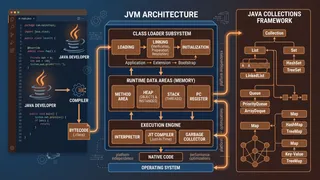
QuizJava: Core Language & JVM Fundamentals
Test your knowledge of Java fundamentals covering OOP, the JVM, collections, generics, streams, and core language features.
 Article
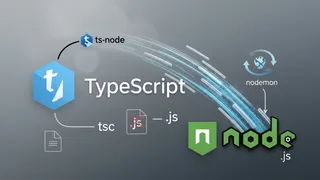
Run TypeScript Without Compiling
We can run TypeScript without compiling it to JavaScript. This is useful for debugging and testing. In this post, I will show you how to do it.
 Code snippet
Optimizing your python code with __slots__?
Discover how Python `__slots__` can reduce memory usage by up to 40% in data-heavy applications. Perfect for MLOps pipelines and big data processing where millions of objects consume precious memory resources.
 Flashcards
JavaScript Intermediate Flashcards
Intermediate and advanced JavaScript concepts for deeper mastery using spaced repetition.
You might also enjoy
More posts on similar topics
6 related posts