TOML
TOML (Tom's Obvious, Minimal Language) is a configuration file format designed to be minimal, readable, and unambiguous. It's commonly used for application configuration, package manifests, and data serialization.
TOML (Tom’s Obvious, Minimal Language) is a human-friendly configuration file format. Designed to be minimal, readable, and unambiguous, it’s used extensively in package manifests (like Cargo.toml and pyproject.toml) and application configuration files.
Browse the sections below to explore TOML syntax, data types, and practical configuration examples.
No commands found
Try adjusting your search term
Getting Started
Fundamental TOML concepts and syntax for beginners.
Basic Syntax
Comments, whitespace, file format, and basic TOML structure.
Simple TOML file with comments
A basic TOML file demonstrating key-value pairs and comment usage.
# This is a commenttitle = "My App"
# Comments can be placed anywhereversion = "1.0.0"toml-parser config.tomltitle: "My App"version: "1.0.0"- Comments start with
- Whitespace is ignored in most places.
- Newlines separate key-value pairs.
Multi-line structure with sections
Demonstrates basic section structure and organization.
# Configuration filename = "MyApp"
# Section for database[database]host = "localhost"port = 5432toml-parser config.tomlname: "MyApp"database: host: "localhost" port: 5432- Sections are defined with [section_name].
- Keys within sections are nested under their section.
Data Types
Overview of all TOML data types and their representations.
All primitive data types
Demonstrates each TOML primitive data type with examples.
# Stringname = "Alice"
# Integercount = 42
# Floatpi = 3.14159
# Booleanenabled = true
# Datebirth = 1990-05-27
# Timealarm = 15:30:00
# DateTimecreated = 2021-12-25T10:30:00Ztoml-parser types.tomlname: "Alice"count: 42pi: 3.14159enabled: truebirth: 1990-05-27alarm: 15:30:00created: 2021-12-25T10:30:00Z- TOML supports 7 data types: String, Integer, Float, Boolean, Date, Time, DateTime.
- Type inference is automatic in TOML.
Arrays and tables
Shows how to define arrays, tables, and arrays of tables.
# Arraycolors = ["red", "green", "blue"]
# Nested arraymatrix = [[1, 2], [3, 4]]
# Table[owner]name = "Bob"
# Array of tables[[products]]id = 1name = "Widget"toml-parser complex.tomlcolors: ["red", "green", "blue"]matrix: [[1, 2], [3, 4]]owner: name: "Bob"products: [{ id: 1, name: "Widget" }]- Arrays are enclosed in brackets with comma-separated values.
- Tables group related key-value pairs together.
Key-Value Pairs
Syntax for defining keys and values in TOML documents.
Simple key-value pairs
Demonstrates basic key-value pair syntax with different data types.
name = "Alice"age = 30active = truescore = 92.5toml-parser simple.tomlname: "Alice"age: 30active: truescore: 92.5- Keys are case-sensitive.
- Values must be separated from keys by an equals sign (=).
Quoted and dotted keys
Shows quoted keys and dotted key notation for nesting.
# Quoted key with spaces"physical address" = "123 Main St"
# Single-quoted key'special-key' = "value"
# Dotted key (nesting)database.host = "localhost"database.port = 5432database.credentials.user = "admin"toml-parser keys.tomlphysical address: "123 Main St"special-key: "value"database: host: "localhost" port: 5432 credentials: user: "admin"- Quoted keys can contain any character.
- Dotted keys create nested tables automatically.
- Keys must be unique within their scope.
Bare and quoted key combinations
Combines bare and quoted keys for flexibility in naming.
# Bare key (unquoted)name = "Project"
# Keys with special characters must be quoted"api-key" = "secret123""version 2.0" = true
# Mixed dotted keysapp.settings."user-preferences" = { theme = "dark" }toml-parser mixed.tomlname: "Project"api-key: "secret123"version 2.0: trueapp: settings: user-preferences: theme: "dark"- Bare keys can only contain A-Z, a-z, 0-9, -, and _.
- Quote keys if they contain other characters.
Strings
Working with string values in TOML documents.
Basic Strings
Double-quoted strings with escape sequences and special characters.
Simple string values
Basic string values enclosed in double quotes.
title = "Hello World"description = "A simple configuration file"path = "C:\\Users\\Alice\\Documents"toml-parser strings.tomltitle: "Hello World"description: "A simple configuration file"path: "C:\\Users\\Alice\\Documents"- Strings are enclosed in double quotes.
- Backslashes can be included by escaping them.
Escaped characters
Various escape sequences used in TOML strings.
# Common escape sequencestab = "Column1\tColumn2"newline = "Line1\nLine2"quote = "She said \"Hello!\""backslash = "C:\\path\\to\\file"unicode = "Café: \u00e9"toml-parser escaped.tomltab: "Column1 Column2"newline: "Line1\nLine2"quote: "She said \"Hello!\""backslash: "C:\path\to\file"unicode: "Café: é"- Use \t for tabs, \n for newlines, \" for quotes.
- Use \u for 4-digit Unicode escapes, \U for 8-digit.
Multiline Strings
Triple-quoted strings for multi-line content with literal or folded modes.
Multiline basic string
A basic multiline string using triple double quotes.
description = """This is a multilinestring with multiplelines of text."""toml-parser multiline.tomldescription: "This is a multiline\nstring with multiple\nlines of text."- Multiline strings preserve newlines.
- The first newline after the opening quotes is trimmed.
- Escape sequences still work in multiline strings.
Multiline literal string
Literal multiline strings preserve content exactly, no escaping needed.
path = '''C:\Users\AliceC:\Users\Bob'''toml-parser literal.tomlpath: "C:\Users\Alice\nC:\Users\Bob"- Literal strings use triple single quotes.
- No escape sequences are processed in literal strings.
- Useful for paths, JSON, or other literal content.
Line folding in multiline strings
Using backslash to fold long lines without adding newlines.
text = """This is a long line \that continues \on the next line."""toml-parser fold.tomltext: "This is a long line that continues on the next line."- A backslash at the end of a line continues to the next without adding a newline.
- This helps keep long strings readable.
String Escape Sequences
All available escape sequences in TOML strings.
Common escape sequences
Standard escape sequences for control and special characters.
backspace = "Back\bspace"tab = "Tab\there"linefeed = "Line\nfeed"form_feed = "Form\ffeed"carriage_return = "Return\rhere"quote = "Quote: \"Hello\""backslash = "Backslash: \\"toml-parser escapes.tomlbackspace: "Back\bspace"tab: "Tab here"linefeed: "Line\nfeed"form_feed: "Form\ffeed"carriage_return: "Return\rhere"quote: "Quote: \"Hello\""backslash: "Backslash: \"- \b = backspace (U+0008)
- \t = tab (U+0009)
- \n = line feed (U+000A)
- \f = form feed (U+000C)
- \r = carriage return (U+000D)
- \" = quotation mark (U+0022)
- \\ = backslash (U+005C)
Unicode escape sequences
Unicode escapes for 4-digit and 8-digit code points.
# 4-digit Unicode escapeemoji = "Smile: \u263A"
# 8-digit Unicode escapecomplex = "Mathematical: \U0001D400"
# Mix with characterstext = "Greek: \u03B1\u03B2\u03B3"toml-parser unicode.tomlemoji: "Smile: ☺"complex: "Mathematical: 𝐀"text: "Greek: αβγ"- \uXXXX for 4-digit Unicode escapes (U+0000 to U+FFFF)
- \UXXXXXXXX for 8-digit Unicode escapes (U+00000000 to U+7FFFFFFF)
- Use for emoji and special characters not easily typed.
Tables and Nesting
Defining and organizing tables in TOML documents.
Basic Tables
Simple table headers, dot-separated keys, and subtables.
Simple table definition
Defines two tables with their respective key-value pairs.
[owner]name = "Alice"email = "alice@example.com"
[database]host = "localhost"port = 5432toml-parser tables.tomlowner: name: "Alice" email: "alice@example.com"database: host: "localhost" port: 5432- Tables are headers enclosed in brackets [table_name].
- Keys after a table belong to that table.
- Whitespace in table names is allowed only in quoted names.
Nested tables with dot notation
Shows both dot notation and explicit table headers for nesting.
# Using dot notation for subtablesdatabase.connection.host = "localhost"database.connection.port = 5432database.connection.ssl = true
[database.credentials]user = "admin"password = "secret"toml-parser nested.tomldatabase: connection: host: "localhost" port: 5432 ssl: true credentials: user: "admin" password: "secret"- Dotted keys create nested tables automatically.
- Can mix dotted keys with explicit table headers.
- Parent tables are created automatically if needed.
Nested subtables
Hierarchical nesting of tables using bracket notation.
[server]host = "0.0.0.0"port = 8080
[server.ssl]enabled = truecert = "/path/to/cert"
[server.ssl.options]min_version = "TLSv1.2"toml-parser subtables.tomlserver: host: "0.0.0.0" port: 8080 ssl: enabled: true cert: "/path/to/cert" options: min_version: "TLSv1.2"- [parent.child] defines subtables of parent.
- Each table must be defined only once (no redefinition).
Array of Tables
Using [[array.of.tables]] syntax for multiple table items.
Simple array of tables
Creates an array of table elements with multiple items.
[[products]]id = 1name = "Widget"price = 9.99
[[products]]id = 2name = "Gadget"price = 19.99toml-parser array_tables.tomlproducts: - id: 1 name: "Widget" price: 9.99 - id: 2 name: "Gadget" price: 19.99- [[table_name]] appends a new table to an array.
- Each [[table_name]] block creates a new element.
- All elements have the same structure.
Nested array of tables
Array of tables nested within a parent table.
[package]name = "my-package"
[[package.dependencies]]name = "requests"version = "2.28.0"
[[package.dependencies]]name = "flask"version = "2.0.0"toml-parser nested_array.tomlpackage: name: "my-package" dependencies: - name: "requests" version: "2.28.0" - name: "flask" version: "2.0.0"- [[parent.child]] creates an array within the parent table.
- Each child table is a separate element in the array.
Multiple arrays of tables
Multiple independent arrays of tables in the same document.
[[users]]name = "Alice"role = "admin"
[[users]]name = "Bob"role = "user"
[[projects]]title = "Project A"owner = "Alice"
[[projects]]title = "Project B"owner = "Bob"toml-parser multiple_arrays.tomlusers: - name: "Alice" role: "admin" - name: "Bob" role: "user"projects: - title: "Project A" owner: "Alice" - title: "Project B" owner: "Bob"- Each [[name]] creates a separate array.
- Arrays can be defined independently.
Nested Structures
Complex deeply nested tables and hierarchical data.
Deeply nested tables
Demonstrates multiple levels of nesting with different branches.
[server.http.handlers.api]endpoint = "/api/v1"timeout = 30
[server.http.handlers.websocket]endpoint = "/ws"timeout = 0
[server.https.ssl]cert = "/path/to/cert"key = "/path/to/key"toml-parser deep_nesting.tomlserver: http: handlers: api: endpoint: "/api/v1" timeout: 30 websocket: endpoint: "/ws" timeout: 0 https: ssl: cert: "/path/to/cert" key: "/path/to/key"- TOML supports unlimited nesting depth.
- Use clear naming to avoid confusion in deeply nested structures.
- Dotted keys can simplify defining deeply nested values.
Complex hierarchical structure
Combines tables, arrays of tables, and nested structures.
[app]name = "MyApp"version = "1.0.0"
[app.features]auth = trueapi = truewebsocket = false
[[app.features.modules]]name = "Auth"enabled = true
[[app.features.modules]]name = "API"enabled = true
[app.logging]level = "info"format = "json"toml-parser complex_nested.tomlapp: name: "MyApp" version: "1.0.0" features: auth: true api: true websocket: false modules: - name: "Auth" enabled: true - name: "API" enabled: true logging: level: "info" format: "json"- Mix different structure types for flexibility.
- Organize by functionality or domain.
Data Types
Detailed coverage of TOML data types and representations.
Numbers
Integers, floats, scientific notation, and underscores in numbers.
Integer number formats
TOML supports decimal, hexadecimal, octal, and binary integers.
# Decimal integerscount = 42negative = -17
# Hexadecimal (0x prefix)hex_value = 0xDEADBEEF
# Octal (0o prefix)octal = 0o755
# Binary (0b prefix)binary = 0b11010110toml-parser integers.tomlcount: 42negative: -17hex_value: 3735928559octal: 493binary: 214- Integers are 64-bit signed numbers.
- Leading zeros are not allowed in decimal notation.
- Hex, octal, and binary integers have specific prefixes.
Float number formats
TOML supports standard floats, scientific notation, and special values.
# Standard floatpi = 3.14159
# Negative floattemperature = -40.0
# Scientific notationlarge = 5e+22small = 1.47e-12
# Special float valuesinfinity = infneg_infinity = -infnot_number = nantoml-parser floats.tomlpi: 3.14159temperature: -40.0large: 5e+22small: 1.47e-12infinity: Infinityneg_infinity: -Infinitynot_number: NaN- Floats are 64-bit (IEEE 754 double precision).
- Scientific notation uses 'e' or 'E'.
- Special values inf, -inf, nan represent infinity and NaN.
Numbers with underscores
Underscores improve readability of large numbers.
# Readable large numbersmillion = 1_000_000phone = 555_123_4567binary = 0b1010_1010
# Floats with underscorespi = 3.14_159_265scientific = 1.602_176_634e-19toml-parser underscores.tomlmillion: 1000000phone: 5551234567binary: 170pi: 3.14159265scientific: 1.602176634e-19- Underscores can be placed between digits for readability.
- Leading/trailing underscores are not allowed.
- Underscores are ignored during parsing.
Booleans and Null
Boolean true/false values and null representation in TOML.
Boolean values
TOML uses lowercase true and false for boolean values.
# Boolean values are lowercaseenabled = truedebug = false
[features]auth = truelogging = falseupdates = truetoml-parser booleans.tomlenabled: truedebug: falsefeatures: auth: true logging: false updates: true- Boolean values are lowercase (true, false).
- No yes/no or on/off alternatives in TOML.
- Booleans are distinct from strings.
Representing null or absence
TOML doesn't have a null type; use conventions or omit keys.
# TOML doesn't have a native null type# Options for representing absence:
# 1. Omit the key entirely# optional_field = (not present)
# 2. Use empty stringempty = ""
# 3. Use special marker valuesnull_marker = "null"unset = "unset"none = "none"toml-parser null.tomlempty: ""null_marker: "null"unset: "unset"none: "none"- TOML does not have a native null or None value.
- Omit the key entirely to represent absence.
- Use empty string or special marker strings if needed.
Dates and Times
ISO 8601 formatted dates, times, and datetimes with timezone support.
Date and time formats
Basic date, time, and local datetime formats in ISO 8601.
# Date (RFC 3339 profile of ISO 8601)birthday = 1990-05-27
# Time (no date)alarm = 15:30:00
# Local DateTime (date and time, no timezone)meeting = 2021-12-25T10:30:00toml-parser dates.tomlbirthday: 1990-05-27alarm: 15:30:00meeting: 2021-12-25T10:30:00- Dates follow YYYY-MM-DD format.
- Times follow HH:MM:SS or HH:MM:SS.ffffff format.
- LocalDateTime combines date and time without timezone.
Datetime with timezone
Datetime values with timezone information and fractional seconds.
# UTC timezone (Z suffix)created = 2021-12-25T10:30:00Z
# With offseteastern = 2021-12-25T10:30:00-05:00
# With positive offsettokyo = 2021-12-25T10:30:00+09:00
# Milliseconds precisionprecise = 2021-12-25T10:30:00.123Ztoml-parser datetimes.tomlcreated: 2021-12-25T10:30:00Zeastern: 2021-12-25T10:30:00-05:00tokyo: 2021-12-25T10:30:00+09:00precise: 2021-12-25T10:30:00.123Z- Z suffix indicates UTC (Zulu) time.
- Offset format is ±HH:MM.
- Fractional seconds support up to nanosecond precision.
Advanced Features
Advanced TOML features for complex configurations.
Inline Tables
Compact single-line table syntax with {key = value} format.
Simple inline table
Inline tables provide a compact way to define tables on a single line.
point = { x = 1, y = 2 }color = { r = 255, g = 128, b = 0 }person = { name = "Alice", age = 30 }toml-parser inline.tomlpoint: x: 1 y: 2color: r: 255 g: 128 b: 0person: name: "Alice" age: 30- Inline tables are enclosed in curly braces.
- Keys and values are separated by equals with optional spaces.
- Inline tables cannot span multiple lines.
Nested inline tables
Inline tables can be nested and used in arrays.
# Inline table containing inline tableconfig = { database = { host = "localhost", port = 5432 }, cache = { host = "redis", ttl = 3600 }}
# Array of inline tablespoints = [ { x = 0, y = 0 }, { x = 1, y = 2 }, { x = 3, y = 4 }]toml-parser nested_inline.tomlconfig: database: host: "localhost" port: 5432 cache: host: "redis" ttl: 3600points: - x: 0 y: 0 - x: 1 y: 2 - x: 3 y: 4- Inline tables cannot be redefined or extended later.
- Useful for simple, fixed data structures.
Advanced DateTime
Offset datetimes, local datetimes, and time precision handling.
All datetime variants
Examples of all TOML datetime type variants.
# Offset DateTime (with timezone)utc_time = 2021-12-25T10:30:00Zeastern_time = 2021-12-25T10:30:00-05:00
# Local DateTime (no timezone)local_meeting = 2021-12-25T10:30:00
# Local Date (no time)deadline = 2021-12-31
# Local Time (no date)opening_time = 09:00:00toml-parser all_datetime.tomlutc_time: 2021-12-25T10:30:00Zeastern_time: 2021-12-25T10:30:00-05:00local_meeting: 2021-12-25T10:30:00deadline: 2021-12-31opening_time: 09:00:00- Offset DateTime includes timezone information.
- Local DateTime is timezone-naive.
- Local Date and Local Time can exist independently.
Fractional seconds and precision
Demonstrates various precision levels in fractional seconds.
# Millisecondsms_precision = 2021-12-25T10:30:00.123Z
# Microsecondsus_precision = 2021-12-25T10:30:00.123456Z
# Nanosecondsns_precision = 2021-12-25T10:30:00.123456789Z
# Trailing zeroslong_precision = 2021-12-25T10:30:00.1Ztoml-parser precision.tomlms_precision: 2021-12-25T10:30:00.123Zus_precision: 2021-12-25T10:30:00.123456Zns_precision: 2021-12-25T10:30:00.123456789Zlong_precision: 2021-12-25T10:30:00.1Z- Fractional seconds are optional and can be 1-9 digits.
- No precision loss; values are preserved as specified.
Comments and Formatting
Effective commenting and formatting practices in TOML.
Effective commenting
Shows effective use of comments for documentation.
# Main application configuration# Last updated: 2025-02-28
title = "MyApp" # Application titleversion = "1.0.0"
# Database connection settings[database]host = "localhost" # Database server hostnameport = 5432 # Standard PostgreSQL portssl = true # Enable SSL for secure connectionstoml-parser commented.tomltitle: "MyApp"version: "1.0.0"database: host: "localhost" port: 5432 ssl: true- Comments start with
- Inline comments are allowed after values.
- Comments help clarify non-obvious configuration.
Organized file structure
Well-organized file structure with clear section headers.
# ============================================================================# Application Configuration# ============================================================================
[metadata]name = "MyApp"version = "1.0.0"author = "Team"
# ============================================================================# Server Configuration# ============================================================================
[server]host = "0.0.0.0"port = 8080
[server.ssl]enabled = truecert = "/path/to/cert"
# ============================================================================# Database Configuration# ============================================================================
[database]url = "postgresql://localhost/mydb"toml-parser organized.tomlmetadata: name: "MyApp" version: "1.0.0" author: "Team"server: host: "0.0.0.0" port: 8080 ssl: enabled: true cert: "/path/to/cert"database: url: "postgresql://localhost/mydb"- Use visual separators (comment lines) for clarity.
- Group related configurations into sections.
- Maintain consistent formatting throughout the file.
Best Practices
Best practices for writing effective TOML configurations.
Common Patterns
Patterns used in real-world TOML files and package manifests.
Cargo.toml (Rust) style
Standard structure of Cargo.toml for Rust projects.
[package]name = "my-app"version = "0.1.0"edition = "2021"description = "My awesome application"authors = ["Me <me@example.com>"]
[dependencies]serde = { version = "1.0", features = ["derive"] }tokio = { version = "1.0", features = ["full"] }
[dev-dependencies]pytest = "0.13"
[profile.release]opt-level = 3cargo build- [package] section contains metadata.
- [dependencies] lists production dependencies.
- [dev-dependencies] for testing dependencies.
- Feature specifications are common.
pyproject.toml (Python) style
Standard structure of pyproject.toml for Python projects.
[project]name = "my-package"version = "0.1.0"description = "A Python package"authors = [{name = "Alice", email = "alice@example.com"}]requires-python = ">=3.8"
[project.dependencies]requests = ">=2.0"flask = ">=2.0"
[build-system]requires = ["setuptools", "wheel"]build-backend = "setuptools.build_meta"pip install .- [project] contains package metadata.
- Author details use inline table format.
- [build-system] specifies build requirements.
Application config file pattern
Typical application configuration file structure.
# [app.toml] - Server configuration[app]name = "MyService"environment = "production"debug = false
[server]host = "0.0.0.0"port = 8080workers = 4
[database]url = "postgresql://user:pass@localhost/db"pool_size = 20
[logging]level = "info"format = "json"file = "/var/log/myservice.log"
[[services]]name = "auth"url = "http://auth-service:8000"
[[services]]name = "cache"url = "redis://localhost:6379"myapp --config app.toml- Metadata in [app] section.
- Server/database settings in dedicated sections.
- External services in array of tables.
Readability and Style
Organizing keys and maintaining consistent formatting.
Well-organized TOML file
Configuration organized for clarity and maintainability.
# Services Configuration# Well-organized with logical grouping
[metadata]version = "1.0.0"updated = 2025-02-28
[api]# Core API settingshost = "0.0.0.0"port = 8000timeout = 30
[api.auth]# Authentication configurationenabled = truejwt_secret = "your-secret-key"token_expire_hours = 24
[api.cors]# CORS settingsallowed_origins = ["http://localhost:3000"]allowed_methods = ["GET", "POST", "PUT"]
[database]host = "localhost"port = 5432name = "myapp"pool_size = 20
[logging]level = "info"format = "json"app --config config.toml- Use descriptive section names.
- Add comments explaining purpose of sections.
- Keep related items grouped together.
- Use consistent indentation (though not required).
Naming conventions
Demonstrates consistent naming conventions.
# ✓ Good naming conventions[database]connection_timeout = 10max_pool_size = 20retry_attempts = 3
[cache]redis_host = "localhost"redis_port = 6379ttl_seconds = 3600
[service]api_key = "secret"api_version = "v1"api_timeout = 30app --validate-configConfiguration is valid- Use snake_case for key names.
- Use descriptive suffixes (_host, _port, _timeout, etc.).
- Keep names consistent across similar settings.
- Avoid ambiguous abbreviations.
Validation and Usage
Loading and parsing TOML files in programming languages.
Python - Loading TOML with tomllib
Python example using the built-in tomllib module (Python 3.11+).
[app]name = "MyApp"debug = false
[database]url = "postgresql://localhost/myapp"pool_size = 20import tomllib
with open('config.toml', 'rb') as f: config = tomllib.load(f)
print(config['app']['name'])print(config['database']['pool_size'])MyApp20- tomllib requires opened file in binary mode ('rb').
- For older Python, use the 'tomli' package.
- Returns a dictionary with nested structure.
Rust - Loading TOML with toml crate
Rust uses the toml crate to parse TOML files.
[server]host = "0.0.0.0"port = 8080
[server.ssl]cert = "/path/to/cert.pem"key = "/path/to/key.pem"cargo runServer listening on 0.0.0.0:8080- Rust has strong typing for TOML values.
- Use serde for deserializing into structs.
- Includes validation through type checking.
TOML validation and schema
Validation checks that TOML matches the expected structure.
# Configuration that should be validated[app]name = "Service"
# Required fields: app.name, server.port# Optional fields: debug, logging.level
[server]port = 8080# host must be an IP or hostnamehost = "0.0.0.0"
[logging]level = "info" # must be: debug, info, warn, errorvalidate-toml --schema config.schema.json config.tomlConfiguration is valid- JSON Schema can define TOML structure.
- Type checking during deserialization.
- Document required vs optional fields.
Was this useful?
Continue on this topic
The same subject, covered a different way from the cheatsheet above.
 Code snippet
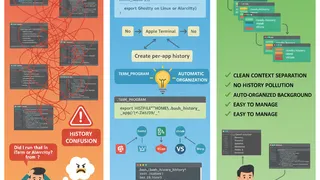
Per-App Shell History for Bash
Keep your Bash history organized across different terminal applications. This snippet automatically creates separate history files for each terminal emulator you use.
 Quiz
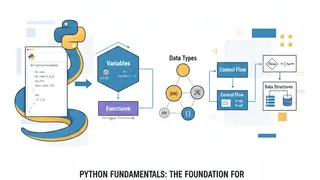
QuizPython: Programming Fundamentals & Best Practices
Test your knowledge of Python fundamentals with this quiz covering data types, functions, loops, conditionals, list comprehensions, classes, exception handling, and Python programming best practices.
 Article
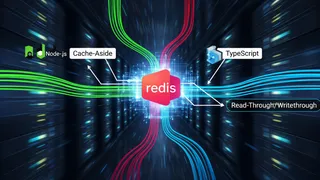
Caching Strategies with Redis in Node.js and TypeScript
A look at caching in Redis for Node.js and TypeScript applications: the Cache-Aside, Read-Through, Write-Through, and Write-Behind patterns, plus a practical Redis cache key strategy.
 Code snippet
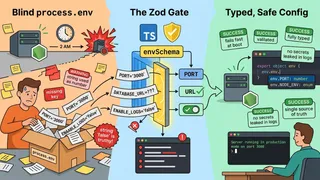
Node.js Environment Variable Validation with Zod at Startup
Stop trusting process.env blindly. This Node.js and TypeScript snippet validates every environment variable at startup with a Zod schema, coerces strings into real types, and refuses to boot on bad config so you catch mistakes before a single request is served.
You might also enjoy
More posts on similar topics
6 related posts