Why secure your CI/CD pipeline?
Why pipeline security matters
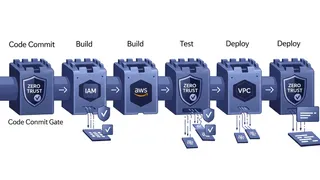
Your pipeline holds credentials for every environment you deploy to, which makes it one of the most valuable targets you own. A separate IAM role per environment, each carrying only the permissions that environment needs, is the cheapest way to keep that target small.
Common security risks
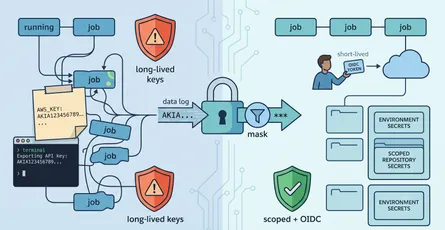
Lots of CI/CD setups hand their tools far more access than they need. One long-lived key with broad permissions, shared by every job, because that was the fastest thing to wire up on a Friday.
The security problem
Over-privileged access
The usual shape is a single set of credentials with something close to admin. It works, so nobody revisits it. Then a test job with production write access runs a script someone edited in a hurry, and the blast radius is your whole account.
What it costs when it goes wrong
Compromised or misconfigured credentials let an attacker reach production systems, read sensitive data or push their own code through your deployment path. The outage is bad. The part where you cannot say which resources were touched is worse.
The fix: environment-specific IAM roles
Separating environments
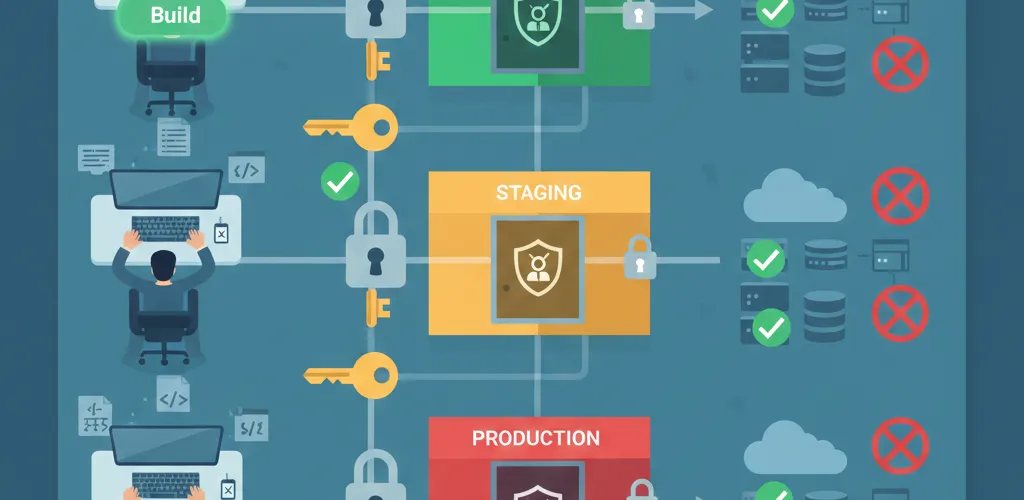
Set up separate IAM roles for each stage: dev, staging and production. Give each role only the permissions it needs for its job. Your build tool might need to read a code repo, but it has no business touching production data. AWS IAM and GitHub Actions both make this straightforward to wire up.
Applying least privilege
Each environment gets its own IAM role with the minimum permissions it needs. Dev roles build and test. Staging roles deploy to test infrastructure. Production roles get the smallest set that still lets a deploy finish, and nothing else.
Tools and platforms
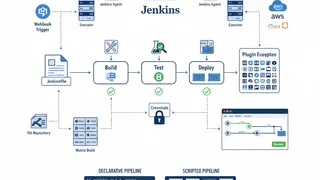
AWS IAM and GitHub Actions make this easy to set up. GitLab CI, Azure DevOps and Jenkins support the same role-based pattern, so the approach travels if you change platforms.
Implementation steps
Creating environment-specific roles
- Create IAM roles for each environment in your pipeline.
- Only give the exact permissions needed for each task.
- Check roles regularly to keep access tight.
Mapping permissions
Write down what each pipeline stage actually does, then grant exactly that: repo read for builds, artifact bucket write for deployments, infrastructure permissions for provisioning. If you can’t explain why a permission is there, take it away and see what breaks in dev.
Audits and updates
Permissions accumulate. Someone adds one to unblock a deploy at 6 PM and it stays for two years, so put a recurring review on the calendar and use your provider’s access-analyzer output to find the ones nothing has used.
What least privilege gives you
A smaller blast radius
Scoped roles limit what a compromised job can reach. A leaked dev credential gets an attacker a dev environment, and that is the whole point.
Problems surface in dev
With roles separated, a job that tries to touch something it shouldn’t fails in dev with a permission error rather than succeeding in production.
Shorter audits
Compliance work gets easier because the access pattern is already written down as policy. You point at the role definitions instead of reconstructing who could do what.
What’s your approach?
Community discussion
How do you keep your pipelines locked down? Got any tips to share?
Share your experience
Whether you’re on AWS, GitHub Actions or something else, I’m curious where you drew the line between safe and workable, because too strict and people start bypassing the pipeline entirely.