Why learn the Linux terminal?
Why it still matters
Even with the graphical tools and AI assistants available now, the terminal is the most direct way to work with a Linux system. It’s a core skill: real control over the machine, and the ability to automate almost anything you can do by hand.
The myth worth killing first
“The terminal is too hard for beginners”
GUIs look easier for the first hour. After that they hide the thing you need and cap what you can do. The terminal hands you the whole system, and it does it the same way every time.
Remembering commands is easier than you think
Commands vs menu hunting
New users worry about memorizing hundreds of commands. You don’t. Commands are structured text with consistent rules, and there are maybe fifteen you’ll type every day.
The learning curve myth
The structure makes sense once you see it: the command is the verb, then options, then arguments. sudo apt install -y curl is the same shape as sudo apt remove -y curl. Learn the shape and new commands stop looking new.
Short commands beat long instructions
Why text is more efficient
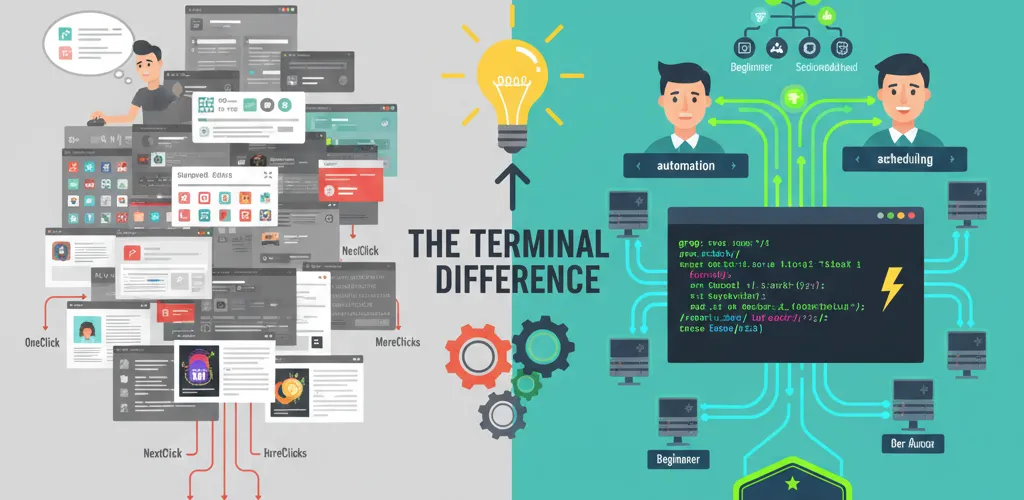
A GUI tutorial is eight screenshots. sudo apt upgrade -y is one line, and it tells you what it does. You can read it, paste it, and change one flag when your situation differs.
Copy-paste vs clicking through it again
Text commands can be copied, shared and scripted. GUI instructions have to be re-performed by hand each time, and step four is where people go wrong.
Commands are evergreen
GUI tutorials rot
A GUI tutorial breaks the next time someone moves a settings panel. Commands stay stable across distributions and across versions.
Knowledge with a long shelf life
The commands you learn today still work years from now, no matter how much the desktop environment changes around them.
Linux is built out of text
Everything is a file
Because configuration and logs are text, grep, sed and awk work on all of it. A GUI puts the same information behind a database or a format only that GUI reads.
Nothing is hidden from you
You can search /etc with ripgrep, pipe a log through awk, and count what you find. There is no GUI equivalent for that, because you’d need the vendor to have anticipated your exact question.
GUIs are training wheels
The abstraction gets in the way
A graphical interface sits between you and the system, spending screen space and attention on panels and buttons. Good while you’re learning what things are called. Friction once you know.
Screen space and attention
Modern GUIs eat pixels and make you scan visually for what you already know the name of. Typing the name is faster than finding it.
GUIs are not scriptable
The automation ceiling
A graphical interface needs a person clicking it. That’s the ceiling, and no amount of GUI polish raises it.
Scripts compose
Shell scripts chain together, run on a schedule and drop into a CI pipeline. GUI automation, when it exists, breaks when a button moves ten pixels.
GUIs don’t teach you much
What you don’t learn by clicking
Living only in GUIs keeps your model of the system shallow. The terminal pushes you toward scripting, automation and the parts of the system that actually explain the behaviour you’re seeing.
It compounds
You start with ls and cd. A few months later you’re writing a script that does in one line what used to be a ten-minute chore. That habit of composing small pieces makes you better at everything else too.
Making the terminal your primary interface
Start small
Start with package management (apt, dnf, pacman), file operations (ls, cd, cp, mv), and text processing (grep, cat, less). Each command you learn makes the next one cheaper.
Expect a rough week
The first week is genuinely annoying. You’ll look up things you already know how to do with a mouse, and that feels like going backwards. Push through it, because the payoff starts the first time you script something you used to do by hand.
Where it leaves you
The terminal is the most direct and most reliable way to work with Linux, and it hasn’t changed much in decades. That stability is the point: what you learn this month will still be true in ten years.