RegEx
Regular expressions (regex or regexp) are patterns used to match character combinations in strings. They handle pattern matching, validation, and text processing across many programming languages.
Regular expressions (regex or regexp) are patterns used to match character combinations in strings. They handle pattern matching, validation, and text processing across nearly all programming languages.
Browse the sections below to explore regex syntax, patterns, and practical examples.
No commands found
Try adjusting your search term
Getting Started
Fundamental regex concepts and basic pattern matching techniques.
Basic Syntax
Introduction to regex pattern matching, flags, and basic syntax.
Simple pattern matching
Tests if the string contains the literal pattern 'abc'.
abcpattern.test('abcdef')abcdeftrue- Simple patterns match literal characters in order.
- The test() method returns true if pattern is found.
Case-insensitive matching
The 'i' flag makes the pattern case-insensitive.
/hello/i/hello/i.test('HELLO world')HELLO worldtrue- The 'i' flag ignores case when matching.
- Useful for user input validation.
Global matching
The 'g' flag finds all matches, not just the first one.
/a/g'banana'.match(/a/g)banana['a', 'a', 'a']- Without 'g', only the first match is returned.
- 'g' is essential for global replacements.
Character Classes
Matching sets of characters using brackets, ranges, and negation.
Matching character sets
Matches any single vowel character from the set.
[aeiou]/[aeiou]/.test('hello')hellotrue- [abc] matches any one character from the set.
- Characters are evaluated individually.
Character ranges
Ranges match characters within specified inclusive boundaries.
[a-z], [A-Z], [0-9], [a-zA-Z0-9]/[a-z]+/.test('abc')abctrue- [a-z] matches lowercase letters.
- [0-9] matches numeric digits.
Negated character class
The '^' at the start means NOT, matching any non-digit character.
[^0-9]/[^0-9]/.test('abc7')abc7true- [^abc] matches any character except a, b, or c.
- ^ must be the first character in the class.
Shorthand Classes
Using shorthand character class escapes like \d, \w, \s for common patterns.
Digit matching with \d
\d matches any digit, + means one or more. Extracts all numbers.
\d+'Price: $25.99'.match(/\d+/g)Price $25.99['25', '99']- \d is equivalent to [0-9].
- \D matches non-digits.
Word character matching
\w matches word characters (letters, digits, underscores).
\w+'hello_world123'.match(/\w+/g)hello_world123['hello_world123']- \w matches [a-zA-Z0-9_].
- \W matches non-word characters.
Whitespace matching
\s matches any whitespace character (space, tab, newline).
\s+'hello world'.split(/\s+/)hello world['hello', 'world']- \s is equivalent to [ \t\n\r\f\v].
- \S matches non-whitespace.
Anchors and Boundaries
Using anchors to match positions in strings and word boundaries.
Anchors
Using ^ and $ to match start and end of strings or lines.
Start of string anchor
^ anchors the pattern to the start of the string.
^hello/^hello/.test('hello world')hello worldtrue- ^ must be at the beginning to anchor to string start.
- Only matches if 'hello' is at position 0.
End of string anchor
$ anchors the pattern to the end of the string.
world$/world$/.test('hello world')hello worldtrue- Only matches if 'world' is at the very end.
- Useful for validating complete strings.
Exact string matching
Together, ^ and $ require the entire string to match exactly.
^hello world$/^hello world$/.test('hello world')hello worldtrue- Useful for strict validation.
- The string must be exactly 'hello world'.
Word Boundaries
Detecting word boundaries with \b and \B.
Matching whole words only
\b requires 'cat' to be a whole word, not part of another word.
\bword\b/\bcat\b/.test('concatenate')concatenatefalse- \b matches between a word and non-word character.
- Prevents partial matches within larger words.
Word boundary matching
Matches 'cat' only when it's a standalone word.
\bword\b/\bcat\b/.test('the cat sat')the cat sattrue- Works with word boundaries around punctuation too.
- Useful for word-based search and replace.
Non-word boundary
\B matches when NOT at a word boundary (inside a word).
\Bword\B/\Bcat\B/.test('concatenate')concatenatetrue- \B is the opposite of \b.
- Useful for finding patterns within words.
Multiline Matching
Using the multiline flag to match across multiple lines.
Single-line mode (default)
Without m flag, ^ only matches start of entire string.
/^hello//^hello/.test('foo\nhello')foohellofalse- 'hello' on second line doesn''t match ^hello without m flag.'
Multiline mode with flag
With m flag, ^ matches after newlines too, not just string start.
/^hello/m/^hello/m.test('foo\nhello')foohellotrue- The 'm' flag makes ^ and $ line-aware.
- Useful for multiline text processing.
Matching line patterns
Matches entire 'Error' line using multiline anchors.
/^Error:.*/m/^Error:.*/m.test('Info\nError: Failed')InfoError: Failedtrue- Combine m flag with ^ and $ for line-based patterns.
Quantifiers and Repetition
Specifying how many times elements should match.
Quantifiers
Using *, +, ?, and {n,m} to specify repetition counts.
Zero or more matches
'*' matches zero or more occurrences. Even no 'a' matches.
a*/a*/.test('bbb')bbbtrue- a* matches '', 'a', 'aa', 'aaa', etc.
- Always matches because * includes 0 occurrences.
One or more matches
'+' matches one or more occurrences. At least one required.
a+/a+/.test('aaa')aaatrue- a+ requires at least one 'a'.
- a+ doesn't match empty string.
Exact quantity with braces
'{3}' matches exactly 3 occurrences.
a{3}/a{3}/.test('aaaaaa')aaaaaatrue- a{3} matches exactly 'aaa'.
- a{1,3} matches 1 to 3 occurrences.
Greedy vs Lazy Matching
Understanding greedy and lazy (non-greedy) quantifiers.
Greedy matching
Greedy .* matches as much as possible, stopping at last 'b'.
a.*b'axxxbxxxb'.match(/a.*b/)axxxbxxxb['axxxbxxxb']- .* is greedy; it matches from first 'a' to last 'b'.
- Quantifiers are greedy by default.
Lazy matching
Lazy .*? matches as little as possible, stopping at first 'b'.
a.*?b'axxxbxxxb'.match(/a.*?b/)axxxbxxxb['axxxb']- .*? is lazy; it matches from first 'a' to first 'b'.
- Add ? after any quantifier to make it lazy.
Lazy with + quantifier
a+? matches minimally, just one 'a' instead of all.
a+?'aaaa'.match(/a+?/)aaaa['a']- Adding ? makes any quantifier lazy.
- Lazy quantifiers match minimum instead of maximum.
Alternation
Using | to match one pattern from multiple choices.
Simple alternation
| means OR, matching either 'cat' or 'dog'.
cat|dog/cat|dog/.test('I have a cat')I have a cattrue- cat|dog matches 'cat' or 'dog'.
- Leftmost match wins if multiple alternatives match.
Multiple alternation options
Matches any of the three colors.
red|green|blue/red|green|blue/.test('the sky is blue')the sky is bluetrue- Use | to separate multiple alternatives.
- Order matters; first matching option is used.
Alternation within groups
Parentheses group alternatives; must match before 'Smith'.
(Mr|Ms|Mrs) Smith/^(Mr|Ms|Mrs) Smith$/.test('Ms Smith')Ms Smithtrue- (cat|dog) applies alternation to grouped part only.
- Without (), cat|dog box matches 'cat' or 'dog box'.
Groups and Capture
Using parentheses for grouping and capturing matched text.
Capturing Groups
Using parentheses to capture and reference matched text.
Basic capturing group
Parentheses create capture groups. Result includes full match and each group.
(\w+) (\w+)'hello world'.match(/(\w+) (\w+)/)hello world['hello world', 'hello', 'world']- Group 1 captures 'hello', Group 2 captures 'world'.
- Array includes full match at index 0.
Backreference in pattern
\1 refers back to what the first group captured.
(\w+) \1/(\w+) \1/.test('hello hello')hello hellotrue- \1 references the first group.
- Useful for matching repeated patterns.
Replace with capture groups
$1, $2, etc. reference captured groups in replacement.
(\w+) (\w+)'hello world'.replace(/(\w+) (\w+)/, '$2 $1')hello worldworld hello- $0 is the full match.
- Useful for rearranging captured text.
Non-Capturing Groups
Using parentheses for grouping without capturing.
Non-capturing group syntax
(?:...) groups without capturing the match.
(?:cat|dog)/(?:cat|dog)/.test('I have a cat')I have a cattrue- (?:...) works like (...) but doesn't capture.
- Useful when you only need grouping, not extraction.
Non-capturing vs capturing
Non-capturing groups don't create extra array entries.
(?:foo|bar) baz vs (foo|bar) baz'foo baz'.match(/(?:foo|bar) baz/)foo baz['foo baz']- Capturing group would create index [1].
- Non-capturing is slightly more efficient.
Complex non-capturing groups
Groups pattern without capturing each domain segment.
\b(?:\w+\.)+com\b/\b(?:\w+\.)+com\b/.test('example.com')example.comtrue- Useful for repeated grouping patterns.
- Makes regex cleaner when captures not needed.
Lookahead and Lookbehind
Using assertions to match patterns with conditional lookahead/lookbehind.
Positive lookahead
(?=...) matches only if followed by the pattern, but doesn't consume it.
\w+(?=@)'user@example.com'.match(/\w+(?=@)/)user@example.com['user']- Matches 'user' only if followed by @.
- The @ is not included in the match.
Negative lookahead
(?!...) matches only if NOT followed by the pattern.
\w+(?!@)/'example@'.match(/\w+(?!@)/)example@['example']- Matches word chars not followed by @.
- Useful for exclusion patterns.
Lookbehind assertion
(?<=...) matches only if preceded by the pattern.
(?<=\$)\d+"/'Price: \$50'.match(/(?<=\\$)\\d+/)"Price $50['50']- Matches digits only if preceded by $.
- The $ is not included in the match.
Escaped Characters and Special Sequences
Escaping special characters and using special sequences.
Escape Sequences
Using backslash to escape metacharacters and special characters.
Escaping metacharacters
Backslash escapes special characters so they match literally.
\. \* \+ \?/\./.test('end.')end.true- \. matches literal dot, not any character.
- Most regex metacharacters need escaping.
Escaping brackets and parentheses
Escape brackets and parentheses to match them literally.
\( \) \[ \] \{ \}/(test)/.test('(test)')(test)true- \( matches literal ( not a group.
- All bracket types need escaping.
Escaping dollar and caret
Escape $ and ^ when you need literal matches.
\$ \^/\$/.test('cost: $50')cost: $50true- \$ matches literal $.
- \^ matches literal ^.
Character Escape
Escaping specific characters and special sequences like tabs and newlines.
Tab and newline escapes
\t matches tab, \n matches newline, \r matches carriage return.
\t, \n, \r/\t/.test('name\tvalue')name valuetrue- These are whitespace character escapes.
- Useful for parsing structured data.
Matching whitespace patterns
Matches Windows-style line endings (CRLF).
\r\n/\r\n/.test('line1\r\nline2')line1line2true- \r\n is Windows line ending.
- \n is Unix line ending.
Null and other escapes
Special escapes for null, vertical tab, and form feed.
\0, \v, \f/\0/.test('null\0char')nullchartrue- \0 matches null character.
- \v is vertical tab, \f is form feed.
Unicode and Special Sequences
Matching Unicode characters and special named sequences.
Unicode hex escape
\u0041 represents Unicode character 'A' (U+0041).
\uXXXX, \u0041/\u0041/.test('ABC')ABCtrue- Unicode escapes use 4 hex digits.
- Useful for matching international characters.
Unicode codepoint escape
\u{...} with u flag matches Unicode by codepoint with variable length.
\u{XXXXX}, \u{1F600}/\u{1F600}/.test('😀')😀true- Requires 'u' flag for proper surrogate pair handling.
- Supports emoji and beyond-BMP characters.
Unicode property escapes
\p{...} matches Unicode character properties with 'u' flag.
\p{Letter}, \P{Number}/\p{Letter}/u.test('café')cafétrue- Requires 'u' flag.
- Useful for international text.
Practical Examples and Flags
Common real-world patterns, flags, and string operations.
Common Patterns
Real-world regex patterns for validation and matching.
Email validation pattern
Basic email pattern matching username@domain.extension.
^[a-zA-Z0-9._%+-]+@[a-zA-Z0-9.-]+\.[a-zA-Z]{2,}$/^[a-zA-Z0-9._%+-]+@[a-zA-Z0-9.-]+\.[a-zA-Z]{2,}$/.test('user@example.com')user@example.comtrue- This is simplified; RFC 5322 is more complex.
- Works for most common email formats.
URL matching pattern
Matches HTTP and HTTPS URLs with domain validation.
^https?:\/\/(www\.)?[-a-zA-Z0-9@:%._\+~#=]{1,256}\.[a-zA-Z0-9()]{1,6}\b([-a-zA-Z0-9()@:%_\+.~#?&//=]*)$/^https?:/.test('https://example.com')https://example.comtrue- Simplified example; full URL regex is quite complex.
- Use URL parsing libraries for production.
Phone number pattern (US format)
Matches various US phone number formats.
^\(?([0-9]{3})\)?[-. ]?([0-9]{3})[-. ]?([0-9]{4})$/^\(?([0-9]{3})\)?[-. ]?([0-9]{3})[-. ]?([0-9]{4})$/.test('(555) 123-4567')(555) 123-4567true- Handles parentheses, dashes, dots, and spaces.
- Captures area code, exchange, and line number.
Regex Flags
Using flags to modify regex behavior globally.
Global flag (g)
The 'g' flag finds all matches, not just the first.
/pattern/g'hello hello'.match(/hello/g)hello hello['hello', 'hello']- Without 'g', only first match is returned.
- Essential for replace-all operations.
Case-insensitive flag (i)
The 'i' flag ignores case when matching.
/pattern/i/HELLO/i.test('hello')hellotrue- Useful for case-insensitive searches.
- Affects both pattern and input.
Multiline and Dotall flags (m, s)
'm' makes ^ and $ match lines. 's' makes . match newlines.
/pattern/m, /pattern/s/^test/m.test('\ntest')\ntesttrue- 'm' flag processes multiline text.
- 's' flag makes . match including newlines.
String Operations with Regex
Using regex with JavaScript string methods.
Test method
test() returns true if pattern matches, false otherwise.
/pattern/.test(string)/hello/.test('hello world')hello worldtrue- Returns boolean only.
- Fastest method for simple matching.
Match method
match() returns array of all matches with 'g' flag.
string.match(/pattern/g)'hello world'.match(/\w+/g)hello world['hello', 'world']- Returns null if no match found.
- Without 'g', returns match with capture groups.
Replace method
replace() replaces first match. Use 'g' flag for all matches.
string.replace(/pattern/g, 'replacement')'hello world'.replace(/world/, 'universe')hello worldhello universe- Can use $1, $2 for capture group references.
- Can be used with callback functions.
Was this useful?
Continue on this topic
The same subject, covered a different way from the cheatsheet above.
 Code snippet
Node.js Environment Variable Validation with Zod at Startup
Stop trusting process.env blindly. This Node.js and TypeScript snippet validates every environment variable at startup with a Zod schema, coerces strings into real types, and refuses to boot on bad config so you catch mistakes before a single request is served.
 Article
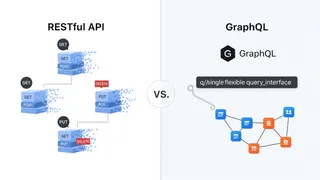
RESTful API vs. GraphQL: Which API is the Right Choice for Your Project?
How RESTful and GraphQL APIs compare for a real-time data application, and how to decide between the tried-and-true REST approach and the more flexible GraphQL approach for your project.
 Article
The AWS Well-Architected Framework Explained
An overview of the AWS Well-Architected Framework and its six pillars: Operational Excellence, Security, Reliability, Performance Efficiency, Cost Optimization, and Sustainability, with examples of how organizations apply each one.
 Article
Get Started with Building ReactJS and Docker: A Complete Guide
This article is a complete guide for building and deploying a React JS application with Docker, including prerequisites, environment setup, building, containerizing, deployment, and best practices. It also includes an example of running a React JS application with Docker Compose.
You might also enjoy
More posts on similar topics
6 related posts