Quick Tip
Don’t let your deployment blow up because of a missing S3 bucket. This Bash script lets you check if a bucket exists before anything fails.
The Problem
Missing bucket failures
The Problem
If your CI/CD pipeline tries to upload files or sync data to an S3 bucket that doesn’t exist, things will break fast. You’ll waste time, pipeline minutes, and possibly miss something obvious. A quick pre-check could prevent all that.
Impact on deployments
A deployment that fails on a missing S3 bucket wastes CI/CD time and delays the release.
The Solution
Bash script overview
The Fix
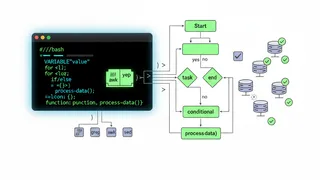
This script checks if an S3 bucket exists using the AWS CLI. It accepts --bucket or --b flags, gives color-coded logs, and adds a bit of fun to your terminal. Perfect for pre-checks in CI/CD jobs or local scripts.
Key features
TL;DR
- Use this script to check if an S3 bucket exists before your pipeline tries to use it.
- Accepts
--bucketor--bto pass the bucket name. - Includes clean logs, color output, and fun formatting for better readability.
Script Implementation
Color definitions and setup
#!/usr/bin/env bash
# Color definitionsGREEN='\033[0;32m'RED='\033[0;31m'YELLOW='\033[1;33m'CYAN='\033[0;36m'NC='\033[0m' # No ColorASCII banner function
######################################## Prints a fun ASCII banner header.# Globals:# CYAN# NC# Arguments:# None# Outputs:# Writes header text to stdout.#######################################function print_fun() { echo -e "${CYAN}" echo "╭──────────────────────────────╮" echo "│ S3 Bucket Checker Bash │" echo "╰──────────────────────────────╯" echo -e "${NC}"}Logging function
######################################## Prints a log message with timestamp and log level.# Globals:# CYAN, GREEN, RED, NC# Arguments:# $1 - Log level (INFO, SUCCESS, ERROR)# $2 - Log message# Outputs:# Writes formatted log message to stdout.#######################################function log() { local type="$1" local message="$2" local timestamp timestamp=$(date "+%Y-%m-%d %H:%M:%S")
case "$type" in INFO) echo -e "${CYAN}[${timestamp}] [INFO]:${NC} $message" ;; SUCCESS) echo -e "${GREEN}[${timestamp}] [SUCCESS]:${NC} $message" ;; ERROR) echo -e "${RED}[${timestamp}] [ERROR]:${NC} $message" ;; *) echo -e "[${timestamp}] [LOG]: $message" ;; esac}Initialization and argument parsing
######################################## Initializes script by parsing CLI arguments.# Exits with error if bucket name is not provided.# Globals:# BUCKET_NAME, YELLOW, NC# Arguments:# --bucket | --b <bucket-name># Outputs:# Sets BUCKET_NAME variable.#######################################function init() { while [[ "$#" -gt 0 ]]; do case "$1" in --bucket|--b) BUCKET_NAME="$2" shift 2 ;; *) log ERROR "Unknown argument: $1" exit 1 ;; esac done
if [[ -z "$BUCKET_NAME" ]]; then log ERROR "Bucket name not provided. Use --bucket or --b to specify it." echo -e "${YELLOW}Example:${NC} ./check_bucket.sh --bucket my-bucket-name" exit 1 fi}Bucket existence check
######################################## Checks if the specified S3 bucket exists.# Globals:# BUCKET_NAME# Outputs:# Success or error message to stdout.# Returns:# 0 if bucket exists, exits with 1 otherwise.#######################################function check_bucket_exists() { log INFO "Checking if bucket '$BUCKET_NAME' exists..."
if aws s3api head-bucket --bucket "$BUCKET_NAME" 2>/dev/null; then log SUCCESS "Bucket '$BUCKET_NAME' exists and is accessible." else log ERROR "Bucket '$BUCKET_NAME' does not exist or access is denied." exit 1 fi}Main function
######################################## Main function that runs the script.# Calls init and check_bucket_exists in order.# Arguments:# Passes all script arguments to init.#######################################function main() { print_fun init "$@" check_bucket_exists}
main "$@"Usage and Benefits
Integration with CI/CD
Why This Helps
Adding this check to your CI/CD steps helps avoid silly failures and gives you faster feedback if something’s missing or misconfigured. It’s quick to add and easy to reuse across projects.
Command line usage
Run the script with: ./check_bucket.sh --bucket my-bucket-name or ./check_bucket.sh --b my-bucket-name
Community Discussion
Your approaches
Your Turn
How do you handle S3 checks in your automation? Got a trick or tool you use often? Let’s swap ideas.
Alternative solutions
Share your favorite methods for validating S3 bucket existence in different environments.