Sed
Complete sed reference with substitution, addressing, deletion, insertion, transformations, in-place editing, and real-world examples for text manipulation
This sed reference covers basic text substitution through advanced scripting techniques, with practical examples for text processing, file editing, and automation.
No commands found
Try adjusting your search term
Getting Started
Introduction to sed and basic concepts
What is Sed
What sed does as a stream editor
Sed overview and basic concepts
Sed reads input line by line, applies the substitution command to match patterns, and outputs the result.
# Sed stands for: Stream Editor# Processes text line by line, applying commands to matching lines
# Basic syntax: sed [options] 'command' file# Most common: sed 's/pattern/replacement/' file
# Key features:# - Non-interactive text transformations# - Pattern matching with regular expressions# - Substitution, deletion, insertion, transformation# - Process files in-place or to stdout# - Powerful scripting capabilities# - Efficient stream processingecho -e "apple\nbanana\ncherry" | sed 's/apple/orange/'orangebananacherry- Sed is line-oriented; processes one line at a time
- Pattern/replacement is most common use case
- Non-destructive by default (modifies stdout, not file)
- Use -i flag for in-place file modification
Sed vs other text processing tools
Sed handles simple text transformations with substitution and command chaining.
# Compare sed with similar tools:# sed: Stream transformations (substitution, deletion, etc.)# awk: Full text processing language with patterns and fields# grep: Search for patterns in lines (filtering)# perl: Programming language for text manipulation
# Use sed when you need:# - Simple text transformations# - Substitutions and replacements# - Deletion of lines or parts# - Regular find-and-replace operations# - Lightweight processing without awk/perlecho -e "hello world\ntest string" | sed 's/world/universe/; s/test/sample/'hello universesample string- Sed is lighter than awk/perl for simple operations
- Faster processing for large files
- More portable across Unix systems
- CLI-friendly for bash scripting
Installation and Setup
Installing sed and verifying functionality
Verify sed installation
Sed is typically pre-installed on Linux. Verify version with --version flag.
# Check if sed is installedwhich sed
# Display sed versionsed --version
# Show sed helpsed --help | head -20sed --version | head -3GNU sed, version 4.9Copyright (C) 2022 Free Software Foundation, Inc.This is free software; see the source for copying conditions.- Sed is standard on all Unix-like systems
- GNU sed and BSD sed have minor differences
- GNU sed has more features and extensions
- Most scripts work on both versions
Install sed on different systems
Sed is universally available on Linux. macOS users may prefer GNU sed for compatibility.
# Ubuntu/Debiansudo apt-get updatesudo apt-get install -y sed
# CentOS/RHELsudo yum install -y sed
# macOS (comes with BSD sed)brew install gnu-sed  # Installs GNU sed as gsed
# Alpine Linuxapk add sed
# Arch Linuxsudo pacman -S sedwhich sed && sed --version | head -1/usr/bin/sedGNU sed, version 4.9- GNU sed has more features
- BSD sed works for basic operations
- macOS comes with BSD sed by default
- GNU sed available as gsed on macOS
Basic Substitution
Simple text replacements and substitution patterns
Simple Replacements
Basic substitution with literal text
Simple text substitution
The s command (substitution) replaces the first occurrence of pattern with replacement on each line.
# Replace first occurrence on each line
# Simple examplesed 's/old/new/' file.txt
# Replace on specific linesed '3s/foo/bar/' file.txt
# Multiple substitutionssed 's/a/b/; s/c/d/' file.txtecho -e "hello world\nhello there" | sed 's/hello/hi/'hi worldhi there- Only replaces first occurrence per line by default
- Pattern can be literal text or regex
- Original file is not modified unless using -i
- Delimiters (/) can be any character
Using different delimiters
Using alternative delimiters prevents escaping forward slashes in patterns.
# Use different delimiters for readability# Useful when pattern contains /
# Colon delimitersed 's:pattern:replacement:' file.txt
# Pipe delimitersed 's|pattern|replacement|' file.txt
# Hash delimitersed 's#pattern#replacement#' file.txt
# Useful with pathssed 's|/old/path|/new/path|' file.txtecho "/usr/local/bin" | sed 's|/local||'/usr/bin- Any character can be delimiter (avoid regex metacharacters)
- Improves readability with paths
- Reduces escaping requirements
Global Replacements
Replace all occurrences using g flag
Global replacement flag
The g flag replaces all occurrences of pattern on each line, not just the first.
# g flag replaces all occurrences on each line# Replace allsed 's/foo/bar/g' file.txt
# Global with different delimitersed 's|pattern|replacement|g' file.txt
# Multiple substitutions, all globalsed 's/a/b/g; s/c/d/g' file.txtecho "cat dog cat bird cat" | sed 's/cat/mouse/g'mouse dog mouse bird mouse- Without g flag, only first occurrence is replaced
- g flag is most common use case
- Works with case-insensitive flag (i)
- Can be combined with other flags
Partial global replacement
Numeric flags target specific occurrences; 2g means 2nd and following.
# Replace only 2nd and subsequent occurrencessed 's/the/THE/2g' file.txt
# Replace starting at 3rd occurrencesed 's/a/A/3g' file.txt
# Replace 2nd occurrence onlysed 's/foo/bar/2' file.txtecho "the cat in the hat" | sed 's/the/THE/2g'the cat in THE hat- Number specifies starting occurrence
- 2g means 2nd, 3rd, 4th, etc.
- Without g, only that specific occurrence replaced
Flags and Options
Substitution flags and command-line options
Substitution flags
Multiple flags can be combined; i makes pattern case-insensitive, g replaces all.
# Common substitution flags:# g = global (all occurrences)# i = case-insensitive# p = print matched line# e = execute replacement as shell command# number = replace only nth occurrence
# Case-insensitive replacementsed 's/hello/hi/i' file.txt
# Print matching lines with -nsed -n 's/pattern/replacement/p' file.txt
# Combine flagssed 's/HELLO/hi/gi' file.txt # global + case-insensitiveecho -e "Hello\nHELLO\nhello" | sed 's/hello/hi/gi'hihihi- Flags can be combined (gip, etc.)
- Flag order doesn't matter for most flags
- g flag most useful with others
- p flag useful with -n option
Command-line options
The -n option suppresses default line printing; p flag prints only lines with substitutions.
# sed command-line options:# -n = suppress automatic printing (quiet mode)# -e = specify script# -f = read script from file# -i = in-place file editing# -E/-r = use extended regular expressions
# Quiet mode: only print matched linessed -n 's/pattern/replacement/p' file.txt
# Extended regexsed -E 's/(old)(text)/\2-\1/' file.txt
# Multiple scriptssed -e 's/a/b/' -e 's/c/d/' file.txtecho -e "match1\nnomatch\nmatch2" | sed -n 's/match/MATCH/p'MATCH1MATCH2- -n is combination of quiet mode and p flag
- Filters lines by pattern
- Different from grep; modifies matched portion
Addressing and Ranges
Target specific lines or ranges of lines
Line-based Addressing
Target operations to specific line numbers
Address specific lines
Line numbers target specific lines; 2 means line 2 only.
# Operate on specific line number# Syntax: sed 'LineNums command' file
# Line 1 onlysed '1s/foo/bar/' file.txt
# Line 3 onlysed '3s/old/new/' file.txt
# Last line ($)sed '$s/end/END/' file.txt
# Lines 1-5sed '1,5s/a/b/' file.txtecho -e "line1\nline2\nline3\nline4" | sed '2s/line/LINE/'line1LINE2line3line4- Line numbers start at 1
- $ is last line
- Multiple lines use comma: 1,5
- Range is inclusive
Line ranges and intervals
Range 2,5 targets lines 2 through 5 inclusive.
# Range syntax: startLine,endLine command
# Lines 5 to 10sed '5,10s/old/new/' file.txt
# Lines 1 to last linesed '1,$s/a/b/' file.txt
# Every 5th line starting at line 1sed '1~5d' file.txt  # GNU sed only
# From specific line to endsed '100,$s/text/TEXT/' file.txtseq 1 6 | sed '2,5s/.*/[LINE]/'1[LINE][LINE][LINE][LINE]6- Ranges are inclusive on both ends
- 1~5 means every 5th line (GNU sed)
- Intervals: line~step (GNU sed extension)
Regex-based Addressing
Target lines matching regular expressions
Target lines by pattern
/mid/ matches lines containing "mid" string; operation applies only to matched lines.
# Address lines matching pattern# Syntax: sed '/pattern/command' file
# Lines containing "error"sed '/error/s/old/new/' file.txt
# Lines starting with #sed '/^#/d' file.txt
# Lines ending with semicolonsed '/;$/s/;//' file.txt
# Case-insensitive patternsed '/ERROR/Iy s/msg/MESSAGE/' file.txtecho -e "start\nmiddle\nend" | sed '/mid/s/./X/'startXiddleend- Pattern is regex; can use anchors
- Matches any line containing pattern substring
- Case-sensitive by default
- I flag makes pattern case-insensitive
Range by regex patterns
Range /START/,/END/ targets all lines from pattern to pattern inclusive.
# Range from start pattern to end pattern# Syntax: /startPattern/,/endPattern/command
# Delete from "start" to "end"sed '/start/,/end/d' file.txt
# Substitute in pattern rangessed '/BEGIN/,/END/s/old/new/' file.txt
# Print only section between patternssed -n '/start/,/stop/p' file.txt
# Multiple rangessed '/foo/,/bar/d; /baz/,/qux/d' file.txtecho -e "a\nSTART\nb\nc\nEND\nd" | sed '/START/,/END/s/./X/'aXXXXd- Ranges inclusive on both ends
- Patterns are regex patterns
- Single occurrence per file for regex ranges
- Useful for multi-line operations
Range Specifications
Combining addresses for flexible targeting
Step addressing
1~3 means line 1, then every 3rd line after (1, 4, 7, 10...).
# Every nth line (GNU sed)# Syntax: first~step
# Every 2nd line starting from line 1sed '1~2d' file.txt
# Every 3rd line starting from line 2sed '2~3s/x/y/' file.txt
# Every 5th linesed '0~5d' file.txt  # 5, 10, 15, 20...
# Process in chunkssed '1~10s/^/> /' file.txt # prefix every 10thseq 1 10 | sed '1~3s/^/LINE:/'LINE:123LINE:456LINE:789LINE:10- Syntax: first~step (GNU sed extension)
- Step interval starting from first line
- Suits sampling or striping every nth line
- Not available in BSD sed
Negation and exclusion
The ! operator inverts the address; operation applies to non-matching lines.
# Negate address with !# Apply command to all lines EXCEPT matched
# Delete all lines except those matchingsed '/pattern/!d' file.txt
# Modify all lines except specified rangesed '10,20!d' file.txt
# Apply to all non-matching linessed '/^#/!s/old/new/' file.txt
# Keep only non-empty linessed '/^$/!s/a/b/' file.txtecho -e "keep\ndelete\nkeep" | sed '/keep/!d'keepkeep- ! means NOT or inverse
- Keep lines matching pattern by deleting non-matches
- Can use with line numbers or regex
Deletion and Insertion
Delete, append, insert, and change lines
Delete Commands
Remove lines from output
Delete lines with d command
The d command deletes (removes) the specified line from output.
# d command deletes matching lines# Syntax: [address]d
# Delete specific linesed '5d' file.txt
# Delete pattern-matching linessed '/error/d' file.txt
# Delete range of linessed '10,20d' file.txt
# Delete empty linessed '/^$/d' file.txt
# Delete lines starting with #sed '/^#/d' file.txtecho -e "line1\nline2\nline3\nline4" | sed '2d'line1line3line4- d stops processing line; next line is read
- Original file not modified (unless -i used)
- Pattern matching deletes all matching lines
- Useful for filtering
Delete with pattern ranges
Range 2,4d deletes lines 2 through 4 inclusive.
# Delete line rangessed '/start/,/end/d' file.txt
# Delete first 10 linessed '1,10d' file.txt
# Delete last linesed '$d' file.txt
# Delete all lines except firstsed '1!d' file.txt
# Keep only lines matching patternsed '/keep/!d' file.txtseq 1 5 | sed '2,4d'15- Range includes both start and end lines
- d with ! inverts; deletes non-matching lines
- $ = last line
Append and Insert
Add lines before or after matched lines
Append and insert commands
The a command appends (adds) a new line after the matched line.
# a = append (add after line)# i = insert (add before line)# Syntax: [address]a\text or [address]i\text
# Append text after line 3sed '3a\NEW LINE' file.txt
# Insert text before line 5sed '5i\INSERTED' file.txt
# Append after pattern matchsed '/pattern/a\APPENDED TEXT' file.txt
# Insert before first linesed '1i\HEADER' file.txt
# Append to last linesed '$a\FOOTER' file.txtecho -e "line1\nline2" | sed '2a\APPENDED'line1line2APPENDED- i inserts before; a appends after
- Text must follow backslash on same line
- Multiline text requires backslash continuation
- No substitution in appended text
Multiline append and insert
Chaining insert (i) and append (a) commands adds multiple lines.
# Multiple lines with continuationsed '3a\line1\line2\line3' file.txt
# Using printf for readabilitysed '2a\'"$(printf 'line1\nline2')"'' file.txt
# Append blank linesed '/pattern/a\' file.txt
# Insert multiple blockssed '/start/i\BEGIN\nCONTENT' file.txtecho "middle" | sed 'i\START' | sed 'a\END'STARTmiddleEND- Each line continuation needs backslash
- Piping sed commands adds processing overhead
- Better to use multiple -e flags
Change Command
Replace entire lines with new content
Change lines with c command
The c command replaces the entire matched line with the specified text.
# c = change (replace entire line)# Change line 3sed '3c\NEW LINE' file.txt
# Change pattern-matching linessed '/pattern/c\REPLACEMENT' file.txt
# Change range of linessed '5,10c\CHANGED' file.txt
# Change first occurrence of patternsed '/error/c\ERROR HANDLED' file.txtecho -e "line1\nline2\nline3" | sed '2c\CHANGED'line1CHANGEDline3- Entire line is replaced, not just pattern
- Range with c replaces all with single line
- Pattern matching replaces each matching line
- Original line content is lost
Change with ranges
Range 2,4c replaces all lines in range with single line.
# Range with change: all lines become onesed '5,10c\SECTION REPLACED' file.txt
# Pattern range changesed '/begin/,/end/c\BLOCK' file.txt
# Selective change with conditionsed '/^old/c\new' file.txt
# Preserve format with changesed '/find/c\ replaced' file.txt # indentationseq 1 5 | sed '2,4c\[REMOVED]'1[REMOVED]5- Range replaced with one line (unlike delete)
- Useful for removing blocks
- Preserves position in sequence
Text Transformation
Advanced text transformation operations
Transliteration (y command)
Character-by-character translation
Transliteration with y command
The y command maps each character in source-chars to matching position in dest-chars.
# y command: transliteration (character mapping)# Convert lowercase to uppercasesed 'y/abcdefghijklmnopqrstuvwxyz/ABCDEFGHIJKLMNOPQRSTUVWXYZ/' file.txt
# Simple character mappingsed 'y/abc/xyz/' file.txt  # a->x, b->y, c->z
# ROT13 encoding (example)sed 'y/abcdefghijklmnopqrstuvwxyz/nopqrstuvwxyzabcdefghijklm/' file.txt
# Map symbolssed 'y/_-/ /' file.txt # underscore and dash to spaceecho "hello WORLD" | sed 'y/hello/HELLO/'HELLO woRLD- Source and destination must be same length
- Maps character by position, not by pattern
- Global by nature (all occurrences)
- Cannot use regex or special patterns
Practical transliteration uses
y command translates each character in source to corresponding destination.
# Normalize whitespace characterssed 'y/\t/ /' file.txt  # tabs to spaces
# Date format conversionsed 'y/-/ /' file.txt  # dashes to spaces
# Simple encodingsed 'y/!@#$%/12345/' file.txt
# Phone number normalizationecho "123-456-7890" | sed 'y/()-/ /'
# Keyboard mapping simulationecho "hello" | sed 'y/helo/hdlo/' # swap e and lecho "a-b-c" | sed 'y/-/ /'a b c- All matching characters are replaced
- Order matters; source[n] -> dest[n]
- Source and dest lengths must match exactly
Hold Space Operations
Use hold space for advanced transformations
Pattern and hold space basics
Hold space operations can reverse line order and carry data between lines.
# Sed maintains two buffers:# Pattern space = current line being processed# Hold space = auxiliary buffer for storage
# h = copy pattern space to hold space# g = copy hold space to pattern space# x = exchange pattern and hold spaces# H = append pattern space to hold space# G = append hold space to pattern space
# Swap adjacent linessed 'N;h;s/\n/ /;x;s/ /\n/;U' file.txt
# Reverse entire filesed '1h;1!H;$!d;x' file.txtecho -e "A\nB\nC" | sed '1h;1!H;$!d;x'CBA- Hold space starts empty
- Advanced feature; complex to master
- Enables multi-line transformations
- Needed for reversing, pairing, and sorting lines
Practical hold space examples
N appends next line to pattern space; useful for multi-line operations.
# Print lines in reverse ordersed -n '1h;1!H;$!d;x;p' file.txt
# Print every other linesed -n 'N;P' file.txt
# Duplicate each linesed 'h;p' file.txt
# Process pairs of linessed 'N;s/\n/ /' file.txt # merge pairsecho -e "1\n2\n3\n4" | sed 'N;s/\n/-/'1-23-4- N = read next line into pattern space
- Creates multi-line patterns
- Enables cross-line substitutions
Print Commands
Various line printing and display options
Print commands
The l command shows whitespace and line endings explicitly.
# p = print current pattern space# l = list line (shows non-printing chars)# = = print line number# Combine with -n for selective printing
# Print specific linessed -n '5p' file.txt
# Print pattern-matching linessed -n '/error/p' file.txt
# Print with line numberssed -n '=/error/p' file.txt  # prints line number then line
# Print non-printing characters visiblesed -n 'l' file.txt # shows tabs, spaces, newlinesecho -e "hello\tworld\ntest" | sed -n 'l'hello\tworld$test$- p prints line (use with -n to avoid duplication)
- l shows visible representation (tabs, spaces, newlines)
- = prints current line number
- Useful for debugging and visualization
Selective output with options
-n with p prints only matching lines; useful instead of grep for modifications.
# Duplicate matching linessed '/pattern/p' file.txt
# Print line numbers for matchessed -n '/error/=' file.txt
# Print line number and contentsed -n '/pattern/={=;p;}' file.txt
# Show matching contextsed -n '/start/,/end/p' file.txt
# Count and show matchessed -n '/pattern/p' file.txt | wc -lecho -e "match\nnomatch\nmatch" | sed -n '/match/p'matchmatch- p without -n duplicates lines
- -n alone suppresses all output
- p flag in s command (s///p) prints substitutions
Advanced Operations
Branches, labels, and complex operations
Branches and Labels
Control flow with branches and labels
Branch and label commands
The t command branches to label if substitution succeeded; loop removes double 'a's.
# b [label] = branch to label or end# t [label] = branch if substitution made# T [label] = branch if no substitution (GNU sed)# : label = define label name
# Basic branchsed ':start; s/aa/a/; t start' file.txt
# Repeat substitution until no matchsed ':a; s/  / /g; t a' file.txt
# Conditional branchsed '/pattern/{=; b end}; d; :end' file.txt
# Skip sectionsed '/skip/b skip; s/a/b/g; :skip' file.txtecho "aaa" | sed ':a; s/aa/a/; ta'a- b branches unconditionally
- t branches only if substitution made
- Labels defined with: notation
- Creates loops for repeated operations
Practical branch patterns
t skips further processing if substitution succeeds, implementing conditional logic.
# Multiple substitutions in sequencesed 's/foo/bar/; s/old/new/; s/a/b/' file.txt
# Skip certain linessed '/^#/{N; b}; s/^/  /' file.txt
# Process based on conditionsed '/match/{s/a/b/; b skip}; s/x/y/; :skip' file.txt
# Complex multi-pattern logicsed '/start/,:end {s/x/y/; /end/b; n; b;} d' file.txtecho -e "foo\nbar\nbaz" | sed 's/foo/FOO/; t skip; s/./X/; :skip'FOOXXXXXX- Enables complex multi-step logic
- Useful for avoiding redundant operations
- More efficient than multiple passes
Multiple Scripts
Combining multiple sed commands and scripts
Multiple -e scripts
Multiple -e flags apply each script sequentially to each line.
# Multiple -e flags for separate commandssed -e 's/a/b/' -e 's/c/d/' file.txt
# Equivalent to semicolon separationsed 's/a/b/; s/c/d/' file.txt
# Multiple -e with complex operationssed -e '/pattern/d' -e 's/x/y/' file.txt
# Each -e is processed in ordersed -e '1s/^/HEAD: /' -e '$a\TAIL' file.txtecho -e "a\nb\nc" | sed -e 's/a/A/' -e 's/b/B/'ABc- -e and ; are equivalent for multiple commands
- Order matters; first command output feeds to next
- Each line processed through all commands
Script files with -f
Script files organize complex sed operations for reusability.
# Save script to file, use with -f# File: myscript.sed# Contents:# /pattern/d# /^#/d
# Execute script filesed -f myscript.sed file.txt
# Multiple script filessed -f script1.sed -f script2.sed file.txt
# Create and run scriptcat > /tmp/script.sed << 'EOF's/foo/bar/gs/hello/hi//^$/dEOFsed -f /tmp/script.sed file.txtcat > /tmp/test.sed << 'EOF's/x/X/g/^$/dEOFecho -e "x\n\nY" | sed -f /tmp/test.sedXY- -f allows script in file
- Easier to manage complex scripts
- Can version control scripts
- Comments with # in script files
Regular Expressions
Advanced regex patterns and options
Basic vs extended regex
Extended regex (-E) provides modern regex syntax with fewer escapes.
# Basic regex: sed 's/pattern/replacement/'# Extended regex: sed -E 's/pattern/replacement/'
# Basic: escape special charssed 's/\(.*\)/[\1]/' file.txt
# Extended: no escaping neededsed -E 's/(.*)/[\1]/' file.txt
# Extended groupssed -E 's/([0-9]+)-([0-9]+)/\2-\1/' file.txt
# Use -E for clarity and consistencysed -E 's/(foo|bar)/FOUND/' file.txtecho "123-456" | sed -E 's/([0-9]+)-([0-9]+)/\2-\1/'456-123- -E (GNU) or -r (BSD) enables extended regex
- Less escaping in extended mode
- More readable patterns
- Recommended for consistency
Advanced pattern matching
Regex groups and backreferences rearrange parts of a line.
# Capture groups and backreferencessed -E 's/([a-z]+) ([a-z]+)/\2 \1/' file.txt
# Lookahead-like patternssed -E 's/([0-9]+)([a-z])/\1 \2/' file.txt
# Complex patternssed -E 's/^([^:]*):(.*)$/\2:\1/' file.txt
# Word boundaries (in extended mode)sed -E 's/\bword\b/WORD/' file.txt
# Multiple alternativessed -E 's/(foo|bar|baz)/MATCH/' file.txtecho "John Smith" | sed -E 's/([A-Za-z]+) ([A-Za-z]+)/\2, \1/'Smith, John- \1, \2... reference captured groups
- Groups defined by ( ) in extended mode
- Used for text reformatting
In-Place Editing
Modify files directly with sed
File Modification
Edit files in place with -i flag
In-place file editing
The -i flag modifies files in place; changes are written to original file.
# -i flag: edit files in-place# Changes written back to original file
# Simple in-place substitutionsed -i 's/old/new/' file.txt
# In-place with extended regexsed -i -E 's/(pattern)/replacement/' file.txt
# In-place on multiple filessed -i 's/find/replace/' *.txt
# Apply to specific linesed -i '5s/text/TEXT/' file.txt
# Note: -i modifies original file directlysed -i 's/a/b/' important.txt # NO BACKUP!echo -e "test\ntext" > /tmp/test.txtsed -i 's/test/TEST/' /tmp/test.txtcat /tmp/test.txtTESTtext- Dangerous without backup; file is modified immediately
- No recovery possible if mistake made
- Use backup option (-i.bak) when testing
Backup before modification
Backup extension creates copy of original before modification for safety.
# Create backup with -i flag# -i.bak creates backup with .bak extension
# Backup examplesed -i.bak 's/old/new/' file.txt# Creates: file.txt (modified) and file.txt.bak (original)
# Custom backup extensionsed -i.orig 's/pattern/replacement/' file.txt# Creates: file.txt (modified) and file.txt.orig (original)
# Backup with timestampsed -i.$(date +%s).bak 's/a/b/' file.txt
# Backup multiple filessed -i.bak 's/find/replace/' *.confecho "original" > /tmp/backup_test.txtsed -i.backup 's/original/modified/' /tmp/backup_test.txtecho "Modified:" && cat /tmp/backup_test.txtecho "Backup:" && cat /tmp/backup_test.txt.backupModified:modifiedBackup:original- Always use backup for important files
- Backup contains original unmodified content
- Can verify changes by comparing files
Platform Differences
GNU sed vs BSD sed variations
GNU vs BSD sed differences
Checking sed version helps determine feature availability.
# GNU sed (Linux) vs BSD sed (macOS default)# Key differences:
# 1. In-place editing syntax:# GNU: sed -i 's/a/b/' file.txt (no space)# BSD: sed -i '' 's/a/b/' file.txt or sed -i.bak 's/a/b/' file.txt
# 2. Extended regex flags:# GNU: sed -r 's/(a)/[\1]/' file.txt# BSD: sed -E 's/(a)/[\1]/' file.txt
# 3. GNU-only features:# BSD doesn't support: 0~step, e flag, T command
# 4. Escape sequences in replacement:# GNU: \L (lowercase), \U (uppercase)# BSD: Not supported; use tr insteadsed --version 2>&1 | head -1 || echo "BSD sed (or compatible)"GNU sed, version 4.9- GNU sed is more feature-rich
- BSD sed is simpler but less capable
- macOS ships with BSD sed by default
- Install GNU sed via Homebrew on macOS
Writing portable sed scripts
Using -E and avoiding GNU-specific features keeps scripts portable.
# Portable sed patterns (work on both GNU/BSD):
# Use -e for clarity (both support it)sed -e 's/old/new/' -e 's/foo/bar/' file.txt
# Use -E instead of -r (more portable)sed -E 's/(pattern)/[\1]/' file.txt
# Avoid GNU-only features:# Don't use: 0~step, T, L, U escape sequences, e flag
# For macOS/BSD, install GNU sed:# brew install gnu-sed# Use as: gsed command file.txt
# Portable in-place editing:sed -i.bak 's/pattern/replacement/' file.txtrm file.txt.bak # cleanupecho "TEST" | sed -E 's/([A-Z]+)/[\1]/g'[T][E][S][T]- -E works on both GNU and BSD
- -r is GNU-only (not portable)
- Think about target systems before scripting
Practical Examples
Real-world sed usage scenarios
Real-World Use Cases
Practical application examples
Log file processing
Sed filters and reformats log files for analysis.
# Extract error lines from logssed -n '/ERROR/p' app.log
# Remove timestamp prefixsed 's/^\[[^]]*\] //' app.log
# Filter and format errorssed -n '/ERROR/{s/ERROR/[!]/p;}' app.log
# Gzip compress, preserving original processingsed 's/\.log$/.log.gz/' <<<log_list.txt | xargs gzip
# Remove ANSI color codessed 's/\x1b\[[0-9;]*m//g' colored.logecho -e "[2025-01-01 10:00:00] Starting\n[2025-01-01 10:00:01] ERROR: Failed\n[2025-01-01 10:00:02] Done" | sed -n '/ERROR/p'[2025-01-01 10:00:01] ERROR: Failed- Fast for large log processing
- Combine with pipes for complex workflows
- Better than loading entire file in memory
Configuration file editing
Sed automates configuration file updates without manual editing.
# Enable/disable settingssed -i 's/^#\(enable_feature\)/\1/' config.conf
# Change parameter valuessed -i 's/^\(parameter\)=.*/\1=newvalue/' config.conf
# Add configuration if missingsed -i '/^\[section\]/a\new_option=value' config.ini
# Update port in configsed -i 's/port=[0-9]*/port=8080/' app.conf
# Comment out deprecated optionssed -i 's/^\(deprecated_option\)/#\1/' config.confecho "enable_feature=false" > /tmp/config.confsed -i 's/enable_feature=.*/enable_feature=true/' /tmp/config.confcat /tmp/config.confenable_feature=true- Safer than manual editing
- Scriptable for automation
- Useful for infrastructure as code
Data format conversion
Sed converts between data formats.
# CSV to space-separatedsed 's/,/ /g' data.csv
# URL decode (simple version)sed 's/%20/ /g; s/%2F/\//g' encoded.txt
# Convert tabs to spacessed 's/\t/  /g' data.tsv
# Format SQL queriessed 's/ where / WHERE /i; s/ and / AND /i' query.sql
# Convert JSON keys to uppercasesed 's/"[^"]*":/\U&/g' data.jsonecho "a,b,c" | sed 's/,/ /g'a b c- Quick format transformations
- Better for simple conversions than scripting
Code refactoring
Sed automates code refactoring across multiple files.
# Rename function/variablesed -i 's/\boldName\b/newName/g' *.js
# Add copyright header to filessed -i '1i/* Copyright 2025 */' *.js
# Convert var to constsed -i 's/^var /const /g' script.js
# Update import pathssed -i "s|from './old|from './new|g" *.ts
# Remove console.log statements (careful!)sed -i '/console\.log/d' app.jsecho "var x = 5;" | sed 's/^var /const /'const x = 5;- Use -i.bak for safety
- Test patterns first
- Works across a whole codebase in one command
Text formatting
Sed formats text output.
# Add line numberssed = file.txt | sed 'N;s/\n/: /'
# Add indentationsed 's/^/  /' file.txt
# Remove empty linessed '/^$/d' file.txt
# Wrap long linessed 's/\(.\{1,80\}\) /\1\n/g' file.txt
# Capitalize first lettersed 's/^./\U&/' file.txtecho -e "first\nsecond\nthird" | sed = | sed 'N;s/\n/. /'1. first2. second3. third- Useful for report generation
- Combines well with other tools
File cleanup and normalization
Sed cleans whitespace and normalizes file encoding.
# Remove trailing whitespacesed 's/[[:space:]]*$//' file.txt
# Remove duplicate blank linessed '/^$/N;/^\n$/!P;D' file.txt
# Normalize line endings (CRLF to LF)sed 's/\r$//' windows.txt
# Remove control characterssed 's/\x00//g' file.txt
# Convert DOS to Unixsed 's/\r$//' dos_file.txt > unix_file.txtecho -e "line1 \nline2 \t" | sed 's/[[:space:]]*$//'line1line2- Useful for data preprocessing
- Prevents parse errors from stray characters
Performance Tips
Optimization and performance best practices
Performance considerations
Sed handles large inputs without loading the whole file into memory.
# Use sed for line-by-line processing# Better than loading entire file in memory
# Avoid unnecessary commands# This is slow: multiple passessed 's/a/b/' file | sed 's/c/d/' | sed 's/e/f/'
# This is faster: combine operationssed 's/a/b/; s/c/d/; s/e/f/' file
# Limit address ranges# Slow: search entire filesed 's/pattern/replacement/' huge.txt
# Faster: limit to relevant linessed '100,200s/pattern/replacement/' file.txt
# Use -n with p for filtering# Better than piping to grepsed -n '/pattern/p' file | wc -l # Slowsed -n '/pattern/p' file | wc -l # Still workstime seq 1 1000 | sed 's/1/2/'real 0m0.005suser 0m0.003ssys 0m0.001s- Stream processing avoids memory overhead
- Single pass generally fastest
- Combining operations reduces overhead
Optimization techniques
Deleting lines early keeps later commands from processing them.
# Use specific addresses to reduce work# Instead of: sed 's/a/b/g' (every line)sed '1,100s/a/b/g' file.txt  # only first 100 lines
# Use simpler regex patterns# Complex: sed 's/^[[:space:]]*([a-zA-Z_][a-zA-Z0-9_]*).*$/\1/'# Simpler: sed 's/^[^:]*:'  # if suitable
# Avoid expensive regex operations# Slow: sed 's/.*\(pattern\).*/\1/'# Better: sed -n 's/.*\(pattern\).*/\1/p'
# Use -i for in-place without temp files# Avoids: cp file file.bak; sed ... file.bak > file; rm file.bak
# Avoid recursive holds/branching# Test termination conditions carefully# Demonstrate efficient skippingseq 1 5 | sed '/3/d' # Skip specific lines1245- Plan logic carefully to minimize work
- Profile with time command for large files
- Consider awk/perl for very complex operations
Large file handling
Sed streams large files line by line.
# Processing large files efficiently
# Split large file, process in parallelsplit -n l/4 large.txt tmp_
# Process each chunkfor chunk in tmp_*; do  sed 's/pattern/replacement/' "$chunk" > "$chunk.out"done
# Merge resultscat tmp_*.out > output.txt
# Use sed with tail for end-of-file operationstail -100 large.txt | sed 's/a/b/'
# Stream processing (best for large files)sed 's/old/new/' input.txt > output.txt # Better than loading all in memory# Create sample dataseq 1 10 > /tmp/large.txt# Process with sedsed 's/1/ONE/g' /tmp/large.txt | head -5ONE2345- Stream processing avoids memory issues
- Process in chunks for parallelization
- Pipe directly without temp files when possible
Was this useful?
Continue on this topic
The same subject, covered a different way from the cheatsheet above.
 Quiz
QuizLinux: System Administration Fundamentals
Test your knowledge of Linux fundamentals with a quiz covering essential commands, file system navigation, permissions, process management, package managers, and Linux administration best practices.
 Code snippet
Essential Bash Variables for Every Script
Master the most useful Bash special parameters and environment variables. Learn how to use $0, $?, $@, $UID, $EUID, and XDG variables to write more reliable and portable scripts.
 Glossary
Linux Server Administration
Essential terms every Linux system administrator and DevOps engineer should know.
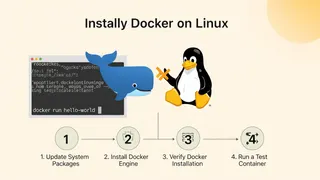 Article
How To Install Docker On Linux In 4 Easy Steps
A step-by-step guide to installing Docker on Linux in 4 steps, from updating the package index to running your first Docker container.
You might also enjoy
More posts on similar topics
6 related posts