Redis
Redis reference guide covering commands, data types, keys, strings, lists, sets, hashes, sorted sets, transactions, pub/sub, and caching strategies.
Redis reference guide covering commands, data types, keys, strings, lists, sets, hashes, sorted sets, transactions, pub/sub, and caching strategies.
No commands found
Try adjusting your search term
Getting Started
Redis CLI Basics
Connect and interact with Redis using redis-cli command-line tool
Connect to Local Redis Default
Opens interactive Redis CLI session on localhost port 6379
redis-cli127.0.0.1:6379>- Default Redis server runs on port 6379
- Requires Redis server to be running
- Ctrl+C to exit the CLI
Connect to Remote Redis Server
Connect to Redis on host redis.example.com with port 6380 and password authentication
redis-cli -h redis.example.com -p 6380 -a yourpasswordredis.example.com:6380>- -h specifies hostname or IP address
- -p specifies custom port
- -a provides password authentication
Execute Command from Command Line
Execute a single command without entering interactive mode
redis-cli PINGPONG- Useful for scripts and automation
- Returns result to stdout
Select Database Index
Switch to database 1 (Redis has 16 databases by default, indexed 0-15)
redis-cli127.0.0.1:6379> SELECT 1OK127.0.0.1:6379[1]>- Each database has separate keyspace
- Default is database 0
- Useful for testing without affecting production data
INFO Command and Server Stats
Retrieve detailed Redis server information and statistics
Get All Server Information
Displays all available server information across all sections
redis-cli INFO# Serverredis_version:7.0.0redis_mode:standaloneos:Linux 5.15.0 x86_64arch_bits:64uptime_in_seconds:3456uptime_in_days:0# Clientsconnected_clients:42blocked_clients:0# Memoryused_memory:1048576used_memory_human:1.00Mmaxmemory:0# Statstotal_connections_received:156total_commands_processed:8923- Output is formatted in sections starting with
- Large output on busy servers
- Shows uptime, client count, memory usage, commands processed
Get Specific Section Only
Retrieve memory statistics only (more targeted than INFO all)
redis-cli INFO memory# Memoryused_memory:2097152used_memory_human:2.00Mused_memory_rss:4194304maxmemory:1073741824maxmemory_human:1.00Gmaxmemory_policy:noeviction- Available sections: server, clients, memory, persistence, stats, replication, cpu, cluster, modules
- Useful for monitoring specific metrics
Check Connected Clients and Commands
Monitor requests per second and total throughput metrics
redis-cli INFO stats# Statstotal_connections_received:523total_commands_processed:12543instantaneous_ops_per_sec:45evicted_keys:3- ops_per_sec shows current command rate
- evicted_keys indicates memory pressure
- Useful for performance monitoring
Configuration Commands
View and modify Redis server configuration at runtime
Get Configuration Value
Retrieve current value of maxmemory configuration parameter
redis-cli CONFIG GET maxmemory1) "maxmemory"2) "1073741824"- Returns array with parameter name and value
- Value is in bytes
Get Multiple Configuration Parameters
Use wildcard patterns to retrieve related parameters
redis-cli CONFIG GET "max*"1) "maxmemory"2) "1073741824"3) "maxmemory-policy"4) "noeviction"- Supports glob patterns like max*, *memory*
- Useful for exploring configuration space
Set Configuration Value
Change maxmemory to 2GB at runtime without restart
redis-cli CONFIG SET maxmemory 2147483648OK- Not all parameters can be changed at runtime
- Changes persist only during session unless saved to config file
Rewrite Configuration to File
Save all runtime configuration changes to the config file
redis-cli CONFIG REWRITEOK- Preserves comments and structure of original file
- Makes runtime changes permanent
Connection Pooling Concepts
Managing Redis client connections and connection pools
List All Connected Clients
Display list of all clients connected to Redis server
redis-cli CLIENT LISTid=1 addr=127.0.0.1:45678 fd=8 name= age=15 idle=0 flags=N db=0 sub=0 psub=0 multi=-1id=2 addr=127.0.0.1:45679 fd=9 name= age=2 idle=1 flags=N db=0 sub=0 psub=0 multi=-1- Each line represents one client connection
- idle shows seconds since last command
- flags: N=normal, d=dirty, R=readonly, etc.
Get Client Connection Count
Quick way to check current number of connected clients
redis-cli INFO clients | grep connected_clientsconnected_clients:8- Monitor this metric to detect connection leaks
- Compare with maxclients setting
Kill Idle Client Connection
Terminate specific client connection by address
redis-cli CLIENT KILL 127.0.0.1:45678OK- Useful for removing stuck or idle connections
- Client will reconnect if pool is configured
Set Client Name for Tracking
Assign name to current connection for monitoring purposes
redis-cli CLIENT SETNAME "app-worker-1"OK- Visible in CLIENT LIST output
- Helpful for debugging multiple connections
Keys Management
Key Deletion and Existence
Check existence and delete keys from Redis database
Delete Single Key
Create and delete a key, DEL returns number of keys deleted
redis-cli SET mykey "Hello"redis-cli DEL mykeyOK(integer) 1- Returns the count of keys actually deleted
- Returns 0 if key doesn't exist
- Synchronous operation
Delete Multiple Keys
Delete multiple keys in one command, returns total deleted count
redis-cli DEL user:1 user:2 user:3 session:abc(integer) 4- More efficient than multiple DEL commands
- Atomic operation, deletes all or none
Check If Key Exists
Returns 1 if key exists, 0 if it doesn't
redis-cli EXISTS mykey(integer) 1- Fast O(1) operation
- Can check multiple keys, returns sum of existing keys
Check Multiple Keys for Existence
Returns count of how many keys exist among the given ones
redis-cli EXISTS user:1 user:2 user:3 nonexistent(integer) 3- Useful for batch existence checks
Asynchronous Key Deletion
Non-blocking deletion, especially useful for large keys
redis-cli UNLINK large_list large_hash large_set(integer) 3- Faster than DEL for large data structures
- Deletes in background thread
- Same return value as DEL
Key Expiration and TTL
Set and manage key expiration times
Set Key Expiration in Seconds
Set key to expire in 3600 seconds (1 hour)
redis-cli SET session:token "abc123xyz"redis-cli EXPIRE session:token 3600OK(integer) 1- Returns 1 if timeout set, 0 if key doesn't exist
- Session keys typically use EXPIRE
Check Remaining Time To Live
Returns seconds remaining until key expires
redis-cli TTL session:token(integer) 3598- Returns -1 if key exists but has no expiration
- Returns -2 if key doesn't exist
- Use PTTL for millisecond precision
Set Millisecond Expiration
Set key to expire in exactly 5000 milliseconds (5 seconds)
redis-cli PEXPIRE rate-limit:user123 5000(integer) 1- Useful for rate limiting and short-lived data
- PTTL returns milliseconds remaining
Set Expiration at Unix Timestamp
Set key to expire at specific Unix timestamp (Jan 1, 2024)
redis-cli EXPIREAT cache:data 1704067200(integer) 1- timestamp is in seconds since Unix epoch
- Useful when you know exact expiration time
Remove Key Expiration
Remove expiration from key, making it permanent
redis-cli PERSIST session:token(integer) 1- Returns 1 if timeout removed, 0 if already permanent or doesn't exist
Set Value with Expiration in One Command
Set key with value and 300-second expiration in single command
redis-cli SET otp:email@example.com "654321" EX 300OK- EX = expire in seconds, PX = expire in milliseconds
- More efficient than SET followed by EXPIRE
- NX/XX options work with EX/PX
Key Scanning and Enumeration
Iterate through keys without blocking Redis server
Scan All Keys with Cursor
Start scanning from cursor 0, returns next cursor and matching keys
redis-cli SCAN 01) "2048"2) 1) "user:profile:123" 2) "session:token:abc" 3) "cache:homepage"- Returns [next_cursor, [keys]]
- Continue with cursor 2048 to get more keys
- O(1) per iteration, doesn't block server
Scan with Pattern Match
Scan only keys matching "user:*" pattern
redis-cli SCAN 0 MATCH "user:*"1) "1024"2) 1) "user:profile:1" 2) "user:profile:2" 3) "user:settings:100"- Pattern matching happens on server side
- Still uses cursor iteration, not all-at-once retrieval
Scan with Count Hint
Return approximately 100 keys per iteration
redis-cli SCAN 0 COUNT 1001) "512"2) 1) "cache:data:1" 2) "cache:data:2" 3) "cache:data:3"- COUNT is hint, not strict count
- Larger COUNT may return many keys
- Useful for batch operations
Complete Scan Iteration in Bash
Loop through all keys matching pattern until cursor returns to 0
cursor=0while true; do result=$(redis-cli SCAN $cursor MATCH "session:*" COUNT 50) cursor=$(echo "$result" | head -1) echo "$result" | tail -1 [[ $cursor -eq 0 ]] && breakdonesession:user1session:user2session:user3[... more sessions ...]- Proper way to enumerate all keys when using SCAN
- Safe for production use
Scan Hash Fields
Scan fields of hash without loading all fields at once
redis-cli HSCAN user:1:profile 01) "0"2) 1) "name" 2) "John Doe" 3) "email" 4) "john@example.com"- Works similarly to SCAN with cursor-based iteration
- Also available as SSCAN for sets, ZSCAN for sorted sets
Key Type Checking and Operations
Determine and manipulate key data types
Check Key Data Type
Returns the data type of specified key
redis-cli SET mystring "hello"redis-cli LPUSH mylist "item1"redis-cli TYPE mystringredis-cli TYPE mylistOK(integer) 1stringlist- Returns: string, list, set, zset, hash, stream
- Returns "none" for non-existent keys
Dump and Restore Key
Serialize key content for backup or transfer
redis-cli SET backup-key "important data"redis-cli DUMP backup-keyOK"\x00\x10important data\x09\x00\x8f\xf6\x8f\xf6\x00\x00\x00\x00"- Returns serialized value in Redis protocol format
- Can be restored with RESTORE command in different instance
Copy Key to New Name
Create copy of key with new name
redis-cli SET original-key "data"redis-cli COPY original-key backup-keyOK(integer) 1- Returns 1 on success, 0 if destination already exists
- Use REPLACE option to overwrite destination
Get Key Memory Usage
Returns memory consumption of key in bytes
redis-cli MEMORY USAGE mykey(integer) 56- Includes Redis internal overhead
- Useful for finding keys that consume the most memory
Key Renaming and Moving
Rename keys or move them to different databases
Rename Key
Rename key atomically, old key is replaced with new name
redis-cli SET old-name "content"redis-cli RENAME old-name new-nameredis-cli GET new-nameOKOK"content"- Returns error if source key doesn't exist
- Overwrites destination key if it exists
Rename Only If New Name Doesn't Exist
Rename only if destination key doesn't already exist
redis-cli RENAMENX temp-data permanent-data(integer) 1- Returns 1 if renamed, 0 if destination exists
- Useful for conditional renames
Move Key to Different Database
Atomically move key from one database to another
redis-cli SELECT 0127.0.0.1:6379[0]> SET migration-key "data"127.0.0.1:6379[0]> MOVE migration-key 1127.0.0.1:6379[0]> SELECT 1127.0.0.1:6379[1]> GET migration-keyOK(integer) 1"data"- Returns 1 on success, 0 if key doesn't exist or destination exists
- Useful for segregating data by type
String Operations
String Get and Set Operations
Store and retrieve string values with various options
Set and Get Simple String
Basic string storage and retrieval
redis-cli SET user:1:name "Alice"redis-cli GET user:1:nameOK"Alice"- Strings can be up to 512MB
- GET returns nil if key doesn't exist
Get Multiple Keys At Once
Set multiple key-value pairs and retrieve them together
redis-cli MSET user:1:name "Alice" user:2:name "Bob" user:3:name "Charlie"redis-cli MGET user:1:name user:2:name user:3:nameOK1) "Alice"2) "Bob"3) "Charlie"- MGET is more efficient than multiple GET commands
- Returns nil for non-existent keys in array
Get and Set New Value Atomically
Retrieve old value while setting new one in one operation
redis-cli SET config:api-key "old-key-123"redis-cli GETSET config:api-key "new-key-456"OK"old-key-123"- Returns BEFORE value, not after
- Useful for rotating tokens or credentials
Set with Expiration Options
Set strings with automatic expiration in seconds (EX) or milliseconds (PX)
redis-cli SET cache:homepage "<html>...</html>" EX 3600redis-cli SET cache:sidebar "{\"items\": [...]}" PX 5000OKOK- EX = expire in seconds, PX = expire in milliseconds
- Common pattern for cache data
Set Only If Key Doesn't Exist
Use NX to set only if key doesn't exist
redis-cli SET user:registration:lock "processing" NXredis-cli SET user:registration:lock "done" NXOK(nil)- Returns OK on success, nil if key already exists
- Useful for distributed locks and single-execution patterns
Set Only If Key Already Exists
Use XX to set only if key already exists
redis-cli SET counter "0"redis-cli SET counter "1" XXredis-cli SET nonexistent "value" XXOKOK(nil)- XX = only update existing keys
- Prevents creating new keys accidentally
String Manipulation Commands
Modify and manipulate string values
Append to String
Add text to end of existing string, returns new length
redis-cli SET message "Hello"redis-cli APPEND message " World"redis-cli GET messageOK(integer) 11"Hello World"- If key doesn't exist, APPEND creates it
- Returns the length of string after appending
Get String Length
Get length of string value in characters
redis-cli SET filename "document.pdf"redis-cli STRLEN filenameOK(integer) 12- Returns 0 for non-existent keys
- O(1) operation
Get Substring from String
Extract substring using start and end positions
redis-cli SET email "user@example.com"redis-cli GETRANGE email 0 3redis-cli GETRANGE email 5 -1OK"user""example.com"- Supports negative indices from end of string
- -1 means last character
Set Substring in String
Replace portion of string starting at offset
redis-cli SET data "Hello World"redis-cli SETRANGE data 6 "Redis"redis-cli GET dataOK(integer) 11"Hello Redis"- Extends with null bytes if necessary
- Returns length of resulting string
String Numeric Operations
Increment, decrement, and perform math on numeric strings
Increment Integer Value
Increment numeric string by 1, returns new value
redis-cli SET counter "10"redis-cli INCR counterredis-cli GET counterOK(integer) 11"11"- String must be valid integer format
- Returns error if not numeric
- Atomic operation, safe for concurrent access
Increment by Specific Amount
Add specific value to numeric string
redis-cli SET page-views:today "1000"redis-cli INCRBY page-views:today 50OK(integer) 1050- Works with negative values for subtraction
- Useful for counters and metrics
Decrement Value
Decrement value by 1 or specific amount
redis-cli SET inventory:item-5 "100"redis-cli DECR inventory:item-5redis-cli DECRBY inventory:item-5 10OK(integer) 99(integer) 89- Useful for stock management
- DECRBY with negative number acts as increment
Increment Float Value
Add decimal increment to numeric string
redis-cli SET temperature "20.5"redis-cli INCRBYFLOAT temperature 0.3redis-cli GET temperatureOK"20.8""20.8"- Accuracy of 17 digits
- Returns new value as string
Get and Update Expiration
Get value and update its expiration in one command
redis-cli SET rate-limit:ip "5" EX 60redis-cli GETEX rate-limit:ip EX 120OK"5"- More efficient than GET + EXPIRE
- Can also use EXAT, PERSIST options
String Bit Operations
Bitwise operations on string values
Set Individual Bit
Set specific bit position and retrieve its value
redis-cli SETBIT flags 7 1redis-cli GETBIT flags 7redis-cli GET flags(integer) 0(integer) 1"\x01"- Bit position is 0-indexed
- Returns previous bit value
- Useful for compact flag storage
Count Set Bits
Count number of 1 bits in string
redis-cli SET bitmap "foobar"redis-cli BITCOUNT bitmapOK(integer) 26- Can specify byte range to count
- Useful for HyperLogLog-like operations
Bitwise Operations Between Values
Perform AND operation between two string values
redis-cli SET key1 "foobar"redis-cli SET key2 "abcdef"redis-cli BITOP AND dest key1 key2redis-cli GET destOKOK(integer) 6"`bc`ab"- Supports AND, OR, XOR, NOT operations
- Returns length of result
Find First Set Bit
Find position of first bit set to 1
redis-cli SETBIT bits 10 1redis-cli BITPOS bits 1(integer) 0(integer) 10- Can search for 0 bits as well
- Returns -1 if no such bit exists
List Operations
List Push and Pop Operations
Add and remove elements from list begins and ends
Push Elements to List
Add elements to left (beginning) of list, returns list length
redis-cli LPUSH notifications "message1"redis-cli LPUSH notifications "message2" "message3"redis-cli LLEN notifications(integer) 1(integer) 3(integer) 3- LPUSH adds to beginning, RPUSH adds to end
- Returns length after push operation
- Can push multiple items at once
Pop Elements from List
Remove and return element from left or right side
redis-cli LPOP notificationsredis-cli RPOP notificationsredis-cli LLEN notifications"message3""message1"(integer) 1- LPOP removes from beginning (newest first LIFO)
- RPOP removes from end
- Returns nil if list is empty
Pop Multiple Elements
Remove multiple elements from list in single command
redis-cli RPUSH queue "task1" "task2" "task3" "task4"redis-cli LPOP queue 2(integer) 41) "task1"2) "task2"- COUNT parameter specifies how many to pop
- Reduces round trips for batch processing
Get Element at Index
Access element at specific position without removing it
redis-cli LINDEX notifications 0redis-cli LINDEX notifications -1"message2""message1"- 0 is first element, -1 is last element
- Returns nil if index out of range
- O(n) operation, slower for large lists
Get List Length
Return number of elements in list
redis-cli LLEN notifications(integer) 2- Returns 0 for empty or non-existent keys
- O(1) operation
List Range Operations
Get, set, and trim ranges of list elements
Get Range of Elements
Get elements between start and end indices (inclusive)
redis-cli RPUSH mylist "one" "two" "three" "four" "five"redis-cli LRANGE mylist 0 2redis-cli LRANGE mylist -2 -1(integer) 51) "one"2) "two"3) "three"1) "four"2) "five"- Supports negative indices from end
- 0 to -1 returns all elements
- Returns empty array if range is invalid
Trim List to Range
Keep only elements in specified range, delete others
redis-cli LTRIM mylist 0 2redis-cli LRANGE mylist 0 -1OK1) "one"2) "two"3) "three"- Efficient way to limit list size
- Commonly used to keep only recent items
Set Element at Index
Update element at specific position
redis-cli LSET mylist 1 "TWO"redis-cli LINDEX mylist 1OK"TWO"- Returns error if index out of range
- O(n) operation
Insert Element Before or After Position
Insert element before or after first occurrence of pivot value
redis-cli LINSERT mylist BEFORE "TWO" "1.5"redis-cli LRANGE mylist 0 -1(integer) 41) "one"2) "1.5"3) "TWO"4) "three"- Returns -1 if pivot not found
- O(n) operation, slow for large lists
Move Element Between Lists
Atomically move element from source to destination list
redis-cli RPUSH source "a" "b" "c"redis-cli LMOVE source dest LEFT RIGHTredis-cli LRANGE source 0 -1redis-cli LRANGE dest 0 -1(integer) 3"a"1) "b"2) "c"1) "a"- LEFT=pop from left, RIGHT=pop from right
- Destination receives from left or right
- Useful for rotating between lists
List Blocking Operations
Block and wait for list operations with timeout
Blocking Pop Left
Block until element available in list or timeout reached
redis-cli BLPOP task-queue 0# On another client:# LPUSH task-queue "process-image.jpg"# Waits until element available or timeout1) "task-queue"2) "process-image.jpg"- Timeout 0 = wait forever
- Returns [key, value] when element available
- Multiple clients can block on same key
Blocking Pop with Timeout
Return nil if nothing available after 5 seconds
redis-cli BLPOP empty-queue 5# Waits 5 seconds then returns nil(nil)- Timeout in seconds
- Useful for poll-based checking
Blocking Pop from Multiple Queues
Wait for element from any of multiple lists
redis-cli BLPOP queue1 queue2 queue3 01) "queue2"2) "item-from-queue2"- Returns as soon as element available in any list
- Last parameter is timeout
- Useful for priority queue patterns
Block and Move Between Lists
Atomically pop from one list and push to another with blocking
redis-cli BLMOVE source dest LEFT RIGHT 5"moved-element"- Returns popped element or nil on timeout
- Atomic operation, no race conditions
Blocking Pop and Push Pattern
Pop from pending, push to processing atomically
redis-cli BRPOPLPUSH pending-tasks processing-tasks 10"task-123"- Useful for task processing with automatic movement
- Element stays in processing list until explicitly removed
Set Operations
Set Add and Remove Operations
Manage set membership and size
Add Elements to Set
Add members to set, duplicates are ignored
redis-cli SADD tags "python" "redis" "database"redis-cli SADD tags "python"redis-cli SCARD tags(integer) 3(integer) 0(integer) 3- Returns count of newly added members (not duplicates)
- Second SADD returns 0 because "python" already exists
Check Set Membership
Check if element is member of set
redis-cli SISMEMBER tags "python"redis-cli SISMEMBER tags "go"(integer) 1(integer) 0- Returns 1 if member, 0 if not
- O(1) operation
Check Multiple Members
Check membership of multiple elements in single command
redis-cli SMISMEMBER tags "python" "redis" "go"1) (integer) 12) (integer) 13) (integer) 0- Returns array of 1/0 for each element
Remove Elements from Set
Remove members from set, returns count removed
redis-cli SREM tags "database" "go"redis-cli SCARD tags(integer) 1(integer) 2- Only "database" was removed (exists), "go" returned count 1
Get All Set Members
Return all members of set (unordered)
redis-cli SMEMBERS tags1) "python"2) "redis"- Order is not guaranteed
- Use SCAN for large sets to avoid blocking
- Returns array of members
Set Operations (Union, Intersection, Difference)
Combine and compare sets
Find Common Elements (Intersection)
Find elements common to both sets
redis-cli SADD users:online "alice" "bob" "charlie"redis-cli SADD users:premium "bob" "charlie" "dave"redis-cli SINTER users:online users:premium(integer) 3(integer) 31) "bob"2) "charlie"- Returns only members in ALL specified sets
- Useful for finding users with multiple properties
Combine All Elements (Union)
Get all unique members from both sets
redis-cli SUNION users:online users:premium1) "alice"2) "bob"3) "charlie"4) "dave"- Combines all elements, removes duplicates
- Useful for permissions (any admin OR any moderator)
Find Unique Elements (Difference)
Find elements in first set but not in others
redis-cli SDIFF users:online users:premium1) "alice"- Order of sets matter (first set minus others)
- Useful for finding exclusive members
Store Operation Result
Perform operation and store result in new set
redis-cli SINTERSTORE premium-online users:online users:premiumredis-cli SMEMBERS premium-online(integer) 21) "bob"2) "charlie"- *STORE variants return count of result elements
- Useful for caching computed results
Find Multi-Set Intersection
Find members in all three sets
redis-cli SADD readers "alice" "bob" "charlie" "dave"redis-cli SADD writers "bob" "charlie" "eve"redis-cli SADD editors "charlie" "frank"redis-cli SINTER readers writers editors1) "charlie"- Only "charlie" is in readers AND writers AND editors
Set Advanced Operations
Advanced set operations and management
Remove and Return Random Member
Remove and return random element(s) from set
redis-cli SADD lottery-pool "ticket-1" "ticket-2" "ticket-3" "ticket-4" "ticket-5"redis-cli SPOP lottery-poolredis-cli SPOP lottery-pool 2(integer) 5"ticket-3"1) "ticket-1"2) "ticket-5"- Single member removes one, with count removes multiple
- Useful for random selection and removal (lottery, queue)
Get Random Members Without Removal
Return random members without removing them
redis-cli SRANDMEMBER users:activeredis-cli SRANDMEMBER users:active 3"bob"1) "alice"2) "charlie"3) "bob"- Count can exceed set size (with repetition)
- Negative count allows duplicates
Move Member Between Sets
Move member from source set to destination set
redis-cli SADD users:online "alice"redis-cli SMOVE users:online users:offline "alice"redis-cli SISMEMBER users:online "alice"redis-cli SISMEMBER users:offline "alice"(integer) 1(integer) 1(integer) 0(integer) 1- Returns 1 if moved, 0 if not found in source
- Atomic operation
Scan Large Set
Iterate through set using cursor without blocking
redis-cli SSCAN users:active 0 COUNT 501) "2048"2) 1) "user:1" 2) "user:2" 3) "user:3"- Returns [cursor, [members]]
- Use cursor 0 to start, continue until 0 returned
Hash Operations
Hash Get and Set Operations
Store and retrieve hash field-value pairs
Set and Get Hash Fields
Set multiple hash fields and retrieve individual ones
redis-cli HSET user:1 name "Alice" email "alice@example.com" age "30"redis-cli HGET user:1 nameredis-cli HGET user:1 email(integer) 3"Alice""alice@example.com"- HSET can set multiple field-value pairs at once
- Returns count of new fields added
- HGET returns nil if field doesn't exist
Get Multiple Hash Fields
Retrieve multiple fields in single command
redis-cli HMGET user:1 name age country1) "Alice"2) "30"3) (nil)- Returns array with nil for non-existent fields
- More efficient than multiple HGET calls
Get All Hash Fields and Values
Retrieve all field-value pairs from hash
redis-cli HGETALL user:11) "name"2) "Alice"3) "email"4) "alice@example.com"5) "age"6) "30"- Returns flattened array [field1, value1, field2, value2, ...]
- For large hashes, use HSCAN to avoid blocking
Delete Hash Fields
Remove fields from hash, returns count deleted
redis-cli HDEL user:1 age countryredis-cli HLEN user:1(integer) 1(integer) 2- "age" was deleted (1), "country" didn't exist (not counted)
- HLEN shows remaining fields
Check Field Existence
Check if specific field exists in hash
redis-cli HEXISTS user:1 nameredis-cli HEXISTS user:1 age(integer) 1(integer) 0- Returns 1 if exists, 0 if not
- O(1) operation
Hash Numeric Operations
Increment and perform math on hash fields
Increment Integer Hash Field
Decrement (negative increment) stock field in hash
redis-cli HSET product:1 price 100 stock 50redis-cli HINCRBY product:1 stock -5redis-cli HGET product:1 stock(integer) 2(integer) 45"45"- Useful for inventory management
- Returns new value after increment
Increment Float Hash Field
Add decimal value to hash field
redis-cli HSET stats:page daily-avg 2.5redis-cli HINCRBYFLOAT stats:page daily-avg 0.3redis-cli HGET stats:page daily-avg(integer) 1"2.8""2.8"- Useful for floating point metrics
- Returns new value as string
Set Field Only If Doesn't Exist
Set field only if it doesn't already have a value
redis-cli HSETNX user:profile avatar "default.jpg"redis-cli HSETNX user:profile avatar "custom.jpg"(integer) 1(integer) 0- Returns 1 if field set, 0 if already existed
- Useful for defaults and initialization
Hash Scanning and Enumeration
Iterate through hash fields without blocking
Get All Hash Field Names
Return all field names from hash
redis-cli HKEYS user:11) "name"2) "email"3) "phone"- Order not guaranteed
- Use HSCAN for large hashes instead
Get All Hash Values
Return all values without field names
redis-cli HVALS user:11) "Alice"2) "alice@example.com"3) "555-1234"- Returns array of values only
Get Hash Field Count
Count number of fields in hash
redis-cli HLEN user:1(integer) 3- O(1) operation
- Returns 0 for non-existent hash
Scan Hash Fields with Pattern
Scan hash fields matching pattern without blocking
redis-cli HSCAN config:app 0 MATCH "*-timeout" COUNT 101) "2048"2) 1) "api-timeout" 2) "30000" 3) "db-timeout" 4) "5000"- Returns [cursor, [field1, value1, field2, value2, ...]]
- Cursor-based iteration like SCAN
Get String Length of Hash Field Value
Return byte length of specific field's value
redis-cli HSTRLEN user:1 email(integer) 19- Useful for validation without retrieving value
Sorted Sets Operations
Sorted Set Add and Remove Operations
Manage sorted set members with scores
Add Members with Scores
Add members to sorted set with numeric scores
redis-cli ZADD leaderboard 100 "player1" 150 "player2" 120 "player3"redis-cli ZCARD leaderboard(integer) 3(integer) 3- Members sorted by score in ascending order
- Duplicate members update score
Get Range by Index
Get members in score order, optionally with scores
redis-cli ZRANGE leaderboard 0 -1redis-cli ZRANGE leaderboard 0 -1 WITHSCORES1) "player1"2) "player3"3) "player2"1) "player1"2) "100"3) "player3"4) "120"5) "player2"6) "150"- 0 = lowest score, -1 = highest score
- WITHSCORES returns interleaved scores
Get Range in Reverse Order
Get top scorers in descending order
redis-cli ZREVRANGE leaderboard 0 2 WITHSCORES1) "player2"2) "150"3) "player3"4) "120"5) "player1"6) "100"- ZREVRANGE returns highest scores first
- Common pattern for leaderboards
Get Member Rank
Get position of member in sorted set
redis-cli ZRANK leaderboard "player1"redis-cli ZREVRANK leaderboard "player1"(integer) 0(integer) 2- ZRANK = position from low to high
- ZREVRANK = position from high to low
- 0-indexed
Get Member Score
Retrieve score of specific member
redis-cli ZSCORE leaderboard "player2""150"- Returns nil if member doesn't exist
Remove Members
Remove members from sorted set
redis-cli ZREM leaderboard "player3" "nonexistent"redis-cli ZCARD leaderboard(integer) 1(integer) 2- Returns count of actually removed members
Sorted Set Range Queries
Query sorted sets by score or lexicographical range
Get Members in Score Range
Get all members with scores in range [7, 9]
redis-cli ZADD product-scores 8.2 "item-1" 7.5 "item-2" 9.1 "item-3" 6.8 "item-4"redis-cli ZRANGEBYSCORE product-scores 7 9 WITHSCORES1) "item-2"2) "7.5"3) "item-1"4) "8.2"5) "item-3"6) "9.1"- Inclusive range by default
- Use (score for exclusive range
Query with Score Limits
Get range with exclusive upper bound and pagination
redis-cli ZRANGEBYSCORE product-scores 7 (9 LIMIT 0 21) "item-2"2) "item-1"- (9 means score < 9 (exclusive)
- LIMIT offset count for pagination
Get All Members with Minimum Score
Use +inf for scores greater than value
redis-cli ZRANGEBYSCORE product-scores 8 +inf1) "item-1"2) "item-3"- -inf for minimum scores
- inf without + means non-existent
Count Members in Score Range
Count members without retrieving them
redis-cli ZCOUNT product-scores 7 9(integer) 3- Returns count of members in range
- O(log n) operation
Lexicographical Range (Members with Equal Scores)
Query members lexicographically when scores are equal
redis-cli ZADD colors 0 "black" 0 "blue" 0 "green" 0 "red"redis-cli ZRANGEBYLEX colors "[b" "[g"1) "black"2) "blue"3) "green"- All members must have same score
- "[" = inclusive, "(" = exclusive boundary
Sorted Set Increment Operations
Modify scores and manage sorted set members
Increment Member Score
Increase score of member, returns new score
redis-cli ZADD ratings user:1 4.5redis-cli ZINCRBY ratings 0.5 user:1redis-cli ZSCORE ratings user:1(integer) 1"5""5"- Negative value decreases score
- Creates member if doesn't exist
Pop Lowest Scoring Member
Remove and return lowest scoring members
redis-cli ZPOPMIN priority-queue 21) "task-1"2) "1"3) "task-2"4) "2"- Returns [member1, score1, member2, score2, ...]
- Useful for processing queues by priority
Pop Highest Scoring Member
Remove and return highest scoring members
redis-cli ZPOPMAX leaderboard 11) "player2"2) "150"- Opposite of ZPOPMIN
Blocking Pop Operations
Block until lowest score member available
redis-cli BZPOPMIN priority:queue 01) "priority:queue"2) "item-id"3) "1"- Returns [key, member, score] on timeout nil
- Useful for task processing
Transactions & Scripting
Transaction Basics
Execute commands atomically with MULTI and EXEC
Simple Transaction
Queue commands and execute atomically
redis-cli127.0.0.1:6379> MULTI127.0.0.1:6379> SET key1 "value1"127.0.0.1:6379> SET key2 "value2"127.0.0.1:6379> GET key1127.0.0.1:6379> EXECOKQUEUEDQUEUEDQUEUED1) OK2) OK3) "value1"- Commands return QUEUED when in transaction
- EXEC returns array of results
- All commands execute or none if error
Cancel Transaction
Cancel transaction without executing queued commands
redis-cli127.0.0.1:6379> MULTI127.0.0.1:6379> SET key1 "value"127.0.0.1:6379> DISCARD127.0.0.1:6379> GET key1OKQUEUEDOK(nil)- DISCARD returns OK
- All queued commands are discarded
Monitor Key and Abort on Change
Monitor key and only execute if unchanged
redis-cli127.0.0.1:6379> SET account:1:balance "1000"127.0.0.1:6379> WATCH account:1:balance127.0.0.1:6379> MULTI127.0.0.1:6379> DECRBY account:1:balance 100127.0.0.1:6379> EXECOKOKOKQUEUED1) (integer) 900- If key changed between WATCH and EXEC, transaction aborts
- Returns nil if transaction aborted
Optimistic Lock with WATCH
Implement optimistic locking pattern
redis-cli WATCH mykeyvalue=$(redis-cli GET mykey)# ... check value in application ...redis-cli MULTIredis-cli SET mykey "newvalue"# ... other commands ...redis-cli EXECOK"oldvalue"OKQUEUED1) OK- Application decides whether to commit
- Useful for non-critical updates
Lua Scripting
Execute Lua scripts atomically on server
Execute Simple Lua Script
Execute inline Lua script with zero keys
redis-cli EVAL "return 'Hello from Lua'" 0"Hello from Lua"- "0" = number of key arguments following
- Script returns result to client
Lua Script with Key and Argument
Access Redis keys from Lua script
redis-cli EVAL "return redis.call('GET', KEYS[1])" 1 mykey"value"- KEYS[1] = first key argument
- ARGV indexing starts at 1 (not 0)
Increment with Constraint
Conditional increment only if under limit
redis-cli EVAL "local current = redis.call('GET', KEYS[1])if tonumber(current) < tonumber(ARGV[1]) then redis.call('INCR', KEYS[1]) return 1endreturn 0" 1 counter 100(integer) 1- Atomic constraint check and update
- Returns 1 if incremented, 0 if limit reached
Preload Script with SHA
Load script once, execute many times by SHA
redis-cli SCRIPT LOAD "return 'cached script'"# Save SHA returned: abc123...redis-cli EVALSHA abc123... 0"abc123def456...""cached script"- Reduces bandwidth for frequently used scripts
- More efficient than EVAL for repeated calls
Script Management
Check script existence, clear cache, terminate running
redis-cli SCRIPT EXISTS sha1 sha2 sha3redis-cli SCRIPT FLUSHredis-cli SCRIPT KILL1) (integer) 12) (integer) 0(integer) 3OK- SCRIPT EXISTS returns array of 1/0 for each SHA
- SCRIPT FLUSH clears script cache (careful in production!)
Pub/Sub & Streams
Pub/Sub Basics
Publish and subscribe to message channels
Subscribe to Channel
Subscribe to "news" channel and wait for messages
# Terminal 1redis-cli127.0.0.1:6379> SUBSCRIBE newsReading messages... (press Ctrl-C to quit)1) "subscribe"2) "news"3) (integer) 1- Client blocks in subscribe mode
- Receives confirmation message with subscription count
Publish Message
Publish message to channel
# Terminal 2redis-cli PUBLISH news "Breaking news!"(integer) 1- Returns number of subscribers that received message
- Message sent immediately to all subscribers
Receive Published Message
Subscriber receives published message
# Terminal 1 receiving1) "message"2) "news"3) "Breaking news!"- Array format [type, channel, message]
- Continues waiting for more messages
Subscribe to Multiple Channels
Subscribe to multiple channels at once
redis-cli127.0.0.1:6379> SUBSCRIBE sports weather cryptocurrencyReading messages...1) "subscribe"2) "sports"3) (integer) 11) "subscribe"2) "weather"3) (integer) 21) "subscribe"2) "cryptocurrency"3) (integer) 3- Subscription count increases per channel
- Client receives messages from any subscribed channel
Pattern Subscription
Subscribe to channels matching pattern
redis-cli PSUBSCRIBE "user:*:notification"1) "psubscribe"2) "user:*:notification"3) (integer) 1- Receives messages from matching dynamic channels
- Pattern matching on server side
Redis Streams
Persistent, ordered message queues
Add Message to Stream
Add messages to stream with auto-generated timestamp ID
redis-cli XADD events "*" type "user_login" user "alice" ip "192.168.1.1"redis-cli XADD events "*" type "user_logout" user "bob""1704067200000-0""1704067201000-0"- "*" = auto-generate ID from milliseconds
- ID format = timestamp-sequence
Read Stream Range
Read all messages in stream (oldest to newest)
redis-cli XRANGE events - +1) 1) "1704067200000-0" 2) 1) "type" 2) "user_login" 3) "user" 4) "alice" 5) "ip" 6) "192.168.1.1"2) 1) "1704067201000-0" 2) 1) "type" 2) "user_logout" 3) "user" 4) "bob"- "-" = minimum ID, "+" = maximum ID
- Returns all messages with data
Read New Messages from Position
Read new messages after specific position
redis-cli XREAD COUNT 2 STREAMS events "1704067200000-0"1) 1) "events" 2) 1) 1) "1704067201000-0" 2) 1) "type" 2) "user_logout"- Returns messages after provided ID
- COUNT limits returned messages
Create Consumer Group
Create processor group and read undelivered messages
redis-cli XGROUP CREATE events mygroup 0redis-cli XREADGROUP GROUP mygroup consumer1 STREAMS events ">"OK1) 1) "events" 2) 1) 1) "1704067200000-0" 2) 1) "type" 2) "user_login"- "0" = start from beginning
- ">" = new messages not yet delivered
Acknowledge Message Processing
Acknowledge processed message and check pending
redis-cli XACK events mygroup "1704067200000-0"redis-cli XPENDING events mygroup(integer) 11) (integer) 0 2) "1704067201000-0" 3) "1704067201000-0" 4) 1) 1) "consumer1" 2) (integer) 1- XACK removes from pending list
- XPENDING shows unacknowledged messages
Advanced Features
Persistence (RDB and AOF)
Save and restore Redis data with RDB snapshots and AOF logs
Manual RDB Snapshot
Create RDB snapshot synchronously (blocks server)
redis-cli SAVEOK- Blocking operation, avoid in production
- Saves to dump.rdb file
Background RDB Snapshot
Trigger RDB snapshot in background thread
redis-cli BGSAVEBackground saving started- Non-blocking, server continues operations
- Check LASTSAVE for completion
Check Last Save Time
Get Unix timestamp of last successful RDB save
redis-cli LASTSAVE(integer) 1704067890- Returns seconds since epoch
- Useful for monitoring backup freshness
Rewrite AOF Log
Trigger AOF log compaction in background
redis-cli BGREWRITEAOFBackground append only file rewriting started- Reduces AOF file size by removing redundant commands
- Non-blocking operation
Replication and Clustering
Set up master-replica replication and Redis Cluster
Configure Replica
Configure server as replica of master
redis-cli REPLICAOF master-host 6379redis-cli INFO replicationOK# Replicationrole:slavemaster_host:master-hostmaster_port:6379master_link_status:upmaster_repl_offset:1234567- Starts syncing from master
- Receives all write commands from master
Stop Replication
Stop replication and become standalone master
redis-cli REPLICAOF NO ONEOK- Keeps data already synced
- Stops receiving updates from old master
Check Replica Lag
Monitor master replication offset
redis-cli INFO replication | grep master_repl_offsetmaster_repl_offset:9876543- Indicates how much data replica has from master
Cluster Info
Check Redis Cluster status
redis-cli CLUSTER INFOcluster_state:okcluster_slots_assigned:16384cluster_slots_ok:16384cluster_slots_pfail:0cluster_slots_fail:0- Shows slot distribution and health
Memory Optimization
Monitor and optimize Redis memory usage
Check Memory Stats
Get detailed memory usage breakdown
redis-cli INFO memory# Memoryused_memory:1048576used_memory_human:1.00Mused_memory_rss:2097152used_memory_rss_human:2.00Mallocator_active:1572864allocator_allocated:1048576used_memory_peak:1100000used_memory_peak_human:1.05M- used_memory = Redis internal memory
- used_memory_rss = OS allocated memory (higher due to fragmentation)
Set Memory Limit
Set max memory to 2GB with LRU eviction policy
redis-cli CONFIG SET maxmemory 2147483648redis-cli CONFIG SET maxmemory-policy allkeys-lruOKOK- Policies: noeviction, allkeys-lru, volatile-lru, allkeys-random, etc.
- allkeys-lru = evict any key using LRU
Eviction Policy Behavior
How volatile-lru eviction picks keys
# When maxmemory reached with volatile-lru:# Evicts keys with expiration, using LRU algorithm# Only keys with TTL are eligible# LRU tracks least recently used- Applies only to keys with EXPIRE set
- Safer than allkeys as it preserves important data
Analyze Key Memory Usage
Get Redis memory analysis and recommendations
redis-cli --ldb# Alternative: MEMORY DOCTOR commandredis-cli MEMORY DOCTORSam, I'm sorry. I don't see much to worry about...# or detailed advice about memory issues- Provides optimization suggestions
- Shows potential memory leaks
Was this useful?
Continue on this topic
The same subject, covered a different way from the cheatsheet above.
 Quiz
QuizElasticsearch: Full-Text Search Engine Fundamentals
Test your knowledge on full-text search, document indexing, and log analysis using Elasticsearch and Kibana.
 Case study
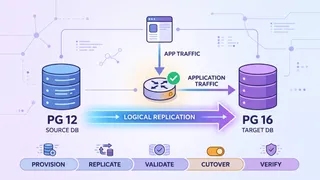
Zero-Downtime PostgreSQL Major-Version Upgrade at Scale
How we moved a multi-terabyte PostgreSQL 12 database to 16 with no maintenance window, using logical replication, dual-read validation, and a rehearsed, timed cutover with a real rollback trigger.
 Code snippet
Redis Caching Patterns: Cache-Aside, Write-Through & Cache Invalidation
Master production-ready Redis caching patterns with practical examples. Learn cache-aside (lazy loading), write-through, consistency patterns, TTL strategies, and cache invalidation techniques to reduce database load and improve application performance.
 Article
Navigating the Future of Cloud with Multi-Cloud IaC: Pulumi and Crossplane
How Pulumi and Crossplane approach multi-cloud Infrastructure as Code: reducing vendor lock-in, and what each tool is actually good at.
You might also enjoy
More posts on similar topics
6 related posts