PostgreSQL
PostgreSQL reference guide covering psql commands, database creation, tables, queries, functions, joins, transactions, indexes, and advanced SQL operations.
PostgreSQL reference guide covering psql commands, database creation, tables, queries, functions, joins, transactions, indexes, and advanced SQL operations.
No commands found
Try adjusting your search term
Getting Started
psql Connection and Basic Commands
Connect to PostgreSQL database server and execute basic commands
Connect to Local PostgreSQL Server
Connect to PostgreSQL server running on localhost as the postgres user
psql -U postgres -h localhost -p 5432psql (14.2)Type "help" for help.postgres=#- Default port is 5432
- -U specifies username
- -h specifies hostname
- -p specifies port number
Connect to Specific Database
Connect directly to a specific database with credentials
psql -U username -d database_name -h localhostpsql (14.2)SSL connection (protocol: TLSv1.3, cipher: TLS_AES_256_GCM_SHA384)Type "help" for help.database_name=#- -d specifies the database name
- SSL connection shown if available
Connect Using Connection String
Use connection string URI format to connect to database
psql "postgresql://user:password@localhost:5432/mydb"psql (14.2)Type "help" for help.mydb=#- Format is postgresql://[user[:password]@][host][:port][/dbname]
- Secure method for credentials
psql Help and Meta-Commands
Navigate help system and use meta-commands in psql
Display All Meta-Commands
Display all available meta-commands and shortcuts
\?General \copyright show PostgreSQL usage and distribution terms \g [FILE] or ; execute query (and send results to file or |pipe) \gset [PREFIX] execute query and store results in psql variables \gx as \g, but forces expanded output mode \q quit psql- Meta-commands start with backslash
- Command list is very long, use with pager
Get Help on SQL Commands
Show syntax and description for SQL commands
\h SELECTCommand: SELECTDescription: retrieve rows from a table or viewSyntax:[ WITH [ RECURSIVE ] with_query [, ...] ]SELECT [ ALL | DISTINCT [ ON ( expression [, ...] ) ] ] [ * | expression [ [ AS ] output_name ] [, ...] ]- Works with all SQL keywords
- Handy for a quick syntax lookup
List All Databases
List all databases in the PostgreSQL server
\lList of databasesName | Owner | Encoding | Collate | Ctype | Access privileges-----------+----------+----------+---------+-------+-------------------postgres | postgres | UTF8 | C | C |template0 | postgres | UTF8 | C | C | =c/postgrestemplate1 | postgres | UTF8 | C | C | =c/postgrestestdb | postgres | UTF8 | C | C |(4 rows)- Shows database name, owner, encoding, and privileges
- Template databases are system templates
Describe Table Structure
Show detailed structure of a table including columns and constraints
\d usersTable "public.users"Column | Type | Collation | Nullable | Default-----------+-------------------+-----------+----------+---------id | integer | | not null |username | character varying | | not null |email | character varying | | not null |created_at| timestamp without | | not null | now()Indexes: "users_pkey" PRIMARY KEY, btree (id) "users_email_key" UNIQUE, btree (email)- Use \d+ for extended information with access privileges
- Shows ALL constraints and indexes
Connection Environment Variables
Use environment variables to configure PostgreSQL connections
Set Connection Environment Variables
Set environment variables so psql uses them automatically
export PGHOST=localhostexport PGPORT=5432export PGUSER=postgresexport PGDATABASE=mydbpsqlpsql (14.2)Type "help" for help.mydb=#- psql reads these variables if not specified on command line
- Command line arguments override environment variables
Using .pgpass for Password Storage
Store credentials in .pgpass file for passwordless connections
cat ~/.pgpassecho "localhost:5432:*:postgres:password123" >> ~/.pgpasschmod 0600 ~/.pgpasslocalhost:5432:*:postgres:password123- File should contain lines in format: hostname:port:database:user:password
- Must have 0600 permissions for security
- Asterisk (*) matches any database
Database Management
CREATE DATABASE
Create new databases on PostgreSQL server
Create Simple Database
Create a new empty database with default settings
CREATE DATABASE my_app;CREATE DATABASE- Default encoding is UTF8 on modern PostgreSQL
- Default owner is the current user
Create Database with Specifications
Create database with specific owner, encoding, and locale settings
CREATE DATABASE company_db OWNER postgres ENCODING 'UTF8' LOCALE 'en_US.UTF-8' TEMPLATE template0;CREATE DATABASE- template0 is clean template without any extra objects
- template1 is the default but may contain custom objects
- Always specify OWNER for clarity in production
Create Database with Connection Limit
Create database with maximum connection limit set
CREATE DATABASE test_db CONNECTION LIMIT 50;CREATE DATABASE- Prevents resource exhaustion from excessive connections
- Value of -1 allows unlimited connections
ALTER DATABASE
Modify database properties and configurations
Rename Database
Rename an existing database
ALTER DATABASE old_db RENAME TO new_db;ALTER DATABASE- Cannot rename database while connected to it
- No connections must be active to the database
Change Database Owner
Transfer database ownership to different user
ALTER DATABASE my_db OWNER TO new_owner;ALTER DATABASE- Current owner or superuser can perform this operation
Set Connection Limit
Change the maximum number of concurrent connections
ALTER DATABASE my_db CONNECTION LIMIT 100;ALTER DATABASE- Allows adjusting limits without dropping database
DROP DATABASE
Remove databases from PostgreSQL server
Drop Database
Remove a database and all its objects permanently
DROP DATABASE my_db;DROP DATABASE- Operation is irreversible
- No connections can be active to the database
Drop Database If Exists
Drop database only if it exists, no error if it does not
DROP DATABASE IF EXISTS my_db;DROP DATABASE- Useful for idempotent scripts
- Does not error if database doesn't exist
Force Drop Database with Active Connections
Forcefully terminate connections and drop database
DROP DATABASE my_db WITH (FORCE);DROP DATABASE- Available in PostgreSQL 13+
- Forcefully disconnects all users before dropping
Table Operations
CREATE TABLE
Create tables with columns and constraints
Create Basic Table
Create users table with auto-incrementing primary key and constraints
CREATE TABLE users ( id SERIAL PRIMARY KEY, username VARCHAR(50) NOT NULL, email VARCHAR(100) NOT NULL UNIQUE, created_at TIMESTAMP DEFAULT CURRENT_TIMESTAMP);CREATE TABLE- SERIAL automatically creates sequence for id
- UNIQUE constraint on email prevents duplicates
- DEFAULT CURRENT_TIMESTAMP sets creation time automatically
Create Table with CHECK Constraint
Create table with CHECK constraints to validate data
CREATE TABLE products ( id SERIAL PRIMARY KEY, name VARCHAR(100) NOT NULL, price DECIMAL(10, 2) NOT NULL, stock INT DEFAULT 0, CHECK (price > 0), CHECK (stock >= 0));CREATE TABLE- CHECK constraint rejects a price of zero or less
- Multiple CHECK constraints allowed
- Prevents invalid data at database level
Create Table with Foreign Key
Create orders table with foreign key referencing users
CREATE TABLE orders ( id SERIAL PRIMARY KEY, user_id INT NOT NULL, order_date TIMESTAMP DEFAULT CURRENT_TIMESTAMP, total DECIMAL(10, 2), FOREIGN KEY (user_id) REFERENCES users(id) ON DELETE CASCADE);CREATE TABLE- ON DELETE CASCADE removes orders when user is deleted
- ON DELETE RESTRICT would prevent deletion if child records exist
- Foreign key enforces referential integrity
Create Table with ENUM Type
Create custom ENUM type and use in table constraint
CREATE TYPE order_status AS ENUM ('pending', 'shipped', 'delivered', 'cancelled');CREATE TABLE shipments ( id SERIAL PRIMARY KEY, order_id INT NOT NULL, status order_status DEFAULT 'pending', FOREIGN KEY (order_id) REFERENCES orders(id));CREATE TYPECREATE TABLE- ENUM restricts column to predefined values
- More efficient than VARCHAR with CHECK
- Type is reusable across multiple tables
Data Types
PostgreSQL data types for different column definitions
Numeric Data Types
Create table with various numeric data types
CREATE TABLE numeric_examples ( small_int SMALLINT, regular_int INTEGER, big_int BIGINT, decimal_value DECIMAL(10, 2), float_value FLOAT, serial_auto SERIAL);CREATE TABLE- SMALLINT: -32768 to 32767
- INTEGER: -2147483648 to 2147483647
- BIGINT: for very large numbers
- DECIMAL for exact precision (financial data)
- SERIAL creates auto-incrementing columns
String and Character Data Types
Create table with various string data types
CREATE TABLE string_examples ( char_col CHAR(10), varchar_col VARCHAR(255), text_col TEXT, name_col VARCHAR(100) NOT NULL);CREATE TABLE- CHAR is fixed-length, padded with spaces
- VARCHAR is variable-length with limit
- TEXT is variable-length with no limit
- Use VARCHAR with limit for most cases
Date and Time Data Types
Create table with date and time data types
CREATE TABLE datetime_examples ( date_col DATE, time_col TIME, timestamp_col TIMESTAMP, timestamp_tz TIMESTAMP WITH TIME ZONE);CREATE TABLE- DATE stores only date without time
- TIME stores only time without date
- TIMESTAMP stores both date and time
- TIMESTAMP WITH TIME ZONE includes timezone information
JSON and Array Data Types
Create table with JSON and array data types
CREATE TABLE advanced_types ( json_data JSON, jsonb_data JSONB, tags TEXT[], numbers INTEGER[]);CREATE TABLE- JSONB is binary JSON with better performance
- JSON stores raw text
- ARRAY types for storing lists of values
- Can query array elements directly in SQL
ALTER TABLE
Modify existing table structures and constraints
Add Column to Existing Table
Add new column to existing table
ALTER TABLE users ADD COLUMN phone VARCHAR(20);ALTER TABLE- New column will be NULL for all existing rows
- Can specify DEFAULT for existing rows
Add Column with Default Value
Add column with default value for existing and future rows
ALTER TABLE users ADD COLUMN is_active BOOLEAN DEFAULT true;ALTER TABLE- DEFAULT applies to new inserts and existing rows
Rename Table and Column
Rename both table and column names
ALTER TABLE users RENAME TO customer_users;ALTER TABLE customer_users RENAME COLUMN phone TO phone_number;ALTER TABLEALTER TABLE- Rename operations are safe, referential integrity maintained
- Consider impact on dependent views and applications
INSERT & UPDATE
INSERT Statements
Insert data into tables with various methods
Insert Single Row
Insert a single row with specified columns
INSERT INTO users (username, email)VALUES ('john_doe', 'john@example.com');INSERT 0 1- Columns not specified will use DEFAULT or NULL
- INSERT 0 1 means 1 row inserted with OID 0
Insert Multiple Rows
Insert multiple rows in single statement
INSERT INTO users (username, email) VALUES ('alice', 'alice@example.com'), ('bob', 'bob@example.com'), ('charlie', 'charlie@example.com');INSERT 0 3- Faster than one INSERT statement per row
- All rows inserted atomically or none
Insert with RETURNING Clause
Insert row and return generated values immediately
INSERT INTO users (username, email)VALUES ('diana', 'diana@example.com')RETURNING id, username, email;id | username | email----+----------+------------------42 | diana | diana@example.com(1 row)- RETURNING is PostgreSQL extension
- Useful for getting auto-generated IDs
- Can return any columns or expressions
Insert from SELECT Query
Insert rows from results of SELECT query
INSERT INTO users_backup (username, email)SELECT username, email FROM users WHERE created_at > CURRENT_DATE - INTERVAL '30 days';INSERT 0 15- Useful for copying or archiving data
- Can filter and transform data during copy
UPDATE Statements
Modify existing data in tables
Update Single Column
Update specific column for matching rows
UPDATE usersSET email = 'newemail@example.com'WHERE username = 'john_doe';UPDATE 1- WHERE clause is critical to avoid updating all rows
- UPDATE 1 means 1 row was updated
Update Multiple Columns
Update multiple columns in single statement
UPDATE usersSET email = 'john.doe@example.com', is_active = true, updated_at = CURRENT_TIMESTAMPWHERE id = 1;UPDATE 1- Can update independent columns simultaneously
- Use CURRENT_TIMESTAMP for automatic update tracking
Update with Expression
Update columns using expressions referencing current values
UPDATE productsSET price = price * 1.10, updated_at = CURRENT_TIMESTAMPWHERE category = 'electronics';UPDATE 15- price * 1.10 increases price by 10 percent
- Updated 15 products with category electronics
Update with RETURNING
Update and return the modified row data
UPDATE usersSET last_login = CURRENT_TIMESTAMPWHERE username = 'alice'RETURNING id, username, last_login;id | username | last_login----+----------+---------------------2 | alice | 2026-02-28 14:30:45(1 row)- Confirms what was actually updated
- Returns new values after the update
DELETE Statements
Remove data from tables
Delete Rows with Condition
Delete specific row matching condition
DELETE FROM users WHERE id = 42;DELETE 1- DELETE 1 means 1 row was deleted
- WHERE clause is critical
Delete Multiple Rows
Delete old cancelled orders and return their details
DELETE FROM ordersWHERE status = 'cancelled'AND created_at < CURRENT_DATE - INTERVAL '90 days'RETURNING id, order_date;id | order_date----+---------------------5 | 2025-11-15 10:20:3012 | 2025-10-20 14:45:20(2 rows)- Complex WHERE allows deleting old data selectively
- RETURNING shows what was deleted before deletion
Delete All Rows
Delete all rows from table (no WHERE clause)
DELETE FROM log_entries;DELETE 1000- Very dangerous operation
- Use TRUNCATE for faster deletion of all rows
SELECT Basics
SELECT and WHERE
Retrieve data with conditions and filtering
Select All Columns
Retrieve all columns from all rows in users table
SELECT * FROM users;id | username | email | created_at----+----------+----------------------+---------------------1 | john_doe | john@example.com | 2026-01-15 10:30:002 | alice | alice@example.com | 2026-01-20 14:25:003 | bob | bob@example.com | 2026-02-01 09:15:00(3 rows)- Using * is fine for exploration but avoid in production
- Specify columns explicitly for performance
Select Specific Columns
Select only specific columns from table
SELECT id, username, email FROM users;id | username | email----+----------+----------------------1 | john_doe | john@example.com2 | alice | alice@example.com3 | bob | bob@example.com(3 rows)- More efficient than SELECT *
- Only fetches needed columns
SELECT with WHERE Condition
Filter results using WHERE clause
SELECT * FROM users WHERE username = 'alice';id | username | email | created_at----+----------+-------------------+---------------------2 | alice | alice@example.com | 2026-01-20 14:25:00(1 row)- String values must be in single quotes
- Uses index on username for faster lookup
WHERE with Multiple Conditions
Filter with AND operator for multiple conditions
SELECT * FROM usersWHERE created_at > '2026-01-01' AND is_active = true;id | username | email | created_at----+----------+--------------------+---------------------1 | john_doe | john@example.com | 2026-01-15 10:30:002 | alice | alice@example.com | 2026-01-20 14:25:00(2 rows)- Both conditions must be true for row to match
- Can use OR for alternative conditions
WHERE with IN Operator
Filter for rows matching any value in list
SELECT * FROM ordersWHERE status IN ('pending', 'shipped', 'processing');id | user_id | status | order_date----+---------+------------+---------------------1 | 1 | pending | 2026-02-20 11:00:003 | 2 | shipped | 2026-02-18 15:30:005 | 3 | processing | 2026-02-25 08:45:00(3 rows)- IN is more readable than multiple OR conditions
- Can use subquery with IN operator
WHERE with BETWEEN
Filter for values within range (inclusive)
SELECT * FROM productsWHERE price BETWEEN 10.00 AND 100.00;id | name | price----+----------------+--------2 | Keyboard | 45.994 | Monitor | 89.50(2 rows)- BETWEEN is inclusive of both boundaries
- Works with numbers, dates, and strings
ORDER BY and LIMIT
Sort and limit query results
Order Results Ascending
Sort results by created_at in ascending order (oldest first)
SELECT username, created_at FROM usersORDER BY created_at ASC;username | created_at----------+---------------------john_doe | 2026-01-15 10:30:00alice | 2026-01-20 14:25:00bob | 2026-02-01 09:15:00(3 rows)- ASC is the default, can be omitted
- Sorts from lowest to highest value
Order Results Descending
Sort results by created_at in descending order (newest first)
SELECT username, created_at FROM usersORDER BY created_at DESC;username | created_at----------+---------------------bob | 2026-02-01 09:15:00alice | 2026-01-20 14:25:00john_doe | 2026-01-15 10:30:00(3 rows)- DESC sorts from highest to lowest value
- Useful for getting recent records
Limit Results to First N Rows
Order by price descending and return top 5 most expensive products
SELECT * FROM productsORDER BY price DESCLIMIT 5;id | name | price----+--------------------+--------1 | Premium Laptop |899.992 | Desktop Computer |749.993 | Tablet |399.994 | Monitor | 89.505 | Keyboard | 45.99(5 rows)- LIMIT restricts number of rows returned
- Improves performance for large result sets
Pagination with OFFSET and LIMIT
Skip first 20 rows and return next 10 (pagination)
SELECT * FROM usersORDER BY idLIMIT 10 OFFSET 20;id | username | email | created_at----+----------+----------------------+---------------------21 | user21 | user21@example.com | 2026-01-15 10:30:0022 | user22 | user22@example.com | 2026-01-20 14:25:00(10 rows)- OFFSET skips specified number of rows
- Page 3 with page size 10 = LIMIT 10 OFFSET 20
- Use ORDER BY for consistent pagination
JOINs & Subqueries
JOIN Types
Combine data from multiple tables using different join types
INNER JOIN Two Tables
Return only rows where both tables have matching records
SELECT users.username, orders.id, orders.totalFROM usersINNER JOIN orders ON users.id = orders.user_id;username | id | total----------+----+--------john_doe | 1 |100.00alice | 2 | 50.00bob | 3 | 75.00(3 rows)- Only returns matching rows from both tables
- ON clause specifies the join condition
- INNER is the default join type
LEFT JOIN Preserving All Left Rows
Include all users even if they have no orders
SELECT users.username, COUNT(orders.id) as order_countFROM usersLEFT JOIN orders ON users.id = orders.user_idGROUP BY users.id, users.username;username | order_count----------+-------------john_doe | 2alice | 1bob | 0(3 rows)- bob appears with 0 orders because of LEFT JOIN
- INNER JOIN would omit users with no orders
- Useful for finding missing related records
RIGHT JOIN
Include all orders even if user was deleted
SELECT users.username, orders.idFROM usersRIGHT JOIN orders ON users.id = orders.user_id;username | id----------+----john_doe | 1alice | 2bob | 3 | 4(4 rows)- Shows order 4 with NULL username (orphaned order)
- Opposite of LEFT JOIN
FULL OUTER JOIN
Include rows from both tables even if no match
SELECT users.username, orders.idFROM usersFULL OUTER JOIN orders ON users.id = orders.user_id;username | id----------+----john_doe | 1alice | 2bob | 3 | 4(4 rows)- Combines LEFT and RIGHT JOIN behavior
- Shows unmatched rows from both sides as NULL
Join with Multiple Tables
Chain multiple JOINs to combine data from 4 tables
SELECT users.username, orders.id, products.nameFROM usersINNER JOIN orders ON users.id = orders.user_idINNER JOIN order_items ON orders.id = order_items.order_idINNER JOIN products ON order_items.product_id = products.id;username | id | name----------+----+-----john_doe | 1 | Laptopjohn_doe | 1 | Mousealice | 2 | Keyboard(3 rows)- Each JOIN adds more conditions
- Order of JOINs can affect performance
Subqueries
Use queries within queries for complex data retrieval
Subquery in WHERE Clause
Find users who placed orders totaling more than 100
SELECT username, email FROM usersWHERE id IN (SELECT user_id FROM orders WHERE total > 100);username | email----------+----------------------john_doe | john@example.comalice | alice@example.com(2 rows)- Subquery returns list of user_ids for IN clause
- Subquery executes first, result used by outer query
Subquery in FROM Clause
Treat subquery result as a table in FROM clause
SELECT avg_order FROM ( SELECT AVG(total) as avg_order FROM orders) as order_stats;avg_order-----------75.00(1 row)- Subquery must have alias (order_stats)
- Useful for complex aggregations
Scalar Subquery in SELECT
Use subquery in SELECT to get count for each user
SELECT username, (SELECT COUNT(*) FROM orders WHERE orders.user_id = users.id) as order_countFROM users;username | order_count----------+-------------john_doe | 2alice | 1bob | 0(3 rows)- Scalar subquery must return single value per row
- Uses correlated subquery (references outer table)
- Can be performance intensive on large datasets
Aggregation & Grouping
Aggregate Functions
Use functions that operate on multiple rows
COUNT Aggregation
Count total number of rows in table
SELECT COUNT(*) as total_users FROM users;total_users------------- 3(1 row)- COUNT(*) counts all rows including NULLs
- COUNT(column) counts non-NULL values in column
SUM Aggregation
Sum all order totals to get total revenue
SELECT SUM(total) as total_revenue FROM orders;total_revenue--------------- 225.00(1 row)- SUM ignores NULL values
- Returns NULL if no rows selected
Average and Min/Max
Calculate average, minimum, and maximum product prices
SELECT AVG(price) as avg_price, MIN(price) as min_price, MAX(price) as max_priceFROM products;avg_price | min_price | max_price-----------+-----------+----------- 267.37 | 9.99 | 899.99(1 row)- AVG ignores NULL values
- MIN and MAX work with any comparable data type
Multiple Aggregations
Calculate multiple aggregate metrics
SELECT COUNT(*) as order_count, COUNT(DISTINCT user_id) as unique_users, SUM(total) as total_sales, AVG(total) as avg_order_valueFROM orders;order_count | unique_users | total_sales | avg_order_value-------------+--------------+-------------+----------------- 8 | 3 | 600.00 | 75.00(1 row)- DISTINCT counts each value once
- One query can compute several aggregates in a single pass
GROUP BY and HAVING
Group rows and filter aggregated results
GROUP BY Single Column
Group orders by user and calculate stats per user
SELECT user_id, COUNT(*) as order_count, SUM(total) as user_totalFROM ordersGROUP BY user_id;user_id | order_count | user_total---------+-------------+------------ 1 | 2 | 150.00 2 | 1 | 50.00 3 | 3 | 200.00(3 rows)- GROUP BY organizes rows into groups
- Aggregates calculate values for each group
GROUP BY Multiple Columns
Group by date and status to see distribution
SELECT DATE(order_date) as order_day, status, COUNT(*) as countFROM ordersGROUP BY DATE(order_date), status;order_day | status | count-----------+---------+-------2026-02-20 | pending | 22026-02-20 | shipped | 12026-02-25 | delivered | 1(3 rows)- Results grouped by both columns in GROUP BY
- Multiple grouping columns refine the grouping
HAVING Clause Filter
Find users with more than 1 order using HAVING
SELECT user_id, COUNT(*) as order_countFROM ordersGROUP BY user_idHAVING COUNT(*) > 1;user_id | order_count---------+------------- 1 | 2 3 | 3(2 rows)- HAVING filters on aggregate values (use after GROUP BY)
- WHERE filters on individual rows (use before GROUP BY)
- User 2 excluded because they have only 1 order
WHERE and HAVING Together
Filter active products, group by category, show high-value categories
SELECT category, SUM(price) as total_price, COUNT(*) as item_countFROM productsWHERE status = 'active'GROUP BY categoryHAVING SUM(price) > 500;category | total_price | item_count----------+-------------+------------electronics| 1250.00 | 5furniture | 750.00 | 3(2 rows)- WHERE applies before grouping (filters rows)
- HAVING applies after grouping (filters groups)
Advanced Queries
Window Functions
Perform calculations across rows without grouping
ROW_NUMBER for Ranking
Assign unique rank to each row based on order total
SELECT username, order_total, ROW_NUMBER() OVER (ORDER BY order_total DESC) as rankFROM user_orders;username | order_total | rank----------+-------------+------alice | 300.00 | 1bob | 250.00 | 2john_doe | 200.00 | 3(3 rows)- ROW_NUMBER always gives unique sequential numbers
- Rows with same value get different row numbers
RANK with Ties
Rank with tied rows sharing same rank
SELECT username, salary, RANK() OVER (ORDER BY salary DESC) as salary_rankFROM employees;username | salary | salary_rank----------+--------+-------------alice | 80000 | 1bob | 80000 | 1charlie | 75000 | 3(3 rows)- RANK skips numbers after ties (1, 1, 3)
- DENSE_RANK does not skip (1, 1, 2)
Partition Over Window
Calculate average salary per department as window function
SELECT department, username, salary, AVG(salary) OVER (PARTITION BY department) as avg_dept_salaryFROM employees;department | username | salary | avg_dept_salary-----------+----------+--------+-----------------sales | alice | 80000 | 75000sales | bob | 70000 | 75000it | charlie | 90000 | 90000(3 rows)- PARTITION BY divides rows into separate windows
- Aggregate calculated within each partition
LAG and LEAD for Sequential Access
Get previous and next order amounts for each order
SELECT order_date, total, LAG(total) OVER (ORDER BY order_date) as prev_order, LEAD(total) OVER (ORDER BY order_date) as next_orderFROM orders;order_date | total | prev_order | next_order-----------+-------+------------+----------2026-02-20 |100.00 | | 150.002026-02-22 |150.00| 100.00 | 75.002026-02-25 | 75.00| 150.00 |(3 rows)- LAG accesses previous row value
- LEAD accesses next row value
- NULL for first/last rows without previous/next
Common Table Expressions (CTEs)
Use WITH clause to define temporary result sets
Simple CTE
Use CTE to define high-value orders, then find their customers
WITH high_value_orders AS ( SELECT * FROM orders WHERE total > 100)SELECT username, email FROM usersWHERE id IN (SELECT user_id FROM high_value_orders);username | email----------+----------------------john_doe | john@example.comalice | alice@example.com(2 rows)- CTE defined in WITH clause, then used in main query
- More readable than nested subqueries
- CTE scoped to single query only
Multiple CTEs
Define multiple CTEs and use them together
WITH user_order_counts AS ( SELECT user_id, COUNT(*) as order_count FROM orders GROUP BY user_id),active_users AS ( SELECT id FROM users WHERE is_active = true)SELECT u.id, u.username, oc.order_countFROM active_users uJOIN user_order_counts oc ON u.id = oc.user_id;id | username | order_count----+----------+------------- 1 | john_doe | 2 2 | alice | 1(2 rows)- Each CTE separated by comma
- CTEs reference each other
Recursive CTE
Use recursive CTE to generate sequence of numbers
WITH RECURSIVE numbers AS ( SELECT 1 as n UNION ALL SELECT n + 1 FROM numbers WHERE n < 5)SELECT * FROM numbers;n--- 1 2 3 4 5(5 rows)- Recursive CTE has initial query and recursive part
- Useful for hierarchical or tree data
- Must have termination condition to prevent infinite loop
Indexes and Views
Create indexes for performance and views for convenience
Create Index on Column
Create index on email column for faster lookups
CREATE INDEX idx_users_email ON users(email);CREATE INDEX- Speeds up SELECT lookups on the indexed column
- Increases INSERT/UPDATE time slightly
- Should be created on frequently queried columns
Create Composite Index
Create index on multiple columns for complex queries
CREATE INDEX idx_orders_user_date ON orders(user_id, order_date DESC);CREATE INDEX- Useful for queries filtering and sorting by these columns
- Column order matters for query optimization
Create View
Create view for user order statistics
CREATE VIEW user_order_summary ASSELECT u.id, u.username, COUNT(o.id) as order_count, SUM(o.total) as total_spentFROM users uLEFT JOIN orders o ON u.id = o.user_idGROUP BY u.id, u.username;CREATE VIEW- View acts like a table but contains query logic
- SELECT from view returns dynamically calculated results
- Useful for common complex queries
Query a View
Query the view like a regular table
SELECT username, order_count, total_spentFROM user_order_summaryWHERE order_count > 2;username | order_count | total_spent----------+-------------+-------------john_doe | 3 | 400.00(1 row)- Views simplify complex queries
- Can be easier to maintain than repeating complex SQL
Database Functions
String Functions
Manipulate and analyze text strings
String Concatenation
Combine multiple string columns into single value
SELECT CONCAT(first_name, ' ', last_name) as full_name, CONCAT(username, '@example.com') as emailFROM users;full_name | email-----------+------------------------John Doe | john_doe@example.comAlice Smith| alice@example.com(2 rows)- CONCAT returns NULL if any argument is NULL
- Alternative: use || operator
Substring Extraction
Extract portion of string using SUBSTRING function
SELECT username, SUBSTRING(email FROM 1 FOR POSITION('@' IN email) - 1) as email_prefixFROM users;username | email_prefix----------+---------------john_doe | johnalice | alice(2 rows)- SUBSTRING(string FROM start FOR length)
- Useful for parsing data from formatted strings
Case Conversion
Convert strings to uppercase and lowercase
SELECT username, UPPER(username) as username_upper, LOWER(email) as email_lowerFROM users;username | username_upper | email_lower----------+----------------+--------------------John_Doe | JOHN_DOE | john@example.comalice | ALICE | alice@example.com(2 rows)- UPPER converts to uppercase
- LOWER converts to lowercase
- Useful for case-insensitive comparisons
String Length and Trimming
Get string length and remove leading/trailing whitespace
SELECT username, LENGTH(username) as username_length, TRIM(notes) as cleaned_notesFROM users;username | username_length | cleaned_notes----------+-----------------+---------------john_doe | 8 | clean notealice | 5 | another note(2 rows)- LENGTH returns character count
- TRIM removes spaces, LTRIM from left, RTRIM from right
String Replacement
Replace occurrences of string within text
SELECT name, REPLACE(description, 'old_text', 'new_text') as updated_descriptionFROM products;name | updated_description--------+---------------------Laptop | new_text here(1 rows)- REPLACE(string, from, to) replaces all occurrences
- Case-sensitive
Date and Time Functions
Work with dates and timestamps
Current Date and Time
Get current date and timestamp
SELECT CURRENT_DATE as today, CURRENT_TIMESTAMP as now, NOW() as also_now;today | now | also_now-----------+----------------------------+----------------------------2026-02-28 | 2026-02-28 14:30:45.123456 | 2026-02-28 14:30:45.123456(1 row)- CURRENT_DATE returns date without time
- CURRENT_TIMESTAMP returns timestamp with timezone
- NOW() is alias for CURRENT_TIMESTAMP
Extract Date Components
Extract individual components from date/timestamp
SELECT created_at, EXTRACT(YEAR FROM created_at) as year, EXTRACT(MONTH FROM created_at) as month, EXTRACT(DAY FROM created_at) as dayFROM users;created_at | year | month | day-----------+------+-------+-----2026-01-15 | 2026 | 1 | 152026-02-28 | 2026 | 2 | 28(2 rows)- EXTRACT returns numeric values for date parts
- Can use with YEAR, MONTH, DAY, HOUR, MINUTE, SECOND
Date Arithmetic with INTERVAL
Add and subtract intervals from dates
SELECT order_date, order_date + INTERVAL '7 days' as expected_delivery, CURRENT_DATE - INTERVAL '30 days' as thirty_days_agoFROM orders;order_date | expected_delivery | thirty_days_ago-----------+------------------+------------------2026-02-20 | 2026-02-27 | 2025-12-292026-02-25 | 2026-03-04 | 2025-12-29(2 rows)- INTERVAL specifies duration (days, hours, months, years)
- Result type depends on operand types (date + interval = date)
Calculate Age Between Dates
Calculate age/duration between two timestamps
SELECT username, created_at, AGE(CURRENT_TIMESTAMP, created_at) as account_ageFROM users;username | created_at | account_age----------+------------+-------------------------------john_doe | 2026-01-15 | 1 mon 13 days 04:30:45.123456alice | 2026-01-20 | 1 mon 08 days 00:25:30.654321(2 rows)- AGE returns interval showing years, months, days, etc
- Useful for finding how old accounts or events are
Date Truncation
Truncate timestamp to specified unit
SELECT order_date, DATE_TRUNC('day', order_date) as day_start, DATE_TRUNC('month', order_date) as month_start, DATE_TRUNC('year', order_date) as year_startFROM orders;order_date | day_start | month_start | year_start-----------+------------+------------+----------2026-02-20 | 2026-02-20 | 2026-02-01 | 2026-01-01(1 rows)- Useful for grouping by date parts
- Can truncate to hour, day, month, year, etc
Math Functions
Perform mathematical calculations
Basic Math Operations
Use various math functions on price values
SELECT price, ABS(price - 100) as distance_from_100, ROUND(price, 2) as rounded_price, FLOOR(price) as floor_price, CEIL(price) as ceil_priceFROM products;price | distance_from_100 | rounded_price | floor_price | ceil_price-------+-------------------+---------------+-------------+----------89.50 | 10.50| 89.50 | 89 | 90(1 row)- ABS returns absolute value
- ROUND(number, decimals) rounds to specified places
- FLOOR rounds down, CEIL rounds up
Power and Square Root
Calculate power and square root of values
SELECT quantity, POWER(quantity, 2) as quantity_squared, SQRT(quantity) as square_rootFROM inventory;quantity | quantity_squared | square_root----------+------------------+------------- 10 | 100 | 3.16228(1 row)- POWER(base, exponent) raises to power
- SQRT returns square root
Modulo Operation
Find remainder of division and filter even IDs
SELECT id, MOD(id, 10) as remainder_of_div_10FROM usersWHERE MOD(id, 2) = 0;id | remainder_of_div_10----+------------------- 2 | 2 4 | 4 6 | 6(3 rows)- MOD(a, b) returns remainder of a/b
- MOD(id, 2) = 0 finds even numbers
Transactions & Performance
Transaction Control
Use transactions for data consistency
Basic Transaction
Transfer 100 units from user 1 to user 2 atomically
BEGIN;UPDATE users SET balance = balance - 100 WHERE id = 1;UPDATE users SET balance = balance + 100 WHERE id = 2;COMMIT;BEGINUPDATE 1UPDATE 1COMMIT- Both updates succeed or both fail
- The two balances never disagree part-way through
Transaction Rollback
Start transaction, make changes, then rollback
BEGIN;UPDATE products SET stock = stock - 10 WHERE id = 5;SELECT stock FROM products WHERE id = 5;ROLLBACK;BEGINUPDATE 1 stock------- 25(1 row)ROLLBACK- ROLLBACK discards all changes in transaction
- Stock reverts to previous value after rollback
Savepoint for Partial Rollback
Use SAVEPOINT to partially rollback failed operations
BEGIN;INSERT INTO users (username, email) VALUES ('alice', 'alice@example.com');SAVEPOINT sp1;INSERT INTO users (username, email) VALUES ('bob', NULL);ROLLBACK TO sp1;INSERT INTO users (username, email) VALUES ('charlie', 'charlie@example.com');COMMIT;BEGININSERT 0 1SAVEPOINTERROR: null value in column violates not-null constraintROLLBACKINSERT 0 1COMMIT- Savepoint allows rolling back to previous point
- Alice and Charlie inserted, Bob's insert rolled back
EXPLAIN and ANALYZE
Analyze query performance and execution plans
Basic EXPLAIN Plan
Show query execution plan without actually running query
EXPLAIN SELECT * FROM users WHERE email = 'john@example.com';Seq Scan on users (cost=0.00..35.50 rows=1 width=200) Filter: (email = 'john@example.com'::text)Planning Time: 0.085 ms- Seq Scan means full table scan (no index used)
- Cost is relative unit of query expense
- Rows indicates estimated number of returned rows
EXPLAIN with ANALYZE
Run query and show actual execution statistics
EXPLAIN ANALYZE SELECT u.username, COUNT(o.id)FROM users uLEFT JOIN orders o ON u.id = o.user_idGROUP BY u.id, u.username;GroupAggregate (cost=100.25..108.50 rows=3 width=20) (actual time=1.235..1.250 rows=3 loops=1) -> Sort (cost=100.25..100.50 rows=3 width=20) (actual time=0.845..0.850 rows=3 loops=1) Sort Key: u.id -> Hash Left Join (cost=35.50..100.00 rows=100 width=20) (actual time=0.250..0.500 rows=100 loops=1)Planning Time: 0.125 msExecution Time: 1.350 ms- actual time shows real execution time
- actual rows shows actual returned rows vs estimated
- Useful for query optimization
EXPLAIN with VERBOSE and COSTS
Show detailed execution plan with output columns
EXPLAIN (ANALYZE, VERBOSE, COSTS)SELECT * FROM products WHERE price BETWEEN 10 AND 100;Seq Scan on public.products (cost=0.00..35.50 rows=150 width=200) Output: id, name, price, stock Filter: ((price >= '10.00'::numeric) AND (price <= '100.00'::numeric)) Planning Time: 0.050 ms Execution Time: 0.500 ms- VERBOSE shows all output columns and filters
- Helps understand exactly what query is doing
Query Optimization Tips
Optimize queries for better performance
Index for Common Queries
Create compound index on commonly filtered columns
CREATE INDEX idx_users_status_created ON users(status, created_at DESC);SELECT * FROM users WHERE status = 'active' ORDER BY created_at DESC LIMIT 10;CREATE INDEX id | username | status | created_at----+----------+--------+--------------------------- 5 | alice | active | 2026-02-28 14:30:00 3 | bob | active | 2026-02-27 10:15:00(2 rows)- Index on (status, created_at) speeds up query
- Column order in index matters
- DESC in index aids ORDER BY DESC queries
Use VACUUM to Maintain Performance
Reclaim space and update query planner statistics
VACUUM ANALYZE users;VACUUM FULL;VACUUMVACUUM- VACUUM removes dead rows
- ANALYZE updates optimizer statistics
- VACUUM FULL locks table (use during maintenance)
Batch Large Updates
Update in batches to reduce lock contention
UPDATE productsSET stock = stock - 1WHERE id IN (SELECT product_id FROM orders WHERE status = 'shipped' LIMIT 1000);UPDATE 950- LIMIT prevents huge updates holding locks too long
- Run multiple times to process all records
Prepared Statements
Prepare and reuse statements to prevent reparsing
PREPARE get_user (INT) AS SELECT * FROM users WHERE id = $1;EXECUTE get_user(1);EXECUTE get_user(2);DEALLOCATE get_user;PREPARE id | username | email | created_at----+----------+--------------------+--------------------- 1 | john_doe | john@example.com | 2026-01-15 10:30:00(1 row)PREPAREDEALLOCATE- Prepared statements improve performance for repeated queries
- Also prevent SQL injection attacks
Was this useful?
Continue on this topic
The same subject, covered a different way from the cheatsheet above.
 Quiz
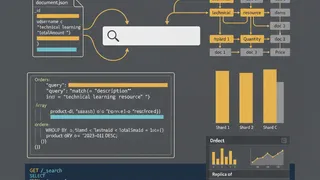
QuizElasticsearch: Full-Text Search Engine Fundamentals
Test your knowledge on full-text search, document indexing, and log analysis using Elasticsearch and Kibana.
 Case study
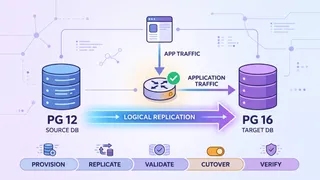
Zero-Downtime PostgreSQL Major-Version Upgrade at Scale
How we moved a multi-terabyte PostgreSQL 12 database to 16 with no maintenance window, using logical replication, dual-read validation, and a rehearsed, timed cutover with a real rollback trigger.
 Code snippet
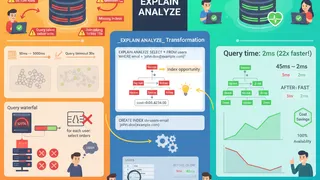
PostgreSQL Query Optimization: Indexes, EXPLAIN ANALYZE & Execution Plans
Master PostgreSQL query optimization with practical examples. Learn EXPLAIN ANALYZE interpretation, effective index strategies, query rewriting, and connection pooling to identify and fix slow queries in production microservices.
 Article
Navigating the Future of Cloud with Multi-Cloud IaC: Pulumi and Crossplane
How Pulumi and Crossplane approach multi-cloud Infrastructure as Code: reducing vendor lock-in, and what each tool is actually good at.
You might also enjoy
More posts on similar topics
6 related posts