Chef
Chef reference guide covering installation, cookbooks, recipes, resources, knife commands, server management, and automation workflows for infrastructure configuration management.
Chef is an Infrastructure as Code platform for automating infrastructure configuration, deployment, and management. This cheatsheet covers Chef concepts, commands, patterns, and best practices for managing infrastructure with Chef Infra, Chef Server, and related tools.
No commands found
Try adjusting your search term
Getting Started
Installation & Setup
Install Chef workstation and set up development environment
Install Chef Workstation on Linux
wget https://packages.chef.io/files/stable/chef-workstation/23.10.1234/ubuntu/22.04/chef-workstation_23.10.1234-1_amd64.debsudo dpkg -i chef-workstation_23.10.1234-1_amd64.debVerify Chef Installation
Displays all installed Chef tools and versions
chef --versionChef Workstation: 23.10.1234Chef Infra Client: 18.3.0Chef InSpec: 5.22.3Chef Habitat: 1.6.521Test Kitchen: 3.5.0Cookstyle: 7.32.1- Chef client version 18+ recommended
- Test Kitchen included in workstation
Chef Configuration
Configure knife and chef client settings
Create knife Configuration
Basic knife.rb configuration for chef server connectivity
current_dir = File.dirname(__FILE__)log_level :infolog_location STDOUTnode_name 'dev_user'client_key "#{current_dir}/dev_user.pem"validation_client_name 'chef-validator'validation_key "#{current_dir}/chef-validator.pem"chef_server_url 'https://chef.example.com/organizations/myorg'cookbook_path ["#{current_dir}/../cookbooks"]- Store in ~/.chef/knife.rb
- PEM keys must have correct permissions (600)
Chef Client Configuration
Chef-client.rb configuration file
log_level :infolog_location "/var/log/chef-client.log"chef_server_url "https://chef.example.com/organizations/myorg"validation_client_name "chef-validator"node_name Socket.gethostname- Located at /etc/chef/client.rb
- Loaded on each chef-client run
Workstation Setup
Initialize and configure Chef development workspace
Generate Chef Repo
Creates standard Chef repository structure
chef generate repo my-chef-repocd my-chef-repoGenerating Chef Infra repo my-chef-repo- Creating workspace directory structure- Creating default cookbooks directory- Creating default roles directory- Creating default environments directory- Creating data_bags directory- Generates .gitignore and basic files
- Ready for git initialization
Generate Cookbook
Creates new cookbook with standard structure
chef generate cookbook cookbooks/apache2Generating cookbook apache2- Creating cookbook directory structure- Creating CHANGELOG.md- Creating metadata.rb- Creating README.md- Creating spec/spec_helper.rb- Creating .kitchen.yml- Creates ChefSpec and InSpec test files
- Ready for Test Kitchen
Basic Resources
File Resource
Manage file creation, deletion, and modification
Create Simple File
file '/etc/app/config.txt' do content 'application configuration' owner 'root' group 'root' mode '0644' action :createendCreate File with Content Test
Creates file with specific ownership and permissions
file '/var/log/app.log' do content "#{Time.now} - Application Started\n" owner 'app_user' group 'app_group' mode '0666'endRecipe: default* file[/var/log/app.log] action create- create new file /var/log/app.log- update permissions to 0666- update ownership to app_user:app_group- Mode as string with leading 0
- Modes are octal: 0644, 0755, etc.
Delete File
Removes file from system
file '/etc/old-config.conf' do action :deleteend- Safe to run multiple times (idempotent)
- Will not error if file doesn't exist
Package Resource
Install, upgrade, and remove software packages
Install Single Package
package 'nginx' do action :installendInstall Multiple Packages
Installs multiple packages in single resource
package ['curl', 'wget', 'git', 'htop'] do action :installendRecipe: default* package[curl] action install- install version 7.68.0-1ubuntu1 of curl* package[wget] action install- install version 1.20.3-1 of wget* package[git] action install- install version 1:2.34.1-1ubuntu1 of git- Chef uses platform package manager
- Version specified as :install installs latest
- Use version attribute for specific version
Install Specific Version
Install specific version of package
package 'nginx' do version '1.18.0-0ubuntu1' action :installend- Version must be available in package repository
Service Resource
Manage system services startup and runtime
Start and Enable Service
service 'nginx' do supports status: true, restart: true, reload: true action [:enable, :start]endRestart Service on Configuration Change
File change triggers service restart with notifications
file '/etc/nginx/nginx.conf' do content node['nginx']['config'] notifies :restart, 'service[nginx]', :immediatelyend
service 'nginx' do supports status: true, restart: true action :nothingendRecipe: default* file[/etc/nginx/nginx.conf] action create- update content in file /etc/nginx/nginx.conf* service[nginx] action restart- restart service nginx- :immediately processed before other resources
- :action :nothing prevents immediate service start
Stop and Disable Service
Stops running service and disables autostart
service 'old-service' do action [:stop, :disable]end- Disable prevents service from starting on boot
Recipes & Cookbooks
Recipe Syntax
Write Chef recipes with proper Ruby syntax
Basic Recipe Structure
Complete recipe with multiple resources
description 'Install and configure web server'
package 'apache2'
service 'apache2' do action [:enable, :start]end
file '/var/www/html/index.html' do content '<h1>Welcome</h1>' mode '0644'end- Recipes are Ruby files
- Comments start with
- Executed top to bottom
Conditional Execution
Only run resources based on conditions
package 'mysql-server' do action :install only_if { node['install_database'] == true }end
execute 'initialize-db' do command 'mysql_install_db' not_if 'test -d /var/lib/mysql/mysql'end- only_if: resource executes only if condition true
- not_if: resource executes only if condition false
Cookbook Structure
Organize cookbooks with files, templates, attributes
Cookbook Directory Layout
Standard cookbook directory structure
cookbooks/apache2/├── recipes/│ ├── default.rb│ ├── server.rb│ └── ssl.rb├── files/│ ├── default/│ │ └── httpd.conf├── templates/│ ├── default/│ │ └── apache2.conf.erb├── attributes/│ ├── default.rb│ └── server.rb├── metadata.rb├── README.md└── .kitchen.yml- recipes/: Chef recipes
- files/: Static files (binaries, configs)
- templates/: Templated files with variables (ERB)
- attributes/: Default attribute values
Cookbook Metadata
Cookbook metadata with dependencies
name 'apache2'maintainer 'Chef Community'maintainer_email 'cookbooks@example.com'description 'Installs and configures Apache web server'version '14.0.0'license 'Apache-2.0'chef_version '>= 16.0'
depends 'openssl'depends 'httpd'
supports 'ubuntu', '>= 18.04'supports 'centos', '>= 7.0'- version in semantic versioning
- depends: cookbook dependencies
- supports: compatible operating systems
Recipe Patterns
Common recipe patterns and best practices
Idempotent File Installation
Downloads file only if not already present
remote_file '/opt/app/binary' do source 'https://downloads.example.com/app-1.0.tar.gz' checksum 'abcd1234ef567890' mode '0755' action :create_if_missingend- create_if_missing prevents re-download
- checksum validates file integrity
- Idempotent: safe to run multiple times
Recipe with Node Attributes
Use node attributes in recipes
package node['packages']['webserver']
service node['services']['webserver'] do action [:enable, :start]end
node.override['app']['installed'] = true- node[] accesses attribute values
- node.override sets attribute value
- Attributes from multiple sources merged
Knife Commands
Node Management
List, bootstrap, and manage Chef nodes
Bootstrap Node
Bootstrap installs Chef client and runs initial recipes
knife bootstrap 192.168.1.100 -u ubuntu -i ~/.ssh/key.pem -N webserver01 --run-list 'recipe[apache2]' --sudoConnecting to 192.168.1.100192.168.1.100 ➜ Installing Chef Infra Client 18.3.0...192.168.1.100 ➜ Chef Infra Client successfully installed192.168.1.100 ➜ Starting Chef Infra Client, version 18.3.0192.168.1.100 ➜ Running handlers: [chef-client-finished]192.168.1.100 ➜ Chef Infra Client finished, 8/8 resources updated in 25 seconds- Default runs once for initial setup
- -N sets node name in Chef Server
- --run-list specifies recipes to execute
List All Nodes
Shows all nodes registered with Chef Server
knife node listdatabase01webserver01webserver02loadbalancer01- Requires knife.rb configuration
- Only shows registered nodes
Show Node Details
Detailed information about specific node
knife node show webserver01Node Name: webserver01Environment: productionFQDN: webserver01.example.comIP: 192.168.1.100Run List: recipe[apache2], recipe[php]Roles: [web_server]Chef Version: 18.3.0Platform: ubuntu 22.04 x86_64Attributes: apache: port: 80 workers: 4- Shows attributes, run_list, roles
- Platform and Chef version visible
Cookbook Operations
Manage and upload cookbooks
Upload Cookbook
Uploads cookbook to Chef Server
knife cookbook upload apache2 -o cookbooks/Uploading apache2 [14.0.0]Uploaded 1 cookbookapache2 [14.0.0]- -o specifies cookbook directory
- Version in metadata.rb required
- Creates version in Chef Server
Lint Cookbook
Lint checks and corrects cookbook code style
cookstyle cookbooks/apache2 --autocorrectInspecting 8 files6 files OK2 files corrected- cookstyle is Chef's linter
- --autocorrect fixes style issues
- Runs before uploading
Delete Cookbook
Removes cookbook version from Chef Server
knife cookbook delete apache2 -v 14.0.0- -v specifies version to delete
- Requires confirmation
Data Bags
Manage encrypted data and secrets
Create Data Bag
Creates new data bag container
knife data bag create usersCreated data_bag[users]- Data bags store JSON data
- Can contain multiple items
Create Encrypted Data Bag Item
Creates encrypted data bag item
knife data bag create secrets db_password --secret-file ~/.chef/encrypted_data_bag_secretCreated data_bag_item[secrets::db_password]- Secret file required for encryption
- Stored encrypted on Chef Server
Chef Server Management
Chef Server Setup
Install and configure Chef Server
Install Chef Server
Install and configure Chef Server
wget https://packages.chef.io/files/stable/chef-server/15.5.1234/ubuntu/22.04/chef-server-core_15.5.1234-1_amd64.debsudo dpkg -i chef-server-core_15.5.1234-1_amd64.debsudo chef-server-ctl reconfigureChef Server Starting...* omnibus-ctl (default) -> install* chef-server-postgresql (default) -> install* opscode-erchef (default) -> install* nginx (default) -> installChef Server configured and started successfully- Requires 4GB minimum RAM
- PostgreSQL backend required
- Takes time on first run
Create Organization
Create new organization on Chef Server
sudo chef-server-ctl org-create myorg "My Organization" --filename myorg-validator.pemOrganization myorg created successfullyValidator key written to myorg-validator.pem- Requires admin credentials
- Generates validator key for bootstrapping
Chef Server Control Commands
Administrative commands for Chef Server
Check Chef Server Status
Shows status of all Chef Server services
sudo chef-server-ctl statusrun: chef-server-postgresql: (pid 1234) 5678s; run: log: (pid 1235) 98srun: opscode-erchef: (pid 1236) 5600s; run: log: (pid 1237) 98srun: nginx: (pid 1238) 5580s; run: log: (pid 1239) 98sdown: opscode-solr4: 10s, normally up; run: log: (pid 1240) 98s- All services should show run
- Verify connectivity issues with status
Create Admin User
Creates new admin user
sudo chef-server-ctl user-create admin Admin User admin@example.com --filename admin.pemUser admin created successfullyPrivate key written to admin.pem- Save private key securely
- Can grant org permissions
Grant User Permissions
Grants server admin permissions to user
sudo chef-server-ctl grant-server admin admin- Must include org and user
- Requires restart after changes
Advanced Resources
Template Resource
Create files from ERB templates with variables
Simple ERB Template
template '/etc/app/config.conf' do source 'config.conf.erb' owner 'app' group 'app' mode '0644' variables( app_name: 'MyApp', port: 8080, environment: node.chef_environment ) notifies :restart, 'service[app]'endERB Template File Content
Template renders with variables substituted
# Configuration for <%= @app_name %>server { listen <%= @port %>; server_name _;
# Environment: <%= @environment %> <% if @environment == 'production' %> access_log /var/log/nginx/access.log combined; <% else %> access_log /var/log/nginx/dev-access.log; <% end %>}# Configuration for MyAppserver { listen 8080; server_name _;
# Environment: production access_log /var/log/nginx/access.log combined;}- ERB syntax <%= %> for output
- <% %> for logic without output
- Variables passed to template via hash
Template with Lazy Attribute
Lazy attribute evaluates at convergence time
template '/etc/mysql/my.cnf' do source 'my.cnf.erb' variables lazy { { max_connections: node['mysql']['max_connections'], port: node['mysql']['port'] } } action :createend- Lazy {} defers evaluation
- Useful for dynamic attribute values
- Re-evaluates on each run
Execute Resource
Run arbitrary commands on target system
Simple Execute Command
execute 'bash /usr/local/bin/install-app.sh' do not_if 'test -d /opt/app'endExecute with Guard Clause
Execute resource with guard prevents duplicate initialization
execute 'initialize-database' do command '/usr/bin/mysql_install_db' user 'mysql' group 'mysql' only_if { !::File.exist?('/var/lib/mysql/mysql') }endRecipe: default* execute[initialize-database] action run- execute /usr/bin/mysql_install_db- only_if prevents execution if condition met
- Command must be idempotent
Execute with Timeout
Execute command with time limit
execute 'build-application' do command 'make build && make test' cwd '/opt/src' timeout 600 user 'ubuntu'end- Timeout in seconds
- cwd changes working directory
- Useful for long-running builds
Ruby Block Resource
Execute Ruby code within recipes
Ruby Block with Notification
ruby_block 'create_application_user' do block do shell_out!('useradd -m -s /bin/bash appuser') end not_if { ::File.exist?('/home/appuser') }endRuby Block to Set Attributes
Ruby block generates API key and sets attribute
ruby_block 'generate-api-key' do block do key = SecureRandom.hex(32) node.override['app']['api_key'] = key Chef::Log.info("Generated API key: #{key}") end action :runend- Block contains arbitrary Ruby code
- shell_out! executes shell commands
- Can set node attributes
Attributes & Variables
Node Attributes
Set and manage node attributes
Default Attributes File
default['apache2']['port'] = 80default['apache2']['workers'] = 4default['apache2']['modules'] = %w(mod_rewrite mod_ssl)default['apache2']['config_dir'] = '/etc/apache2'Override Attributes
Override attributes set higher priority
override['apache2']['port'] = 8080override['apache2']['workers'] = 8- default lowest priority
- override highest priority
- Node attributes in middle
Access Attributes in Recipe
Access attributes using node[] syntax
package 'apache2'
template '/etc/apache2/apache2.conf' do variables( port: node['apache2']['port'], workers: node['apache2']['workers'], modules: node['apache2']['modules'] )end- node['key'] accesses attribute value
- node['key'] = value sets attribute
- Attributes come from multiple sources
Data Bags
Store shared data and secrets
Data Bag Item Structure
{ "id": "db_user", "username": "appdb", "password": "encrypted_password", "host": "database.example.com"}Access Data Bag in Recipe
Load and use data bag item in recipe
db_config = data_bag_item('database', 'db_user')
template '/etc/app/database.yml' do variables( host: db_config['host'], username: db_config['username'], password: db_config['password'] )end- data_bag_item(bag, item) loads data
- Encrypted items auto-decrypted
- Secret file required for decryption
Environments
Create and manage environment configurations
Environment Definition
Production environment with cookbook versions
name 'production'description 'Production environment'
cookbook_versions( 'apache2' => '= 14.0.0', 'mysql' => '= 8.4.0')
override_attributes( apache2: { port: 80 }, mysql: { max_connections: 1000 })- cookbook_versions locks recipe versions
- override_attributes apply to all nodes
- Located in environments/ directory
Access Environment in Recipe
Conditional logic based on environment
if node.chef_environment == 'production' Chef::Log.warn("Running in PRODUCTION") node.override['app']['debug'] = falseelse node.override['app']['debug'] = trueend- node.chef_environment returns environment name
- Useful for environment-specific configs
Roles & Environments
Role Definition
Create and manage roles
Web Server Role
Role with recipes and attributes
name 'web_server'description 'Web server role for application'
run_list( 'recipe[apache2]', 'recipe[php]', 'recipe[ssl]')
override_attributes( apache2: { port: 80, max_clients: 256 })- run_list specifies recipes
- Roles can include other roles
- override_attributes apply when role assigned
Database Server Role
Database server role with MySQL recipes
name 'database_server'description 'Primary database server'
run_list( 'recipe[mysql::server]', 'recipe[mysql::replication]')
override_attributes( mysql: { server_id: 1, max_connections: 500 })- Dedicated role for database servers
- Includes replication configuration
Role Management
Create and apply roles to nodes
Upload Role to Server
knife role from file roles/web_server.rbAssign Role to Node
Updates node's run list to include role
knife node run_list set webserver01 'role[web_server]'Set the run list to ['role[web_server]'] for node webserver01- Role must exist on Chef Server
- Run list can include multiple roles
Add Recipe to Existing Run List
Appends recipe to node's run list
knife node run_list add webserver01 'recipe[monitoring]'Run List: recipe[monitoring], role[web_server]- New recipes added to end
- Can specify position with -a option
Testing & Validation
Test Kitchen
Local testing of cookbooks with Test Kitchen
Kitchen Configuration
Test Kitchen configuration for two platforms
driver: name: vagrantprovisioner: name: chef-zeroplatforms: - name: ubuntu-22.04 - name: centos-8suites: - name: default run_list: - recipe[apache2::default] attributes:- Defines test platforms and driver
- run_list specifies recipes to test
- Can test multiple suites
Kitchen Test Lifecycle
Complete kitchen test creates, converges, and destroys instance
kitchen test default-ubuntu-2204-----> Starting Test Kitchen-----> Creating <default-ubuntu-2204>...-----> Kitchen is finished. (15m4s)-----> Creating <default-ubuntu-2204>... Instance created on 192.168.56.101-----> Converging <default-ubuntu-2204>... Chef Infra Client, version 18.3.0 Running handlers: Chef Infra Client finished, 7/7 resources updated-----> Verifying <default-ubuntu-2204>...-----> Kitchen is finished. (18m16s)- kitchen test is full cycle
- Creates VM, runs chef, runs tests, destroys
- Test output shows convergence
Kitchen Commands
Individual kitchen lifecycle steps
kitchen listkitchen createkitchen convergekitchen verifykitchen destroy- list: shows test instances
- create: creates instances
- converge: runs chef client
- verify: runs InSpec tests
- destroy: removes instances
ChefSpec Unit Testing
Unit test recipes with ChefSpec
ChefSpec Test File
ChefSpec tests recipe behavior
require 'spec_helper'
describe 'apache2::default' do let(:chef_run) do ChefSpec::SoloRunner.new(platform: 'ubuntu', version: '22.04').converge(described_recipe) end
it 'converges successfully' do expect { chef_run }.not_to raise_error end
it 'installs apache2 package' do expect(chef_run).to install_package('apache2') end
it 'enables and starts service' do expect(chef_run).to enable_service('apache2') expect(chef_run).to start_service('apache2') endend- Uses RSpec framework
- Mock convergence without real systems
- Fast feedback on recipe changes
Run ChefSpec Tests
ChefSpec test execution results
chef exec rspecapache2::default converges successfully installs apache2 package enables and starts service
Finished in 0.34 seconds3 examples, 0 failures- Fast feedback on recipe changes
- Run before kitchen tests
InSpec Testing
Integration testing with InSpec
InSpec Control
InSpec controls verify infrastructure state
control 'apache-package-1' do title 'Apache2 package is installed' desc 'Verify Apache web server package is installed' impact 1.0 describe package('apache2') do it { should be_installed } endend
control 'apache-service-1' do title 'Apache2 service is enabled' desc 'Verify Apache web server is enabled and active' impact 1.0 describe service('apache2') do it { should be_installed } it { should be_enabled } it { should be_running } endend- Controls test actual system state
- impact indicates severity (0-1.0)
- describe blocks contain assertions
Run InSpec Tests
InSpec test execution shows all controls pass
inspec exec test/integration/default/default.rbProfile Summary: 2 successful controls, 0 control failures, 0 skippedTest Summary: 5 successful, 0 failures, 0 skipped- Runs against real or test systems
- Verbose output shows each check
- Failures reported with details
Cookbook Patterns & Workflows
Common Patterns
Recommended patterns for cookbook development
Wrapper Cookbook Pattern
Wrapper cookbook includes and customizes library cookbook
include_recipe 'apache2::default'
node.override['apache2']['port'] = 443node.override['apache2']['ssl_enabled'] = true
include_recipe 'apache2::ssl'- Separates library from production code
- Keeps library cookbooks generic
- Wrapper applies production config
Helper Methods in Libraries
module Apache2Helper def self.apache_user node['apache2']['user'] end
def self.apache_group node['apache2']['group'] endendUse Library Methods
Helpers reduce code duplication across recipes
# recipe using helperfile '/etc/apache2/config' do owner Apache2Helper.apache_user group Apache2Helper.apache_groupend- Libraries loaded before recipes
- Reusable logic in helper methods
Development Workflow
Recommended cookbook development workflow
Full Development Workflow
Complete workflow from development to production
# 1. Create cookbookchef generate cookbook cookbooks/apache2
# 2. Edit recipes and testsvi cookbooks/apache2/recipes/default.rbvi cookbooks/apache2/test/integration/default/default_spec.rb
# 3. Lint codecookstyle cookbooks/apache2 --autocorrect
# 4. Run unit testschef exec rspec cookbooks/apache2
# 5. Test on local VMkitchen test
# 6. Upload to Chef Serverknife cookbook upload apache2 -o cookbooks/
# 7. Converge nodeknife ssh 'role:web_server' 'sudo chef-client'- Iterative process with feedback loops
- Test before uploading to server
- Use version control for all changes
Converge Multiple Nodes
Converge all nodes with web_server role
knife ssh 'role:web_server' 'sudo chef-client' -a ipaddressStarting Chef Infra Client, version 18.3.0resolving cookbooks for run list: ["role[web_server]"]Synchronizing Cookbooks: - apache2 (14.0.0) - php (8.0.0)Running handlers:Chef Infra Client finished, 8/8 resources updated in 32 seconds- knife ssh targets nodes by search query
- -a specifies attribute for connection
- Executes command on matching nodes
Best Practices Summary
Final best practices checklist
Recipe Best Practices
Common recipe best practices
# Good Recipe Practices
# 1. Use meaningful resource namesservice 'webserver' do service_name 'apache2' # Use if name differs action [:enable, :start]end
# 2. Use guard clauses for idempotencypackage 'nginx' do action :install not_if 'which nginx'end
# 3. Use notifications for dependenciesfile '/etc/nginx/nginx.conf' do content lazy { IO.read(template_file) } notifies :reload, 'service[nginx]'end
# 4. Log important informationruby_block 'app-initialized' do block { Chef::Log.info "Application initialized" }end- Guard clauses keep resources idempotent
- Notifications manage dependencies
- Logging aids debugging
Was this useful?
Continue on this topic
The same subject, covered a different way from the cheatsheet above.
 Article
Navigating the Future of Cloud with Multi-Cloud IaC: Pulumi and Crossplane
How Pulumi and Crossplane approach multi-cloud Infrastructure as Code: reducing vendor lock-in, and what each tool is actually good at.
 Quiz
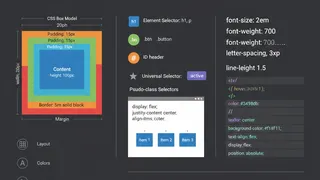
QuizCSS Fundamentals: Selectors, Box Model & Styling
Master CSS fundamentals: selectors, box model, properties, layout basics, and styling techniques. Build the foundation for web design and responsive layouts.
 Code snippet
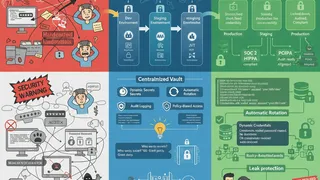
Multi-Environment Secret Management with HashiCorp Vault
Manage secrets securely across dev, staging, and production with HashiCorp Vault. This snippet demonstrates dynamic secret generation, rotation, and cross-environment secret syncing patterns.
 Dev tip
Policy-as-Code Governance with OPA/Rego
How Open Policy Agent enforces infrastructure standards automatically: writing policies in Rego, wiring them into Terraform and Kubernetes, and blocking non-compliant changes in CI/CD before they merge.
You might also enjoy
More posts on similar topics
6 related posts