Helm
Helm is the package manager for Kubernetes that simplifies deploying, managing, and upgrading applications through reusable charts. This cheatsheet covers the core Helm CLI commands and workflows.
Helm is the package manager for Kubernetes that simplifies the deployment, management, and upgrade of applications. It uses charts, which are templated Kubernetes manifests, to build reusable, configurable application packages.
Benefits
- Deploy an entire application stack with a single command.
- Share and reuse charts across projects and teams.
- Override values without editing templates.
- Track revisions and roll back to a previous release.
- Include and manage chart dependencies automatically.
- Deploy several instances with different configurations.
Quick start
Install Helm: Follow the Installation Setup section.
Add a repository: helm repo add bitnami https://charts.bitnami.com/bitnami
Search for charts: helm search repo nginx
Install a chart: helm install my-web bitnami/nginx --create-namespace
Check status: helm status my-web
Common workflows
- First Deploy: Add repository, search chart, install with values
- Configuration: Customize with values files and flag overrides
- Upgrades: Update releases with new chart versions and configuration changes
- Rollback: Revert to previous versions if issues occur
- Chart Development: Create custom charts for your applications
- Production: Manage multiple environments with versioned, auditable deployments
The sections above cover Helm from basic commands through production deployment practices.
No commands found
Try adjusting your search term
Getting Started
Fundamental Helm concepts and basic setup for beginners.
What is Helm
Introduction to Helm and its role in Kubernetes package management.
Helm overview and key concepts
Helm organizes Kubernetes manifests into reusable, configurable packages called charts.
# Helm is a package manager for Kubernetes that simplifies app deployment# Key concepts:# - Chart: A Helm package containing all resources needed (templates, values, metadata)# - Release: A running instance of a chart in a Kubernetes cluster# - Repository: Storage for charts (similar to package registries)# - Values: Configuration files that customize chart behavior
# Chart structure is similar to application packages in Linux:# Helm Chart ≈ .deb or .rpm package# Release ≈ Installed package in system# Repository ≈ Package repository (apt, yum)helm versionversion.BuildInfo{Version:"v3.13.0", GitCommit:"efc1de...", GitTreeState:"clean", GoVersion:"go1.21"}- Charts are collections of templated Kubernetes YAML files.
- Releases are instances of charts deployed in clusters.
- Values allow parameterization without editing templates.
Helm vs kubectl comparison
Shows advantages of using Helm for application deployment versus manual kubectl management.
# kubectl approach: Deploy individual YAML fileskubectl apply -f deployment.yamlkubectl apply -f service.yamlkubectl apply -f configmap.yaml
# Helm approach: Deploy packaged charthelm install my-app stable/nginx
# Helm benefits:# - Single command deploys entire application stack# - Reusable across projects# - Easy configuration through values# - Built-in upgrade and rollback capabilitieshelm listNAME NAMESPACE REVISION UPDATED STATUS CHARTmy-app default 2 2025-02-27 10:30:00 deployed nginx-1.0.0- Helm wraps multiple kubectl operations.
- Provides templating, versioning, and rollback features.
The Helm ecosystem
Describes the complete Helm ecosystem and typical workflow.
# Helm ecosystem components:# 1. Helm CLI: Command-line tool for managing charts and releases# 2. Helm Hub: Central repository for discovering public charts# 3. Repositories: Helm chart repositories (Bitnami, Jetstack, etc.)# 4. Charts: Packaged Kubernetes applications# 5. Kubeconfig: Determines which cluster Helm deploys to
# Example workflow:helm repo add bitnami https://charts.bitnami.com/bitnami # Add repohelm search repo nginx # Find charthelm install web bitnami/nginx # Deploy charthelm upgrade web bitnami/nginx # Update releasehelm repo listNAME URLbitnami https://charts.bitnami.com/bitnamistable https://charts.helm.sh/stable- Multiple repositories can be added and searched simultaneously.
- Helm respects the KUBECONFIG environment variable for cluster selection.
Installation Setup
Installing Helm and verifying the installation.
Install Helm on Linux
Installation steps for Helm on Linux systems (Ubuntu/Debian).
# Download and install Helm binarycurl https://raw.githubusercontent.com/helm/helm/main/scripts/get-helm-3 | bash
# Or using package manager (Ubuntu/Debian)curl https://baltocdn.com/helm/signing.asc | gpg --dearmor | sudo tee /usr/share/keyrings/helm.gpg > /dev/nullecho "deb [arch=amd64 signed-by=/usr/share/keyrings/helm.gpg] https://baltocdn.com/helm/stable/debian all main" | sudo tee /etc/apt/sources.list.d/helm-stable-debian.listsudo apt-get updatesudo apt-get install helm
# Verify installationhelm versionhelm versionversion.BuildInfo{Version:"v3.13.0", GitCommit:"efc1de...", GoVersion:"go1.21"}- The install script is the recommended method for latest versions.
- Requires curl and basic Linux tools.
Install Helm on macOS and Windows
Installation instructions for macOS and Windows systems.
# macOS: Install using Homebrewbrew install helm
# macOS: Install from sourcetar -zxvf helm-v3.13.0-darwin-amd64.tar.gzsudo mv darwin-amd64/helm /usr/local/bin/helm
# Windows: Using Chocolateychoco install kubernetes-helm
# Windows: Using Scoopscoop install helm
# Verify across platformshelm versionhelm version && helm envversion.BuildInfo{Version:"v3.13.0", GitCommit:"efc1de..."}HELM_HOME=/Users/username/.helm- Homebrew is the easiest method on macOS.
- Chocolatey and Scoop are popular on Windows.
Verify Helm setup and cluster connection
Verifies the Helm installation and Kubernetes connectivity.
# Check Helm version and build infohelm version
# Check Helm environmenthelm env
# Verify Kubernetes cluster connectionhelm version --shortkubectl cluster-info
# List any existing releaseshelm list --all-namespaceshelm version --short && helm list -Av3.13.0+gca8fb9e7NAME NAMESPACE REVISION STATUS CHART- Requires valid kubeconfig and Kubernetes cluster access.
- helm list -A shows releases across all namespaces.
Version and Health Check
Checking Helm version and cluster readiness.
Check Helm and Kubernetes versions
Retrieves detailed version information for both Helm and Kubernetes.
# Get detailed Helm version informationhelm version
# Get short version formathelm version --short
# Check Kubernetes server versionkubectl version --short
# Check both in one gohelm version --short && echo "---" && kubectl version --shorthelm version && kubectl version --shortversion.BuildInfo{Version:"v3.13.0", GitCommit:"ca8fb9e7", GitTreeState:"clean", GoVersion:"go1.21.3"}Client Version: v1.28.0Server Version: v1.28.0- Client and server must be within one minor version.
- Version mismatch can cause compatibility issues.
Get Helm environment information
Shows important Helm environment paths and configuration locations.
# Display all Helm environment variableshelm env
# Get specific environment valuehelm env HELM_HOMEhelm env HELM_CONFIG_HOME
# Common important paths:# HELM_HOME: Helm data directory# HELM_CONFIG_HOME: Helm configuration directory# HELM_CACHE_HOME: Chart cache locationhelm env HELM_HOME HELM_CACHE_HOME/home/user/.helm/home/user/.cache/helm- Environment variables can be set to override defaults.
- Cache directory stores downloaded charts.
Repository Management
Managing Helm chart repositories and discovering available charts.
Add and Search Repositories
Adding chart repositories and searching for available charts.
Add popular Helm repositories
Demonstrates adding various Helm repositories for chart discovery.
# Add Bitnami repository (popular for production charts)helm repo add bitnami https://charts.bitnami.com/bitnami
# Add Jetstack repository (for cert-manager)helm repo add jetstack https://charts.jetstack.io
# Add stable repositoryhelm repo add stable https://charts.helm.sh/stable
# Add custom private repositoryhelm repo add myrepo https://private.example.com/charts --username user --password pass
# Verify repository additionhelm repo listhelm repo add bitnami https://charts.bitnami.com/bitnami && helm repo list"bitnami" has been added to your repositoriesNAME URLbitnami https://charts.bitnami.com/bitnami- Bitnami maintains production-grade charts.
- Username/password for private repos are optional.
Search for charts in repositories
Shows how to search and discover charts across repositories.
# Search for a specific charthelm search repo nginx
# Search with version informationhelm search repo wordpress --versions
# Search across all added repositorieshelm search repo mysql
# Show detailed chart informationhelm search repo postgres -o yaml
# Get chart with specific versionhelm search repo bitnami/wordpress --version 18.0.0helm search repo nginxNAME CHART VERSION APP VERSION DESCRIPTIONbitnami/nginx 15.1.2 1.25.3 NGINX Open Source is a web server...bitnami/nginx-ingress 9.8.1 1.8.1 NGINX Ingress Controller...- helm search finds charts in local cache.
- Update repos first with helm repo update.
- Version flag shows all available versions of a chart.
Search Helm Hub (ArtifactHub)
Searches the Artifact Hub for publicly available charts.
# Search public charts on Artifact Hubhelm search hub nginx
# Search with max resultshelm search hub wordpress --max-col-width 80
# Get chart from ArtifactHub directlyhelm search hub mysql --output table
# Note: hub search requires internet and searches external registry# For faster searches, add repos locally and use: helm search repohelm search hub nginxURL CHART VERSION APP VERSION DESCRIPTIONhttps://artifacthub.io/packages/helm/bitnami/... 15.1.2 1.25.3 NGINX web server...- Artifact Hub is the new central registry (replaces Helm Hub).
- Requires internet connection for hub search.
Update and Remove Repositories
Keeping repositories current and managing repository lifecycle.
Update and refresh repository cache
Updates the local cache of charts from remote repositories.
# Update index for a specific repositoryhelm repo update bitnami
# Update all repository cacheshelm repo update
# Update and show what changedhelm repo update --verbose
# Update at regular intervals (daily is common)# Added to crontab: 0 8 * * * /usr/local/bin/helm repo updatehelm repo updateHang tight while we grab the latest from your chart repositories......Successfully got an update from the "bitnami" chart repository...Successfully got an update from the "stable" chart repository- Local cache is stored in HELM_CACHE_HOME.
- Update before searching to find latest charts.
- Useful in CI/CD pipelines before deployments.
Remove and replace repositories
Demonstrates removing and replacing repositories.
# Remove a repositoryhelm repo remove bitnami
# Remove multiple repositorieshelm repo remove bitnami stable jetstack
# Replace/update a repository URLhelm repo remove old-repohelm repo add new-repo https://charts.example.com
# Verify removalhelm repo listhelm repo remove bitnami && helm repo list"bitnami" has been removed from your repositoriesNAME URLstable https://charts.helm.sh/stable- Removing a repo only removes local cache, not actual charts.
- Does not affect existing releases from that repo.
Manage private repository authentication
Shows how to configure repositories with authentication.
# Add private repo with credentialshelm repo add myrepo https://charts.mycompany.com \  --username myuser --password mypass
# Add with username only (will prompt for password)helm repo add myrepo https://charts.mycompany.com \  --username myuser
# Add with certificate authenticationhelm repo add secure https://charts.secure.com \  --ca-file ./ca.crt \  --cert-file ./client.crt \  --key-file ./client.key
# Update private repohelm repo update myrepohelm repo add myrepo https://private.example.com --username userpassword"myrepo" has been added to your repositories- Credentials stored in ~/.helm/repositories.yaml.
- For security, use environment variables instead of CLI args.
Repository Index and Information
Getting information about repositories and their contents.
Get chart information and default values
Retrieves metadata and documentation for a specific chart.
# Show chart information (metadata, description)helm show chart bitnami/wordpress
# Show default values for a charthelm show values bitnami/wordpress
# Show all information (chart + values + readme)helm show all bitnami/wordpress
# Show README for charthelm show readme bitnami/wordpresshelm show chart bitnami/wordpressapiVersion: v2appVersion: 6.3.1description: WordPress is a free and open source blogging and website creation tool...name: wordpresstype: applicationversion: 18.0.0- Check this before installation to understand customization options.
- helm show values is useful for learning chart configuration.
List and inspect chart versions
Shows how to discover and inspect different versions of charts.
# List available versions of a charthelm search repo wordpress --versions
# Show specific version informationhelm show chart bitnami/wordpress --version 17.0.0
# Compare values between versionshelm show values bitnami/wordpress --version 18.0.0
# Get chart from specific versionhelm pull bitnami/wordpress --version 18.0.0 --untarhelm search repo wordpress --versions | head -10NAME CHART VERSION APP VERSION DESCRIPTIONbitnami/wordpress 18.0.0 6.3.1 WordPress is a free and...bitnami/wordpress 17.5.1 6.2.2 WordPress is a free and...bitnami/wordpress 17.0.0 6.2.0 WordPress is a free and...- Different versions may have breaking changes in default values.
- Always review release notes before upgrading.
Installing Charts
Deploying applications using Helm charts.
Basic Chart Installation
Installing charts with minimal and standard configurations.
Basic chart installation
Demonstrates basic chart installation and namespace management.
# Install chart with default valueshelm install my-nginx bitnami/nginx
# Install with custom release namehelm install web-server bitnami/nginx
# Install in specific namespacehelm install my-nginx bitnami/nginx --namespace webapps
# Install and create namespace if it doesn't existhelm install my-nginx bitnami/nginx --namespace webapps --create-namespace
# Verify installationhelm list -n webappshelm install my-nginx bitnami/nginx --create-namespaceNAME: my-nginxLAST DEPLOYED: Wed Feb 27 14:30:00 UTC 2025NAMESPACE: defaultSTATUS: deployedREVISION: 1TEST SUITE: None- Helm auto-generates release name if not provided.
- --create-namespace creates namespace if missing.
- Release name must be unique per namespace.
Install WordPress with persistent storage
Shows installing WordPress with custom configuration.
# Install WordPress charthelm install my-blog bitnami/wordpress \  --set wordpressUsername=admin \  --set wordpressPassword='MySecurePass123' \  --set wordpressEmail=admin@example.com \  --set mariadb.auth.rootPassword='RootPass123'
# Install with persistent volumehelm install my-blog bitnami/wordpress \  --set persistence.enabled=true \  --set persistence.size=10Gi
# Check release statushelm status my-bloghelm install my-blog bitnami/wordpress --set wordpressUsername=adminNAME: my-blogSTATUS: deployedCHART: wordpress-18.0.0APP VERSION: 6.3.1- Set values override defaults without editing templates.
- Multiple --set flags can be chained.
- Sensitive values should use secrets file instead.
Install MySQL database with credentials
Demonstrates installing a production-grade MySQL database.
# Install MySQL with custom root passwordhelm install mysql-db bitnami/mysql \  --set auth.rootPassword='RootPassword123' \  --set auth.database=myapp \  --set auth.username=appuser \  --set auth.password='AppPassword123'
# Install with specific MySQL versionhelm install mysql-db bitnami/mysql \  --set image.tag=8.0 \  --set primary.persistence.size=20Gi
# Verify deploymenthelm get values mysql-dbhelm install mysql-db bitnami/mysql --set auth.rootPassword='Root123'NAME: mysql-dbSTATUS: deployedCHART: mysql-11.0.0APP VERSION: 8.0.35- Always use strong passwords for production.
- Consider using --values flag with secret files.
Values Configuration
Customizing chart installations with values files and flags.
Using values files for configuration
Shows how to manage complex configurations with values files.
# Create custom values filecat > my-values.yaml << 'EOF'nginx:  replicaCount: 3  image:    tag: "1.25"  resources:    requests:      cpu: 100m      memory: 128Mi    limits:      cpu: 500m      memory: 512Mi  service:    type: LoadBalancer    port: 8080EOF
# Install using values filehelm install my-nginx bitnami/nginx -f my-values.yaml
# Use multiple values files (later ones override earlier)helm install my-app bitnami/nginx \ -f base-values.yaml \ -f production-values.yamlhelm install my-nginx bitnami/nginx -f my-values.yaml --dry-runNAME: my-nginxNAMESPACE: defaultSTATUS: pending-install- Values files allow version control of configurations.
- Multiple -f flags merge values (later overrides earlier).
- --dry-run previews changes without applying.
Override values with command-line flags
Demonstrates command-line overrides for quick customization.
# Override single valuehelm install my-app bitnami/nginx --set replicaCount=5
# Override nested values using dot notationhelm install my-app bitnami/nginx --set image.tag=latest
# Set array valueshelm install my-app bitnami/nginx \  --set 'image.pullPolicy={IfNotPresent,Always}'
# Combine values file and command-line overrideshelm install my-app bitnami/nginx \ -f values.yaml \ --set replicaCount=3 \ --set image.tag=1.25.3helm install my-app bitnami/nginx --set replicaCount=2 --dry-runNAME: my-appSTATUS: pending-install- Dot notation for nested values (e.g., image.tag).
- --set values override -f file values unless order matters.
Use secrets and environment variables in values
Shows secure practices for handling sensitive configuration.
# Create secret values file (don't commit to git)cat > secrets.yaml << 'EOF'database:  user: admin  password: MySecurePass123!apiKey: sk_live_abc123def456EOF
# Install with secret valueshelm install my-app myrepo/app -f secrets.yaml
# Use environment variablesexport DB_PASSWORD=MySecurePass123helm install my-app myrepo/app \  --set database.password=$DB_PASSWORD
# Better: Use Kubernetes secretskubectl create secret generic app-secrets \ --from-literal=password=mypasshelm install my-app myrepo/app \ --set database.existingSecret=app-secretshelm install my-app myrepo/app -f secrets.yaml --dry-runNAME: my-appSTATUS: pending-install- Never commit secret values to version control.
- Kubernetes secrets are more secure than ConfigMaps.
- Use existingSecret when available in chart.
Namespace Management
Managing releases across namespaces and namespace organization.
Install releases in different namespaces
Demonstrates namespace isolation for different environments.
# Create namespaceskubectl create namespace productionkubectl create namespace stagingkubectl create namespace development
# Install same chart in different namespaceshelm install my-app bitnami/nginx --namespace production --create-namespacehelm install my-app bitnami/nginx --namespace staging --create-namespacehelm install my-app bitnami/nginx --namespace development --create-namespace
# List releases across all namespaceshelm list --all-namespaces
# List releases in specific namespacehelm list --namespace productionhelm list --all-namespacesNAME NAMESPACE STATUS REVISION CHARTmy-app production deployed 1 nginx-15.1.2my-app staging deployed 1 nginx-15.1.2my-app development deployed 1 nginx-15.1.2- Same release name can exist in different namespaces.
- --create-namespace creates namespace if missing.
- Namespace isolation respects Kubernetes RBAC.
Organize applications by namespace
Shows logical organization of applications using namespaces.
# Create namespace hierarchykubectl create namespace databaseskubectl create namespace monitoringkubectl create namespace ingress-system
# Install applications in logical namespaceshelm install postgres bitnami/postgresql --namespace databaseshelm install mysql bitnami/mysql --namespace databases
helm install prometheus bitnami/kube-prometheus --namespace monitoringhelm install grafana bitnami/grafana --namespace monitoring
helm install nginx-ingress bitnami/nginx-ingress-controller \  --namespace ingress-system
# View resources by namespacekubectl get all -n databaseskubectl get all -n monitoringhelm list --all-namespacesNAMESPACE NAME STATUS CHARTdatabases postgres deployed postgresql-12.0.0databases mysql deployed mysql-11.0.0monitoring prometheus deployed kube-prometheus-40.0.0- Organize by function (databases, monitoring, network).
- Can apply RBAC policies per namespace.
Upgrading & Rollback
Managing release updates and rolling back to previous versions.
Upgrading Releases
Updating releases to newer versions with zero downtime.
Basic release upgrade
Shows basic upgrade workflow and preview options.
# Upgrade release to newer chart versionhelm upgrade my-nginx bitnami/nginx
# Upgrade with new valueshelm upgrade my-nginx bitnami/nginx --set replicaCount=5
# Upgrade from values filehelm upgrade my-nginx bitnami/nginx -f new-values.yaml
# Preview upgrade without applyinghelm upgrade my-nginx bitnami/nginx --dry-run --debug
# Check upgrade historyhelm history my-nginxhelm upgrade my-nginx bitnami/nginx --set replicaCount=3 --dry-runRelease "my-nginx" has been upgraded. Happy Helming!REVISION: 2RELEASED: Wed Feb 27 15:00:00 UTC 2025- Upgrade applies changes to existing release.
- New revision is created, previous kept for rollback.
Upgrade with strategy and rollout management
Shows advanced upgrade options for production deployments.
# Upgrade with custom strategyhelm upgrade my-app bitnami/nginx \  --set image.tag=1.25.3 \  --set strategy.type=RollingUpdate \  --set strategy.rollingUpdate.maxUnavailable=1
# Upgrade without blocking (useful for CI/CD)helm upgrade my-app bitnami/nginx \  --set replicaCount=3 \  --wait=false
# Upgrade and wait for ready podshelm upgrade my-app bitnami/nginx \ --set replicaCount=3 \ --wait=true \ --timeout 5mhelm upgrade my-app bitnami/nginx --wait --timeout 5m --dry-runRelease "my-app" has been upgraded. Happy Helming!- RollingUpdate avoids downtime for stateless apps.
- --wait blocks until all pods are ready.
- --timeout specifies max wait time.
Upgrade WordPress and dependencies
Demonstrates upgrading complex applications with dependencies.
# Upgrade WordPress with database migrationhelm upgrade my-blog bitnami/wordpress \  --set image.tag=6.3.1 \  --set mariadb.image.tag=10.5
# Check current values before upgradehelm get values my-blog
# Upgrade and automatically install dependencieshelm upgrade my-blog bitnami/wordpress \  --dependency-update
# View upgrade statushelm status my-bloghelm upgrade my-blog bitnami/wordpress --dry-runRelease "my-blog" has been upgraded. Happy Helming!- Dependencies are separate sub-charts.
- Always backup data before major upgrades.
Rollback and Revision Management
Rolling back to previous release versions and managing history.
Rollback to previous release version
Demonstrates viewing history and performing rollbacks.
# View release historyhelm history my-nginx
# Rollback to previous revision (immediately before current)helm rollback my-nginx
# Rollback to specific revision numberhelm rollback my-nginx 1
# Rollback and verifyhelm history my-nginx
# Check status after rollbackhelm status my-nginxhelm history my-nginx && helm rollback my-nginxREVISION UPDATED STATUS CHART DESCRIPTION1 Wed Feb 27 14:30:00 superseded nginx-15.1.2 Install complete2 Wed Feb 27 15:00:00 superseded nginx-15.2.0 Upgrade complete3 Wed Feb 27 15:15:00 deployed nginx-15.1.5 Upgrade completeRollback was a success! Happy Helming!- New rollback creates another revision.
- All revisions are kept for audit trail.
Rollback with cleanup and force
Shows advanced rollback options for production scenarios.
# Rollback with cleanup of the rollback revisionhelm rollback my-app --cleanup-on-fail
# Force rollback even if current deployment has issueshelm rollback my-app --force
# Rollback with custom timeouthelm rollback my-app --wait --timeout 5m
# Get detailed history with descriptionshelm history my-app --output jsonhelm rollback my-app --waitRollback was a success! Happy Helming!- Force flag overrides safety checks.
- cleanup-on-fail prevents orphaned resources.
Automated rollback strategy for CI/CD
Shows how to implement automated rollback in CI/CD pipelines.
# In CI/CD pipeline, record old revision before upgradeOLD_REVISION=$(helm history my-app --output json | \  jq '.[-1].revision')
# Perform upgradehelm upgrade my-app bitnami/nginx --wait
# If upgrade fails or validation fails, rollbackif [ $? -ne 0 ]; then  echo "Upgrade failed, rolling back..."  helm rollback my-app $OLD_REVISIONfi
# Monitor after deployment for issueshelm status my-apphelm history my-app --max 5REVISION UPDATED STATUS CHART1 Feb 27 14:30:00 superseded app-1.02 Feb 27 15:00:00 superseded app-2.0- Store revision numbers before upgrades for safety.
- Combine with smoke tests and health checks.
Version and Release Control
Managing chart versions and maintaining release consistency.
Pin chart versions for consistency
Shows how to pin chart versions for reproducible deployments.
# Install specific chart versionhelm install my-app bitnami/nginx --version 15.1.2
# Check installed chart versionhelm list
# Show chart version informationhelm show chart bitnami/nginx --version 15.1.2
# Lock version in values filecat > my-values.yaml << 'EOF'# Chart version 15.1.2replicaCount: 3image:  tag: "1.25"EOF
helm install my-app bitnami/nginx --version 15.1.2 -f my-values.yamlhelm install my-app bitnami/nginx --version 15.1.2 --dry-runNAME: my-appCHART: nginx-15.1.2- Always specify chart version for production.
- Prevents unexpected breaking changes.
Review breaking changes between versions
Demonstrates checking for breaking changes before upgrades.
# Compare values between two versionshelm show values bitnami/nginx --version 15.0.0 > values-15-0.yamlhelm show values bitnami/nginx --version 15.1.2 > values-15-1.yamldiff values-15-0.yaml values-15-1.yaml
# Check chart API version compatibilityhelm show chart bitnami/nginx --version 15.0.0helm show chart bitnami/nginx --version 15.1.2
# Review release noteshelm show readme bitnami/nginx --version 15.1.2helm show values bitnami/nginx --version 15.1.2 | head -20replicaCount: 1image: registry: docker.io repository: bitnami/nginx tag: 1.25.3- Always review diffs in values files.
- Check chart README for migration guides.
Release Management
Managing, monitoring, and maintaining Helm releases.
List and Find Releases
Discovering and listing deployed releases across the cluster.
List releases in different ways
Shows various ways to list and filter releases.
# List all releases in current namespacehelm list
# List releases in specific namespacehelm list --namespace production
# List all releases across all namespaceshelm list --all-namespaces
# List with additional columnshelm list --all-namespaces --output wide
# Export as JSON for parsinghelm list --output json | jq '.[] | {name, namespace, status}'helm list --all-namespacesNAME NAMESPACE STATUS CHART VERSIONmy-nginx default deployed nginx-15.1.2 1.25.3my-wordpress production deployed wordpress-18.0.0 6.3.1mysql-db databases deployed mysql-11.0.0 8.0.35- --all-namespaces searches all namespaces.
- JSON output useful for automation and scripting.
Filter releases by status and properties
Shows filtering releases by status and properties.
# List only deployed releaseshelm list --deployed
# List failed or superseded releaseshelm list --failedhelm list --superseded
# List releases updated after specific datehelm list --date --max 10
# Search for specific releasehelm list | grep nginx
# Get releases by labelhelm list --all-namespaces -o json | \ jq '.[] | select(.status=="deployed")'helm list --deployed --all-namespacesNAME NAMESPACE STATUS CHARTmy-nginx default deployed nginx-15.1.2my-wordpress production deployed wordpress-18.0.0- STATUS shows: deployed, superseded, failed, pending-install.
- Useful for tracking deployment health.
Monitor releases with watch and get
Shows how to get detailed release information.
# Watch releases in real-timewatch helm list --all-namespaces
# Get detailed release informationhelm get all my-nginx
# Get only manifesthelm get manifest my-nginx
# Get release valueshelm get values my-nginx
# Get release hookshelm get hooks my-nginxhelm get all my-nginxNAME: my-nginxLAST DEPLOYED: Wed Feb 27 14:30:00 UTC 2025NAMESPACE: defaultSTATUS: deployedREVISION: 1- helm get all combines chart, values, manifest.
Release Status and History
Checking release status, history, and viewing release details.
Check release status and health
Shows how to check release deployment status.
# Check release statushelm status my-nginx
# Get release manifesthelm get manifest my-nginx
# Get release noteshelm get notes my-nginx
# Check status with JSON outputhelm status my-nginx --output json
# Verify Kubernetes resources are runningkubectl get pods -l app.kubernetes.io/instance=my-nginxhelm status my-nginxNAME: my-nginxLAST DEPLOYED: Wed Feb 27 14:30:00 UTC 2025NAMESPACE: defaultSTATUS: deployedREVISION: 1TEST SUITE: None- Status shows: deployed, superseded, failed, pending-install.
- Always verify pods are running with kubectl.
View release history and revisions
Shows release revision history and change tracking.
# View release revision historyhelm history my-nginx
# Show specific revision detailshelm get manifest my-nginx --revision 1
# Get values for specific revisionhelm get values my-nginx --revision 2
# Compare values between revisionsdiff <(helm get values my-nginx --revision 1) \     <(helm get values my-nginx --revision 2)
# Export revision historyhelm history my-nginx --output jsonhelm history my-nginxREVISION UPDATED STATUS CHART DESCRIPTION1 Wed Feb 27 14:30:00 superseded nginx-15.1.2 Install complete2 Wed Feb 27 15:00:00 deployed nginx-15.1.5 Upgrade complete- Each revision represents a deployment action.
- History useful for auditing and rollback.
Get detailed release information
Retrieves detailed release information.
# Get all release information (chart, values, manifest)helm get all my-nginx
# Export release for backuphelm get all my-nginx > release-backup.yaml
# Get values in different formatshelm get values my-nginx --output jsonhelm get values my-nginx --output yaml
# Get release chart metadatahelm get manifest my-nginx | kubectl apply -f - --dry-run=client
# Get release size and resourceshelm get manifest my-nginx | wc -lhelm get all my-nginxNAME: my-nginxREVISION: 1RELEASED: Wed Feb 27 14:30:00 UTC 2025STATUS: deployedMANIFEST: [kubernetes resources...]- helm get all is combination of multiple subcommands.
- Useful for debugging and documentation.
Get Release Information and Testing
Extracting and analyzing detailed release information.
Extract and analyze release information
Shows how to extract release notes and configuration.
# Get release notes/instructionshelm get notes my-wordpress
# Get release configurationhelm get values my-wordpress > current-values.yaml
# Get generated Kubernetes manifestshelm get manifest my-wordpress > release-manifests.yaml
# Get rendered templateshelm template my-release bitnami/wordpress
# Validate release against schemahelm lint path/to/chart/helm get notes my-wordpressWORDPRESS INSTALLATION NOTES...1. Access credentials...2. Get administrator password...3. Access WordPress at...- Release notes contain deployment instructions.
- Manifests show actual Kubernetes resources deployed.
Test and validate release functionality
Shows how to run built-in chart tests.
# List test suites defined in charthelm get hooks my-wordpress
# Run release testshelm test my-wordpress
# Test with cleanup after failurehelm test my-wordpress --cleanup
# List test podskubectl get pods -n default -l app.kubernetes.io/instance=my-wordpress
# View test logskubectl logs -n default -l helm.sh/hook=testhelm test my-wordpressPod my-wordpress-test-connection succeeded- Not all charts include test suites.
- Tests validate basic functionality after deployment.
Compare current and desired release states
Shows how to compare current and desired states.
# Get current deployed manifesthelm get manifest my-app > current.yaml
# Generate what would be deployed with new valueshelm template my-app bitnami/nginx -f new-values.yaml > desired.yaml
# Compare differencesdiff current.yaml desired.yaml
# Dry-run to see exact changeshelm upgrade my-app bitnami/nginx -f new-values.yaml --dry-run
# Show files that would be created/modifiedhelm upgrade my-app bitnami/nginx -f new-values.yaml --dry-run --debughelm get manifest my-app > current.yamlapiVersion: v1kind: Servicemetadata: name: my-app-nginxspec: ports: - port: 80- Run a dry-run before production upgrades.
Chart Development
Creating and publishing custom Helm charts.
Create and Structure Charts
Scaffolding and structuring new Helm charts.
Create new chart scaffold
Creates a new chart with standard structure and validates it.
# Create new chart with helmhelm create my-app
# View chart structuretree my-app
# Chart directory structure created:# my-app/# ├── Chart.yaml              # Chart metadata# ├── values.yaml             # Default values# ├── templates/              # Template files# │   ├── deployment.yaml# │   ├── service.yaml# │   └── configmap.yaml# └── charts/                 # Dependencies
# Verify chart structurehelm lint my-apphelm create my-app && helm lint my-app[OK] my-app: Chart is well-formed- helm create generates basic templates.
- Chart.yaml contains metadata.
- Values provide default configuration.
Customize chart for your application
Customizes chart metadata and default values.
cd my-app
# Edit Chart.yaml with app informationcat > Chart.yaml << 'EOF'apiVersion: v2name: my-appdescription: Custom application charttype: applicationversion: 1.0.0appVersion: 1.0.0maintainers:  - name: Your Name    email: you@example.comEOF
# Create custom valuescat > values.yaml << 'EOF'replicaCount: 2image:  repository: myrepo/my-app  tag: "1.0.0"service:  type: ClusterIP  port: 8080EOF
# Validatehelm linthelm create my-app && cd my-app && helm lint[OK] my-app: Chart is well-formed- Chart.yaml must have apiVersion: v2 for Helm 3.
- Version numbers follow semantic versioning.
Create chart with dependencies
Shows how to add and manage chart dependencies.
# Create Chart.yaml with dependenciescat > Chart.yaml << 'EOF'apiVersion: v2name: my-full-appversion: 1.0.0dependencies:  - name: postgresql    version: "12.0"    repository: "https://charts.bitnami.com/bitnami"  - name: redis    version: "17.0"    repository: "https://charts.bitnami.com/bitnami"    condition: redis.enabledEOF
# Download dependencieshelm dependency update
# View dependenciesls -la charts/
# Package with dependencieshelm package my-full-apphelm dependency update my-full-appSaving 2 chartsDeleting outdated charts- Dependencies automatically included in package.
- Condition allows optional dependencies.
Chart Templating and Variables
Creating flexible templates with variables and conditionals.
Use template variables and values
Shows template variable substitution in Kubernetes manifests.
# Create deployment template with variablescat > templates/deployment.yaml << 'EOF'apiVersion: apps/v1kind: Deploymentmetadata:  name: {{ .Release.Name }}-{{ .Chart.Name }}  namespace: {{ .Release.Namespace }}spec:  replicas: {{ .Values.replicaCount }}  template:    metadata:      labels:        app: {{ .Chart.Name }}    spec:      containers:      - name: {{ .Chart.Name }}        image: {{ .Values.image.repository }}:{{ .Values.image.tag }}        ports:        - containerPort: {{ .Values.service.port }}EOF
# Render template with valueshelm template my-release . -f values.yaml
# Test with different valueshelm template my-release . --set replicaCount=3helm template my-app ./my-app --set replicaCount=2apiVersion: apps/v1kind: Deploymentmetadata: name: my-app-my-app namespace: defaultspec: replicas: 2- {{ .Release.Name }} renders release name.
- {{ .Values.* }} accesses values.yaml entries.
Conditionals and loops in templates
Shows conditional and loop logic in templates.
# Create template with conditionalscat > templates/service.yaml << 'EOF'apiVersion: v1kind: Servicemetadata:  name: {{ .Release.Name }}spec:  type: {{ .Values.service.type }}  {{- if eq .Values.service.type "LoadBalancer" }}  loadBalancerIP: {{ .Values.service.loadBalancerIP }}  {{- end }}  ports:  - port: {{ .Values.service.port }}EOF
# Loop through environment variablescat > templates/configmap.yaml << 'EOF'apiVersion: v1kind: ConfigMapdata:  {{- range $key, $val := .Values.env }}  {{ $key }}: {{ $val | quote }}  {{- end }}EOF
# Render and verifyhelm template my-app . -f values-prod.yamlhelm template my-app ./my-appapiVersion: v1kind: Servicemetadata: name: my-appspec: type: ClusterIP ports: - port: 8080- {{- removes whitespace before.
- {{- end }} closes conditional/loop blocks.
Built-in functions and filters
Shows advanced templating with functions and helpers.
# Use built-in template functionscat > templates/deployment.yaml << 'EOF'metadata:  name: {{ include "mychart.fullname" . }}  labels:    {{- include "mychart.labels" . | nindent 4 }}spec:  template:    metadata:      labels:        {{- include "mychart.selectorLabels" . | nindent 6 }}    spec:      containers:      - name: {{ .Chart.Name }}        image: "{{ .Values.image.repository }}:{{ .Values.image.tag | default .Chart.AppVersion }}"        env:        - name: APP_NAME          value: {{ .Values.appName | upper | quote }}EOF
# Create helper template filecat > templates/_helpers.tpl << 'EOF'{{- define "mychart.fullname" -}}{{- .Release.Name }}-{{ .Chart.Name }}{{- end }}
{{- define "mychart.labels" -}}app.kubernetes.io/name: {{ include "mychart.fullname" . }}app.kubernetes.io/version: {{ .Chart.AppVersion }}{{- end }}EOF
# Render with functionshelm template my-app .helm template my-app ./my-appmetadata: name: my-app-my-app labels: app.kubernetes.io/name: my-app-my-app app.kubernetes.io/version: 1.0- _helpers.tpl contains reusable template definitions.
- include includes other templates.
- Filters like upper, quote transform values.
Chart Structure and Best Practices
Organizing chart files and following best practices.
Complete chart directory structure
Shows recommended chart directory structure.
my-app/├── Chart.yaml              # Chart metadata├── README.md               # Chart documentation├── values.yaml             # Default values├── values-prod.yaml        # Production values (optional)├── charts/                 # Dependencies│   ├── postgresql/│   └── redis/├── templates/              # Kubernetes manifests│   ├── NOTES.txt           # Post-install notes│   ├── _helpers.tpl        # Helper definitions│   ├── deployment.yaml│   ├── service.yaml│   ├── configmap.yaml│   ├── secret.yaml│   ├── ingress.yaml│   └── tests/├── crds/                   # Custom Resource Definitions│   └── mycrd.yaml└── .helmignore             # Files to exclude from chart
# Create complete structurehelm create my-complete-appfind my-app -type f | head -15my-app/Chart.yamlmy-app/values.yamlmy-app/README.mdmy-app/templates/...- NOTES.txt provides post-install instructions.
- _helpers.tpl contains reusable helper templates.
- .helmignore excludes files from packaging.
Lint and validate chart quality
Validates chart structure and follows best practices.
# Lint chart for errors and best practiceshelm lint my-app
# Strict lintinghelm lint my-app --strict
# Lint with valueshelm lint my-app -f values-prod.yaml
# Lint multiple chartshelm lint ./charts/*
# Check chart with template renderinghelm template my-app . | kubectl apply -f - --dry-run=clienthelm lint my-app --strict[OK] my-app: Chart is well-formed[WARNING] Chart appVersion not updated in Chart.yaml- helm lint checks for common issues.
- Always lint before packaging for public release.
Package and publish chart
Shows how to package and distribute charts.
# Package chart for distributionhelm package my-app
# Creates: my-app-1.0.0.tgz
# Package into specific directoryhelm package my-app --destination ./releases
# Create index for chart repositoryhelm repo index ./releases --url https://charts.example.com
# Generates index.yaml for hosting as chart repo
# Install from packaged charthelm install my-release ./my-app-1.0.0.tgz
# Install from remote repositoryhelm install my-release myrepo/my-apphelm package my-appSuccessfully packaged chart and saved it to: /path/to/my-app-1.0.0.tgz- Packages are tarballs with chart code.
- index.yaml required for chart repositories.
Advanced Features
Advanced Helm capabilities and integrations.
Plugins and Extensions
Extending Helm with plugins and custom functionality.
Install and use Helm plugins
Shows how to extend Helm with plugins.
# List available pluginshelm plugin list
# Install Helm plugin for secrets managementhelm plugin install https://github.com/jkroepke/helm-secrets.git
# Install Helm diff plugin (shows release changes)helm plugin install https://github.com/databus23/helm-diff.git
# Use plugin to show differenceshelm diff upgrade my-app bitnami/nginx --values new-values.yaml
# Uninstall pluginhelm plugin uninstall diff
# Update pluginshelm plugin updatehelm plugin listNAME VERSION DESCRIPTIONdiff 3.8.1 A Helm plugin to show diffssecrets 4.2.2 Secrets plugin for Helm- Plugins add custom commands to Helm.
- Popular: diff, secrets, chartmuseum, s3.
Popular Helm plugins for DevOps
Shows commonly used Helm plugins for DevOps workflows.
# Install Helm Diff for preview upgradeshelm plugin install https://github.com/databus23/helm-diff.githelm diff upgrade my-app bitnami/nginx
# Install Helm Secrets for encrypted valueshelm plugin install https://github.com/jkroepke/helm-secrets.githelm secrets enc secrets.yaml
# Install ChartMuseum plugin to manage chart reposhelm plugin install https://github.com/chartmuseum/helm-push.githelm push my-app-1.0.0.tgz chartmuseum
# Install S3 plugin for AWS S3 chart reposhelm plugin install https://github.com/hypnoglow/helm-s3.githelm s3 init s3-repo --bucket my-charts-buckethelm plugin listNAME VERSION DESCRIPTIONdiff 3.8.1 Show differences in upgradessecrets 4.2.2 Manage secrets in charts- Plugins extend Helm functionality.
- Install from GitHub repositories.
Hooks and Dependencies
Using hooks for deployment lifecycle events and managing chart dependencies.
Add lifecycle hooks to templates
Shows how to add lifecycle hooks for setup and validation.
# Create pre-install hook to setupcat > templates/pre-install-job.yaml << 'EOF'apiVersion: batch/v1kind: Jobmetadata:  name: {{ .Release.Name }}-pre-install  annotations:    "helm.sh/hook": pre-install    "helm.sh/hook-weight": "-5"spec:  template:    spec:      containers:      - name: setup        image: busybox        command: ["sh", "-c", "echo 'Setting up..."]      restartPolicy: NeverEOF
# Create post-install hook for validationcat > templates/post-install-job.yaml << 'EOF'apiVersion: batch/v1kind: Jobmetadata:  name: {{ .Release.Name }}-post-install  annotations:    "helm.sh/hook": post-install    "helm.sh/hook-delete-policy": before-hook-creationspec:  template:    spec:      containers:      - name: validate        image: busybox        command: ["sh", "-c", "echo 'Validation complete'"]      restartPolicy: NeverEOF
# Available hooks: pre-install, post-install, pre-upgrade, post-upgrade# pre-delete, post-delete, pre-rollback, post-rollback, testhelm install my-app . --dry-runapiVersion: batch/v1kind: Jobmetadata: name: my-app-pre-install annotations: helm.sh/hook: pre-install- Hooks execute at specific lifecycle events.
- hook-weight controls execution order.
- hook-delete-policy determines cleanup behavior.
Manage chart dependencies
Shows how to manage chart dependencies.
# Define dependencies in Chart.yamlcat > Chart.yaml << 'EOF'apiVersion: v2name: my-full-appdependencies:  - name: postgresql    version: "12.x.x"    repository: "@bitnami"    condition: postgresql.enabled  - name: redis    version: "17.x.x"    repository: "@bitnami"    tags:      - cache    alias: redis-cacheEOF
# Download dependencieshelm dependency update
# View dependency treehelm dependency list
# Build dependency requirementshelm dependency build
# Remove dependencieshelm dependency update --skip-refreshhelm dependency list my-appNAME VERSION REPOSITORY STATUSpostgresql 12.1.6 @bitnami okredis 17.3.0 @bitnami ok- Dependencies are sub-charts included in main chart.
- Condition allows optional dependencies.
- Alias creates multiple instances of same chart.
Best Practices
Production-ready Helm practices and patterns.
Configuration Management
Managing configurations securely and consistently.
Secure secret management with Helm
Shows secure secret management in Helm deployments.
# Store secrets in Kubernetes Secretkubectl create secret generic app-secrets \  --from-literal=db-password=secure123 \  --from-literal=api-key=sk_live_abc123
# Reference secret in valuescat > values.yaml << 'EOF'database:  existingSecret: app-secrets  existingSecretPasswordKey: db-passwordEOF
# Install using secret referencehelm install my-app myrepo/app -f values.yaml
# Never commit secrets to gitecho "secrets.yaml" >> .gitignore
# Use encrypted values fileshelm plugin install https://github.com/jkroepke/helm-secrets.githelm secrets enc secrets.yamlkubectl create secret generic app-secrets --from-literal=password=securesecret/app-secrets created- Use Kubernetes secrets instead of plain values.
- Encrypt secret files before committing.
- Reference existing secrets in charts.
Environment-specific configurations
Shows managing environment-specific configurations.
# Create base valuescat > values.yaml << 'EOF'env: developmentreplicaCount: 1image:  tag: latestresources:  requests:    memory: "128Mi"EOF
# Create production overridescat > values-prod.yaml << 'EOF'env: productionreplicaCount: 3image:  tag: v1.2.3resources:  requests:    memory: "512Mi"  limits:    memory: "1Gi"EOF
# Install with environment-specific valueshelm install my-app myrepo/app -f values.yaml -f values-prod.yaml
# For staginghelm install my-app myrepo/app -f values.yaml -f values-staging.yamlhelm template my-app myrepo/app -f values.yaml -f values-prod.yamlspec: replicas: 3 template: spec: containers: - name: app image: app:v1.2.3- Later files override earlier ones.
- Keep production values separate and secure.
Production Guidelines and Monitoring
Best practices for production Helm deployments.
Production-ready Helm checklist
Shows production-ready deployment configuration.
# 1. Use specific chart versionshelm install my-app myrepo/app --version 1.2.3
# 2. Pin all image tags (no 'latest')cat > values.yaml << 'EOF'image:  repository: myrepo/my-app  tag: "v1.2.3"  pullPolicy: IfNotPresentreplicaCount: 3resources:  requests:    cpu: 250m    memory: 256Mi  limits:    cpu: 500m    memory: 512MilivenessProbe:  httpGet:    path: /health    port: 8080  initialDelaySeconds: 30  periodSeconds: 10EOF
# 3. Enable high availabilityhelm install my-app myrepo/app \  --set replicaCount=3 \  --set podDisruptionBudget.minAvailable=1
# 4. Test deploymenthelm test my-app
# 5. Monitor releasehelm status my-appkubectl get pods -l app=my-apphelm status my-app && kubectl get podsNAME: my-appSTATUS: deployedNAME READY STATUSmy-app-xxx 1/1 Runningmy-app-yyy 1/1 Running- Pin versions for reproducibility.
- Set resource requests/limits.
- Enable health probes for automatic healing.
Backup and disaster recovery
Shows backup and recovery procedures.
# Backup release configurationhelm get all my-app > backup-my-app.yaml
# Backup all releasesfor release in $(helm list -q); do  helm get all $release > backup-$release.yamldone
# Backup using Velero plugin# velero backup create my-app-backup
# Test restorationhelm delete my-apphelm install my-app -f backup-my-app.yaml
# Implement disaster recovery tests regularly# Schedule backups: kubectl apply -f schedule.yamlhelm get all my-app > release-backup.yamlNAME: my-appLAST DEPLOYED: Wed Feb 27 14:30:00 UTC 2025[Full release information backed up]- Back up critical releases regularly.
- Test recovery procedures before disaster.
- Use solutions like Velero for cluster-wide backup.
Was this useful?
Continue on this topic
The same subject, covered a different way from the cheatsheet above.
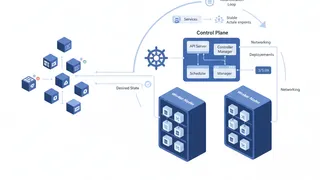 Quiz
QuizKubernetes: Container Orchestration Essentials
Test your knowledge of Kubernetes fundamentals with a quiz covering Pods, Services, Deployments, StatefulSets, storage, networking, RBAC, autoscaling, and container orchestration best practices.
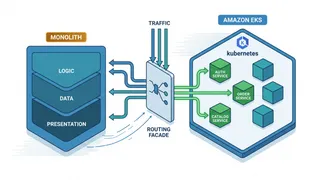 Case study
Migrating a Monolith to Kubernetes Without a Big-Bang Cutover
Using the strangler-fig pattern to move a large monolith onto EKS service by service, with a routing facade, gradual traffic shifting, and a rollback at every step.
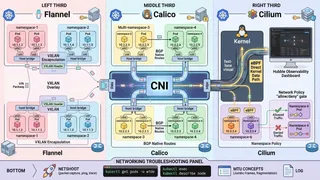 Article
Kubernetes Networking Demystified: CNI Plugins, Network Policies, and Pod-to-Pod Communication
A friendly, technical guide to Kubernetes networking. We cover how CNI plugins like Calico and Cilium work, how to write Network Policies, and how to debug those annoying connectivity issues.
 Dev tip
Docker Is Eating Your Disk Space (And How PruneMate Fixes It)
Your Docker host is slowly filling up with unused images, orphaned volumes, and stale build cache. Manual cleanup feels risky, and you might accidentally delete the wrong thing. Here's how PruneMate automates Docker maintenance across your home lab with scheduled cleanup, remote host support, and a clean interface that shows exactly what you're deleting before you commit.
You might also enjoy
More posts on similar topics
6 related posts