What is immutable infrastructure?
The way we manage IT infrastructure has really changed. We’re moving from old-school, changeable setups to more modern, “immutable” ones. Understanding this big shift is super important if you want to build systems that are strong, can grow easily, and stay secure in a cloud and DevOps world.
What does “immutable” mean for our IT systems?
Simply put, immutable infrastructure is a strategy where once you deploy something, whether a server, a virtual machine (VM), or a container, you never change it. Think of it like this: if you build a LEGO model, you don’t just swap out a few bricks to change it. Instead, you build a whole new, updated model and replace the old one. So, if you need to update a server, patch it, or change its settings, you don’t do it on the running system. You build a brand new version with all the changes, and then you swap out the old one. This “replace, don’t update” idea is a core part of the immutable approach.
This idea actually comes from manufacturing. Imagine a factory that used to tweak machines on the assembly line. Now, they use single-use molds that are perfect every time. That made things more efficient, cut down on mistakes, and made production smoother. It’s the same in IT: immutable infrastructure gives us a structured way to manage servers with similar efficiency and reliability. Things like containers and VM images naturally fit this idea. If you need to change them, you usually create a new one instead of altering the existing one.
Mutable vs. immutable infrastructure: what’s the difference?
The main difference between mutable and immutable infrastructure is how you handle your systems and updates.
With mutable infrastructure, servers and their settings can change all the time. You might manually tweak things, apply patches, or install software updates directly on live systems. While this might seem flexible for quick fixes, it makes your systems less predictable and harder to secure. A big problem here is “configuration drift.” That’s when small, ongoing updates cause your environments to slowly become inconsistent over time, drifting away from what they were supposed to be. This can create “snowflake servers”, unique machines with custom setups that are tough to figure out, manage, and reproduce. Debugging becomes a real headache because you don’t have clear versioning or predictable configurations.
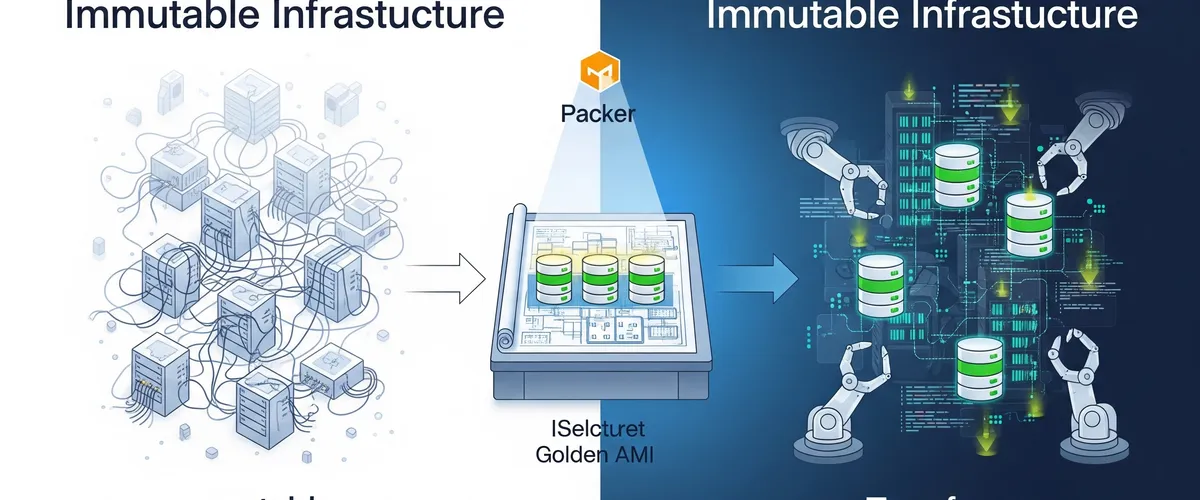
On the other hand, immutable infrastructure handles changes by spinning up completely new servers or components that already have the updates you need. Then, you gracefully shut down the old servers and replace them with these new, updated versions. This makes sure your system is always in a known, stable, and version-controlled state. It really cuts down on unexpected problems that pop up from inconsistent environments. It also strictly separates deployment from runtime, so every change shows up as a new, predictable instance. This way of working directly solves the common problem of configuration drift and those pesky snowflake servers. Since every instance is an exact copy of a version-controlled image, immutable infrastructure gets rid of a major source of operational chaos and security holes right from the start, instead of relying on constant, reactive management. The “replace, don’t update” rule is the direct answer to the “snowflake server” problem.
This change in how we operate means teams need to learn new skills. Instead of spending time debugging live systems that might have undocumented changes, the focus shifts to debugging the image build pipelines and your infrastructure-as-code definitions. This impacts training, the tools you pick, and even how you respond to incidents. You’re moving from a reactive “fix-it-in-place” model to a proactive “rebuild-and-replace” one.
Here’s a quick comparison of the two ways to manage infrastructure:
| Feature | Mutable Infrastructure | Immutable Infrastructure |
|---|---|---|
| Updates | In-place changes, patches, manual tweaks | Replacement with new instances |
| Consistency | Prone to inconsistencies, configuration drift | Very consistent, identical copies |
| Configuration Drift | High risk, common problem | Eliminated by design |
| Rollbacks | Complex, manual, error-prone | Simple, fast, redeploy previous version |
| Troubleshooting | Hard (snowflake servers, untracked changes) | Easier (known state, build-time validation) |
| Security | Higher attack surface (untracked changes, lingering vulnerabilities) | Smaller attack surface (clean state, built-in security) |
| Scalability | Manual scaling, can be inconsistent | Better scalability, automated provisioning |
| Stateful Apps | Better for stateful/legacy (but with caveats) | Tricky, needs externalized state or hybrid approach |
Why adopt immutable infrastructure?
People are adopting immutable infrastructure because it offers some really strong advantages. It makes things much better for security, reliability, how smoothly operations run, and how quickly your organization can adapt. All these benefits together help you build a more solid and predictable IT environment.
How does immutable infrastructure make things more secure?
Immutable infrastructure gives you a solid way to improve your security. It naturally cuts down on security risks because you’re not making changes to running systems. Every new deployment starts from a clean, checked state. This actively stops attackers from using unpatched vulnerabilities or old, forgotten misconfigurations. If you find a security flaw, you don’t patch the running system; you deploy a new, secure version, which means the vulnerability is exposed for less time.
This approach cuts the “attack surface” sharply. Your servers and services aren’t constantly exposed to risks from in-place changes that could accidentally introduce vulnerabilities. By frequently cycling through servers and infrastructure components, any potential security flaws exist for a shorter time before they’re replaced. This naturally works well with regular patching and updates. It’s a big shift from a reactive “patch-and-pray” security model to a proactive “rebuild-and-deploy-secure” one. Security measures are “baked in” right from when you create the image, not as an afterthought or an ongoing chore on running systems. This makes your systems more secure from the very beginning.
What’s more, immutable infrastructure makes compliance and auditing simpler. Since your infrastructure is defined as code and changes happen systematically through new deployments, you get a clear, auditable trail of all modifications made to the system. This transparency makes it much easier to check if you’re meeting regulatory standards and compliance rules. It also cuts down on administrative work and improves how you govern your IT systems overall. If a security incident happens, immutable infrastructure helps you recover fast and respond effectively. Because the system’s state is predefined and stored as code, administrators can quickly roll back to a previous good state without needing to diagnose and fix compromised parts. This minimizes downtime and the impact of cyberattacks. Privileged Access Management (PAM) becomes even more important here, as it helps make sure changes only happen through controlled, repeatable processes, giving you a clear and unchangeable audit trail of access and changes. This really boosts security and compliance.
What about consistency and reliability?
A major plus of immutable infrastructure is the consistency and reliability it brings to deployments. By treating each instance as having a version-controlled, predefined setup, it makes sure your environments are identical from development to testing to production. This directly gets rid of configuration drift, which is a common problem in traditional mutable systems where small updates lead to inconsistencies over time. Every deployment becomes consistent, predictable, and repeatable. That really cuts down on the risk of errors and inconsistencies across your environments. This consistency also means fewer deployment failures; by replacing systems entirely instead of changing them, immutable infrastructure removes the risk of failed updates due to old dependencies or unpredictable configurations.
How does it make operations easier and help with scaling?
Immutable infrastructure naturally simplifies how you operate things. It does this by widely adopting automated, repeatable processes for setting up and deploying things, which drastically cuts down on the chance of human error. This approach works perfectly with Infrastructure as Code (IaC) strategies, letting you automate and repeat provisioning and scaling of resources. Plus, it makes horizontal scaling much easier. Your organization can quickly deploy more identical instances without needing to configure each one individually. This fits perfectly with how flexible cloud resources are and helps you respond quickly to changes in demand.
What are the advantages for troubleshooting and rollbacks?
The consistent nature of immutable infrastructure makes troubleshooting and rollbacks much, much simpler. Since every deployed instance is identical, figuring out problems becomes more straightforward. Instead of spending time diagnosing a broken system, your operational teams can just roll back to a previously known good state by redeploying a validated version. This leads to predictable upgrades, where rolling back and rolling out are as simple as launching an older image version to undo changes.
This way of working also strongly supports advanced deployment strategies like blue-green deployments. In this model, you deploy a new version of your infrastructure right alongside the current one before you fully switch traffic over. This strategy means very little downtime and lets you thoroughly check updates before you retire the old instances. Spinning up a completely new, identical environment and then switching traffic works because the underlying components are immutable. So immutability buys you more than consistency: it is a prerequisite for the low-downtime deployment strategies that high-availability applications need.
The benefits of immutability get even bigger when you integrate it into a mature Continuous Integration/Continuous Delivery (CI/CD) pipeline. Many sources emphasize that CI/CD is a vital part of immutable infrastructure. This integration means a change in culture and process. The consistency, quick rollbacks, and better security that immutability offers only arrive once the entire software delivery process, including testing, deployment, and monitoring, is automated. Manual processes cancel out many of these advantages, which is why the shift to automation and to that “replace, don’t update” philosophy has to be deliberate.
Here’s a summary of the main benefits of adopting immutable infrastructure:
| Benefit | Description | How it’s Achieved |
|---|---|---|
| Better security | Cuts down risks by starting from clean, verified states; reduces attack surface; simplifies compliance; helps quick recovery. | No in-place changes; components cycle frequently; infrastructure defined as auditable code; quick redeployment to known-good states. |
| More consistency and reliability | Keeps environments identical from development to production; gets rid of configuration drift; fewer system failures. | Version-controlled, predefined configurations; identical copies; replacing systems instead of modifying parts. |
| Fewer deployment failures | Removes the risk of failed updates from old dependencies or unpredictable configurations. | Replacing entire systems instead of modifying parts. |
| Easier troubleshooting and rollbacks | Simpler debugging because instances are identical; quick return to previous states. | Known, stable system state; predictable upgrades; blue-green deployments. |
| Improved scalability and automation | Makes horizontal scaling fast; works perfectly with IaC. | Automated, repeatable provisioning; quick deployment of more identical instances; infrastructure as code. |
Packer: the foundation for immutable images
When you’re building immutable infrastructure, creating standardized, pre-configured machine images is a really important first step. HashiCorp Packer is the tool specifically designed for this. It helps you consistently “bake” these images.
What is HashiCorp Packer and how does it work?
HashiCorp Packer is an open-source tool that automates creating identical machine images across different platforms from a single source configuration. These platforms can be anything from cloud providers like AWS (where it makes Amazon Machine Images, or AMIs) to container platforms (Docker images) or virtualization environments (VirtualBox images). People love Packer because it’s lightweight, fast, and can create many images at the same time, which really speeds up the image generation process.
Packer works based on a template, which you can write in either HCL2 (HashiCorp Configuration Language 2) or JSON format. This template is basically a set of instructions that tell Packer which plugins to use, such as builders (for example, amazon-ebs), provisioners, and post-processors, how to set them up, and the exact order they should run in. During a typical build, Packer starts a temporary instance from a base image you specify. Then, it connects to this temporary instance to run installation scripts (called “provisioners”) that install software, apply configurations, or do other setup tasks. Once these steps are done, Packer takes a snapshot of this configured instance, registers it as a new machine image (like an AMI), and then shuts down the temporary instance. This makes sure you’re using resources efficiently.
How does Packer create “golden AMIs”?
“Golden AMIs” are a cornerstone of immutable infrastructure. These are pre-configured, hardened, and thoroughly tested machine images that act as a reliable starting point for deploying new instances. A Golden AMI usually includes a fully set up operating system, essential software, and specific customizations for particular workloads.
Packer automates the whole process of building these Golden AMIs. Developers define configurations, often using tools like Ansible playbooks, to precisely customize their images, install needed software, and set up the system to a desired state. This automation makes sure everything is consistent and repeatable across different environments. One important part of this process is deep security analysis, for instance with tools like AWS Inspector V2. This lets you thoroughly scan the AMI for vulnerabilities before you ever use it in production, proactively cutting down on risks. Once an AMI is successfully created and has passed all necessary security checks, it’s ready to be shared with other accounts or parts of your organization, which is how standardization and secure deployments spread across the company.
The idea of “baking in” applications and configurations into an AMI, a term you’ll hear a lot, is more than a convenience. It has big security implications. By putting all dependencies and configurations directly into the image, the resulting AMI becomes a sealed unit. This design naturally reduces the attack surface. For example, you can disable SSH access to instances after they launch, which stops manual, untracked changes. Plus, it makes sure security hardening measures and vulnerability scanning happen before deployment. This approach shifts security from a reactive runtime monitoring and patching task to a proactive build-time validation and pre-configuration process, making systems more secure right from their beginning.
What are Packer templates and how do they define image builds?
Packer templates are like the blueprints that tell Packer how to build a machine image. These templates specify which builders to use, like amazon-ebs for creating AWS AMIs, and include details such as the source AMI, the type of instance to use for the build, and how to name the final image.
An important part of these templates is the provisioner block. This block lets you define scripts (like shell scripts) or integrate configuration management tools (like Ansible playbooks) that Packer will run on the temporary instance during the build process. These scripts are responsible for installing software, copying files, and configuring the operating system and applications inside the image.
Historically, Packer templates were written in JSON. But HashiCorp is moving towards HCL2 as the preferred template format, which became official with version 1.7.0. HCL2 is more flexible, modular, and concise than JSON, and because it’s consistent with Terraform’s configuration language, it makes things easier for users already familiar with HashiCorp products.
How do you handle versioning for golden AMIs?
Good versioning is super important for managing Golden AMIs. You should treat them like critical software artifacts in your development process. While Git hashes give you unique IDs, a more human-friendly and operational scheme, like semantic versioning (SemVer), is highly recommended for clarity and easier management by people and QA teams.
Packer templates make strong versioning possible by letting you include dynamic variables, like BUILD_NUMBER passed from CI/CD tools, and timestamps directly in the AMI name. This means every new image build has a unique ID and can be traced. For more advanced image management, HashiCorp Cloud Platform (HCP) Packer offers centralized ways to track image metadata and make sure you’re using up-to-date image versions. This is especially valuable for setting up a “30-day repave cycle,” which is a strategy for continuous vulnerability management where instances are regularly rebuilt from the latest, secure images.
Inside HCP Packer, you can assign images to specific channels (for example, development, latest, production). This channel-based approach lets other tools, like Terraform, “subscribe” to a particular channel, making sure your deployments automatically reference the correct, versioned image ID. This turns Golden AMIs from individual images into a strategic asset for your organization. Image creation becomes a main responsibility for platform engineering teams, who provide standardized, secure, and pre-validated base images to application teams. Managing artifacts centrally keeps things consistent, cuts duplicate work, and enforces security and compliance standards at scale. Image management becomes a product in its own right.
Terraform: orchestrating immutable infrastructure
Packer creates the immutable machine images. HashiCorp Terraform deploys and manages the infrastructure that uses them. As an Infrastructure as Code (IaC) tool, Terraform is what makes the immutable idea real in dynamic cloud environments.
What is HashiCorp Terraform and how does it fit into IaC?
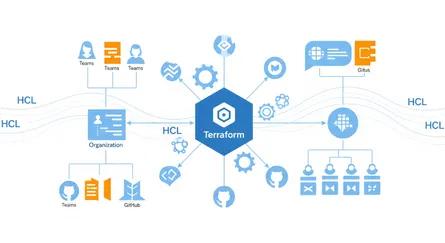
HashiCorp Terraform is an open-source Infrastructure as Code (IaC) tool that lets you define, provision, update, and version cloud and on-premises infrastructure using a declarative configuration language called HashiCorp Configuration Language (HCL). Its main goal is to automate infrastructure management, keep everything consistent, and cut down on manual work and human error.
The thing that sets Terraform apart is that it’s cloud-agnostic. Unlike IaC tools specific to one cloud, like AWS CloudFormation, Terraform can manage infrastructure across many providers, including AWS, Azure, Google Cloud Platform (GCP), and Kubernetes. This multi-cloud capability gives organizations more flexibility and helps avoid being locked into one vendor. Terraform achieves this broad compatibility by talking to different cloud providers through their APIs, using a system of “providers” or plugins.
How does Terraform enable immutable infrastructure?
Terraform’s declarative configuration language is naturally a great fit for enabling immutable infrastructure. Instead of telling it the exact steps to change an existing instance, Terraform defines the desired final state of your infrastructure. For immutability, this means configuring Terraform to launch instances from specific, pre-built, and versioned machine images, like the Golden AMIs Packer creates.
When you need to make changes, Terraform automates setting up new instances using the updated image version, while at the same time orchestrating the efficient shutdown of the old instances. This process, often called “repaving,” makes sure you stick strictly to the immutable principle of replacement rather than modification. This declarative approach is what makes immutable infrastructure possible at scale. By defining the desired state (for example, “this instance should be running version X of the AMI”), Terraform automatically figures out what actions are needed (creating new instances, destroying old ones) to achieve immutability. It hides the procedural steps of replacement, making it practical to manage huge numbers of immutable instances consistently.
Terraform keeps a really important file called the state file (terraform.tfstate). This file tracks the real-world infrastructure resources that Terraform manages, acting as a record of their current state. The state file is super helpful for Terraform to understand the deployed infrastructure, spot “drift” (when the actual infrastructure doesn’t match the defined configuration), and apply future changes efficiently. This state file essentially becomes the single “source of truth” for your deployed infrastructure’s desired state. Its security (it can contain sensitive data) and its integrity (protected by state locking in remote backends) both matter a great deal. If this file gets compromised or corrupted, it can cause big operational problems, which is why you need strong remote state management, backups, and strict access controls.
Terraform also supports strategies like rolling updates, which are essential for immutable deployments. In these situations, Terraform creates new instances with the updated configuration, waits for them to be healthy (often by checking health), and then gradually replaces the older instances, minimizing downtime during updates.
What are Terraform’s core capabilities for infrastructure management?
Terraform’s wide range of capabilities for infrastructure management can be grouped into three main areas:
- Manage Infrastructure:
- Configuration Language (HCL): Terraform uses HCL to describe infrastructure resources across many different providers in a way that’s easy for humans to read.
- Terraform CLI: The Command Line Interface is the main way you interact with Terraform. It lets you initialize configurations (
terraform init), preview changes (terraform plan), apply modifications (terraform apply), and destroy resources (terraform destroy). - CDK for Terraform: This lets developers define and deploy Terraform configurations using programming languages they already know, offering an alternative to HCL for some situations.
- Provisioners: While not as common in a purely immutable setup (where configuration is “baked in”), provisioners can run scripts or commands on a resource after it’s been created. They’re typically used for bootstrapping or initial setup tasks.
- Collaborate:
- HCP Terraform (HashiCorp Cloud Platform Terraform): This platform is designed to help teams work together on Terraform projects. It offers features like version control integration, shared state management, and governance capabilities.
- Terraform Enterprise: This is a self-hosted version of HCP Terraform, made for organizations with strict security and compliance needs, giving them more control over their environment.
- Remote State Management: For teams working together, Terraform supports storing state files securely in remote backends (like AWS S3 with DynamoDB for locking, Google Cloud Storage, or Terraform Cloud). This prevents conflicts and makes sure teams are consistent.
- Develop and Share:
- Providers: You can develop custom providers to let Terraform interact with new or proprietary services, extending its reach.
- Modules: Terraform encourages creating reusable configurations through modules. These group related resources, which makes code easier to maintain, keeps configurations consistent, and lets you reuse them across projects and environments.
- Registry Publishing: Providers and modules can be published to the Terraform Registry, making them publicly available for the wider community or privately within an organization.
The immutable workflow: Packer and Terraform integration
The real power of immutable infrastructure comes when you combine Packer and Terraform in an automated pipeline. This pairing creates a smooth workflow, from building images to deploying infrastructure and managing it continuously.
How do Packer and Terraform work together to build and deploy versioned images?
The workflow for immutable infrastructure with Packer and Terraform starts with carefully creating machine images and ends with deploying them efficiently.
- Image Building (Packer): The first step is to define a Packer template. This template is your blueprint. It specifies the base operating system, includes your application’s source code, any necessary system packages and libraries, and environment variables or runtime configurations. Packer then runs this template to build a versioned machine image, like an Amazon Machine Image (AMI). This process means all required software and configurations are “baked in” to the image, making it self-contained and ready to go.
- Image Deployment (Terraform): Once Packer successfully builds the versioned image, Terraform takes over. It’s responsible for provisioning your infrastructure. Terraform configurations are set up to reference and deploy new instances using this specific, pre-built, and versioned image. Because everything is pre-configured inside the image, these instances are inherently immutable; they don’t need any SSH tweaks or manual updates after they launch. This strictly follows the “replace, don’t update” rule. The integration point matters. Terraform configurations must always point to the correct, validated, and versioned AMI or image ID that Packer produced, often by subscribing to specific image channels within a registry like HCP Packer.
- Rolling Out Updates: When you introduce a new feature, change a dependency, or need a security patch, you repeat the process. You update the Packer template, build a new versioned image (say,
v2), and then use Terraform to deploy new instances that use thisv2image. These newv2instances are deployed alongside your existingv1servers, often using strategies like blue-green deployments to minimize downtime. After automated health checks and validation confirm that thev2instances are stable and working, thev1servers are gracefully decommissioned. This predictable rollout process means zero configuration drift, no manual intervention, and repeatable deployments, making upgrades and rollbacks straightforward and reliable.
What does a hands-on provisioning workflow look like?
A practical, hands-on workflow for setting up immutable infrastructure with Packer and Terraform usually involves these steps:
-
Prerequisites: First, make sure you have Packer (version 1.6.6 or later) and Terraform installed on your computer. You’ll also need an AWS account with the right credentials set up.
-
Prepare Packer Configuration:
- Start by getting an example repository that has the Packer templates and scripts you’ll need. You can clone it like this:
Clone Packer Example Repository git clone -b packer https://github.com/hashicorp-education/learn-terraform-provisioningcd learn-terraform-provisioning- Next, create a local SSH key (for example, tf-packer). This key will be put into the AMI for a dedicated terraform user. This lets you securely access instances launched from the AMI without managing keys directly in AWS.
Create SSH Key ssh-keygen -t rsa -C "your_email@example.com" -f./tf-packer# When prompted for a passphrase, just press Enter to leave it blank.- Now, take a look at the shell script (like
setup.sh) that Packer will run when it builds the image. This script usually handles things like installing dependencies, creating users, and downloading application code onto the temporary build instance.
Review Setup Script # Navigate to the scripts directorycd scripts# Open setup.sh to review its contentscat setup.shHere’s what a
setup.shscript might look like:Example setup.sh #!/bin/bashset -x # This helps with debugging by printing commands as they run# Install necessary dependenciessudo apt-get update -ysudo DEBIAN_FRONTEND=noninteractive...[source](https://developer.hashicorp.com/terraform/tutorials/provision/packer)EOFImportant: You should never pass scripts you haven’t thoroughly checked into your Packer images.
- Now, let’s look at the image.pkr.hcl Packer template. This file defines the image’s parameters, including variables (like region), local values (like a timestamp for unique AMI names), the source block (which specifies the base AMI and instance type), and the build block (which tells Packer to copy files and run the setup script).
Review Packer Template # Navigate to the images directorycd../images# Open image.pkr.hcl to review its contentscat image.pkr.hclHere’s a simplified
image.pkr.hclexample:Example image.pkr.hcl variable "region" {type = stringdefault = "us-east-1" # Make sure this matches your AWS region}locals {timestamp = regex_replace(timestamp(), "", "") # Creates a unique timestamp for the AMI name}source "amazon-ebs" "example" {ami_name = "learn-terraform-packer-${local.timestamp}"instance_type = "t2.micro"region = var.regionsource_ami_filter {filters = {name = "ubuntu/images/*ubuntu-jammy-22.04-amd64-server-*"root-device-type = "ebs"virtualization-type = "hvm"}most_recent = trueowners = ["099720109477"] # Official Ubuntu AMI owner ID}ssh_username = "ubuntu"}build {sources = ["source.amazon-ebs.example"]# Copy the SSH public key to the temporary instanceprovisioner "file" {source = "../tf-packer.pub"destination = "/tmp/tf-packer.pub"}# Execute the setup script on the temporary instanceprovisioner "shell" {script = "../scripts/setup.sh"}} -
Build Packer Image:
- First, initialize your Packer configuration:
Initialize Packer packer init image.pkr.hcl- Then, run the Packer build command, pointing to your image template file:
Build Packer Image packer build -var "region=us-east-1" image.pkr.hclPacker will show you the build process, including creating a temporary keypair and security group, launching an AWS instance, stopping it, creating the AMI, and finally shutting down the source instance and cleaning up temporary resources. The last line of the output will give you the AMI ID, which you’ll need for the next step. It’ll look something like this:
Packer Build Output ==> amazon-ebs.example: AMIs were created:us-east-1: ami-0dbaca5d269497603 -
Deploy with Terraform:
- The AMI Packer just created is now available in your AWS account under the EC2 Images section.
- Go to your Terraform configuration directory.
- Open the
main.tffile and find theaws_instanceresource. Update theamiattribute with the AMI ID you got from your Packer build.
Example main.tf # Navigate to the instances directorycd../instances# Open main.tf to update the AMI ID# Replace 'ami-YOUR-AMI-ID' with the actual AMI ID from Packer outputHere’s how your
main.tfmight look after the update:Example main.tf #... (other Terraform configuration, like VPC, subnets, security groups)...resource "aws_instance" "web" {ami = "ami-0dbaca5d269497603" # Replace with your actual AMI IDinstance_type = "t2.micro"subnet_id = aws_subnet.subnet_public.idvpc_security_group_ids = [aws_security_group.sg_22_80.id]associate_public_ip_address = truetags = {Name = "Learn-Packer"}}output "public_ip" {value = aws_instance.web.public_ip}- Save your
main.tffile. - Create a new file called
terraform.tfvarsin the same directory and define theregionvariable. Make sure this region matches the one you used for Packer, otherwise Terraform won’t be able to find your image.
Example terraform.tfvars region = "us-east-1" # Make sure this matches your Packer region- Save this file, then initialize and apply your Terraform configuration:
Initialize and Apply Terraform terraform init && terraform applyType
yeswhen Terraform asks you to confirm creating your instance. The final output will be your instance’s public IP address. Your instance now has the SSH key you wanted because it was packaged inside the AMI by Packer. This makes deploying many instances faster and more consistent. -
Verify and Destroy:
- Once the instance is deployed, connect to it using SSH. Use the public IP address from the Terraform output and the local SSH key that was pre-packaged in the AMI.
SSH into the Instance ssh terraform@$(terraform output -raw public_ip) -i../tf-packerYou now have SSH access to your AWS instance without needing to create an SSH key directly in AWS, which is handy for organizations that manage keypairs externally.
- Navigate to the Go directory:
Navigate to Go Directory cd learn-go-webapp-demo- Launch the demo web app:
Run the Go Web App go run webapp.go- Open your web browser and go to your instance’s IP address on port
8080to see the deployed application. - To avoid unnecessary AWS charges, destroy your instance using Terraform when you’re done verifying.
Destroy Terraform Infrastructure terraform destroyType
yeswhen prompted to delete your infrastructure. Keep in mind, this command won’t destroy your Packer image. Packer images generally don’t cost money in your AWS account, especially for most basic Linux distributions. But always double-check the cost implications of deploying and keeping your images.
How does CI/CD pipeline integration make immutable deployments better?
Bringing Packer and Terraform into a Continuous Integration/Continuous Delivery (CI/CD) pipeline is a huge step forward in automating infrastructure management. This integration goes beyond automating application deployments. It automates the entire lifecycle of the infrastructure itself, from image creation to provisioning, updating, and decommissioning. This complete automation makes sure your infrastructure is treated as a disposable, versioned artifact, allowing for quick recovery, consistent environments, and continuous security.
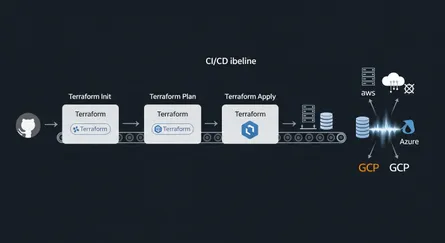
CI/CD pipelines, using tools like GitHub Actions, Jenkins, GitLab CI, or AWS CodePipeline, automate the whole process from code commit to infrastructure deployment. Without that automation, an immutable infrastructure strategy falls apart quickly.
One clear benefit of this integration is much better vulnerability management. You can set up a “30-day repave cycle,” where instances are regularly recreated from the latest, secure images. That cuts vulnerability risk sharply. The CI/CD pipeline automates rebuilding Packer images whenever vulnerabilities are fixed, making sure your deployed systems are always running patched and secure images. This “repaving” strategy turns security from a periodic audit and patching task into an inherent, automated part of the deployment process, drastically reducing how long you’re exposed to vulnerabilities. Compliance, too, becomes a natural part of your image and infrastructure definitions.
What’s more, CI/CD integration enables proactive drift detection and remediation. HashiCorp Cloud Platform (HCP) Terraform can spot when your deployed infrastructure’s state doesn’t match its desired configuration, especially when a new image version is assigned to a production channel in HCP Packer. When this drift is detected, it automatically triggers terraform apply operations in the relevant workspaces, leading to the redeployment of infrastructure with the new, updated images.
The pipeline also includes compliance and security scans. You can add stages to perform checks, like using AWS Inspector V2 for AMIs, making sure that both your infrastructure and deployed applications meet your organization’s compliance requirements and security standards. Any non-compliant elements can trigger alerts or even stop further pipeline stages, preventing the deployment of potentially risky configurations.
Finally, version control underpins this whole approach. Both Packer templates and Terraform configurations are managed under version control systems. This gives you complete traceability and reproducibility throughout the pipeline. It makes auditing changes easy, simplifies rollbacks, and supports a collaborative environment where all infrastructure definitions are treated as code. Integrating these tools within a CI/CD pipeline moves you from “deployment automation” to full “infrastructure lifecycle automation”, where infrastructure is a first-class citizen in your automated pipeline.
Challenges and best practices
Immutable infrastructure offers some great advantages, and adopting it is not without hurdles. Knowing the challenges, and the practices that handle them, is what makes the transition go smoothly.
What are the common challenges of adopting immutable infrastructure?
Organizations often run into a few common problems when they switch to immutable infrastructure:
- More resource use and higher storage needs: A core idea of immutability is replacing instances for every change. This can mean you use more computing resources as new instances spin up alongside existing ones during updates. Plus, keeping multiple old versions of images for rollbacks can add a lot to your storage bill.
- Complex initial setup and learning curve: Building the basic parts for immutable infrastructure, especially setting up strong CI/CD pipelines and image creation processes, takes a lot of effort upfront. Teams also have to deal with learning new tools like Packer, Docker, and Kubernetes. More importantly, they need to change their mindset from “update in place” to “replace, don’t update”.
- Different debugging and troubleshooting: Finding and fixing problems in immutable systems can be harder than in mutable environments. You’re not allowed to directly change running systems, so traditional debugging methods like logging into a server and making live changes don’t apply. Instead, troubleshooting often means recreating the problematic image or container in a clean, isolated environment to figure out the issue.
- Limited flexibility: The strict rule of immutability means that even small configuration changes or updates require creating and deploying a completely new version of the infrastructure. If this isn’t fully automated, the process can feel clunky and time-consuming.
- Compatibility issues with older systems: Older applications and systems that weren’t built with immutable principles in mind might cause big compatibility problems. These legacy applications often rely on in-place updates or keep their state directly on the server, making a full reinstallation with every change difficult or impractical.
How does immutable infrastructure handle stateful applications?
Immutable infrastructure generally works better with stateless applications, which don’t keep data between sessions or transactions. Stateful applications like databases, file systems, or services that rely on sessions naturally hold onto persistent data. This makes tearing down and replacing infrastructure components tricky because of the risk of data loss or complicated data migration challenges.
The conflict between immutability and stateful applications shows that immutable infrastructure does not fit all infrastructure components. Managing stateful applications within an immutable setup needs careful architectural planning to separate state management from the immutable parts. This often means putting your data storage somewhere else, like in dedicated, often managed, services such as cloud databases (e.g., AWS RDS), cloud storage buckets (e.g., S3), or using persistent volumes in container orchestration platforms like Kubernetes StatefulSets.
Good practices for managing stateful applications in a DevOps context, even if you’re using immutable principles for other layers, include: separating data and application logic, considering containerized databases when it makes sense, setting up strong backup and recovery systems, adopting disciplined database migration practices, and creating full disaster recovery and failover plans.
A common and effective strategy is to use a hybrid approach. This means using immutable infrastructure for stateless services (like web servers, microservices, or application servers) where consistency and repeatability are most important, while keeping mutable infrastructure or using managed services for stateful components or older systems where preserving data and flexibility are more critical. Terraform’s flexibility as an IaC tool lets organizations manage both mutable and immutable models at the same time within the same configuration. This gives you the adaptability you need to implement such a hybrid approach effectively. That architectural judgment, rather than applying the immutable idea everywhere, is usually what decides whether the effort succeeds.
What are the best practices for Terraform workflows?
To get the most out of immutable infrastructure and handle its challenges, it’s essential to follow established best practices for Terraform workflows:
- Version control: Treat all your Infrastructure as Code (IaC) configurations, including Terraform code and Packer templates, with the same care as application code. Store them in a version control system (like Git) to track changes, allow collaboration, and make rollbacks easier.
- Remote state management: For team collaboration and better security, always use a remote shared state location (like AWS S3 with DynamoDB for locking, or HashiCorp Terraform Cloud) instead of local state files. It matters to treat the Terraform state as immutable and strictly avoid changing it manually. Set up strong backup systems and enable versioning for the state file so you can recover quickly if something goes wrong.
- Using modules: Use existing shared and community modules from the Terraform Registry to avoid reinventing the wheel and benefit from community expertise. If you have specific needs, build your own reusable modules with clearly defined inputs and outputs, so they stay consistent and reusable across projects and environments.
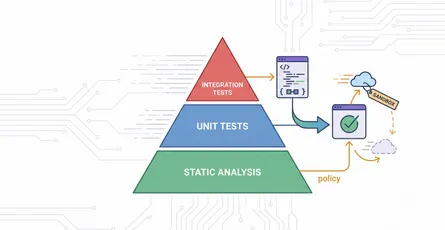
- Rigorous testing: Put a thorough testing strategy in place for your Terraform code. This includes using
terraform planfor a quick check of changes, doing static analysis with linters (liketflint,checkov) to catch errors without applying changes, running unit tests for different parts of your system, and setting up integration tests in isolated sandbox environments before deploying to production. - CI/CD integration: Automate running
terraform init,plan, andapplycommands within your CI/CD pipelines. This makes deployments consistent, automated, and hard to get wrong by hand, which the immutable model depends on. - Consistent naming and tagging: Set up and strictly follow consistent naming conventions for all Terraform resources and implement a strong tagging strategy. Tags are incredibly useful for identifying resources, allocating costs, and controlling access.
- Policy as code: Introduce policy-as-code frameworks (like HashiCorp Sentinel) to define and automatically enforce your organization’s rules for security, compliance, and acceptable configurations at scale. This proactively stops non-compliant deployments.
- Avoid hardcoding: Try to avoid hardcoding values directly in your Terraform configurations as much as possible. Instead, use variables and data sources to get values dynamically, making your configurations more flexible and reusable.
- Plan for rollbacks: Always have a well-defined and tested rollback strategy. The immutable nature of the infrastructure naturally simplifies rollbacks, as going back to a previous state just means deploying an earlier, validated image version.
How do you securely manage secrets in Packer and Terraform?
Securely managing sensitive data, like credentials and API keys, is extremely important in any infrastructure, especially in an immutable setup.
- Never hardcode secrets: Never put secrets directly into Packer templates, Terraform configurations, or commit them to version control systems. This is very insecure and creates big vulnerabilities.
- Use secret management tools: The recommended way is to get credentials and sensitive data dynamically from dedicated, secure secret management solutions during the build or deployment process. Tools like HashiCorp Vault or cloud-native services such as AWS Secrets Manager are designed for this.
- Packer integration with Vault: Packer can directly connect with HashiCorp Vault to pull dynamic secrets during the image building process. The
vaultfunction within Packer templates lets you read secrets from a Vault KV store and use them as user variables, so sensitive information never lands in the image definition itself. - Terraform integration with Vault: Similarly, the Terraform Vault provider lets Terraform connect to a Vault cluster, read dynamic secrets, and securely provide them to user scripts or resources during infrastructure provisioning.
- Environment variables (with caution): While not ideal for long-term storage or highly sensitive data, environment variables (like
TF_VARfor Terraform) can be used for sensitive variables, especially when marked withsensitive = trueto prevent them from showing up in logs. But use this method carefully. - IAM roles for permissions: Using Identity and Access Management (IAM) roles is a strong security practice. Configure Packer and Terraform to assume specific IAM roles that grant only the necessary permissions to interact with cloud resources, instead of putting static access keys directly in your code. This follows the principle of least privilege and improves your overall security posture.
Successfully adopting immutable infrastructure needs a significant investment from your organization that goes beyond tools. It requires a “learning curve and cultural shift”. The initial setup complexity and the different ways of debugging become roadblocks if you don’t address them up front. That means real investment in training, in building a culture of automation, and in collaboration and continuous improvement. Without that buy-in and investment in people and processes, organizations struggle to see the benefits of immutability, no matter how good the tools are. It changes how teams work, not just what tools they use.
Here’s a table summarizing the challenges and how to handle them:
| Challenge | Description | How to Handle It |
|---|---|---|
| More resource use | New instances for every change mean more computing power used. | Optimize image size; use efficient resource tagging to track costs; use auto-scaling groups to manage instance lifecycles. |
| Higher storage needs | Keeping many image versions for rollbacks uses more storage. | Implement image lifecycle policies; regularly clean up old, unused AMIs; use artifact registries with versioning and revocation. |
| Compatibility with older/stateful apps | Not ideal for apps needing in-place updates or persistent data. | Use a hybrid approach (immutable for stateless, mutable/managed for stateful); put data storage somewhere else (databases, cloud storage); use Kubernetes StatefulSets. |
| Complex initial setup | A lot of upfront work to build CI/CD pipelines and image creation processes. | Start small and build up; use existing community modules and templates; invest in skilled people or get outside help. |
| Learning curve and cultural shift | Requires learning new tools and a “replace, don’t update” mindset. | Provide thorough training; encourage a culture of automation and continuous learning; promote teamwork. |
| Debugging differences | Can’t directly change running systems, making traditional debugging harder. | Recreate problematic images in clean environments; improve logging and monitoring; use build-time validation and testing. |
Common questions about immutable infrastructure with Packer and Terraform
As organizations look into and adopt immutable infrastructure, a few common questions pop up about how it works in practice and how it interacts with tools like Packer and Terraform.
Configuration drift is when the actual state of your infrastructure components slowly moves away from their intended or defined setup over time. This often happens because of manual changes, quick fixes, or inconsistencies introduced outside of automated processes. This drift leads to unpredictable behavior, makes troubleshooting harder, and can even introduce security vulnerabilities.
Immutable infrastructure naturally prevents configuration drift by design. The main rule is that instances are never changed in place. Instead, any change, no matter how small, means you create a new, identical instance from a version-controlled, predefined image. This makes sure every deployment starts fresh with a clean slate, and your infrastructure always matches the desired configuration, completely getting rid of differences across environments.
While immutable infrastructure is super beneficial for cloud-native applications, containerized workloads, and microservices architectures, it can cause compatibility problems for older systems. Many older applications weren’t built expecting frequent, complete replacements of their underlying infrastructure, or they might rely on in-place updates and local state. Trying to force an old system into a purely immutable model might need big changes, which can be expensive and complicated.
A practical and often recommended approach is to use a hybrid model. This means keeping mutable infrastructure for older systems or stateful components where it makes more sense, while at the same time using immutable practices for newer, stateless services. Terraform, with its ability to manage both mutable and immutable resources, gives you the flexibility to orchestrate such a hybrid environment effectively.
Rolling updates are a deployment strategy designed to update infrastructure bit by bit, minimizing downtime and making sure your application stays available continuously. In an immutable infrastructure setup, this process is very smooth. Terraform orchestrates creating new instances that are provisioned from the updated, versioned machine image. As these new instances become healthy (often checked through integrated health checks), Terraform gradually replaces the older instances.
This phased replacement usually happens by using Terraform’s meta-arguments like count or for_each within resource definitions. These let you manage multiple instances and carefully control when new ones are created and old ones are destroyed in a controlled, phased way.
A specific and very effective strategy that fits perfectly with immutability and rolling updates is Blue/Green deployments. In this model, you deploy a completely new “green” environment, running the updated application version, right alongside the existing “blue” production environment. Once the “green” environment is thoroughly tested and validated, traffic is switched from “blue” to “green” with no downtime. If any problems come up, traffic can be instantly sent back to the “blue” environment, giving you a quick rollback option. Only after successful validation and traffic switchover do you decommission the old “blue” environment. Spinning up a completely new, identical environment and then switching traffic works only because the underlying components are immutable. That is why immutable infrastructure is a prerequisite for low-downtime deployment strategies.
The Terraform state file (terraform.tfstate) is a critical component that keeps track of the real-world infrastructure managed by Terraform. It acts as a permanent record of the resources Terraform created and manages, helping the tool understand the current state of the infrastructure, detect any differences (drift) from the defined configuration, and apply future changes efficiently.
In an immutable infrastructure context, the state file records which specific versioned AMI or image is deployed to which instance. That precise tracking is what keeps things consistent, makes auditing accurate, and makes rollbacks to previous known-good states straightforward. If you need to roll back, Terraform can look at the state file to find the previously deployed image version and orchestrate its redeployment.
Immutable infrastructure makes disaster recovery processes much simpler by fundamentally changing how you restore systems. Since every deployed instance is identical and built from a version-controlled, unchanging image, recovering from a failure or security incident becomes remarkably straightforward.
Instead of needing to diagnose, repair, or patch compromised components on a live system, administrators can simply roll back to a previous known-good state by redeploying an older, validated image version. This gets rid of the time-consuming and complex process of debugging potentially “snowflake” servers. The ability to quickly provision a clean, identical environment from a trusted image drastically reduces recovery time and minimizes downtime, making your overall system more resilient.
Even with an immutable infrastructure model, your applications and the underlying infrastructure still need access to sensitive credentials, like database passwords, API keys, and private keys, both when you’re building images and when instances are running.
Putting these secrets directly into Packer templates, Terraform configurations, or committing them to version control systems is a serious security vulnerability. Such practices can lead to unauthorized access, data breaches, and compromise your entire infrastructure. So, secure secret management tools, like HashiCorp Vault or cloud-native secrets managers, matter a lot here. These tools make sure secrets are retrieved dynamically and securely injected into the build or deployment process, minimizing the attack surface and helping you stay compliant with security policies. This approach means sensitive data is never hardcoded, is rotated regularly, and access is tightly controlled, fitting right in with the overall security of an immutable environment.
These questions all point at the same thing: Packer and Terraform are part of a bigger DevOps ecosystem, not standalone tools. Questions about configuration drift, older systems, rolling updates, state files, and secrets management all point to a complete approach where the idea of immutability is supported by specific tools (Packer, Terraform, Vault) and processes (CI/CD, versioning, testing). This shows that successfully adopting immutable infrastructure means understanding how all these pieces connect and how they work together to make things reliable, secure, and agile, rather than just focusing on what each tool does on its own.
Conclusion: the future of infrastructure management
Adopting immutable infrastructure, carefully put into practice with tools like HashiCorp Packer and Terraform, is a big change in how we design, deploy, and manage modern IT systems. This approach moves past the traditional, changeable way of making in-place modifications and instead embraces a “replace, don’t update” philosophy. That changes how you operate day to day.
Immutable infrastructure means that once a server, VM, or container is deployed, it stays exactly as it is. If you need any updates or changes, you do them by setting up completely new, updated instances and gracefully shutting down the old ones. Packer is the foundational tool in this system. It helps you automatically create “Golden AMIs”, standardized, pre-configured, and thoroughly tested machine images. These images, which are versioned and often scanned for security during their build process, become the unchangeable building blocks of your infrastructure. Terraform is the orchestrator. It uses its Infrastructure as Code capabilities to declaratively set up and manage your infrastructure using these immutable images. Terraform automates deploying new instances from the latest Golden AMIs and handles the process of replacing older versions, consistently and without much fuss.
The benefits you get from this approach are significant and far-reaching. Organizations see much better security because every deployment starts from a clean, verified state, which cuts down on attack surfaces and stops vulnerabilities from sticking around. Consistency and reliability improve dramatically by getting rid of configuration drift and making sure environments are identical across development, testing, and production. Operations become simpler thanks to extensive automation, leading to fewer deployment failures and more predictable release cycles. Plus, troubleshooting is easier, and rollbacks are incredibly straightforward, often as simple as redeploying a previous, known-good image version. This foundation also naturally supports advanced deployment strategies like blue/green deployments and makes horizontal scaling easier.
Switching to immutable infrastructure has its challenges, more resource consumption, higher storage needs, and an initial learning curve, and you can manage all of them. Careful planning, strategically separating stateful applications from immutable components (often by putting storage somewhere else or using managed services), and sticking to strong best practices for Terraform workflows (including remote state management, using modules, thorough testing, and secure secret management with tools like HashiCorp Vault) matter for success.
Integrating Packer and Terraform within a strong CI/CD pipeline is the cornerstone of a successful immutable infrastructure strategy. This integration allows for automated “repaving” cycles, giving you continuous vulnerability management and predictable deployments. It means you’re moving from just deployment automation to complete infrastructure lifecycle automation, where security and compliance are built into the process rather than being reactive add-ons.
Immutable infrastructure, powered by Packer and Terraform, is a real change in how we manage infrastructure rather than a passing trend. Organizations doing cloud-native development, microservices architectures, and fast-paced DevOps practices need it. By treating infrastructure as disposable, versioned artifacts, you get systems that are more resilient, more secure, and easier to scale.
References
- Provision infrastructure with Packer | Terraform | HashiCorp Developer, accessed on June 6, 2025, https://developer.hashicorp.com/terraform/tutorials/provision/packer
- Terraform overview | Terraform | HashiCorp Developer, accessed on June 6, 2025, https://developer.hashicorp.com/terraform/docs
- Documentation | Packer | HashiCorp Developer, accessed on June 6, 2025, https://developer.hashicorp.com/packer/docs
- Templates | Packer | HashiCorp Developer, accessed on June 6, 2025, https://developer.hashicorp.com/packer/docs/templates
- vault function reference | Packer - HashiCorp Developer, accessed on June 6, 2025, https://developer.hashicorp.com/packer/docs/templates/hcl_templates/functions/contextual/vault
- Vulnerability and patch management of infrastructure images with HCP, accessed on June 6, 2025, https://developer.hashicorp.com/validated-patterns/terraform/vulnerability-and-patch-management
- What Is Immutable Infrastructure? Benefits and Implementation - Legit Security, accessed on June 6, 2025, https://www.legitsecurity.com/aspm-knowledge-base/what-is-immutable-infrastructure
- Immutable Infrastructure: Enhancing Reliability and Consistency …, accessed on June 6, 2025, https://infiniticube.com/blog/immutable-infrastructure-enhancing-reliability-and-consistency/
- 20 Terraform Best Practices to Improve your TF workflow - Spacelift, accessed on June 6, 2025, https://spacelift.io/blog/terraform-best-practices
- Managing Stateful Applications in DevOps: Best Practices - Aegis Softtech, accessed on June 6, 2025, https://www.aegissofttech.com/insights/stateful-applications-in-devops/