Introduction
Software versioning is an important practice in software development that tracks changes and updates to a codebase. It provides a structured way to identify different iterations of a software product, which keeps things clear for developers, users, and stakeholders. However, managing versioning in systems with complex dependencies can be challenging. Overly restrictive dependency specifications may lead to version lock where upgrading a package requires updating all dependent packages. Conversely, overly loose specifications can result in version promiscuity, causing compatibility issues with future versions. This guide explores the principles, rules, and tools of software versioning, with a focus on Semantic Versioning (SemVer).
Why versioning matters
Versioning establishes a clear framework for assigning and incrementing version numbers, which keeps things consistent across development teams and projects. It enables:
- Traceability: Track changes and identify specific versions of a software product.
- Compatibility Management: Communicate whether updates are backward-compatible or introduce breaking changes.
- Dependency Resolution: Help package managers resolve compatible versions for dependencies.
- Release Clarity: Provide users and developers with clear expectations about updates.
Versioning is grounded in widely adopted practices used in both open-source and proprietary software.
Semantic Versioning (SemVer) overview
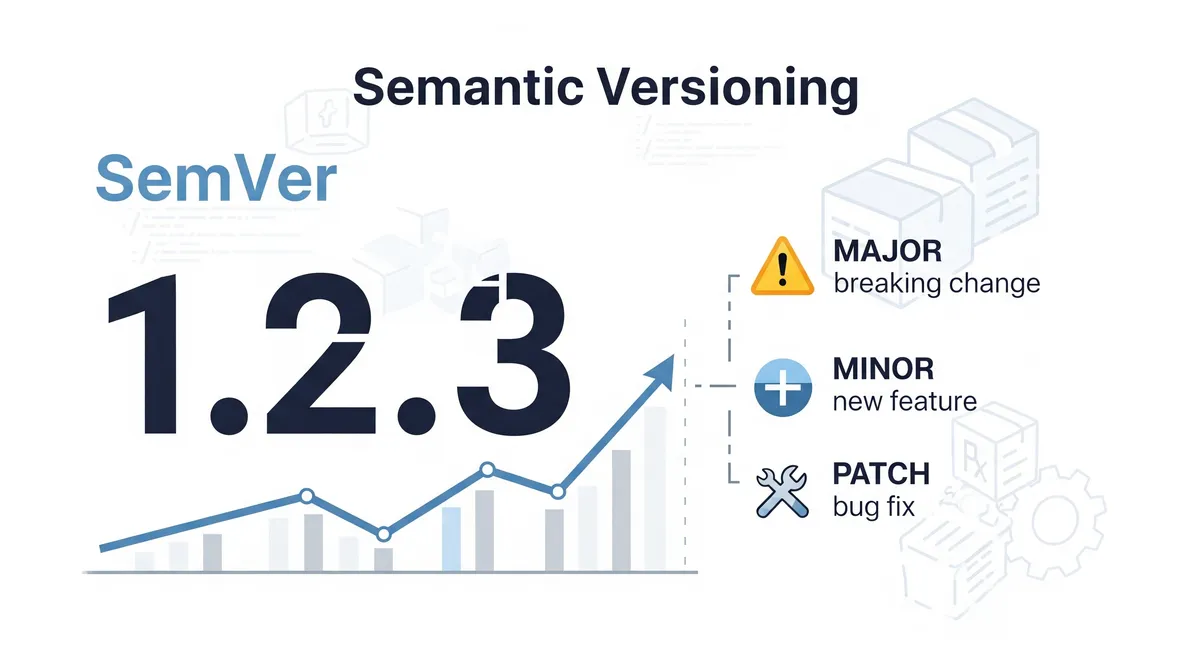
Semantic Versioning, or SemVer, is a widely adopted versioning scheme that uses a three-part number format: MAJOR.MINOR.PATCH. Each segment has a specific meaning:
- MAJOR: Incremented for incompatible API changes (e.g.,
2.0.0). - MINOR: Incremented for backward-compatible feature additions (e.g.,
1.1.0). - PATCH: Incremented for backward-compatible bug fixes (e.g.,
1.0.1).
Additional labels can be used for pre-releases (e.g., 1.0.0-alpha) and build metadata (e.g., 1.0.0+202505091200).
Versioning order and precedence
Version numbers are compared to determine precedence. For example:
1.0.0 < 1.1.0 < 1.1.1 < 2.0.0
Pre-release versions have lower precedence than their associated stable release (e.g., 1.0.0-alpha < 1.0.0).
Versioning format
SemVer follows a standardized format:
- Stable Release:
MAJOR.MINOR.PATCH(e.g.,1.0.0). - Pre-release: Appends a hyphen and identifier (e.g.,
1.0.0-alpha.1). - Build Metadata: Appends a plus sign and metadata (e.g.,
1.0.0+build.123).
Versioning rules
SemVer enforces strict rules to maintain consistency:
- Once a version is released, its contents must not change.
- A
MAJORversion of0(e.g.,0.y.z) indicates unstable software where anything may change. - Incrementing
MAJORresetsMINORandPATCHto0. - Incrementing
MINORresetsPATCHto0.
Versioning types
Version numbers can be categorized as:
- Major: Breaking changes that require updates to dependent code.
- Minor: New features that maintain backward compatibility.
- Patch: Bug fixes that maintain backward compatibility.
- Pre-release: Early versions for testing (e.g.,
1.0.0-beta). - Build Metadata: Additional data like build IDs that don’t affect precedence.
Practical versioning examples
Here’s how version numbers reflect different types of updates:
1.0.0: Initial stable release.1.0.1: Patch release with bug fixes.1.1.0: Minor release with new features.2.0.0: Major release with breaking changes.1.0.0-alpha.1: Pre-release for testing.1.0.0+build.202505091200: Stable release with build metadata.1.0.0-beta+exp.sha.5114f85: Pre-release with build metadata.
Versioning in practice
Dependency management
Versioning keeps dependency management predictable. Package managers like npm, Composer, and Maven use version constraints to resolve compatible dependencies. For example:
^1.0.0: Allows updates to1.x.xbut not2.0.0.~1.0.0: Allows updates to1.0.xbut not1.1.0.
Release management
Versioning integrates with release workflows:
- Tagging: Use Git tags (e.g.,
v1.0.0) to mark releases. - Changelogs: Document changes using standards like Keep a Changelog.
- Automation: Tools like Semantic Release automate version increments based on commit messages.
Versioning tools
Several tools handle versioning:
- npm: Manages JavaScript package versions.
- Composer: Handles PHP dependencies.
- Maven: Manages Java project versions.
- Cargo: Rust’s package manager.
- Python Packaging: Supports Python version specifiers.
- Git Tags: Marks specific commits as releases.
Best practices for versioning
- Adopt SemVer for clarity and consistency.
- Automate version increments with tools like Semantic Release, so there are fewer manual errors.
- Maintain changelogs so every change is documented.
- Use alpha and beta versions to gather feedback before a stable release.
- Document breaking changes clearly whenever you bump the major version.
Conclusion
Software versioning, particularly Semantic Versioning, is a core practice in modern software development. It gives everyone a shared, predictable way to track changes and manage dependencies. Understanding versioning rules, formats, and tools makes release processes easier to reason about and keeps dependency chains from breaking unexpectedly.
References
- Semantic Versioning 2.0.0
- NPM - Semantic Versioning
- Composer - Versions and Constraints
- Maven - POM Reference: Versioning
- Git Tagging Basics
- Python Packaging - Version Specifiers
- RubyGems - Semantic Versioning
- Cargo (Rust) - Version Field
- Conventional Commits
- Keep a Changelog
- GitLab - Releases
- GitHub - Releases
- Semantic Release