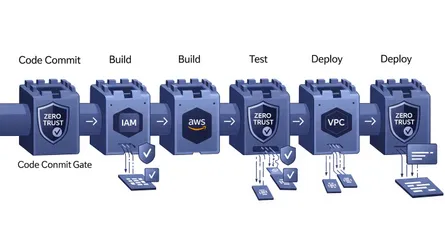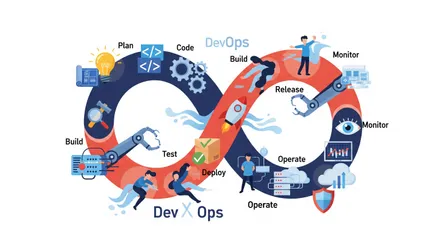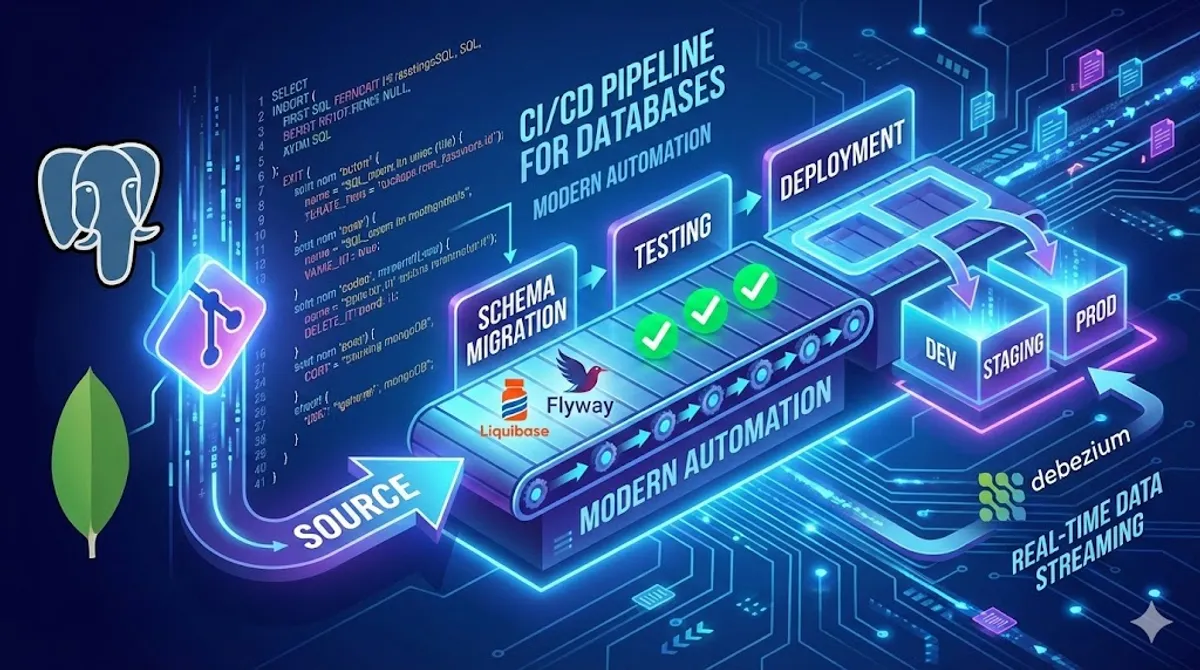
Ever feel like your app deployments are super slick, but then you hit the database part, and things just… stop? It’s frustrating, right? You’ve got this smooth CI/CD pipeline for your code, but database updates can feel manual, risky, and just plain slow. That’s exactly where Database DevOps comes in. It’s all about bringing that same speed, reliability, and ease you love about application CI/CD to your databases, whether you’re using PostgreSQL or MongoDB.
Think of CI/CD (Continuous Integration and Continuous Delivery/Deployment) as the engine of modern software development. It helps you integrate code changes often, test them thoroughly, and get them out the door without a ton of manual effort. Applying this to your databases is pretty much essential now if you want to move fast and keep things stable. When you really embrace Database DevOps and CI/CD for your databases, a ton of good things happen. Development gets smoother and your apps get more solid.
Why bother with database CI/CD? What’s in it for you?
Seriously, there are some good reasons to get your databases into the CI/CD flow. For starters, you can release new features way faster. No more waiting around for someone to manually run database scripts. Getting updates out quickly can really give you a leg up on the competition. When you can react fast to what the market needs and what your users are saying, it makes a huge difference.
Plus, automating database deployments means fewer errors and less downtime. Let’s be honest, manual changes are just asking for trouble. One little typo, and you could have a big mess on your hands. Automation and good testing catch those slip-ups before they ever get near your live system, keeping everything running smoothly and reliably.
It also really boosts how well teams work together. Developers, operations folks, and database admins often feel like they’re on different islands. Database DevOps helps tear down those walls, encouraging everyone to share responsibility and talk to each other more. This better teamwork makes the whole process work better and helps you solve problems a lot quicker.
And hey, keeping your data safe is a big deal, right? By building security checks right into your database change process, that’s often called DevSecOps, you can improve data security and compliance. You catch potential weak spots early on, instead of finding them after something’s already deployed. This proactive approach helps protect sensitive info and makes sure you’re following all the rules.
Even if you’re dealing with older database systems, you’re not left out. You can start small, automating parts of the process, and gradually bring those legacy databases into a more modern workflow without causing chaos. Over time, they become easier to manage and adapt.
Keeping an eye on things and making your database run better is also a core part of this. With the right monitoring tools, you can see exactly what’s happening, spot potential issues before they become big problems, and make smart decisions to keep performance high.
Automating those tedious, repetitive database tasks also makes your operations more efficient. Your database admins and developers aren’t stuck doing boring manual work; they can focus on more important, interesting stuff. That’s a win for everyone.
When you automate and standardize how you handle database changes, everything just becomes more reliable and higher quality. You’re applying the same high standards and automated testing to your database changes as you do to your application code, which means deployments are more consistent and dependable. And that means a better experience for the people using your app.
What’s this Database DevOps thing really about? The core ideas
There are a few key ideas that really make Database DevOps tick. First off, you treat your database like code. This means everything about your database goes into version control: the structure, the scripts, the settings. Just like your app code! This way, you can see who changed what, work together easily, and quickly go back to an earlier version if something goes wrong.
Next, you automate absolutely everything you can. From setting up a new database to making changes, running tests, deploying, and even rolling back if needed, automation cuts down on human errors and speeds things up like crazy.
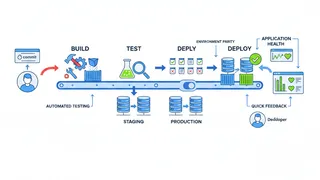
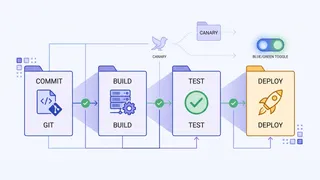
Continuous Integration and Continuous Delivery (CI/CD) are really the heart of it all. You want your database changes to flow through the same automated pipeline as your application changes. This keeps your database and your app in perfect sync.
Talking and working together is huge. Breaking down those traditional barriers between development, operations, and database teams, and getting everyone communicating openly, is essential for hitting your goals.
You also need to be constantly monitoring and getting feedback. Having good monitoring tools gives you real-time insights into how your database is doing, helping you catch issues early. Plus, setting up feedback loops means teams can learn from each deployment and keep getting better.
Finally, you bake security in right from the start. That’s the Shift Left Security (DevSecOps) idea. Instead of thinking about security as an afterthought, you build it into the database development process from day one. This helps prevent vulnerabilities and makes sure you’re compliant with regulations.
CI/CD for PostgreSQL: making database updates smooth
When you’re working with PostgreSQL, managing changes smoothly in a CI/CD pipeline often involves schema migrations. This is how you update your database structure as your application evolves, things like adding new tables, changing existing ones, adding or removing columns, and tweaking indexes. A really popular tool for handling PostgreSQL schema migrations in a CI/CD setup is Liquibase.
Liquibase uses these things called changelogs. They’re basically version-controlled files (you can write them in XML, YAML, JSON, or even plain SQL) that list all your database changes in the order they should happen. You keep these files in your version control system. Here’s a simple example of a Liquibase changelog that creates a users table and then adds an email column to it:
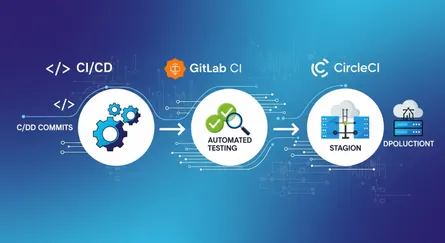
<databaseChangeLog xmlns="http://www.liquibase.org/xml/ns/dbchangelog" xmlns:xsi="http://www.w3.org/2001/XMLSchema-instance" xsi:schemaLocation="http://www.liquibase.org/xml/ns/dbchangelog http://www.liquibase.org/xml/ns/dbchangelog/dbchangelog-latest.xsd"> <changeSet id="create-users-table" author="your-name"> <createTable tableName="users"> <column name="id" type="INT" autoIncrement="true"> <constraints primaryKey="true" nullable="false"/> </column> <column name="username" type="VARCHAR(50)"> <constraints unique="true" nullable="false"/> </column> </createTable> </changeSet> <changeSet id="add-email-column" author="your-name"> <addColumn tableName="users"> <column name="email" type="VARCHAR(100)"/> </addColumn> </changeSet></databaseChangeLog>Liquibase works really well with popular CI/CD tools like Jenkins, GitLab CI, and GitHub Actions. You just add Liquibase commands to your pipeline scripts, and it’ll automatically apply those database changes whenever you deploy new application code. Plus, Liquibase can roll back changes. If something goes wrong, you can easily revert the database changes.
While Liquibase is super popular, you’ve got other options for PostgreSQL schema migrations in CI/CD too, like Flyway and pgroll. Flyway is known for being straightforward and using versioned SQL scripts or Java code for migrations. pgroll is a bit different; it focuses on making schema changes with zero downtime by using virtual schemas built on top of your actual tables.
To make CI/CD work well for your PostgreSQL databases, put all your schema changes in version control, automate the migration process, and test everything really well in environments that aren’t production. Beyond that: make sure your schema changes don’t break older versions of your app if possible, have solid plans for rolling back changes, automate the testing of your database changes, keep your database environments consistent across your pipeline, and always monitor how your database is doing after deployments.
Here are some questions people often ask about PostgreSQL and Database DevOps:
- How often should I run database migrations? You should ideally run them as part of your CI/CD pipeline whenever you have database schema changes that support new features or fix bugs. This keeps your database and application in sync.
- What are the best tools for PostgreSQL schema migrations in a CI/CD pipeline? Liquibase, Flyway, and pgroll are all great choices. The best one for you really depends on your specific needs and how complicated your migrations are.
- How do I handle data changes when I change the schema? You can include logic in your migration scripts to transform existing data to fit the new schema. This might mean adding default values to new columns or writing scripts to update data in existing ones.
- How can I make sure deployments with PostgreSQL schema changes don’t cause downtime? You can make changes that are backward-compatible, use tools like pgroll, or use strategies like blue/green deployments where you run the new version alongside the old and gradually switch traffic over.
- What’s the best way to undo PostgreSQL schema changes if something goes wrong? Both Liquibase and Flyway have rollback features. You define rollback scripts in your changelogs or migration files that undo the changes made by a specific migration. You should automate these rollback procedures in your CI/CD pipeline.
CI/CD for MongoDB: automating your NoSQL changes
Even though MongoDB is known for being flexible and not having a strict schema, you still need to manage database changes effectively in a DevOps setup. Your application probably expects data to be structured in a certain way, and changes to that structure need careful handling.
Just like with PostgreSQL, there are tools to help you manage MongoDB changes in a CI/CD pipeline. Liquibase has a MongoDB extension that lets you manage MongoDB schema changes and data migrations using the same ideas as with relational databases. Other tools made specifically for MongoDB migrations include migrate-mongo and Mongock.
Here’s a simple example of a Liquibase MongoDB changelog that creates a products collection and adds a unique index to the name field:
{ "databaseChangeLog": [ { "changeSet": { "id": "create-products-collection", "author": "your-name", "changes": [ { "createCollection": { "collectionName": "products" } } ] } }, { "changeSet": { "id": "add-unique-index-to-product-name", "author": "your-name", "changes": [ { "createIndex": { "collectionName": "products", "keys": { "name": 1 }, "options": { "unique": true } } } ] } } ]}Setting up a CI/CD pipeline for MongoDB means putting your MongoDB scripts (for things like creating collections, indexes, and transforming data) in version control, using a migration tool in your pipeline, automatically running these scripts when you deploy, testing data migrations and schema changes in non-production environments, and having ways to roll back both schema and data changes.
Some good practices for MongoDB CI/CD include using scripts for all database changes, version controlling those scripts, testing migrations thoroughly in lower environments, automating the migration process in your CI/CD pipeline, having rollback plans, and always monitoring database performance.
Here are some common questions about MongoDB and Database DevOps:
- How do I manage schema changes in a schemaless database like MongoDB? Even though MongoDB doesn’t enforce a strict schema, you can still manage the structure of your documents using migration tools to add, change, or remove fields, create indexes, and enforce validation rules.
- Are there specific tools for MongoDB schema migrations in CI/CD? Yes, tools like Liquibase (with its MongoDB extension), migrate-mongo, and Mongock are designed for managing MongoDB schema and data changes in an automated and version-controlled way.
- How do I handle data transformations when the MongoDB schema evolves? Your migration scripts can include logic to change existing data to fit the new schema. This might mean renaming fields, changing data types, or restructuring documents.
- Can I use the same CI/CD pipeline for both PostgreSQL and MongoDB? Absolutely! You can often use the same CI/CD setup for both, but you’ll need to use the right migration tools and scripts for each database type.
- What are some of the unique challenges with MongoDB in a Database DevOps pipeline? Some challenges include managing schema evolution in a schemaless environment, making sure data is consistent across documents, and handling data transformations during migrations.
Change data capture with Debezium: getting real-time database changes into your flow
Debezium is an open-source tool that lets you capture changes happening in your databases (like PostgreSQL and MongoDB) as they occur. It then sends these changes out as events to Apache Kafka. This is incredibly useful for automatically kicking off other processes or updating other systems right away when data in your main databases changes.
Debezium works by using connectors for different databases that essentially watch the database’s transaction logs. When something changes, whether a row is added, updated, or deleted, the connector grabs that change and sends an event to a Kafka topic. Other apps can then listen to that topic and react. For instance, you could set up Debezium to watch your PostgreSQL orders table. When a new order comes in, Debezium sees it, sends an event to Kafka, and your order fulfillment system can immediately pick up that event and start processing the order.
Here’s a basic look at how you might set up Debezium for PostgreSQL using a JSON file. You’d typically send this kind of configuration to the Kafka Connect API:
{ "name": "postgres-inventory-connector", "config": { "connector.class": "io.debezium.connector.postgresql.PostgresConnector", "database.hostname": "your-postgres-host", "database.port": "5432", "database.user": "your-user", "database.password": "your-password", "database.dbname": "your-database", "database.server.name": "dbserver1", "table.include.list": "public.orders", "plugin.name": "pgoutput", "tasks.max": "1" }}For MongoDB, the setup is pretty similar, but you’d use the MongoDbConnector class and provide the connection details for your MongoDB setup.
Using Debezium in your DevOps workflow lets you build more event-driven systems. Data gets integrated and synced across your applications in real time. This can make your apps more responsive and your data flow much more efficient.
Running into walls with Database DevOps? Here’s how to get over them
Putting Database DevOps into practice isn’t always a walk in the park. One common issue is getting developers and database admins (DBAs) to really work together smoothly. They often have different priorities and ways of doing things. To fix this, you need to build a culture where teamwork actually counts and everyone understands and respects each other’s roles. Things like training together, having teams with mixed skills, and setting common goals can really help.
Another challenge is dealing with the risks that come with changing databases and their structure. Unlike application code, database changes can be tough to undo and can mess with your live data. To handle this, you absolutely need to test everything thoroughly in environments that aren’t production, make sure your schema changes don’t break older versions of your app if you can, and have clear, tested plans for rolling back changes if something goes wrong.
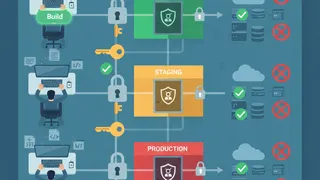
Making sure database deployments are the same across all your environments can also be tricky. If things aren’t consistent, you can end up with deployments failing or weird issues popping up. Automation is your best friend here. It makes sure the same deployment processes and settings are used everywhere, from development to production.
Balancing governance with moving fast is another important point. Security rules, compliance, and regulations add layers of complexity to database changes. The goal is to build these controls into your DevOps pipeline in a way that keeps you compliant without slowing down your ability to innovate. Using “policy-as-code” and automating compliance checks can help you find that balance.
Organizations with older, legacy systems might face extra hurdles when trying to bring them into a Database DevOps workflow. These older systems might not have the flexibility or the right tools for easy automation. Taking things step-by-step, starting with automating simple, repetitive tasks and gradually adding more advanced CI/CD practices, can be a good way to handle this.
Many teams also realize they just haven’t automated much of their database work yet. Finding those manual, repetitive tasks and slowly automating them is how you actually get the full benefits of Database DevOps. It’s smart to start with the things that will give you the biggest wins and then keep automating more and more.
Finally, people often worry about how CI/CD processes might affect database performance. Careful planning, testing performance in non-production environments, and using techniques like making schema changes while the database is online or deploying changes in small steps can help ease these worries.
Wrapping up: why Database DevOps with CI/CD is a big deal
Database DevOps with CI/CD for PostgreSQL and MongoDB changes how you manage database changes on a fast-moving team. By focusing on automating things, working together, and always trying to get better, teams can release features faster, cut down on errors and downtime, make data more secure, and just work more efficiently overall.
Getting to Database DevOps takes a shift in how teams think and work, plus a willingness to try new tools and practices. But the payoff is huge: a database management process that’s smooth, automated, and collaborative. It lets teams ship to users more quickly and reliably. As software development keeps evolving, Database DevOps is going to matter more and more for companies that want to stay competitive and keep innovating.
Your questions about Database DevOps and CI/CD for PostgreSQL/MongoDB, answered
- It’s taking the DevOps ideas of working together, automating things, and constantly improving, then applying them to how you manage your databases.
- The goal is to integrate database work with application development so everything moves together smoothly.
- It helps you release things faster and more often.
- Reduces mistakes and errors.
- Gets development and database teams working better together.
- Makes deployments more consistent and reliable.
- Improves productivity for everyone involved.
- Treat your database like code (version control, collaboration).
- Automate everything: setup, changes, testing, deployment, rollback.
- Use continuous integration and delivery for database changes.
- Build collaboration and open communication between teams.
- Monitor and get feedback continuously.
- Build security in from the start (Shift Left Security/DevSecOps).
- Database changes involve managing schema updates and data migrations, which can be more complex than application code changes.
- You must keep data safe and avoid downtime.
- Schema and data changes are harder to roll back than code changes.
- App CI/CD is mostly about code changes.
- Database CI/CD is about managing schema and data, with a bigger focus on data accuracy and minimizing downtime.
- Databases hold the state of your application, and changes can have major impacts if not handled carefully.
- You need to be precise to keep your data accurate and consistent.
- Deploying an app often means replacing files.
- Deploying database changes means altering structure and data, which depends on the current state of the database.
- Direct changes to a live database lack the safety net of version control.
- Environments not matching up.
- Adding security and compliance.
- Complicated migrations and rollbacks.
- Picking the right tools.
- Managing database changes in version control.
- Use tools like Liquibase or Flyway.
- Integrate them into your CI/CD pipelines (Jenkins, GitLab CI, GitHub Actions).
- Automate migration execution and testing.
- Use tools like Liquibase (with MongoDB extension), migrate-mongo, or Mongock.
- Store migration scripts in version control.
- Run migrations automatically in your CI/CD pipeline.
- Use GitHub Actions to automate building, testing, and deploying database changes.
- Integrate tools like Flyway or Liquibase in your workflow.
- Define your database changes in Liquibase changelog files.
- Use your CI/CD pipeline to run Liquibase commands and apply changes automatically.
- For MongoDB, use the MongoDB extension and define changes in JSON or XML changelogs.
- Include logic in migration scripts to update existing data to fit the new schema.
- This may involve renaming fields, changing data types, or restructuring documents.
- Make backward-compatible changes when possible.
- Use tools like pgroll for zero-downtime migrations.
- Consider blue/green deployments or rolling updates.
- Getting developers and DBAs to work together.
- Handling risks of data and schema changes.
- Keeping deployments consistent across environments.
- Managing governance and compliance without slowing down delivery.
- Speeds up your development workflow.
- Uses existing CI/CD practices for database changes.
- Quality checks are built-in.
- Database changes flow better and are more reliable.
- Deployments are predictable and environments are consistent.
References
- Database DevOps: What It Is and Why It Matters - Redgate, accessed on May 16, 2025, https://www.red-gate.com/solutions/database-devops/
- CI/CD for Databases: Best Practices and Tools - Liquibase, accessed on May 16, 2025, https://www.liquibase.com/resources/articles/database-cicd-best-practices
- How to Automate Database Deployments with CI/CD - Flyway, accessed on May 16, 2025, https://flywaydb.org/documentation/learnmore/cicd
- DevOps for Databases: PostgreSQL and MongoDB - Percona, accessed on May 16, 2025, https://www.percona.com/blog/devops-for-databases-postgresql-and-mongodb/
- CI/CD for MongoDB: Best Practices - MongoDB, accessed on May 16, 2025, https://www.mongodb.com/developer/products/atlas/cicd-best-practices/
- Database Migrations with migrate-mongo, accessed on May 16, 2025, https://github.com/seppevs/migrate-mongo
- Mongock: MongoDB Java Migrations, accessed on May 16, 2025, https://mongock.io/
- Debezium Documentation, accessed on May 16, 2025, https://debezium.io/documentation/
- Change Data Capture with Debezium and Kafka - Confluent, accessed on May 16, 2025, https://www.confluent.io/blog/change-data-capture-debezium/
- Best Practices for Database DevOps - Microsoft DevBlogs, accessed on May 16, 2025, https://devblogs.microsoft.com/devops/best-practices-for-database-devops/
- CI/CD for Databases: Challenges and Solutions - DZone, accessed on May 16, 2025, https://dzone.com/articles/cicd-for-databases-challenges-and-solutions
- PostgreSQL: Frequently Asked Questions, accessed on May 16, 2025, https://wiki.postgresql.org/wiki/FAQ
- MongoDB: Frequently Asked Questions, accessed on May 16, 2025, https://www.mongodb.com/docs/manual/faq/
- DevOps Database Automation: Why and How - DBmaestro, accessed on May 16, 2025, https://www.dbmaestro.com/blog/devops-database-automation-why-and-how
- Automating Database Deployments with GitHub Actions - Liquibase, accessed on May 16, 2025, https://www.liquibase.com/blog/automating-database-deployments-with-github-actions