The digital world keeps changing, and so do the demands on our apps and services. We all expect instant responses, smooth experiences, and things to just work, no matter where we are. This constant push for speed and efficiency has really put edge computing in the spotlight. It changes how we deliver digital content and services by moving processing closer to you, the user, which changes how applications perform. In this post, we’re going to dig into this important idea and then look at two top platforms that make it happen: AWS Lambda@Edge and Cloudflare Workers. We’ll give you a practical comparison to help you figure out which one might be right for your needs.
What’s the buzz about edge computing?
So, what’s all the talk about edge computing? It’s a pretty big change in how we handle and process data. Think of it this way: instead of sending all your data to a faraway, central cloud server, edge computing brings the computing power much closer to where the data is actually created or used. Picture a tiny computer sitting right next to your smart device or right where you are, processing information right there instead of sending it on a long trip to a huge data center. This idea of keeping things close is why edge computing is becoming so important. That direct closeness opens up all sorts of new possibilities for apps and really makes user experiences better across different industries. It’s like we’re moving from just using big central clouds to a mix of distributed systems. We’re choosing the best spot for computing based on things like how fast we need a response, how much data we’re sending, and security needs, not just raw power. This really shows how important network setup has become in app design.
Why does this matter for today’s applications? Well, the benefits are huge and affect a lot of areas:
- Reduced latency and faster responses: This is probably the biggest win. When you process data closer to where it starts, edge computing drastically cuts down the time it takes for data to go back and forth. This means your apps respond much, much faster. For apps where every second counts, like smart security systems, self-driving cars, or factory automation, even a two-second delay could be a disaster. That’s why edge computing is so fundamental for critical systems, especially with all the new IoT devices popping up. The need for instant decisions and quick responses in these vital apps is what’s really driving people to use strong edge solutions.
- Lower bandwidth usage and costs: When data gets processed right there at the edge, you don’t have to send as much of it all the way to a central cloud server. This cuts down on data transfer, which means less network bandwidth used, and that can save you a lot of money, especially if your apps handle tons of data.
- Better reliability and security: Edge setups let important apps keep working even if your main internet connection acts up or goes offline, because the processing happens right there. And security gets a boost too: keeping sensitive data closer to where it started means there’s less chance of someone intercepting it while it travels long distances over networks that might not be as secure.
- Real-time decision-making: For IoT this is the whole point. With billions of devices creating massive amounts of data, edge computing helps you analyze it instantly and respond quickly. This is super important for real-time operations and really boosts how well your whole system performs.
AWS Lambda@Edge
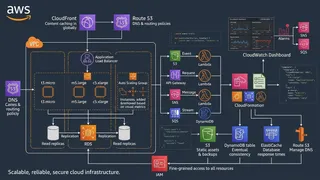
Now, let’s talk about AWS Lambda@Edge. It’s an add-on to Amazon CloudFront, which is AWS’s worldwide CDN (Content Delivery Network). It lets you run serverless code, or what we call functions, right at AWS’s global edge locations. These spots are placed strategically closer to users all over the world. This means you don’t have to set up or look after servers in a bunch of different places, which makes managing your infrastructure a lot simpler. You only pay for the time your code actually runs; there’s no charge when it’s just sitting there.
How does Lambda@Edge work with CloudFront? Your functions run when certain things happen during the CloudFront CDN’s process. These are called events, and they give you flexible spots to run your code within the request and response flow.
There are four trigger points, and each one hooks a different moment of the CloudFront request lifecycle. Following a single request end to end makes the order clear:
- Viewer Request: A Viewer Request event fires before CloudFront even checks its cache or sends the request to your main server. It’s perfect for things like A/B testing, custom logins, or changing HTTP headers. For example, you could use a Viewer Request function to add a custom header to every incoming request. Here’s a simple Node.js example:
'use strict';
// This function runs on a Viewer Request eventexports.handler = (event, context, callback) => { const request = event.Records.cf.request; const headers = request.headers;
// Add a custom header to the request before it goes to CloudFront's cache or origin headers['x-custom-header'] = [ {key: 'X-Custom-Header', value: 'Hello from Lambda@Edge!'}, ];
// Pass the modified request back to CloudFront callback(null, request);};- Origin Request: If CloudFront doesn’t have what it needs in its cache, an Origin Request event kicks in before the request hits your main backend server. This is handy for smart routing based on what’s in the request or for signing requests to other servers.
- Origin Response: An Origin Response event happens after your main server sends a response back to CloudFront, but before CloudFront stores it in its cache. You can use this to change response headers or transform content.
- Viewer Response: Finally, the Viewer Response event processes responses right before CloudFront sends them to the person using your app.
Developers write Lambda@Edge functions in the AWS Lambda console, usually in the us-east-1 region. CloudFront then automatically copies these functions all over its global network of edge locations.
Lambda@Edge can do a lot of things and has many uses:
- Content customization and personalization: Lambda@Edge lets you deliver different content or experiences based on things like where a user is, what device they’re using, or other request details. For example, you can resize images instantly to fit mobile phones or desktop computers.
- Security enhancements: Functions can add HTTP security headers, make sure only authorized users get in, or block unwanted bots right at the edge. This helps protect your backend servers and makes them less vulnerable.
- SEO optimization: It can serve pre-rendered HTML pages to search engine bots, which helps with indexing, while regular users still get dynamic content.
- Dynamic routing and load balancing: You can smartly send requests to different servers or data centers based on various factors, which makes things faster and spreads the workload out well.
- Real-time data processing for IoT and analytics: Lambda@Edge can process data from IoT devices closer to where it’s generated, helping apps in manufacturing, agriculture, and logistics make faster decisions.
- API Gateway integration: It acts as a serverless backend for web and mobile apps, handling the app’s logic and working smoothly with other AWS services like S3 or DynamoDB.
But even with all its strengths, Lambda@Edge does have a few limitations:
- Cold starts: While it’s quicker than regular AWS Lambda, Lambda@Edge can still have a delay when a function runs for the very first time or after it’s been sitting idle for a while. This can affect apps that really need consistent, low-latency responses.
- Language support: It mainly supports Node.js and Python. That’s a bit less variety compared to some other serverless options out there.
- Resource limits: You can set memory up to 10GB, but functions are billed in 50ms chunks. Also, request bodies get cut off for processing, for example at 40KB for viewer request events and 1MB for origin request events.
- Deployment complexity: Every time you update a Lambda@Edge function, you need a new CloudFront deployment, and that can take a while to spread across the globe.
- Logging: Your logs go to CloudWatch in the specific region where the function ran. So, you might need a way to gather all those logs in one place for easier monitoring.
One big thing about Lambda@Edge is how well it works with the whole AWS world. This wide-ranging connection means you can build complex systems with many different services, letting your functions talk smoothly with things like S3, DynamoDB, and IoT Core. If you’re already using a lot of AWS, this is a huge plus. It gives you a familiar place to work and easy connections to tons of AWS services. But this strength also means you’re pretty tied to one vendor, and its global distribution might not feel as “native” as platforms designed for the edge from day one. Deciding between Lambda@Edge and other options often depends on your current cloud plan. If AWS is your main cloud provider, Lambda@Edge just feels like a natural fit.
On performance, Lambda@Edge aims for low latency, but those cold starts and the 50ms billing chunks tell you it is not always instant. Tests show that for 95% of requests, Lambda@Edge can be slower than some other options. So, while it’s a big step up from regular Lambda functions for edge tasks, its performance might not be as consistently perfect as a platform built specifically to get rid of cold starts. This is especially true for super sensitive, high-traffic jobs where every millisecond really matters. The way Lambda@Edge runs, using containers even at the edge, can still cause those cold starts, and that affects how consistently you get low-latency performance. It’s a key difference in how it’s built compared to some competitors.
Cloudflare Workers
Next up, Cloudflare Workers. This is a serverless platform that lets developers run their code right on Cloudflare’s huge global network, which has more than 330 data centers all over the world. This means you can build and deploy serverless functions and apps without having to worry about setting up or looking after any servers at all.
What makes Cloudflare Workers stand out? It’s their unique design and massive global reach:
- V8 isolates: Unlike typical serverless platforms that might use full Node.js processes or containers, Cloudflare Workers run code inside Chrome V8 isolates. These isolates start up way faster, usually in under 5 milliseconds, and they don’t use much memory. This design choice is why they can offer “near-zero” or “0ms cold start” performance, which is a huge competitive edge. This V8 isolate setup directly gives you those super-fast cold start times, and that means a much better, more consistent experience for interactive web apps and APIs. It’s their answer to a common problem in the serverless world. A basic Cloudflare Worker is quite simple. It listens for fetch events (HTTP requests) and responds. Here’s a quick example:
// This is a simple Cloudflare Worker that responds to all requestsaddEventListener('fetch', (event) => { // We tell the event to wait for the response from our handleRequest function event.respondWith(handleRequest(event.request));});
/** * Handles incoming requests and returns a response. * @param {Request} request The incoming HTTP request. * @returns {Response} The HTTP response. */async function handleRequest(request) { // Return a simple text response return new Response('Hello from Cloudflare Workers!', { headers: {'content-type': 'text/plain'}, });}- Massive global network with CDN integration: Cloudflare’s network has hundreds of data centers worldwide. This means your code runs super close to your users, no matter where they are. This global setup naturally keeps latency to a minimum.
- Anycast: Incoming requests automatically go to the closest data center using Anycast, which really cuts down on latency. It’s a big difference compared to traditional serverless platforms that need you to set up new endpoints in every location to get that low global latency.
Cloudflare Workers can do a lot of different things and have many uses:
- Ultra-low latency content delivery: Workers make web and API performance faster worldwide by running code right at the network’s edge. This is perfect for dynamic content, changing APIs on the fly, and A/B testing, giving users a consistently fast experience.
- Real-time data manipulation: Workers can handle complex changes, user authentication, and custom caching without adding any extra latency to your main backend systems.
- Front-end and full-stack applications: You can host static files right on Cloudflare’s CDN and cache, or build full-stack apps with built-in support for popular frameworks like React, Vue, Next.js, and Astro.
- API acceleration: Workers make REST and GraphQL APIs faster by handling queries and gathering data closer to the user. They do this using tricks like grouping requests and smart caching at the field level, which means super-fast API responses.
- IoT data processing: Workers work with outside services to process IoT data, letting you handle events and make changes in real-time right at the edge.
- Security and bot mitigation: Cloudflare Workers get the benefit of Cloudflare’s built-in DDoS protection, WAF (Web Application Firewall), and rate limiting. These often come with automatic updates and pre-set rules, making your app more secure at the edge.
- Serverless AI inference: Workers can run machine learning models and create images right at the edge using Workers AI.
- Background jobs: Workers can schedule cron jobs and run durable workflows for all sorts of background tasks.
Even with all their great features, Cloudflare Workers do have some limitations:
- Language support: They mainly support JavaScript and TypeScript, plus languages compiled to WASM. But their native language support isn’t as wide as Lambda@Edge’s broader range.
- Resource limits: Memory is fixed at 128MB, unlike Lambda’s adjustable memory up to 10GB. The most CPU time you get per request is 10ms on the free plan and 30 seconds on the paid plan, with a default timeout of 30 seconds (though it can go up to 5 minutes for paid plans, or 15 minutes for cron/queue triggers).
- Ecosystem integration: Workers work really well with Cloudflare’s own developer services (like Workers KV, R2, D1, and Durable Objects). But connecting them with outside cloud services, like AWS’s huge ecosystem, can sometimes need a bit more setup, though things like Workers VPC are trying to make this easier.
- Node.js module compatibility: Since Workers aren’t built on Node.js, some Node.js-specific packages might not work directly.
Cloudflare Workers really show what a “network-as-a-platform” means. Cloudflare started out with CDN and DDoS protection, so Workers run on that same huge global network of over 330 data centers. When you add in services like R2 (edge storage) and D1 (edge database), it’s clear their strategy is to weave computing, storage, and security right into their global CDN setup. This gives you an amazing level of global reach and performance tuning. It’s perfect for apps that need to be truly “everywhere” without a lot of fuss. This way of doing things offers a strong alternative to traditional cloud-focused models, especially for web apps, by making the network edge the main place for computing and data processing, not just a caching spot.
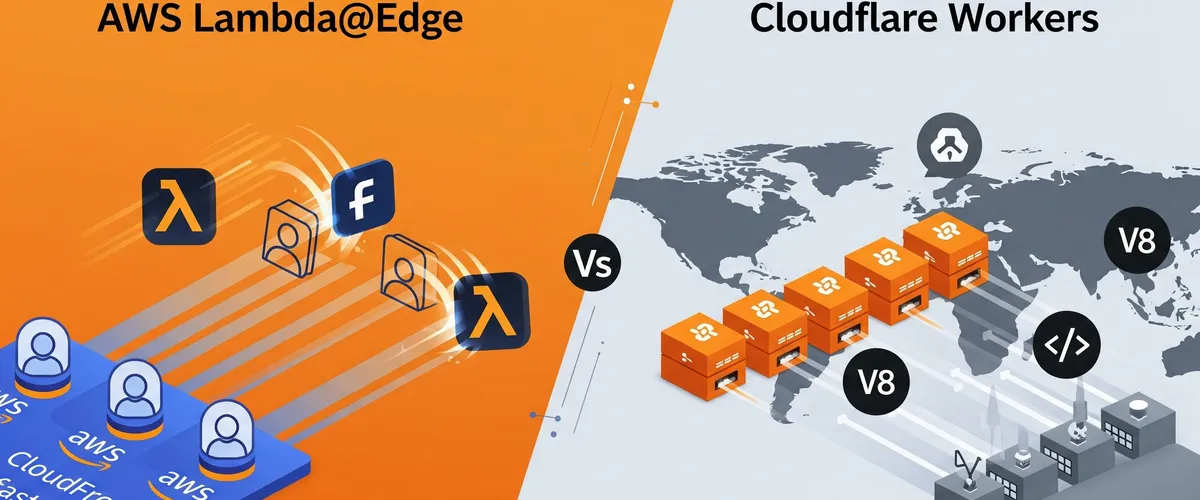
AWS Lambda@Edge vs. Cloudflare Workers, side by side
When we compare AWS Lambda@Edge and Cloudflare Workers, you’ll notice some big differences in performance, pricing, their ecosystems, and how easy they are for developers to use. Knowing these differences is super important for picking the right edge computing solution for your app’s specific needs.
Performance: how fast are they?
Cloudflare Workers are usually known for their amazing cold start performance. They often hit near-zero or even 0ms cold starts because of how their V8 isolate runtime works. This means your functions are ready to go almost instantly, giving you really consistent, low-latency responses. Tests often show Workers beating Lambda@Edge in initial load times and at the higher end of response times.
AWS Lambda@Edge, even though it’s much better than regular AWS Lambda, can still have cold starts, especially for functions you don’t use very often. While it can perform well, its consistency might not be as good as Workers. For pure execution speed, CloudFront Functions (a lighter AWS edge option) can run in under 1 millisecond, but Lambda@Edge is billed in 50ms chunks. This suggests it has a bit more overhead compared to Workers’ V8 isolates.
How do they charge you?
The way these two platforms charge you is quite different.
AWS Lambda@Edge charges you based on how many requests you make and how long your code runs, measured in GB-seconds. You’ll pay $0.60 for every 1 million requests, and the duration costs are $0.00005001 per GB-second. Your costs can change a lot depending on how you use it, especially with data transfer fees, which are just regular AWS data transfer charges.
Cloudflare Workers have a more predictable pricing model. They offer a pretty generous free tier (100,000 requests per day, 10ms CPU time per request) and a paid plan that starts at $5 a month. That paid plan includes 10 million requests and 30 million CPU milliseconds. If you need more, extra requests are $0.30 per million, and CPU time is $0.02 per million CPU milliseconds. And here’s a big one: Cloudflare doesn’t charge you for data leaving their network (egress) for Workers.
This difference in how they charge can really affect your budget and how you try to save money. Cloudflare’s pricing is set up to give you more certainty, which is great for startups and businesses with lots of steady traffic, where those data transfer fees from traditional clouds can become a big, hidden cost. AWS does have a free tier, but your bills can vary more, especially as data transfer costs add up across different services. If your app sends out a lot of data or has unpredictable traffic spikes, Cloudflare’s approach might give you a better overall cost.
Here’s a simple look at their pricing:
| Cost Factor | AWS Lambda@Edge (Example Rates) | Cloudflare Workers (Paid Plan Example Rates) |
|---|---|---|
| Requests | $0.60 per 1 million requests | $0.30 per 1 million requests (after 10M included) |
| Duration (Compute Time) | $0.00005001 per GB-second | $0.02 per million CPU milliseconds (after 30M included) |
| Data Transfer (Egress) | Standard AWS data transfer fees apply | No egress fees |
Language support and runtime environment
AWS Lambda@Edge works with Node.js and Python. Its functions run inside a container-based environment, which gives you flexibility in how you give them resources.
Cloudflare Workers mainly support JavaScript and TypeScript, plus languages compiled to WASM like Rust, Go, or Python using a special interface. Their code runs on the Chrome V8 Engine, using those isolates we talked about. The fact that we keep talking about V8 isolates for Cloudflare Workers versus Node.js/Python containers for Lambda@Edge really highlights a basic difference in how these platforms handle serverless code. Cloudflare picked V8 isolates because they want to get the best cold start performance and be super efficient with resources. AWS’s container approach, while it gives you more language options and resource control, naturally comes with some cold start overhead. This difference in design directly affects what kind of tasks each platform is best for, because the runtime choice determines how cold starts behave, and that shapes the best uses. Cloudflare focuses on speed and consistency, while AWS focuses on wider compatibility and working closely with its existing cloud services.
Ecosystem and integrations
AWS Lambda@Edge is really well connected with the huge AWS ecosystem. This includes services like S3, DynamoDB, API Gateway, and IoT Core. This means you get super smooth connections for building complex apps that use many different services within the AWS cloud.
Cloudflare Workers fit perfectly with Cloudflare’s own developer services, like Workers KV (a low-latency key-value store), R2 (object storage with no data transfer fees), D1 (a serverless SQL database), Durable Objects (for storing state), and Workers AI. But connecting them with outside cloud services, like AWS’s huge ecosystem, can sometimes need a bit more setup, though things like Workers VPC are trying to make this easier.
Which workloads suit which platform
AWS Lambda@Edge usually works better for complex tasks that need to connect deeply with AWS services. Think custom security and login rules, dynamic content for different users, and backend processing that can use other AWS resources. It’s a great pick if your organization already uses a lot of AWS.
Cloudflare Workers really shine with high-frequency, low-latency tasks, changing data in real-time, making APIs faster, A/B testing, and serving dynamic front-ends. They’re especially good for apps where consistent global performance and almost no cold starts are super important, and for those who want predictable pricing and don’t want to be tied to one vendor.
Developer experience and tooling
How easy they are to use for developers also differs between the two.
For AWS Lambda@Edge, you’ll mostly manage development through the AWS Lambda console, and deployments are linked to CloudFront’s global rollout, which can take some time. For finding and fixing bugs, you’ll mostly rely on CloudWatch logs, and tools like AWS SAM CLI can help you test things locally.
Cloudflare Workers give you a more integrated developer experience with their wrangler command-line tool. It helps with local development, live reloading, testing, and deploying your code. They also work well with popular frontend frameworks like Vite and have a dedicated Discord server for community support. AWS Lambda has been around longer, so it has a huge collection of tools and resources, thanks to being one of the first in the serverless world. Cloudflare Workers are newer, but their developer community is growing fast and is very active.
Beyond just how fast they are or what features they have, the “developer experience” is a big deal, and it’s often overlooked when people pick a platform. If you have a smoother process for developing, testing, and deploying locally, you can move faster, get more done, and ultimately get your apps to market quicker. Cloudflare seems to have put a lot of effort into making this part really good. A better developer experience can mean developers work faster and are happier, which then helps you innovate quicker and build stronger apps. This shows that ease of use and good tools aren’t just nice-to-haves; they’re actually key differences.
Here is a comparison table summarizing the key features:
| Feature | AWS Lambda@Edge | Cloudflare Workers |
|---|---|---|
| Cold Start Performance | Potential for cold starts (faster than standard Lambda) | Near-zero cold starts |
| Primary Runtime | Node.js/Python (container-based) | V8 Isolates (JavaScript/TypeScript) |
| Language Support | Node.js, Python | JavaScript, TypeScript (WASM for others) |
| Global Network | Global (via CloudFront Regional Edge Caches) | Truly Global (330+ PoPs) |
| Pricing Model | Per request + duration (GB-seconds) | Per request + CPU time |
| Egress Fees | Yes (standard AWS data transfer) | No (for Workers) |
| Max Execution Time | Up to 5 minutes (origin response) | 30s (default, up to 5/15 min on paid) |
| Max Memory | Up to 10GB | Fixed 128MB |
| Key Integrations | Deep AWS services integration (S3, DynamoDB, IoT Core) | Cloudflare Developer Platform (KV, R2, D1, Durable Objects) |
| Best For | Complex AWS-integrated workloads, existing AWS users | High-frequency, low-latency web/API, real-time edge logic |
Frequently Asked Questions
When you’re trying to pick between these two edge computing platforms, you’ll probably have some common questions. Here are answers to some of those tricky situations.
You should go with Lambda@Edge if your app already uses a lot of AWS services. If you need to talk to other AWS services like S3, DynamoDB, or IoT Core often and smoothly, Lambda@Edge gives you unmatched integration and a development environment you’re probably already used to. It’s also a solid choice if your edge functions need more memory (up to 10GB) or longer run times (up to 5 minutes for some events). If you really want fine-grained control and lots of customization within the AWS system, Lambda@Edge is probably your best bet.
You should go with Cloudflare Workers when super-low latency and consistently near-zero “cold start” performance are absolutely essential, especially for web apps or APIs that users interact with a lot. Its V8 isolate runtime pretty much gets rid of cold starts, so you get instant responses worldwide. Cloudflare Workers are also great if you want predictable pricing with no data transfer fees, because that can save you a lot of money for high-traffic apps. If your main goal is to make web and API performance faster globally with a light, JavaScript-focused approach, or if you prefer a platform that naturally uses a huge global network for distribution, Workers are an excellent choice.
Totally! Many organizations successfully use a mix-and-match approach, taking the best parts of both platforms. You can use Cloudflare’s CDN and Workers for speeding up your front-end, balancing traffic globally, and edge security, while keeping your heavier backend stuff (like databases, complex microservices, and machine learning tasks) in AWS. This combo often gives you a better user experience and helps you save money. The cloud world is moving past just picking “either/or” to choosing the “best tool for the job.” For many complex apps, combining a full-service cloud provider like AWS (for deep backend stuff) with an edge-focused platform like Cloudflare (for global performance and security) is becoming the smartest way to go. This means architects and developers should think about using multiple clouds and hybrid setups from the start, focusing on how things work together and figuring out which tasks are best for the main cloud and which need edge processing.
Cold starts are basically that delay you get when a serverless function runs for the first time or after it’s been idle. They can add a noticeable pause, sometimes over a second, to user requests, especially for functions that aren’t used very often. For apps where every millisecond counts, like real-time games or interactive dashboards, cold starts can really mess up the user experience. Cloudflare Workers largely avoid this problem because of their V8 isolate design, which makes them perfect for those situations. While AWS Lambda@Edge has gotten better at cold starts, it still has these delays, making it less consistent for very sensitive, bursty tasks.
The developer tools and overall experience are different for each platform. For AWS Lambda@Edge, you’ll mostly develop through the AWS Lambda console, and deployments are linked to CloudFront’s global rollout, which can take a bit of time. When you’re debugging, you’ll mostly use CloudWatch logs, and tools like AWS SAM CLI can help you test things locally. Cloudflare Workers give you a more integrated developer experience with their wrangler command-line tool. It helps with local development, live reloading, testing, and debugging. They also work well with popular frontend frameworks and have a dedicated Discord server for community support. AWS Lambda has been around longer, so it has a huge collection of tools and resources, thanks to being one of the first in the serverless world. Cloudflare Workers are newer, but their developer community is growing fast and is very active.
Making your decision
There’s no doubt that we’re moving towards edge computing. It’s all thanks to the growing need for low-latency apps, better security, and efficient data processing, especially with all the IoT devices out there. Both AWS Lambda@Edge and Cloudflare Workers offer great solutions, and each has its own strong points. There isn’t one “better” edge computing platform for everyone. The best choice really depends on what you’re trying to do, what tech you’re already using, what performance you need most, and what your budget looks like. This means you’ll need to think carefully, not just pick one size fits all. You’ll want to really understand what your app needs before you choose an edge platform.
Here are some key things to think about when you’re deciding:
- Existing infrastructure: If you’re already using a lot of AWS, Lambda@Edge will feel like a natural fit, connecting smoothly with your existing AWS services. But if you’re starting fresh or want to use multiple clouds, Cloudflare Workers might be more attractive because it doesn’t tie you to one vendor and has a huge network.
- Latency requirements: For apps where every millisecond matters and cold starts are a no-go, like real-time user interactions or gaming, Cloudflare Workers’ V8 isolates give you a consistent advantage.
- Workload complexity and statefulness: If your edge functions need to do complex calculations, talk to lots of different backend services, or keep track of information across requests, Lambda@Edge’s wider language support and deeper AWS integration might be a better fit. Cloudflare Workers are great for simple, stateless tasks or basic stateful logic using their built-in KV or Durable Objects.
- Pricing predictability vs. granularity: Cloudflare gives you more predictable, flat-rate pricing with no data transfer fees, which is perfect for clear budgeting. AWS Lambda@Edge uses a pay-as-you-go model that can vary more, but it gives you very fine control over how you allocate resources.
- Developer preference and tooling: Consider which platform’s development process, language support, and tools work best with your team’s skills and preferences.
- Security and compliance needs: Both platforms have strong security features. Cloudflare offers built-in DDoS protection and a Web Application Firewall (WAF) that’s easy to set up, while AWS gives you detailed control and works with its wide range of security services.
The word “edge” itself can mean different things. AWS Lambda@Edge works at what you might call the “regional edge” within AWS, giving you much better latency than central regions. Cloudflare Workers, though, by using its huge global network of over 330 Points of Presence (PoPs) and those V8 isolates, pushes computing even further to the “deep edge,” much, much closer to where the user is. This tells us there’s a constant push to get computing closer and closer to the user, driven by the growing need for real-time apps and the explosion of IoT devices. Future breakthroughs in edge computing will probably focus on pushing that computing still closer to the user.