Every business shipping software is trying to balance two big things: getting new features out fast and keeping their services super reliable. Every tech team deals with this, pushing for new ideas while making sure things stay stable. This is where Service Level Objectives (SLOs) and Error Budgets come into play. They give you a smart, data-backed way to decide how to balance speed and stability. They turn vague ideas of “good service” into clear, measurable goals that fit with what the business wants to achieve.
This guide covers what SLOs and error budgets are, why they’re so important for businesses, how to set them up step by step, and how to use them to keep customers happy while still shipping new ideas. We’ll also cover common mistakes and answer your frequently asked questions, so you have a plan you can start from.
What exactly are SLOs, SLIs, and error budgets?
If you want to build a truly reliable service, you need to get a handle on the basic pieces that define and measure how well it performs. Three ideas, Service Level Indicators (SLIs), Service Level Objectives (SLOs), and Error Budgets, are the foundation of how we do reliability today.
Understanding service level indicators (SLIs)
A Service Level Indicator (SLI) is a specific, measurable way to tell how well your service is doing. Think of it as a precise number that shows exactly how a service is performing from a user’s point of view. Most SLIs work best as a ratio of “good events” to “total events,” which means they naturally go from 0% (nothing’s working) to 100% (everything’s perfect). This simple scale makes them super easy to use when you’re setting targets and budgets.
Common SLIs include:
- Request latency: how long a service takes to return a response to a request.
- Error rate: the fraction of failed requests out of all requests received.
- Availability/uptime: the percentage of time a service is usable, often defined as the fraction of well-formed requests that succeed.
- Throughput: how many operations a system can handle, usually measured in requests per second or the volume of data processed.
- Other important SLIs can include durability for storage systems, freshness for data processing pipelines, and correctness.
Ideally, an SLI measures exactly what your users care about most. For example, client-side latency is often more user-relevant, even if it’s harder to get than server-side latency. How clear, relevant, and measurable your SLI is forms the foundation for good SLOs and error budgets. If your SLIs aren’t well-defined, are too general, or don’t really focus on the user, your SLOs will end up vague or useless. This can mean your performance numbers don’t give you clear signals for what to do, or there’s just no real accountability. So, picking and defining your SLIs carefully is super important; they’re the basic data points everything else about reliability is built on. Even if an SLI is just a stand-in, a good one has to truly represent the user’s experience and how it affects them.
Here’s a simple Python function to calculate an SLI for success rate:
def calculate_success_rate_sli(good_events: int, total_events: int) -> float: """ Calculates the Service Level Indicator (SLI) for success rate.
Args: good_events: The number of successful events. total_events: The total number of events.
Returns: The success rate as a percentage (0.0 to 100.0). Returns 0.0 if total_events is 0 to avoid division by zero. """ if total_events == 0: return 0.0 return (good_events / total_events) * 100.0
# Example usage:successful_requests = 9980total_requests = 10000sli_value = calculate_success_rate_sli(successful_requests, total_requests)print(f"Your service's success rate SLI is: {sli_value:.2f}%")Defining service level objectives (SLOs)
A Service Level Objective (SLO) is simply a target for how well your service should perform, measured by an SLI. It’s the agreed-upon goal for how well a service should perform. For instance, an SLO might be “99.9% availability over a 30-day window” or “95% of API requests respond in under 300 milliseconds”. SLOs are internal goals that engineering teams use to check how healthy a service is over time. They’re really important for making data-driven decisions about reliability and deciding what engineering work to focus on. When you pick and share your SLOs, you set clear expectations for how your service will perform, and that can really cut down on baseless complaints from users.
Understanding error budgets
The error budget is a core idea in Site Reliability Engineering (SRE). It’s the amount of “bad performance” or unreliability your service can handle within a certain timeframe while still hitting its overall SLO. You usually get this budget straight from your SLO: Error Budget = 100% - SLO%. For example, if your goal is 99.9% availability, your error budget is 0.1%.
This budget tells you the most downtime or malfunction you can have. If a service gets 3 million requests over a four-week period with a 99.9% success ratio SLO, its budget is 3,000 errors (0.1% of 3 million requests). Think of error budgets as a “buffer” or a “license to fail” in a controlled way. They let teams take smart risks, like deploying new code or trying out features, as long as they stay within their budget. This changes how we see reliability, from a fixed, abstract goal to a dynamic, measurable resource. Teams can actually “spend” their error budget on new features, which naturally come with some risk and potential unreliability, or they can “save” it by focusing on making things more reliable. This creates a real, data-driven trade-off, making reliability a strategic business decision, not just an engineering one. It gives you a “currency” to manage risk and how fast you innovate across the whole company.
SLOs vs. SLAs: a quick distinction
People often use SLOs and Service Level Agreements (SLAs) interchangeably, but they’re actually different. An SLA is a contractually binding agreement with a customer that specifies the level of service they can expect. The big difference is that SLAs usually come with clear consequences, like money back or penalties, if the service provider doesn’t hit the agreed-upon levels. SLOs, on the other hand, are internal performance goals. They’re often stricter than the SLA and are used by engineering teams to make sure they’re on track to meet their external commitments. If you don’t meet an SLO, there’s usually no direct external penalty, but it definitely signals a potential risk to meeting your SLA later on.
Table 1: Core Reliability Concepts: SLIs, SLOs, and Error Budgets
| Concept | What it is | Purpose | Example | Relationship |
|---|---|---|---|---|
| SLI (Service Level Indicator) | A specific, measurable metric of service performance. | Quantifies service performance; forms the basis for SLOs. | “99.9% of requests succeed” or “requests respond in < 300ms.” | Measures performance against an SLO. |
| SLO (Service Level Objective) | A target value for an SLI over a defined period. | Sets internal goals for reliability; aligns teams on performance expectations. | “99.9% availability over 30 days.” | A target for a specific SLI. |
| Error Budget | The allowable amount of unreliability within an SLO period. | Balances innovation with reliability; quantifies acceptable failures. | For a 99.9% SLO, 0.1% of events can be “bad.” | Derived from the SLO (100% - SLO%). |
| SLA (Service Level Agreement) | A contractually binding agreement with external customers. | Defines service commitments and outlines legal/financial consequences for non-compliance. | “99.999% uptime for enterprise customers, with penalties for breaches.” | An external commitment, often more lenient than internal SLOs. |
Why do SLOs and error budgets matter for your business?
Reliability numbers are tools that help your business succeed and make customers happier. Their impact goes way beyond just the engineering team, affecting big-picture decisions and helping create a healthier company culture.
Aligning technical performance with business goals
SLOs directly show how committed an organization is to service quality and, in the end, to making customers happy. They help turn big business ideas like “being a trusted partner” or “giving users a great experience” into clear, actionable standards for how your applications and infrastructure should perform. When you link SLOs directly to business goals, you make sure engineering teams are working on improving systems that really help the company succeed and make money. This proactive approach stops you from wasting resources on apps or features that aren’t really moving the business forward.
This approach also makes companies clearly acknowledge, measure, and manage the “cost” of reliability. This cost isn’t just about money; it includes engineering time, the features you don’t build, and the natural trade-offs in system design. By making this cost clear and real through the error budget, businesses can make smart, strategic investments in reliability that directly match their financial and market goals. It changes the conversation from an abstract “how reliable can we be?” to a practical “how reliable should we be, considering our business goals and what we have to work with?”
Balancing innovation velocity with reliability
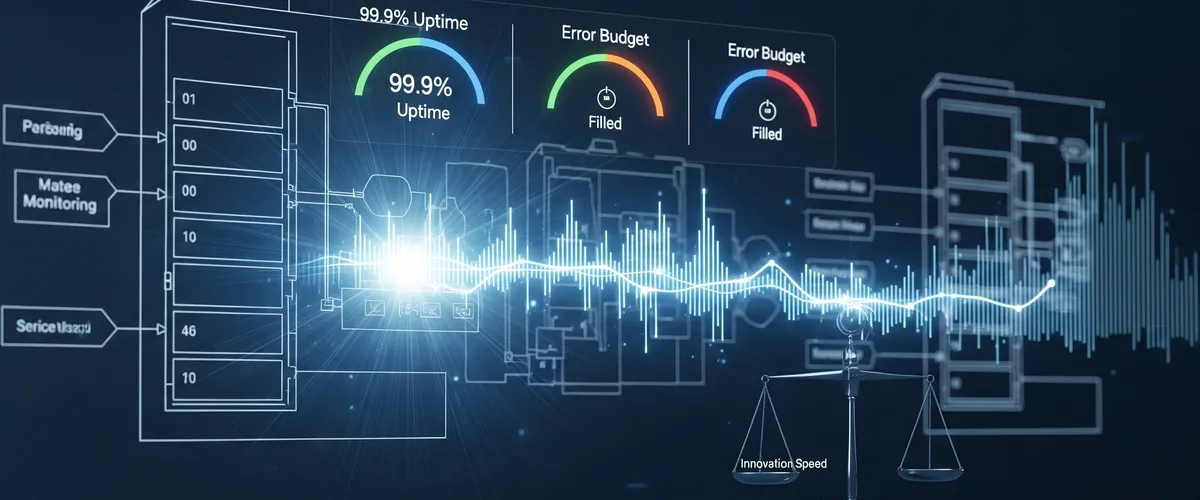
This is probably the main reason error budgets exist and their biggest benefit. They give you a structured, data-driven way to manage service levels, helping you find a good balance between quickly releasing new features and keeping your system super stable. If there’s “room” in the error budget, teams can take smart risks with new deployments, experiments, or feature rollouts. On the flip side, if the budget is used up or almost gone, it’s a clear sign to stop new development and focus on reliability. Without an error budget, trying for an impossible 100% reliability means you can never update or improve your service, because changes are often what cause outages. This leads to stagnation, and eventually, customers will look for other options.
Building shared ownership and alignment
Error budgets help all the right teams, development, operations, and product, understand and share responsibility for reliability. Reliability isn’t just “Ops’ problem” anymore. This shared language and data-driven way of making decisions really improve communication and get priorities and incentives aligned, encouraging teams to work together instead of pointing fingers. It helps avoid those chaotic “war rooms” and blame games that often happen when problems pop up without clear, agreed-upon reliability goals.
Enabling data-driven decision-making
SLOs and error budgets give you measurable data that directly guides and prioritizes engineering work. For instance, by figuring out how much a project might affect the error budget, companies can objectively decide which reliability improvement will help users the most. They’re early warning signs of customer happiness, letting you proactively prevent churn and fix issues before they make customers unhappy, instead of just reacting to things like Net Promoter Scores (NPS) or churn rates after the fact. When an error budget gets used up, it sends a clear, undeniable signal to switch focus from new features to fixing reliability right away.
Adopting SLOs and error budgets means a big change in how you operate, moving from just fixing problems (firefighting) to actively managing risks. Instead of waiting for customer complaints or huge system crashes, teams can watch how fast their error budget is being used up as an early warning. This lets them step in before the customer experience gets really bad, turning potential crises into manageable situations and creating a more stable, predictable environment for both users and the engineering teams supporting them.
How do you design effective SLOs and error budgets? A step-by-step guide
Setting up reliability targets needs a structured approach where everyone works together. Here’s a practical way to design SLOs and error budgets that really help your business.
Step 1: connect SLOs to business goals and critical user journeys (CUJs)
To make your SLOs really count, start by truly understanding how users interact with your service and what parts of that interaction are most important for their happiness and your business. Ultimately, SLOs should be all about making the customer experience better. This means figuring out which internal systems are critical, the ones that make money or that users interact with a lot, and separating them from the supporting ones. You should prioritize these services based on how much they directly impact the business, how often they’re used, if they bring in revenue, and how they connect with other important services.
Next, map out your Critical User Journeys (CUJs). These are the series of steps that make up a core part of a user’s experience and are essential to your service. For an e-commerce site, CUJs could be visiting the home page, searching for products, adding things to a cart, or finishing a purchase. Each step in a CUJ can have its own specific SLOs. Once you’ve identified critical systems, figure out the operational and financial costs if they don’t perform well. Work closely with your customer-facing teams to check this analysis and decide which reliability improvements to prioritize based on how they directly affect customers and revenue.
Here’s an example of how you might represent a Critical User Journey in code:
# Example of a Critical User Journey (CUJ) for an e-commerce platform# Each step represents a key interaction a user has with the service.
e_commerce_cuj = { "name": "Online Purchase Flow", "steps":}
print(f"Critical User Journey: {e_commerce_cuj['name']}")for step in e_commerce_cuj['steps']: print(f"- Step {step['id']}: {step['description']} (Target Latency: {step['expected_latency_ms']}ms, Target Error Rate: {step['expected_error_rate'] * 100}%)")Step 2: choose the right service level indicators (SLIs)
Pick measurable things that directly show what your users experience and how healthy your service is. The most common and effective choices are availability, latency, and error rate. A really good practice is to define SLIs as the ratio of “good events” to “total events”. This simple 0-100% scale fits perfectly with the idea of an error budget.
Make sure your SLIs are clearly defined and you can measure them accurately from your current systems. Potential data sources include application server logs, load balancer monitoring, black-box monitoring, or client-side instrumentation. When you’re starting out, you don’t need to define every single possible SLI. Instead, pick one application, clearly define its users, and choose a few relevant, easy-to-measure things to begin with. You can always refine and expand later.
Table 2: Example Service Level Indicators (SLIs) by Service Type
| Service Type | Common SLIs | Specific Example |
|---|---|---|
| User-facing Web Application | Availability, Latency, Error Rate | 99.9% of home page requests load in < 2 seconds. |
| API Service | Latency, Error Rate, Throughput | 99% of API requests return within 300 milliseconds. |
| Data Processing Pipeline | Freshness, Throughput, Correctness | Data ingestion rates of 5TB per day without degradation. |
| Storage System | Durability, Availability, Latency | 99.9999999% durability of data over a year. |
Step 3: set realistic SLO thresholds
It’s super important to get that aiming for 100% reliability is impossible and incredibly expensive. Systems are naturally complex, parts can and will break, and you often can’t control outside factors. Even more importantly, trying for absolute perfection means you can’t update or improve anything, because changes are often what cause outages. This makes your service stagnant and, strangely enough, leads to unhappy customers who will eventually look for more innovative options. Every extra “nine” in an SLO target (like going from 99.9% to 99.99%) means an exponential jump in the effort and cost to get there. If your SLOs are always being broken or always being met, they lose their meaning and don’t tell you anything useful about your application’s health.
Designing good SLOs isn’t about hitting the highest reliability number possible. Instead, it’s about finding that “just right” spot, the balance that makes users happiest while still being affordable and technically possible for your engineering team. This zone isn’t fixed; it changes and needs constant tweaking based on real performance data, evolving user feedback, and shifting business priorities. It turns setting SLOs into an ongoing optimization problem, not just a one-time fixed target.
Use your past performance data to set a baseline and create achievable goals. If you don’t have historical data, start with how things are performing now and plan to refine your targets as you gather more information. Don’t set SLOs higher than what’s truly necessary or meaningful for your users. For example, if users can’t tell the difference between a service responding in 300ms or 500ms, use the higher value as your latency threshold. The lower value costs more to meet, and users won’t even notice the difference.
An SLO specifies a period of time over which you’re measuring the SLI. Rolling windows (like a 30-day rolling average) are often better because they show a continuous user experience, making sure a big outage isn’t just forgotten when a new month starts.
Table 3: The “Nines” of Availability and Associated Downtime
| Availability Percentage | Allowed Downtime (per year) | Allowed Downtime (per month) |
|---|---|---|
| 99% (Two Nines) | 3 days, 15 hours, 36 minutes | 7 hours, 12 minutes |
| 99.9% (Three Nines) | 8 hours, 45 minutes, 36 seconds | 43 minutes, 12 seconds |
| 99.99% (Four Nines) | 52 minutes, 36 seconds | 4 minutes, 19 seconds |
| 99.999% (Five Nines) | 5 minutes, 15 seconds | 26 seconds |
| 99.9999% (Six Nines) | 31.5 seconds | 2.6 seconds |
Step 4: define your error budget policy
Your error budget is just the opposite of your SLO: 100% - SLO%. This policy is super important; it tells you what happens when your error budget is being used up or is almost gone. Without a clear policy, the error budget is just a number.
Common policy actions include:
- Alerting Thresholds: Define specific thresholds (e.g., 50%, 75%, and 90% consumption) at which teams should be automatically notified.
- Code/Feature Freeze: A common consequence is to halt new feature deployments until reliability improves and the service is back within its SLO.
- Reliability Sprints: Redirect engineering resources to focus solely on fixing stability issues and reducing the error rate.
- Mandatory Rollbacks: If recent changes are suspected culprits for the budget consumption, the policy might mandate rolling back those changes to a stable state.
The main goal of an error budget policy is to make your SLOs something you can actually act on. It turns the error budget from a passive number into an active way to control how you balance risk and innovation across your organization. The policy is also how an organization formally commits to a culture of reliability and shared responsibility, not just a set of technical rules. By clearly defining actions and consequences before problems hit, it removes confusion, cuts down on blame, and lets teams across different functions make tough choices between building new features and keeping systems stable. This helps create a proactive, collaborative culture where reliability is a shared, real goal, not just an operational burden for one team.
Here’s a Python function that illustrates how an error budget policy might work:
def check_error_budget_status(slo_percentage: float, current_error_rate_percentage: float) -> str: """ Checks the error budget status and suggests actions based on predefined policy thresholds.
Args: slo_percentage: The Service Level Objective percentage (e.g., 99.9). current_error_rate_percentage: The current error rate observed as a percentage (e.g., 0.15 for 0.15%).
Returns: A string indicating the status and suggested action. """ error_budget_percentage = 100.0 - slo_percentage
# Calculate how much of the error budget has been consumed # If current_error_rate_percentage is 0.15% and error_budget_percentage is 0.1%, # then consumption is 0.15 / 0.1 = 1.5 (or 150%) if error_budget_percentage == 0: # Avoid division by zero if SLO is 100% return "SLO is 100%, no error budget allowed. Any error means a breach."
consumption_ratio = current_error_rate_percentage / error_budget_percentage
if consumption_ratio >= 1.0: return "Error budget exhausted! Immediately prioritize reliability work and consider a code freeze." elif consumption_ratio >= 0.90: # 90% of budget consumed return "Error budget critically low (over 90% consumed). Alert all teams and prepare for reliability sprints." elif consumption_ratio >= 0.75: # 75% of budget consumed return "Error budget nearing depletion (over 75% consumed). Review recent changes and plan for reliability work." elif consumption_ratio >= 0.50: # 50% of budget consumed return "Error budget is at 50% consumption. Monitor closely and discuss potential reliability improvements." else: return "Error budget is healthy. Continue with planned feature development."
# Example usage:slo_target = 99.9 # 0.1% error budgetcurrent_errors_scenario_1 = 0.05 # 0.05% error ratecurrent_errors_scenario_2 = 0.08 # 0.08% error ratecurrent_errors_scenario_3 = 0.12 # 0.12% error rate (exceeds budget)
print(f"Scenario 1: {check_error_budget_status(slo_target, current_errors_scenario_1)}")print(f"Scenario 2: {check_error_budget_status(slo_target, current_errors_scenario_2)}")print(f"Scenario 3: {check_error_budget_status(slo_target, current_errors_scenario_3)}")Step 5: gain stakeholder agreement and document everything
For SLOs and error budgets to really work, everyone involved, product managers, development teams, and SREs, needs to agree on the proposed SLOs and the error budget policy. This makes sure everyone shares ownership and helps avoid “orphaned SLOs” or blame games when problems pop up.
Write down your SLOs and the related error budget policy somewhere prominent and easy to find. This documentation should include things like who wrote, reviewed, and approved it, a description of the service, how specific SLIs are implemented, and why certain targets were chosen. Set up a regular schedule for reviewing and adjusting SLOs and policies (like monthly when you start, then quarterly or yearly as your culture matures). This makes sure they stay relevant as business needs, user expectations, and system capabilities change.
The role of monitoring and observability
To keep track of and understand your service’s reliability, you need strong monitoring and observability practices. They give you the data and insights you need to make sure SLOs are met and error budgets are managed well.
Monitoring: the foundation of data collection
Monitoring means collecting numbers from your production systems to understand how they’re behaving. It involves gathering raw data like CPU usage, memory use, and how many requests are coming in. Its main jobs are to help you debug and to send alerts when you need to step in, making sure teams know about issues as they happen. Monitoring gives you the raw data that directly feeds into SLI calculations and forms the basis for tracking your error budget.
Observability: deeper insight into system state
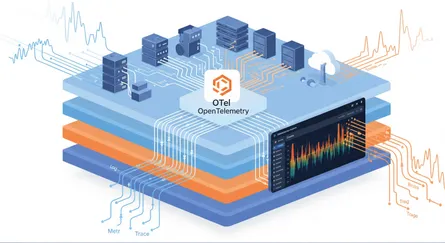
Observability goes beyond just basic monitoring. It’s about how well you can understand what’s going on inside a system by looking at what it puts out. The goal is to figure out the hidden internal causes from external signs using different kinds of data, often called “telemetry data”.
Telemetry data for observability:
- Metrics: quantitative measurements (raw, derived, or aggregated) that show system health and performance over specific time intervals. They are the direct input for SLIs.
- Logs: Detailed, timestamped textual records of events within a system. Logs are key for understanding chronological context and diagnosing the precise sequence of events that led to an issue.
- Traces: a full view of a data request’s lifecycle from its initiation to completion. Tracing, especially distributed tracing, matters most in complex microservices architectures where a single request might traverse multiple services. It pinpoints bottlenecks and dependencies.
Better observability directly means you can diagnose problems more effectively and fix them faster. It is the technical ability that turns SLOs from theoretical targets into practical, real-time control mechanisms. Without deep observability (metrics, logs, traces), teams might know they’ve broken an SLO, but they won’t have the context to quickly understand why it happened or how to fix it efficiently. This means observability is the essential bridge between knowing there’s a problem and solving it efficiently, which helps preserve your error budget and keep things reliable.
How monitoring and observability feed SLOs and error budgets
Monitoring systems gather the raw data you need to calculate SLIs (like counting successful requests or measuring latency). Observability tools then collect, connect, and analyze all this rich telemetry data, giving you deep insight into how your system behaves. This lets Site Reliability Engineers (SREs) track specific observability metrics, often called the “four golden signals” (latency, traffic, errors, and saturation), to have data-driven conversations about how healthy your product is. Those insights are what let you measure how well you’re meeting your SLOs and track error budget consumption in real time, so you get a clear picture of your service’s reliability status.
The connection between monitoring, observability, and SLOs creates a continuous, self-improving feedback loop. Data gathered through monitoring and made richer by observability shows you the real-time status of your SLIs against your SLOs. Breaches or high error budget burn rates kick off actions, guided by your established error budget policy. The results of these actions then feed back into the monitoring system, letting you continuously refine your SLO targets and make further system improvements. That ongoing loop is what produces lasting reliability and lets you adapt to changing user needs, system complexity, and business demands.
Proactive issue detection and root cause analysis
With strong observability tools in place, SRE teams can spot and fix system issues before they really affect users. This changes your approach from just reacting to problems (firefighting) to actively preventing them. Observability solutions let engineers quickly figure out the root cause of problems, often without needing a lot of manual testing or extra coding. Advanced AI-based observability functions can constantly watch incoming data, automatically find activities that go over set limits, and even perform a series of corrective actions, like running remediation scripts.
Managing your error budget: practical strategies for sustained reliability
Once you’ve defined your SLOs and error budgets, the next really important step is actively managing them. This means understanding how your budget is being used up and putting strategies in place to make sure you’re spending it wisely to keep things reliable.
Understanding and tracking error budget burn rate
It’s not enough to just define an error budget. Organizations need to actively track how fast it’s being used up, which is the “burn rate”. A burn rate above 1.0 means your budget is running out faster than planned, so your service is seeing more errors than you expected for that period. This burn rate acts as an early warning, telling you when a service’s customer experience is slipping or is about to get much worse. Tracking how fast your error budget is being used up is often more useful and actionable than just knowing how much is left. A high burn rate, even if you haven’t used up the whole budget, signals a problem that’s getting worse quickly and could soon affect customer satisfaction and, by extension, important business numbers like churn and revenue. It gives you an early warning, letting you step in before you fully breach an SLO, essentially turning technical performance numbers into direct, early signals of your overall business health.
Implementing effective alerting strategies
Set up automated alerts that go off when your error budget is almost gone. It’s common practice to tell teams when they’ve used up certain amounts, like 50%, 75%, and 90% of the budget.
You should set up alerts carefully to focus on actual user impact and avoid false alarms, which can lead to “alert fatigue” and make teams ignore real problems. These alerts should also be linked to clear steps for fixing things or automated runbooks. This makes incident response smoother, so teams know exactly what to do when an alert goes off.
Decision-making frameworks for prioritizing reliability work
When your error budget is almost gone or completely used up, your pre-defined error budget policy should automatically kick in. This usually means you’ll prioritize fixing critical reliability issues over rolling out new features. The budget acts as a clear signal to change your focus.
Actions might include:
- Code/Feature Freezes: Halting new feature deployments until reliability improves and the service is back within its SLO.
- Reliability Sprints: Redirecting dedicated engineering resources to focus solely on stability work and reducing the error rate.
- System Rollbacks: Reverting to a previous stable version if recent changes are identified as the cause of the budget consumption.
The error budget helps you measure how big an incident was (for example, “this outage used up 30% of my quarterly error budget”), which is super valuable for finding critical incidents to investigate deeply and for deciding which reliability projects to tackle next. The error budget turns that often-abstract tension between “moving fast and breaking things” and “keeping things stable” into a measurable, negotiable resource. It gives product, development, and SRE teams a common, data-driven language to have objective talks about risk, investment, and priorities. Instead of emotional debates, teams can look at the remaining budget to decide whether to push a new feature or stop releases to fix reliability problems. This helps create a more mature, collaborative, and accountable decision-making process across the whole organization.
Considerations for planned maintenance windows
Scheduled maintenance, even though it’s necessary, can eat into your error budget. It’s important to plan for this. You should strategically plan maintenance windows to happen when user activity is low, to minimize negative effects on users and save your budget. Past traffic data can help you schedule this. You should communicate maintenance windows effectively and transparently to users and stakeholders. This manages expectations and keeps people from getting too upset, even if there’s a temporary service disruption. For critical services, think about explicitly including planned maintenance downtime in your error budget during business hours as a strategic business decision, so it’s accounted for and managed.
Common pitfalls and how to avoid them
Putting SLOs and error budgets in place can really boost reliability, but companies often run into common traps that make them less effective. Knowing the traps, and the practices that avoid them, is what makes the difference.
Common pitfalls
- Defining too many SLOs: Having too many SLOs for one service can overwhelm teams and pull their focus away from the things users actually notice. Engineers often find it hard to decide which SLOs are “must-dos” versus “nice-to-dos,” which wastes their valuable time. Google suggests sticking to a manageable 3-5 critical SLOs per user journey.
- Setting unrealistic reliability targets: Trying for extremely high SLOs, like 99.999% or even 100% reliability, is often impractical and incredibly expensive. Such high targets leave almost no error budget for important activities like adding features, deploying new hardware, or scaling to meet customer demand, which can make your service stagnate. If your SLOs are always being broken or always being met, they lose their meaning and don’t tell you anything useful about your application’s health.
- Lack of ownership or accountability: When upper management creates SLOs without enough buy-in from the development, operations, and SRE teams, it can lead to “orphaned SLOs” and chaotic “war rooms” full of finger-pointing and blame when things go wrong. A broken SLO without a clear owner will likely take longer to fix and is more likely to happen again.
- Using SLOs reactively instead of proactively: Many companies adopt SLOs just because it’s a trend, without fully understanding the business goal behind it. In those cases, IT teams might only pay attention to SLOs when they’re violated, leading to a reactive scramble to fix things. This reactive approach really lessens the value SLOs bring to keeping applications healthy, reliable, and resilient, and it doesn’t stop similar problems from happening again, wasting valuable developer time.
- Not performing service decomposition: In really complex systems, if you don’t break down the technical architecture into simpler, manageable parts before defining SLOs, you can end up with unrealistic goals and it becomes super hard to find the root cause when an SLO is breached. For example, a “checkout success rate” SLO might be breached, but without decomposition, the team won’t know if the problem is with the frontend, the payment gateway, or the inventory database.
- Ignoring error budgets or lacking a clear policy: Treating error budgets as an afterthought, or not having a clear policy for what to do when the budget is used up, leads to big problems in reliability efforts. Without a clear policy, teams don’t have clear guidance on what to do when the service runs out of its allowed unreliability.
Best practices to avoid the pitfalls
- Keep it short and simple (the KISS principle): Focus on a few really relevant, measurable, and critical metrics (like availability, latency, and error rate) that directly affect the user experience. Don’t make things more complicated than they need to be.
- Start small and iterate: Begin by defining SLOs for just one, high-impact application. Figure out its users and their main interactions, map out its high-level architecture and dependencies, and then slowly expand your SLO coverage. Your first SLI/SLO doesn’t have to be perfect; the goal is to get something working and learn from it.
- Align with business objectives regularly: Set up a regular review schedule to continuously check and adjust your SLOs (like monthly, quarterly, or semi-annually). During reviews, think about whether the SLO still matches user needs, if it’s realistic based on past data, and if any changes in performance or traffic mean you need to update it.
- Build on metrics history: Use historical data to see how your system has performed over time and spot trends like seasonal traffic spikes, increasing user load, or performance getting worse. Setting targets based on history stops you from overcommitting to goals that could strain resources or frustrate your teams.
- Build SLO observability: Gather rich telemetry data (Metrics, Events, Logs, and Traces) to figure out user-centric SLOs and enable proactive anomaly detection. Set up dashboards and reports to track performance against SLOs, customized for your audience, scope, and requirements.
Frequently Asked Questions
Key Performance Indicators (KPIs) are bigger business numbers that measure the overall success of a company or project, like customer satisfaction scores, revenue growth, or market share. SLOs, on the other hand, are specific, technical targets for how your service performs that directly contribute to those bigger KPIs. While a KPI might be “increase customer retention by 5%,” an SLO would be “99.9% availability of the login service,” which directly helps with customer retention. SLOs are actionable and directly guide engineering decisions, while KPIs are often lagging indicators that show the result of many underlying factors.
A negative error budget means your service has used up more than its allowed error budget and isn’t meeting its Service Level Objective. This means the service hasn’t been as reliable as you agreed it should be. When this happens, it’s a clear sign to immediately prioritize reliability work. Common actions include pausing new feature deployments (a “code freeze”), redirecting engineering resources to fix the underlying issues, or even performing system rollbacks if recent changes are suspected culprits. A negative error budget means you need to do a postmortem analysis to understand why it happened and take corrective actions to get things stable again and rebuild your budget.
Yes, SLOs can definitely be too strict or too loose, and both can cause problems. If SLOs are too strict (like aiming for 100% reliability), they become impossible to meet, lead to constant violations, burn out engineering teams, and stop new ideas by leaving no room for change or trying new things. On the other hand, if SLOs are too loose (like 89% availability for a critical customer-facing service), they become meaningless because they’re either always met despite a bad user experience, or they allow for unacceptable downtime that hurts customers and business goals. The goal is to find that “just right” spot where SLOs are challenging but achievable, match user expectations, and give you meaningful signals for what to do.
Conclusion
Designing and putting SLOs and error budgets into practice is a strategic must-have for any organization that wants to deliver reliable services and keep innovating sustainably. These tools give you a measurable language for reliability, turning abstract goals into targets you can act on. By carefully defining SLIs, setting realistic SLOs, and creating clear error budget policies, businesses can align technical efforts with their big-picture business goals, give teams shared ownership, and move from just reacting to problems to actively managing risks.
The path to mature reliability practices is ongoing. It needs consistent monitoring, deep observability, and a commitment to continuous improvement. Adopting SLOs and error budgets lets organizations make smart, data-driven decisions about where to put their engineering time and resources, so customer satisfaction stays top of mind while they still deliver new features quickly. Followed properly, this blueprint gives you a service that is more stable and more predictable, and a team that can still ship.
References
- Defining SLO: Service Level Objective Meaning - Google SRE, accessed on June 6, 2025, https://sre.google/sre-book/service-level-objectives/
- Implementing SLOs - Google SRE, accessed on June 6, 2025, https://sre.google/workbook/implementing-slos/
- Understanding Error Budgets: Balancing Innovation and Reliability - PFLB, accessed on June 6, 2025, https://pflb.us/blog/understanding-error-budgets-balancing-innovation-reliability/
- SLI, SLO, SLA, Error Budget - A Primer, accessed on June 6, 2025, https://bala-krishnan.com/posts/19-sli-slo-sla/
- SLOs, SLIs, and SLAs: Meanings & Differences | New Relic, accessed on June 6, 2025, https://newrelic.com/blog/best-practices/what-are-slos-slis-slas
- Understanding SLAs, SLOs, SLIs and Error Budgets - Stytch, accessed on June 6, 2025, https://stytch.com/blog/understanding-slas-error-budgets
- The Comprehensive Guide on SLIs, SLOs, and Error Budgets, accessed on June 6, 2025, https://www.blameless.com/the-comprehensive-guide-on-slis-slos-and-error-budgets
- Understanding Error Budgets And Their Importance In SRE - Netdata, accessed on June 6, 2025, https://www.netdata.cloud/academy/error-budget/
- Common SLO pitfalls and how to avoid them - Dynatrace, accessed on June 6, 2025, https://www.dynatrace.com/news/blog/common-slo-pitfalls-and-how-to-avoid-them/
- Reliability, monitoring, observability | Nobl9 Documentation, accessed on June 6, 2025, https://docs.nobl9.com/slocademy/before-we-begin/reliability-observability-monitoring