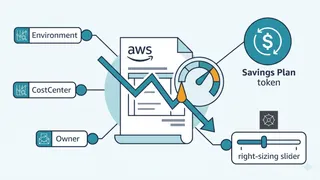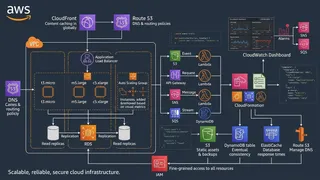
The cloud offers amazing flexibility and scalability, letting businesses innovate and grow super fast. But if you’re not careful, those benefits can quickly lead to surprisingly high bills. Lots of companies end up paying for stuff they don’t even use, which is a huge waste. Businesses often waste about 32% of their cloud money on things like having too much capacity, idle resources, or inefficient setups. This really shows something important about using the cloud: AWS’s dynamic, pay-as-you-go style, while flexible, can also make your costs spiral if you don’t manage it smartly. It’s about more than cutting costs. It’s about making sure every dollar you spend in AWS actually brings real value to your business.
Think of AWS cost optimization as an ongoing journey, not a quick fix. It means smartly cutting down AWS costs while making sure your apps still run great, stay secure, and are reliable. The goal is to get the most out of your cloud investments, making sure every dollar spent lines up with your business goals and helps fund new growth. This bigger picture turns cost optimization from just a tech task into something vital for the business. It calls for a complete, proactive approach instead of cutting costs only when things get bad. This guide will walk you through practical, cost-focused cleanup strategies for your AWS setup. We’ll look at how to spot unnecessary spending, go through specific cleanup actions for common AWS services, show you how to automate these efforts for long-term savings, and share tips for building a cost-aware culture.
Why does AWS cost optimization matter so much?
AWS cost optimization is all about making smart choices to get the most value from your cloud investment. It’s an ongoing process of finding and cutting down wasteful spending, underused resources, and low returns on your IT budget. This means making processes smoother, getting your workloads to run better, and using automation to manage resources efficiently. Ultimately, it lowers cloud costs while still giving you great performance. The official AWS docs point out several benefits, like flexible purchase options through AWS Free Tier, volume discounts, Savings Plans, Reserved Instances, and Spot Instances. They also note better resource use and flexible provisioning for changing demand, all of which help you get a better price for the performance you get.
Common sources of cloud waste: the hidden drains
Even with the pay-as-you-go model, if you don’t keep an eye on your resource usage, you’ll often end up with unexpected costs. The main reasons for high AWS bills are often subtle, slowly building expenses that can quietly drain your budget. These often go unnoticed but add to your bill every single hour.
- Underused compute instances: Many EC2 instances are too big for what they need, meaning companies pay for way more CPU or memory than they actually use. AWS Trusted Advisor often points out instances running below 10% CPU use, which tells you they’re too big.
- Paying for unused resources: This is a big source of waste. Things like Elastic Block Store (EBS) volumes, snapshots, and load balancers can stay active and cost you money even when they’re not attached to anything or handling traffic. For example, unassociated Elastic IPs cost money every hour if you’re not using them. Companies often forget to delete these inactive parts, which slowly builds up wasteful spending.
- Ignoring discounted pricing models: If you’re not using Spot Instances (which can save you up to 90%), Reserved Instances (up to 75% savings), or Savings Plans (up to 72% savings) for predictable or fault-tolerant workloads, you’re just leaving money on the table.
- Inefficient auto scaling: If your auto-scaling policies aren’t set up just right, they can create too many instances, adding resources you don’t need.
- Suboptimal storage management: Using expensive storage for data you don’t access often, or not deleting old snapshots, can really make your storage costs jump.
- Inefficient data transfer: Unoptimized data transfer, especially moving data between regions or out to the internet, can lead to high bandwidth fees.
The pay-as-you-go model, which gives you amazing agility and flexibility by letting you scale resources dynamically, also means you get charged for every active resource, even if it’s just sitting there doing nothing. This dynamic nature makes cloud expenses tricky and hard to track without a clear plan. So, managing costs effectively takes ongoing effort and needs to be part of your daily operations, not just a one-time checklist.
How can I spot unnecessary spending in AWS? (visibility and detection)
Before you can clean anything up, you need to know what to clean. Seeing where your money goes is the first step to managing costs well. AWS gives you built-in tools to help you clearly see your cloud spending and usage. Using these tools together gives you a complete way to find waste.
AWS Cost Explorer: your financial compass
Cost Explorer is a main tool for seeing your AWS spending and usage with easy-to-understand graphs and charts. It lets you see where your money’s going, breaking down costs by services, accounts, regions, and even custom tags. This helps you pinpoint exactly what’s driving your costs.
You can filter and group data by things like service, region, tags, and usage types. This detailed control helps you understand how and where resources are being used, and, importantly, find underused resources.
Cost Explorer uses your past usage data to predict future costs for up to 12 months. This forecasting ability is super valuable for planning budgets and allocating resources, so you avoid unexpected financial burdens. This ability to see future costs coming and catch unexpected spikes before they become big problems helps you move from just reacting to issues to proactively managing your finances.
Plus, you can set up alerts to spot unusual spending patterns, like a sudden jump in EC2 costs. This lets you investigate and fix things quickly, keeping your cloud spending on budget.
AWS Trusted Advisor: your automated auditor
Trusted Advisor acts like an automated cloud consultant, checking your environment for cost optimization, security, performance, and fault tolerance. It’s especially good at flagging common cost problems:
- Idle resources: This includes things like orphaned EBS volumes, idle Load Balancers, and unassociated Elastic IPs, which keep costing you money.
- Underused instances: Trusted Advisor can find EC2, RDS, or Redshift instances running below 10% CPU use, which means they’re too big.
- Unused Reserved Instances: It helps find RIs that aren’t being used much, so you get the most out of your commitment savings.
AWS Compute Optimizer: smart sizing recommendations
This tool uses machine learning to look at how you’ve used resources in the past, like EC2 instances, EBS volumes, and Lambda functions. Then, it suggests the best setups to cut costs without hurting performance. For instance, it might suggest moving to a smaller EC2 instance type if your current one is consistently underused.
What are the main cleanup strategies for AWS services? (actionable steps)
Once you can see your spending clearly, it’s time to act. Cleanup strategies mean going after specific types of waste across different AWS services. It’s important to remember that resources are connected, and deleting something without thinking about what it depends on can leave other resources running (and costing you money) or even lead to data loss. So, you need a cleanup approach that’s phased and aware of those dependencies.
EC2 instances: right-sizing and smart scheduling
- Right-sizing: This means making sure your compute resources (like CPU, memory, storage, and network speed) perfectly match what your application actually needs. Paying for a bigger instance than you need just costs you extra money. Regularly looking at how you use things and adjusting instance sizes helps you avoid having too much capacity. AWS Compute Optimizer can help suggest the right size.
- Automated shutdown for non-production environments: For development, testing, or batch processing, you can save a lot by turning off instances during off-hours (like nights, weekends, and holidays). This can cut operating costs by up to 70%.
- Using CloudWatch alarms: You can set up CloudWatch alarms to automatically shut down instances if they’re inactive. For example, an alarm can stop an instance if its CPU use stays below 3% for an hour. You have to be careful not to stop important background tasks that use little CPU; it’s a good idea to look at other metrics like network activity too.
- Using AWS Lambda with EventBridge: For scheduled or batch processing of many instances, Lambda functions kicked off by EventBridge schedules are super efficient. You can tag instances for automatic shutdown, and a Lambda function can stop them at a specific time.
- Using Spot Instances for flexible workloads: Spot Instances give you huge discounts (up to 90% off On-Demand) for workloads that can handle interruptions, like batch jobs. They’re perfect for batch jobs, data analysis, or training AI models. Before you use them, it’s important to figure out if your workload can handle being interrupted.
EBS volumes: deleting the unattached
Unused (unattached) EBS volumes keep costing you money even after their EC2 instances are gone. These are a common reason for unnecessary spending.
- Finding unused volumes: You can find these in the AWS EC2 dashboard by looking at the “State” column for volumes marked “available”. The AWS CLI command aws ec2 describe-volumes —filters Name=status,Values=available also works really well.
- Safely deleting unused volumes:
- Snapshotting before deletion (optional but recommended): Always think about creating a snapshot of the volume before deleting it, just in case you need the data later. Amazon Data Lifecycle Manager can automate creating snapshots.
- Deletion: Once you’ve taken a snapshot (or if you don’t need one), you can delete the volume using the EC2 console or the AWS CLI
aws ec2 delete-volume --volume-id [volume-id].
- Automating cleanup with Lambda/CloudFormation: For ongoing optimization, automate cleaning up unattached EBS volumes. A Lambda function, deployed through CloudFormation, can find and delete these volumes based on their “available” state. This makes sure your environment stays optimized without you having to do it by hand.
S3 storage: tiering and lifecycle management
AWS has different S3 storage options, each with its own performance and cost. To optimize storage costs, you need to match how often you access data to the right storage tier.
- S3 Intelligent-Tiering: This service automatically moves data to the cheapest storage tier based on how often it’s accessed, without affecting performance at all. It’s a “set it and forget it” solution for data access that changes over time.
- Lifecycle policies: For data you access predictably, lifecycle policies work well. You can set rules to:
- Move infrequently accessed data: Automatically move objects to cheaper storage tiers like S3 Infrequent Access (S3 IA), S3 Glacier, or S3 Glacier Deep Archive after a certain number of days. S3 Analytics can help you find usage patterns and suggest moving data.
- Delete expired objects and delete markers: For buckets with versioning turned on, lifecycle rules can permanently delete old versions of objects and even clean up “expired object delete markers”. This is super important for avoiding charges for old versions or metadata.
RDS databases: stopping idle and resizing
Idle RDS instances can really drain your budget.
- Finding and stopping idle RDS instances: Trusted Advisor’s “RDS Idle DB instances check” points out databases that haven’t had any connections for seven days. You can then stop these instances using the AWS Management Console or AWS CLI. Stopping an instance saves money, but deleting it means losing data, so you need to think carefully.
- Resizing instances: If an RDS instance isn’t being used much but you still need it, making it smaller and cheaper can cut costs without losing data. This takes your database offline for a bit, so you’ll need to plan for that.
- Considering serverless RDS: For workloads that have unpredictable or bursty demand, Amazon Aurora Serverless can automatically scale down to almost no cost when it’s idle, making it super cost-efficient.
Load balancers and Elastic IPs: cutting the idle fat
- Deleting unused load balancers: Idle Load Balancers, especially ones not sending traffic or with very few requests (less than 100 over seven days), cost you money every hour. Trusted Advisor can find these. You can delete them through the EC2 console. It’s important to remember that deleting the load balancer doesn’t stop the EC2 instances connected to it.
- Releasing unassociated Elastic IPs: Elastic IP addresses cost money if they’re not connected to a running instance. Regularly checking for and releasing any unassociated EIPs helps you avoid these charges. Cloud Custodian has policies for this.
Orphaned resources: a broader cleanup
Beyond the obvious, many other resources can become “orphaned”, meaning they’re no longer attached, referenced, or actively used but are still running.
- Snapshots and AMIs: Manual snapshots, especially after you delete an instance, can stick around and cost you money. Likewise, old AMIs can take up storage. AWS now has a feature that automatically deletes the EBS snapshots linked to an AMI when you deregister it, which makes cleanup simpler. This shows how AWS tools are moving towards built-in cleanup automation.
- Security groups and network interfaces: Unused security groups can be a security risk and just clutter up your environment. Orphaned Elastic Network Interfaces (ENIs) also cost you money.
- Using AWS Config rules for detection: AWS Config can constantly check your resource setups. Managed rules like
ec2-volume-inuse-checkorelastic-ip-attachedcan automatically find common orphaned resources. For more complex situations, you can use custom Config rules with Lambda functions to find resources that have been unattached for a certain amount of time.
The following table summarizes common sources of AWS waste and their corresponding cleanup strategies:
Table 1: Common AWS Waste & Cleanup Strategies
| AWS Service | Common Waste Type | Cleanup Strategy | Key Tool/Method |
|---|---|---|---|
| EC2 | Underutilized/Idle Instances | Right-sizing & Automated Shutdown | Cost Explorer, CloudWatch, Lambda, EventBridge, Compute Optimizer |
| EBS | Unattached Volumes | Identify & Delete (with snapshots) | Trusted Advisor, CLI, Lambda, CloudFormation |
| S3 | Infrequently Accessed Data | Lifecycle Policies & Intelligent-Tiering | S3 Intelligent-Tiering, S3 Lifecycle Policies, S3 Analytics |
| RDS | Idle Databases | Stop Idle & Resize | Trusted Advisor, Console, CLI, Aurora Serverless |
| Load Balancers | Unused Load Balancers | Delete | Trusted Advisor, Console, CLI, Cloud Custodian |
| Elastic IPs | Unassociated EIPs | Release | Trusted Advisor, Console, CLI, Cloud Custodian |
| General | Lingering Snapshots, AMIs, Security Groups, ENIs | Config Rules & Automated Deletion, New AMI Feature | AWS Config, New AMI Feature, Cloud Custodian |
How can I automate my AWS cleanup efforts? (efficiency and scale)
Doing cleanup by hand is a good start, but for ongoing and effective cost optimization, automation is a must. Automation lets you scale your efforts, cut down on human error, and make sure your cost policies are applied consistently. It’s absolutely necessary for cost optimization that can grow with your needs. As your AWS environment gets bigger, tasks that used to be simple can get complicated. Automation makes it easy to scale, so you keep things efficient and secure no matter how large your AWS setup gets. It’s vital for keeping your costs tidy, like with scheduled shutdowns and snapshot cleanup.
AWS Lambda and EventBridge: event-driven cleanup
These services pair well for serverless, event-driven automation. Lambda functions can run code when different things happen, like on a schedule (through EventBridge) or when a resource’s state changes. For cleanup, this means:
- Scheduling regular scans: EventBridge can kick off a Lambda function on a schedule (like daily or weekly) to scan for and clean up idle resources such as EC2 instances or unattached EBS volumes.
- Responding to resource changes: Lambda can, in theory, respond to events like
TerminateInstancesorDeleteDBInstanceto trigger follow-up cleanup. For example, you can set up a Lambda function to find EC2 instances tagged for auto-stop and shut them down at a specific time every day. Another example is automatically deleting unattached EBS volumes using a Lambda function deployed through CloudFormation.
AWS Systems Manager: maintenance windows, Run Command, custom scripts
AWS Systems Manager gives you one place to handle operational tasks, including automation and cleanup.
- Maintenance Windows: These let you set specific times for maintenance tasks, including cleaning up resources, without interrupting important services. You can schedule these windows, and register target resources using tags.
- Run Command: Inside a Maintenance Window, you can assign tasks using “Run Command”. This lets you run scripts or AWS-provided automation documents on EC2 instances.
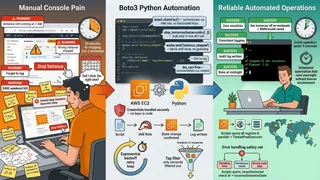
- Custom scripts (Boto3): For unique cleanup needs, you can write custom scripts, often in Python using the Boto3 AWS SDK. These scripts can find and delete unused resources like ELBs, EC2 instances, or EBS volumes. Then, you package the scripts as SSM Documents (YAML or JSON) and run them through Systems Manager.
- Monitoring: Systems Manager sends execution logs to CloudWatch, so you can keep an eye on how your cleanup tasks are doing. You can even set up CloudWatch Alarms and SNS notifications for when tasks succeed or fail.
Cloud Custodian: an open-source policy engine for governance and cleanup
Cloud Custodian is an open-source tool that lets you define policies (in YAML) to manage your AWS resources. It can query, filter, and act on resources for cloud security and governance.
- Policy-driven automation: Instead of writing complicated scripts, you define rules, like “delete unattached EBS volumes” or “terminate unused databases with no connections”. Cloud Custodian then automatically makes sure these policies are followed.
- Examples of cleanup policies: Cloud Custodian offers a wide range of policies for different services:
- EBS: Policies like “Garbage Collect Unattached Volumes” and “Delete Unencrypted”.
- EC2: “Offhours Support” for scheduled stopping, and “Terminate Unpatchable Instances”.
- RDS: “Delete Unused Databases With No Connections” and “Terminate Unencrypted Public Instances”.
- S3: “Add Lifecycle Policy on Bucket Delete” and “Block Public S3 Object ACLs”.
- Elastic IPs: “Garbage Collect Unattached Elastic IPs”.
- Security Groups: Policies to make sure “Unused security groups are removed”.
- Load Balancers: “Delete Unused Elastic Load Balancers”.
- Benefits: Cloud Custodian gives you a clear way to manage cloud hygiene, and it keeps compliance and cost optimization in force across big, complex environments.
The range of automation solutions, from AWS tools like Lambda/EventBridge and Systems Manager to open-source options like Cloud Custodian, shows there isn’t just one “best” automation tool. Instead, you’ve got a whole spectrum of options, letting you build a layered automation strategy that fits your organization’s specific needs, current skills, and how much control and flexibility you want.
Table 2: AWS Cost Optimization Tools at a Glance
| Tool Name | Primary Function | Benefit for Cleanup/Optimization |
|---|---|---|
| AWS Cost Explorer | Cost Visualization & Forecasting | Identifies cost drivers, anomalies, underutilized resources |
| AWS Trusted Advisor | Automated Best Practice Checks | Flags idle/underutilized resources, unused RIs |
| AWS Compute Optimizer | Resource Sizing Recommendations | Recommends optimal instance/volume sizes |
| AWS Lambda | Serverless Event-Driven Compute | Automates scheduled/event-driven cleanup scripts |
| Amazon EventBridge | Serverless Event Bus/Scheduler | Triggers Lambda functions for scheduled cleanup |
| AWS Systems Manager | Operational Management & Automation | Orchestrates cleanup tasks via Maintenance Windows/Run Command |
| Cloud Custodian | Policy-as-Code Governance | Automates policy enforcement for cleanup across services |
What are the best practices for sustainable cost optimization? (long-term success)
Cost optimization means building a cost-aware mindset and practices throughout your whole organization, not just applying a few quick fixes. This makes sure your savings last and grow over time.
Building a FinOps culture: shared responsibility and cost awareness
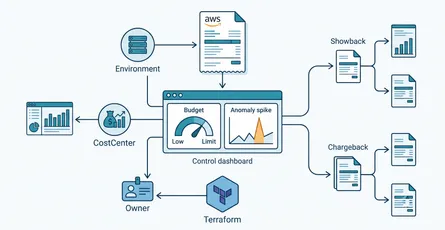
Cloud Financial Management (FinOps) is a smart approach that gets everyone, from finance to engineering, involved in understanding and managing cloud costs. It builds a culture where technical decisions are made with an eye on the cost. When engineers get what things cost, they can build solutions that save money. This is a big cultural shift, bringing financial responsibility into technical decisions. Clearly defining who owns cloud spending and regularly sharing cost reports with your technical and business teams is super important.
Tagging strategy: allocating costs effectively
Having a consistent tagging strategy for all your AWS resources from day one is incredibly important. Tags (which are just key-value pairs) let you categorize and track costs by project, department, team, or environment. This detailed allocation helps you pinpoint what’s driving costs, assign spending to specific business units or projects, and make decisions based on real data. Cost Explorer’s filtering and grouping features really depend on good tagging.
Continuous monitoring and iteration: making optimization an ongoing process
Cost optimization is something you can measure, and it’s an ongoing process. Regularly checking and analyzing usage with tools like AWS Cost Explorer helps you find new opportunities. Tracking how cost-efficient you are over time, and comparing past and current spending, helps you pinpoint inefficiencies. Dealing with cost anomalies quickly and tracking how your optimization efforts impact things is vital. This ongoing improvement makes sure every dollar you spend drives business value.
Security considerations: balancing cost savings with operational stability and security
While cutting costs is super important, it should never come at the cost of security or keeping things running smoothly. This means a delicate balancing act between “security” and “cost.”
- Principle of Least Privilege (PoLP): When cleaning up IAM roles or access keys, it’s vital to make sure you don’t remove permissions that are essential for critical operations. Giving only the minimum permissions needed is a fundamental security practice.
- Data loss prevention: Be careful with deletions. For EBS volumes or RDS instances, think about creating final snapshots before permanently deleting them. This helps prevent accidental data loss.
- Impact assessment: Before you automate any cleanup, thoroughly review your workload patterns to avoid accidentally stopping critical systems. Understanding how resources depend on each other matters to prevent unexpected operational problems.
- Secure automation: It’s critical to make sure that IAM roles used by automation tools (like Lambda or Systems Manager) only grant the permissions they need for their tasks. Setting up security groups and Network Access Control Lists (NACLs) tightly makes things even more secure. Any cost optimization strategy needs to include a strong risk assessment and security review process to make sure that saving money doesn’t compromise the integrity, availability, or confidentiality of your cloud resources.
Frequently asked questions (FAQs)
Cost optimization should be an ongoing process, not a one-time thing. While checking for anomalies daily with tools like Cost Explorer is helpful, you should do a deeper review of cost reports and optimization recommendations at least weekly or monthly. This lets you track trends, find new inefficiencies, and make sure your cleanup strategies are working well. Consistent, regular review is what keeps you in control of your cloud spending.
Deleting resources you truly don’t use is one of the quickest ways to save money. But you really need to be careful. The main risks are:
- Accidental data loss: For things like EBS volumes or RDS instances, deleting them without taking a final snapshot can mean losing your data forever. Always take a snapshot first if you’re unsure whether you’ll need the data later.
- Operational impact: Deleting a resource that you actually still need (even if it’s idle) or that has hidden dependencies can break your applications or services. For instance, deleting a load balancer doesn’t automatically stop the EC2 instances connected to it.
- Security gaps: If you delete IAM roles or security groups incorrectly, you could accidentally create security holes or break legitimate access.
Always double-check that a resource is truly unused, understand what it depends on, and have a rollback plan (like snapshots) before deleting it.
Yes, if automation isn’t carefully designed and tested, it can definitely lead to accidental deletions or unexpected problems. This is a big concern. To reduce this risk:
- Thorough testing: Always test your automation scripts and policies (like Lambda functions or Cloud Custodian policies) in non-production environments first.
- Granular permissions: Make sure the IAM roles your automation uses follow the principle of least privilege, giving them only the permissions they absolutely need for their tasks.
- Grace periods and notifications: Put in grace periods before deletion (for example, mark for deletion, then delete after X days) and set up notifications (like via SNS) to alert teams before resources are removed.
- Tagging: Use tags to precisely target resources for automation, so you don’t accidentally mess with critical resources.
- Monitoring and logging: Turn on detailed logging and monitoring (like CloudWatch Logs for Systems Manager/Lambda) to track what your automation is doing and quickly spot any issues.
These are all pricing models that give you discounts, but they’re for different situations:
- Reserved Instances (RIs): Best for predictable, steady workloads. You commit to a specific instance type and region for 1 or 3 years, saving up to 75% compared to On-Demand pricing. They’re less flexible if your needs change.
- Savings Plans: More flexible than RIs, they offer similar discounts (up to 72% for compute) but apply across different instance types, regions, and even services (like EC2, Lambda, Fargate). You commit to a consistent hourly spend (say, $10/hour for 1 or 3 years) instead of specific instance setups. They’re great for predictable compute usage with a bit of flexibility.
- Spot Instances: These offer the biggest discounts, up to 90% off On-Demand pricing. They’re perfect for workloads that can handle interruptions, like batch jobs, data analysis, or training AI models. But AWS can take these instances back with short notice.
Conclusion
AWS cost optimization is about more than cutting expenses. It turns your cloud spending into a way to grow your business and innovate. AWS’s flexibility, while a huge plus, also brings a challenge: “silent drains” from underused and idle resources that can quietly pile up significant costs. Tackling these requires a proactive and ongoing approach.
Getting good at cost optimization really depends on having clear visibility, using tools like AWS Cost Explorer, Trusted Advisor, and Compute Optimizer to spot waste and find opportunities. Once you’ve found the waste, targeted cleanup strategies across services like EC2, EBS, S3, and RDS are where the savings come from. This means going beyond just deleting things to include right-sizing, smart tiering, and lifecycle management. The way AWS’s own tools are changing, like S3 Intelligent-Tiering and automated AMI snapshot deletion, shows a clear move towards building cleanup right into the platform, which leaves less work for you.
For long-term success that sticks, automation is a must, not just a nice-to-have. Solutions from native AWS Lambda and Systems Manager to open-source Cloud Custodian let organizations enforce policies widely, cut down on human error, and keep costs tidy all the time. This range of automation approaches lets organizations build a layered strategy that fits their specific needs.
Ultimately, getting AWS cost optimization right means a cultural shift towards FinOps, where everyone thinks about costs in every technical decision. This, along with a consistent tagging strategy and continuous monitoring, forms the foundation of a cost-efficient cloud environment. Importantly, all your optimization efforts need to balance security and keeping things running smoothly, making sure that saving money doesn’t accidentally create risks or mess with your business operations. Organizations that put these ideas in place get the most out of their AWS investments, and the costs that used to hide become spending they chose.
References
- AWS Cost Optimization | AWS Cloud Financial Management, accessed on June 6, 2025, https://aws.amazon.com/aws-cost-management/cost-optimization/
- AWS Cost Optimization - How AWS Pricing Works, accessed on June 6, 2025, https://docs.aws.amazon.com/whitepapers/latest/how-aws-pricing-works/aws-cost-optimization.html
- AWS Cost Optimization: Strategies, Tools, and Best Practices | B EYE, accessed on June 6, 2025, https://b-eye.com/blog/aws-cost-optimization/
- AWS Cost Explorer: Basics, Use Cases, and Best Practices, accessed on June 6, 2025, https://www.prosperops.com/blog/aws-cost-explorer/
- Reduce IT costs by implementing automatic shutdown for Amazon EC2 instances, accessed on June 6, 2025, https://aws.amazon.com/blogs/publicsector/reduce-it-costs-by-implementing-automatic-shutdown-for-amazon-ec2-instances/
- Delete Unattached & Unused EBS Volumes in AWS | nOps, accessed on June 6, 2025, https://www.nops.io/unused-aws-ebs-volum/
- Automated Solution to Delete Unused EBS Volumes | AWS re:Post, accessed on June 6, 2025, https://repost.aws/fr/articles/ARjBj8O2SUTt2SX795RZOgQQ/automated-solution-to-delete-unused-ebs-volumes
- Example Policies Cloud Custodian documentation, accessed on June 6, 2025, https://cloudcustodian.io/docs/aws/examples/index.html
- How to Remediate Amazon RDS Idle Instances | Stratusphere™, accessed on June 6, 2025, https://stratusgrid.com/knowledge-base/how-to-remediate-amazon-rds-idle-instances-stratusphere
- Detecting Orphaned Resources Using AWS Config Rules, accessed on June 6, 2025, https://www.cloudoptimo.com/blog/detecting-orphaned-resources-using-aws-config-rules/
- Automate AWS Cleanup with Systems Manager | SUDO, accessed on June 6, 2025, https://sudoconsultants.com/how-to-automate-aws-resource-cleanup-with-aws-systems-manager-in-the-vast-expanse-of-cloud-computing/
- AWS Cost Optimization: 6 Best Practices For 2024 | CAST AI, accessed on June 6, 2025, https://cast.ai/blog/aws-cost-optimization/
- What Is Cost Optimization? 8 Best Practices To Use ASAP - CloudZero, accessed on June 6, 2025, https://www.cloudzero.com/blog/cost-optimization/
- Amazon EC2 now enables you to delete underlying EBS snapshots when deregistering AMIs, accessed on June 6, 2025, https://aws.amazon.com/about-aws/whats-new/2025/06/amazon-ec2-delete-underlying-ebs-snapshots-deregistering-amis/
- Getting Started With AWS Cost Explorer: Analyze, Manage, And Save, accessed on June 6, 2025, https://cloudtweaks.com/2024/12/getting-started-with-aws-cost-explorer-analyze-manage-and-save/